Performance Improvement Plan Format: Which Layout Fits?

You have the facts about an employee's performance gap in front of you, and now you have to decide what the document looks like. The performance improvement plan format you pick decides how much room you have for evidence, how easy the plan is to review, and how clearly the employee can see what happens next.
Short answer: A performance improvement plan format is the layout a PIP uses to record the gap, the standard, the support, the review dates and the outcome. The public examples reviewed for this guide fall into six layouts: a fixed form, a letter or memo, issue blocks, a table or timeline, a standalone action plan page and a system workflow. Choose by the number of issues, who needs to read the plan and how you will track it.
This guide explains each layout, shows a short hypothetical example, and gives you a decision table. It does not repeat the full PIP process or a blank template. For those, see our performance improvement plan template guide and the PIP definition page.
Key Takeaways
- Six performance improvement plan formats appear in the public examples reviewed here: fixed form, letter or memo, issue blocks, table or timeline, standalone action plan page and system workflow. Table 1 compares them.
- The content stays the same across formats. AIHR's list of minimum elements covers identifying details, the concern, the standard, objectives, support, review dates, measures and outcomes. Format changes how you present them.
- Choose a format from three questions: how many issues the plan covers, who has to read it and how you will track progress. Table 2 maps situations to formats.
- A form fits many managers who need the same record. A letter fits a plan with a narrative. Issue blocks fit several competencies. A table fits one or two metrics on a short clock.
- Shift-based teams need a format with check-ins tied to a shift overlap and measures that exist on each shift.
- HR Cloud's Performance Management page describes goal tracking, check-ins, review cycles and review templates, and the site navigation lists Custom Forms & Workflows and E-Forms & Signatures under Core HR Features. The Performance Management page does not mention PIPs, so treat any PIP format as something your HR team sets up and owns.
What Is a Performance Improvement Plan Format?
A performance improvement plan format is the structure in which a PIP is written down. It sets the order of the sections, the labels on each field and whether the plan reads as a form, a letter, a set of blocks, a table or a record in a system. AIHR's template guide says a clear PIP format helps managers and HR apply the process consistently while still allowing the plan to be tailored to the employee, role and situation.
The same content sits inside each layout. AIHR's guide lists the minimum elements as identifying details for the employee, role and manager, the specific performance concern, the expected standard, objectives and action steps, support, review dates, how progress will be measured and the outcomes. A format is a decision about how to arrange those elements.
Table 1 lists the six layouts and public examples of each. The examples come from universities, state and district government agencies, an HR training provider, a software vendor's template library and an HR software vendor's letter samples. Their wording and rules are theirs, and your own policy decides what applies to you.
| Format | What it looks like | Public example |
|---|---|---|
| Fixed form | Labeled fields, a plan section and signature lines | UAB, DC Human Resources |
| Letter or memo | Header, prose, bulleted lists and a signature block | Brown University memo, greytHR letters |
| Issue blocks | One block per issue with current performance, expected performance, goal and deadline | Arkansas state guidance |
| Table or timeline | Rows for goal, objectives, plan, check-ins and metrics, or a dated weekly schedule | AIHR examples, Smartsheet templates |
| Action plan page | A standalone page for the manager and employee to work from | Smartsheet action plan template |
| System workflow | Fields completed in an HR system, with approvals and acknowledgment | Oregon DAS job aid |
Table 1. Six performance improvement plan formats and public examples
Why this matters for HR: When managers choose their own layout, plans for similar gaps look different and reviewers have to hunt for the same facts in different places. Pick one default format and name the exceptions.
Which Performance Improvement Plan Format Should You Use?
Start with the situation, not the document. Table 2 matches common situations to a format. It is a guide, not a rule, and your HR team may already have a required layout.
| Situation | Format to start with | Why it fits |
|---|---|---|
| One measurable gap on a short clock | Table or timeline | Rows for target, plan, check-ins and metric keep everything on one screen |
| Several competencies, each needing examples | Letter or memo with issue blocks | Prose carries context that a field cannot |
| Many managers who need a consistent record | Fixed form | Fixed labels make plans comparable and easy to review |
| Formal notice at the start and a documented close | Letter set | Separate initiation and closure letters mark the start and end of the plan |
| Employee needs a working copy to follow week to week | Action plan page | A short standalone page avoids handing over the whole file |
| Several locations, shifts or plans running at once | System workflow | Dated fields and approvals live in one record |
Table 2. Choosing a PIP format by situation
Three questions narrow the choice:
- How many issues does the plan cover? One or two measurable issues suit a table. Four or five competencies suit issue blocks inside a memo.
- Who has to read it? The employee, HR and a reviewer outside the team may all need to find the same facts. A fixed form makes that easy.
- How will you track it? If progress lives in a weekly log, choose a layout with a review table. If it lives in a system, choose fields the system can hold.
Each format also has costs. A form is easy to review but leaves little room for narrative. A letter holds the story but can bury the targets. A table is compact but can hide context. A system adds visibility and takes setup. Table 2 starts you off and the next six sections show each layout.
Pro tip: Write the first plan in the format you already have, then see where the entries strain. If you are cramming a paragraph of context into a one-line field, move to a layout with prose.
What Does a Fixed Form PIP Format Look Like?
A fixed form is a page of labeled fields with a plan table and signature lines. It is a common layout in public examples because it makes each plan easy to compare with the last one. Brightmine's form opens with a confidential header listing employee, position, department, supervisor, today's date and date of last review, followed by a line telling the employee they are being placed on a written improvement plan. SHRM's India template splits the page into lettered sections. Section A holds employee information, including a Review Period field with 30, 60 or 90 days as the example. Section B covers the performance concerns, with one box for a summary of the gaps and one for their impact on the team, function or organization.
What a form does well:
- It forces every manager to answer the same questions in the same order.
- It lets HR scan a stack of plans for a missing field in minutes.
- It gives the employee one place to find the standard, the support and the dates.
What it does badly:
- A field invites a one-line answer, so context gets lost.
- A manager who disagrees with a field's wording may work around it in a side email, which leaves the record incomplete.
- A long form on a short clock can feel heavier than the problem.
Hypothetical example: A regional operations director wants all eleven site managers to use one layout. She adopts a fixed form with six sections and adds a version number to the footer. Within a quarter, HR can open any plan and find the standard, the support and the review dates in the same place. The cost is that two managers keep writing notes in the margins of the form, so she adds one free-text line titled "Context the fields do not capture."
Why fixed fields help reviewers: A reviewer outside the team, such as an employee relations partner, can check a plan against the form's fields without learning each manager's style.
For the field-by-field walkthrough of a form, see our performance improvement plan form guide.


When Should You Write a PIP as a Letter or Memo?
Write the plan as a letter or memo when the story matters as much as the targets. Public examples include both letters or memos (Brown, greytHR) and fixed forms (UAB, Brightmine). A letter reads as one person writing to another. A form reads as a record.
Brown University's sample is a memo with a header listing To, From, CC, Date and Re. It opens with the policy the plan falls under, then lists the employee's duties and the manager's duties. Section I lists the problem areas and Section II the resources, with an unnumbered timetable heading inside Section II. It ends with a consequence statement and a signature block that includes an employee acknowledgment of receipt.
greytHR's samples show a second advantage of the letter layout: a set. Its initiation letter carries the subject line "Initiation of Performance Improvement Plan (PIP)", then an opening paragraph on the shortfall, then labeled parts for goals, support and check-ins, and consequences, and ends with an employee acknowledgment. It also provides a warning letter, a closure letter for success and a termination letter for failure. That gives the plan a documented start and a documented end.
The cost of a letter is that targets can disappear into paragraphs. Fix that by putting the targets in a short bulleted or tabular block inside the letter, with a number and a date on every line.
Hypothetical example: A marketing director has missed three launch dates for reasons that overlap: unclear briefs, late reviews and a slow handoff to design. A form would force each reason into a short field. The manager writes a memo that explains the sequence of events in two paragraphs, then lists three dated targets and a weekly meeting. The employee reads the memo as an account of what happened, then checks the targets block for what to do.
Pro tip: Send the letter with a one-page summary of targets attached. The summary gives HR and the employee a scannable record, and the letter keeps the reasoning.
How Do Issue Blocks Handle More Than One Performance Gap?
Issue blocks repeat the same small structure once per problem. Use them when one plan covers several competencies, because each issue then gets its own evidence, standard and date.
Arkansas's state guidance numbers each issue and gives each block four fields: Current Performance, Expected Performance, Specific Improvement Goal and Deadline. The deadline in each block is a specific date. The template then adds an action plan with training and development, coaching and mentoring, and regular feedback and monitoring, followed by support and resources, a consequences statement and employee acknowledgment.
Brown's memo uses a different block. Each competency gets a heading, a "For example:" list of specific instances and an "Expected Work Performance:" list. The sample drafts one competency, Workplace Autonomy, and uses placeholders for four others that tell the manager to repeat the same format. Brown's block puts the evidence before the expectation, which helps a reader see why the expectation exists.
Blocks have two risks. The plan can balloon, and the employee can feel buried under a list of problems. Cap the number of blocks. If you cannot rank the issues, the plan is probably trying to fix too much.
| Block style | Fields in each block | Source |
|---|---|---|
| Four-field issue block | Current Performance, Expected Performance, Specific Improvement Goal, Deadline | Arkansas guidance |
| Competency block | Competency heading, explanation of deficiency, examples, expected work performance | Brown sample |
Table 3. Two issue block styles in public PIP examples
Why blocks protect the employee: Each block lets the employee answer one issue at a time. A plan that lists five problems in one paragraph makes it hard to say which one they have addressed.
How Do You Format a PIP as a Table or Timeline?
A table or timeline fits one or two measurable gaps on a short clock. The structure is rows, not sections: each row holds a goal, an objective, the support and the check-in.
AIHR's guide shows five examples, each laid out as a table with the labels Goal, Objectives, Problem, Plan, Check-ins and Metrics. The Problem row covers the cause, the Plan row the support or actions, and the Check-ins row the meeting schedule. Smartsheet offers an Excel 30-day template for building a plan with an action plan and timeline, and a separate timeline template for scheduling 30, 60 and 90 day activities, progress meetings and the end date as a weekly plan.
A table is compact, so a manager can fill it in during one conversation with the employee. Its weakness is nuance. A row cannot hold a paragraph without getting unreadable, so use the table for what is countable and attach a short note for what is not.
Hypothetical example: A customer support lead is placed on a 30-day plan for handling time. Her table has one goal row, two metric rows and four check-in rows. The metrics are average handle time and the share of tickets reopened. Baseline and target sit in adjacent cells, and each Friday check-in has a column for the actual figure. By week three, the column shows the trend without anyone needing to read a paragraph.
| Row | What goes in it | Example entry (hypothetical) |
|---|---|---|
| Goal | The outcome in one sentence | Handle tickets within the team standard |
| Objectives | Measurable targets with dates | Average handle time at or below the team target by Day 30 |
| Problem | Root cause, with evidence | Knowledge base search takes several steps per ticket |
| Plan | Support and actions, with owners | Shadow session by Day 5, owned by the team lead |
| Check-ins | Dates and attendees | Fridays at 10:00, manager and employee |
| Metrics | Source and frequency | Weekly helpdesk report, pulled by the manager |
Table 4. A table-format PIP row set, based on the rows AIHR's examples use
Pro tip: Put the data source in the table. If the employee cannot tell where a number came from, the first meeting turns into an argument about the report.
What Is a Standalone Action Plan Page, and When Does It Help?
An action plan page is a short working document given to the employee alongside the formal PIP. Smartsheet describes its action plan template as designed to be a standalone resource for the manager and employee. Its purpose is practical: the employee gets a copy to use without having to carry the entire confidential PIP around.
The page is useful when the full plan carries sensitive background that does not need to travel with the employee day to day. It works best as a weekly checklist: this week's targets, the support booked, the next meeting. It is not a replacement for the signed plan. Keep the signed version with HR.
Why a working copy matters: A plan the employee can read in thirty seconds is more likely to be used than one buried in a file. That is a practical judgment, not a statistic.
Can You Run a PIP Inside an HR System?
Yes, if your HR system holds custom forms or review templates, a system workflow is a sixth layout. Oregon's Department of Administrative Services publishes a job aid for managers on completing a PIP in an HR system. It covers starting, updating and closing a plan. The HR partner reviews and approves the initial plan, the employee acknowledges receipt, and the manager evaluates progress at closeout. Its fields run from Employee, Review Template and the period start and end dates to Performance Concern, Outcome and Actions, and Support. It sets no fixed length. It tells managers who need more time to close the plan and start a new one.
A system can keep dated fields, approvals and acknowledgments in one record. Whether it reports late check-ins depends on the system you use.
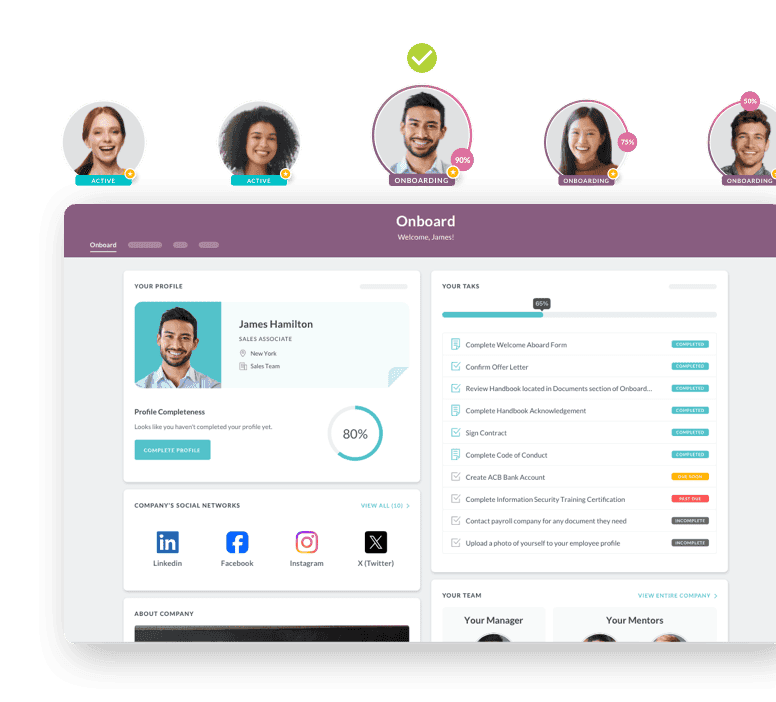
HR Cloud's Performance Management page describes goal tracking, check-ins, review cycles and review templates, and the site navigation lists Custom Forms & Workflows and E-Forms & Signatures under Core HR Features. The Performance Management page does not mention PIPs, so whether those pieces can carry a PIP layout is a question for a demo, not an assumption. Our performance improvement plan template guide covers the process around the plan.
What to expect: HR Cloud pricing is quoted by headcount band and plan on the pricing page. Performance Management is included in the Growth and Full Suite plans and not in Onboard.
How Do You Keep the Format Consistent Across Managers?
Pick one default layout, name the exceptions and version it. AIHR's guide says a clear PIP format helps managers and HR apply the process consistently. HiBob's template guide lists consistency, efficiency and professionalism among its reasons to standardize, and says a consistent format signals that an organization applies PIPs equitably. Those are vendor claims about their own templates, so treat them as reasoning to test rather than proof.
A short governance checklist is enough for most teams:
- Name the default layout and who owns it.
- List the situations that justify a different layout, such as a multi-issue memo or a one-metric table.
- Add a version number and date to every plan.
- Require HR review before the plan goes to the employee. Arkansas's guidance says to review the draft, preferably with an HR representative, before discussing it with the employee, and to ensure the plan has no non-performance related bias.
- Store every plan in one place, with one naming rule.
Why version numbers matter: When you change the layout, old plans still need to be read against the layout they used.
What Should a PIP Format Include at a Minimum?
Whatever layout you choose, check it against the minimum elements. AIHR lists them: identifying details for the employee, role and manager; the specific performance concern; the expected standard; concrete objectives and action steps; the training, support or resources provided; review dates and check-in points; how progress will be measured; and the outcomes if the required improvement is or is not achieved.
Table 5 shows where each element lives in five of the six layouts. The action plan page is a companion to the formal plan. A gap in a cell is a warning that the layout may drop something.
| Element | Fixed form | Letter or memo | Issue blocks | Table | System |
|---|---|---|---|---|---|
| Concern and evidence | Concern box | Opening paragraphs | Current Performance | Problem row | Performance Concern field |
| Standard and target | Target fields | Targets block | Expected Performance, Goal | Objectives row | Outcome and Actions field |
| Support | Support section | Resources section | Action Plan | Plan row | Support field |
| Review dates | Checkpoint table | Timetable | Deadline per block | Check-ins row | Period start and end dates |
| Consequences | Statement | Closing paragraph | Consequences section | Short note | Per local policy |
| Acknowledgment | Signature lines | Signature block | Signature lines | Signature line | Employee acknowledgment |
Table 5. Where the minimum elements sit in each layout
Pro tip: Before issuing a plan, search it for the word "consequences." If the layout has no place for it, the employee may learn the outcome only in the final meeting.
How Long Should the Plan Be, and Does Length Change the Format?
Length of the clock matters more than length of the page. Smartsheet's templates page says performance improvement plans cover 30, 60 or 90 day periods. Arkansas's deadline field reads "typically 30, 60, or 90 days." Brown's sample has a "[45/60/90] Day Evaluation Timeframe" heading for the manager to fill in.
Match the layout to the clock. A 30-day plan for a narrow gap fits a table with weekly check-ins. A 90-day plan for a skill gap needs room for phases, so a memo with a timetable or a system record with dated reviews fits better. Oregon's job aid adds a practical rule for systems: if the employee needs more time than the end date allows, close the plan and start a new one, so each record covers a defined period.
Hypothetical example: A pharmacy operations manager writes a 90-day plan for a supervisor who struggles with scheduling. She splits the memo into three 30-day phases, each with its own target and check-in date. At Day 30, the supervisor has met the first target, and the second phase starts with a clean record of what was achieved.
Why phases help: A long plan with one end date gives the employee no signal until the last week. Phase targets create earlier proof of progress, or earlier proof of a problem.
What Format Works for Shift-Based and Multi-Location Teams?
Shift teams need a layout whose check-ins and measures fit the schedule. A weekly Friday meeting does not work if the employee's shifts run Sunday to Thursday. A metric that only exists in a monthly report cannot be checked weekly.
Three adjustments help. First, write the check-in as a day and a shift window, not a calendar slot. Second, name a measure that exists for every shift, such as a daily count or a supervisor log. Third, name a backup owner for check-ins when the manager is on a different shift.
Hypothetical example: A food production plant places a line operator on a 30-day plan for missed quality checks. The plan uses a table. The measure is the count of completed checks on the shift log, which the shift lead records each day. Check-ins fall on the first Tuesday overlap between the employee's shift and the manager's, and the plant's HR partner covers the second check-in when the manager is off.
If the issue is that the employee cannot be reached for feedback in the first place, that is a channel problem before it is a format problem. Our frontline worker guide covers feedback channels for shift-based teams, including pulse surveys, anonymous polls and department-specific channels.
Why shift alignment matters: If a check-in cannot happen on a real shift, the plan does not run as written, and the record will show missed meetings that the employee had no chance to attend.
What Mistakes Make a PIP Format Fail?
Five mistakes recur in how plans are laid out:
- Hiding the targets. In a letter, targets sit in a paragraph and nobody can find them in the final review. Put them in a block with numbers and dates.
- Skipping support. A layout with no support section tends to produce plans with no support. Add the field even if the answer is short.
- Letting the form grow. Every added field is another thing for a manager to leave blank. Cut fields no reviewer has ever read.
- Changing layout mid-plan. If the plan needs a different layout, close it and start a new one with a new date. Oregon's job aid applies the same close-and-restart rule when a plan has to run past its end date.
- Treating format as a substitute for fairness. A tidy layout cannot fix a plan with unclear standards. HR review should check the content as well as the fields.
Pro tip: Hand a completed plan to someone outside the team and ask them to state the standard, the support and the next review date. If they cannot, the layout is hiding it.
So, Which Performance Improvement Plan Format Should You Choose?
Choose the fixed form as the default when many managers write plans, the letter when the story is complicated, issue blocks when there are several gaps, a table when one or two measures matter, an action plan page as a working companion and a system workflow when you need visibility across sites. The performance improvement plan format you choose matters less than using it consistently and checking it against the minimum elements in Table 5.
This guide reviewed six layouts from public sources: universities, state and district government agencies, an HR training provider, template vendors and HR software providers. Each source's rules are its own, and your policy and local law decide what applies to you. Have HR or counsel review a plan before it goes to an employee.
For the process around the document, see our performance improvement plan template guide and the PIP definition page.

Discover how our HR solutions streamline onboarding, boost employee engagement, and simplify HR management
Book a DemoFrequently Asked Questions
What is a performance improvement plan format?
A performance improvement plan format is the layout a PIP uses to record the performance gap, the standard, the support, the review dates and the outcome. Public examples use a fixed form, a letter or memo, issue blocks, a table or timeline, an action plan page or a system workflow.
Should a PIP be a letter or a form?
Either works. Public examples include fixed forms (UAB, Brightmine) and letters or memos (Brown, greytHR). Use a form when many managers need comparable records, and a letter when the situation needs narrative. Whichever you pick, keep the targets in a block with numbers and dates.
How long should a PIP be?
Length of the clock varies more than length of the page. Smartsheet says PIPs cover 30, 60 or 90 day periods, and Arkansas's template says deadlines are typically 30, 60 or 90 days. Keep the document as short as the situation allows, while still covering concern, standard, support, dates and outcomes.
What sections should every PIP include?
AIHR lists the minimum elements: identifying details, the specific concern, the expected standard, objectives and actions, support, review dates, how progress will be measured and the outcomes. Public forms arrange these differently, so check your own layout against that list and your HR policy.
Can a PIP use a table format?
Yes. AIHR's examples use a table with labels for Goal, Objectives, Problem, Plan, Check-ins and Metrics. Smartsheet offers Excel templates for a 30-day plan and a weekly timeline. A table suits one or two measurable gaps and should be paired with a short note for context.
What format works for several performance issues?
Issue blocks. Arkansas's guidance gives each issue four fields: Current Performance, Expected Performance, Specific Improvement Goal and Deadline. Brown's sample gives each competency examples and expected work performance. Keep the number of blocks small so the employee can see what to address first.
Does HR Cloud have a PIP format or template?
HR Cloud's Performance Management page describes goal tracking, check-ins, review cycles and review templates, and the site navigation lists custom forms and workflows and e-forms and signatures. The page does not mention PIPs. Ask for a demo to see whether those features can carry your own plan layout.
How do you close a PIP in the same format?
Use the same layout and add a dated outcome. greytHR's samples use a separate closure letter for success and a termination letter for failure. Oregon's job aid has the manager evaluate progress, meet with the employee and collect a final acknowledgment. Follow your own policy for outcomes.
About the author

Like What You Hear?
We’d love to chat with you more about how HR Cloud® can support your business’s HR needs.
Book Your Free Demo