Time off management made simple
Streamline PTO requests, track balances, and manage team availability in one intuitive platform. No more spreadsheets, no more confusion.
Trusted by industry leaders in every sector
Everything you need to manage time off with a powerful time-off management system.
Powerful features that make time tracking effortless for everyone with time off management software.
Why Choose HR Cloud Time Off Tracking?
Everything you need to manage time off efficiently, all in one place.
Effortless Time-Off Requests
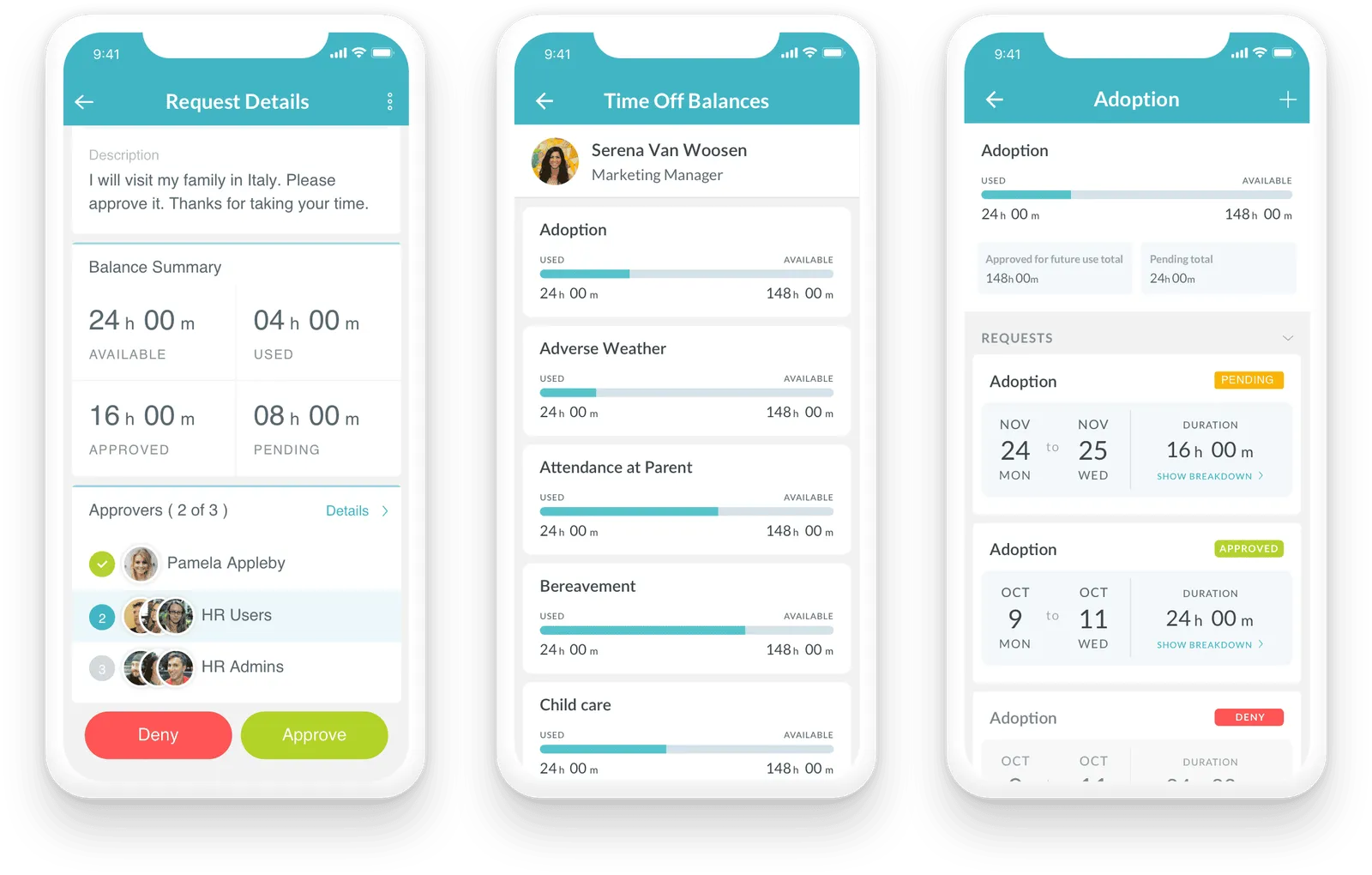
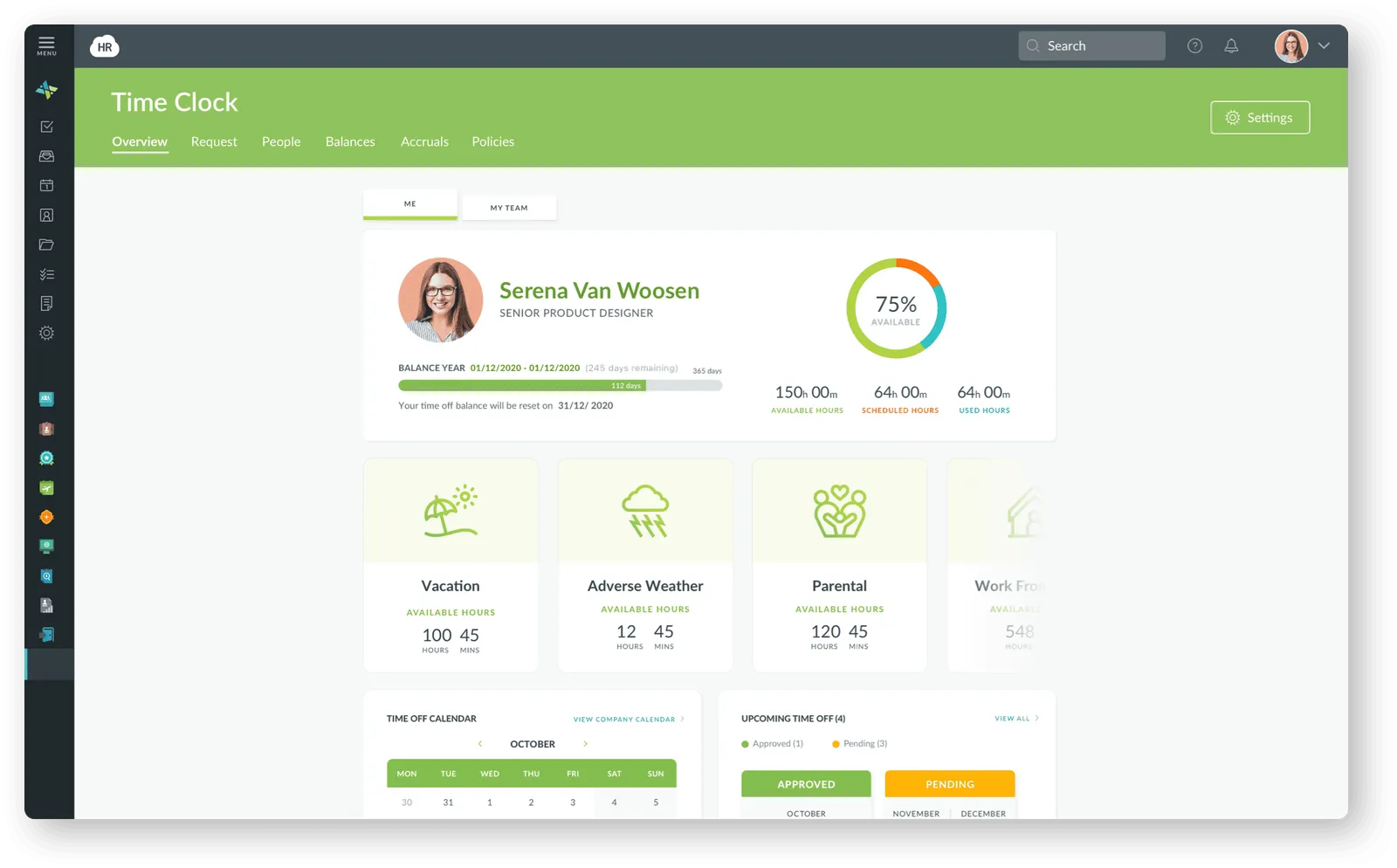
Make it quick and simple for employees to request PTO, vacation, sick leave, and custom leave types — all from desktop or mobile. Balances update instantly for complete transparency.
Fast Approvals & Automated Workflows
Managers get notifications and can approve or deny with one click. Automated reminders reduce bottlenecks and eliminate back-and-forth emails.
Real-Time Visibility
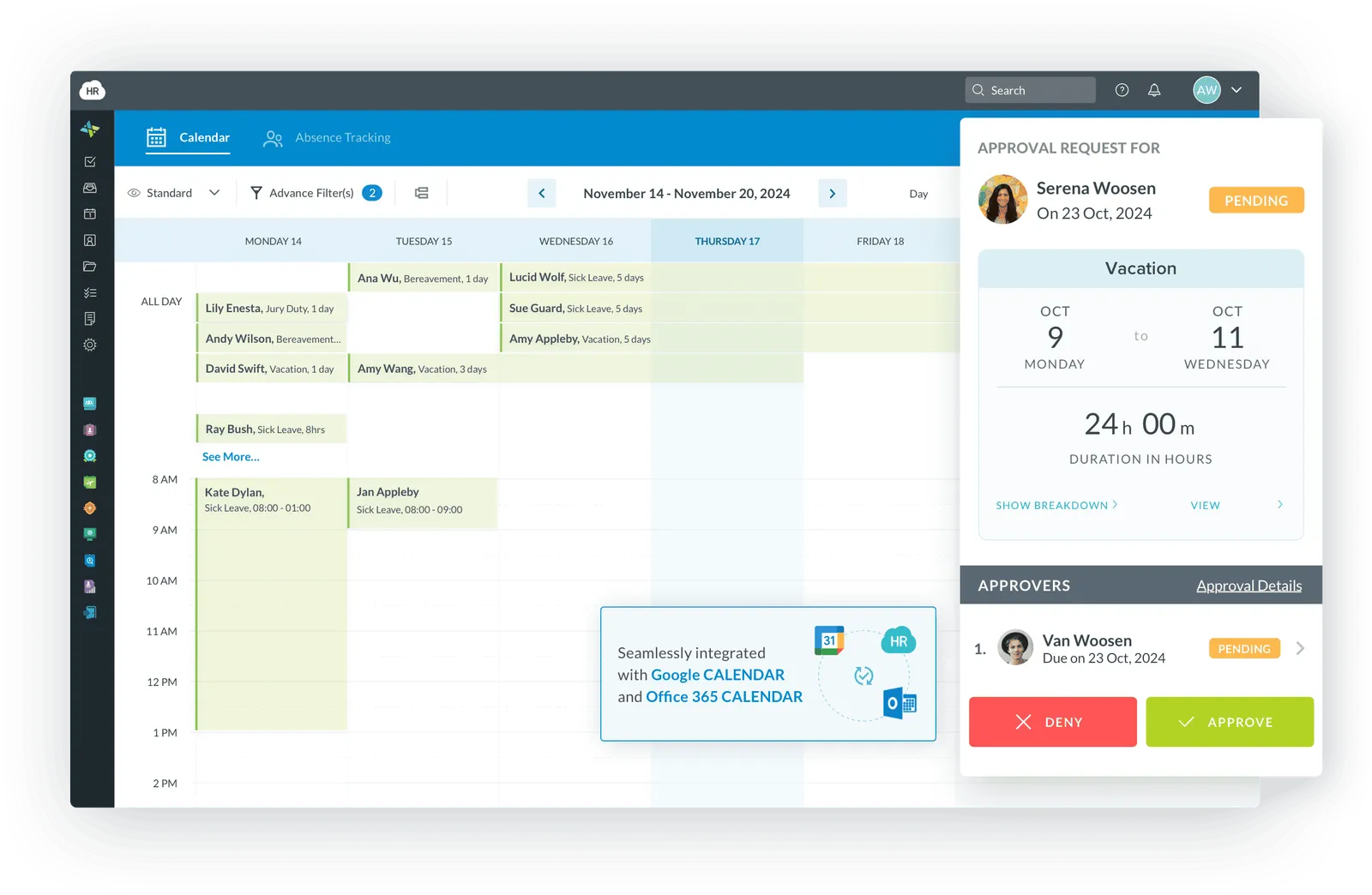
See who's out, when, and how much time remains with a shared team calendar view — preventing scheduling conflicts and ensuring adequate coverage.
Accurate Balances & Compliance
Automated accrual tracking and built-in compliance reduce manual errors and ensure your policies adapt across locations and labor rules.
Manage time off with total clarity
Give employees an easy way to request time, and empower HR teams with real-time visibility, accurate balances, and automated approvals.
How Does it Work?
Give employees valuable self-service access to updated vacation, sick, and PTO time. Increase employee satisfaction and HR productivity all at the same time.
One-click Time-Off Requests
Not only can employees easily check policies, balances, and accruals, but they can easily request time off in just one click.
Manager Approvals
Managers immediately receive the request and can take the appropriate action. The employee is notified in email for a seamless workflow.
Centralized and Secure
The HR Cloud time and attendance system consolidates all employee requests, approvals, and accruals so you can manage all time-tracking data, all in one secure system.
Replace chaos with clarity
Stop juggling spreadsheets, emails, and sticky notes. HR Cloud brings all your time-off management into one beautiful, intuitive platform.
Save 10+ Hours Per Week
Automate the busy work and focus on what matters
Eliminate Scheduling Conflicts
AI-powered alerts prevent coverage gaps before they happen
Boost Employee Satisfaction
94% of users report better work-life balance
Real impact, real results
Companies using automated time off tracking free up HR hours, reduce errors in payroll, and significantly improve employee satisfaction.
Reduction in HR admin time
Accuracy in payroll data
Employee satisfaction score
Annual savings per company
How time off works
Get started in minutes, not weeks
Organizations using HR Cloud achieve greater success
Discover how organizations like yours are transforming their businesses with HR Cloud. Learn more about how we’re helping our clients improve efficiency, productivity, and business results.
Frequently asked questions
How does time-off management software work?
HR Cloud's time-off management software automates leave requests, accrual calculations, and approval workflows — replacing spreadsheets with a centralized system where employees submit PTO requests from any device and managers approve in one click. The platform tracks vacation, sick leave, personal days, and parental leave simultaneously, updating balances in real time after every approval. HR and payroll teams gain a single audit-ready record of every request, decision, and accrual adjustment — eliminating the manual reconciliation that typically consumes 4–6 hours of HR time per week.
Why do companies need time-off management software?
Companies without automated leave tracking average 4–6 hours of manual PTO work per week, with payroll errors frequently traced back to incorrect or missing leave data. HR Cloud's time-off software eliminates that exposure by automating accruals, enforcing policies consistently across locations, and syncing approved leave directly to payroll. The result: fewer disputes, faster approvals, and HR teams that spend time on people — not spreadsheets. Organizations using HR Cloud report an 80% reduction in HR admin time and 95% payroll data accuracy after implementation.
How do managers approve time-off requests in HR Cloud?
Managers receive instant push notifications when an employee submits a request and can approve or deny directly from the HR Cloud mobile app or web dashboard in one click. The shared team calendar updates in real time, showing scheduling conflicts and coverage gaps before a decision is made. Every approval and denial is logged automatically with a timestamp and the approving manager's name — creating a complete record without any manual documentation.
Can a manager ask why an employee is requesting time off?
In most jurisdictions, managers can ask the general reason for a leave request but cannot require employees to disclose medical diagnoses or protected health information under FMLA or ADA. HR Cloud lets HR administrators configure leave categories — vacation, sick, personal, parental, bereavement — so managers receive only the policy-relevant information needed to plan coverage, without crossing into protected disclosure territory. This configuration is handled at the HR admin level and applies consistently across all teams and locations.
Can a manager deny or cancel previously approved time off?
Yes, managers can rescind previously approved time off when business needs require it, but documentation is critical to avoid disputes and potential compliance exposure. HR Cloud logs every approval, modification, and cancellation with a timestamp and user attribution — creating an audit trail that protects both the organization and the employee. When a decision changes, the system automatically notifies all affected parties and updates the team calendar immediately, so there is no ambiguity about current status.
What are the best practices for managing employee time-off requests fairly?
Fair time-off management comes down to five practices: publish written PTO policies and make them accessible to every employee digitally; apply consistent approval rules based on tenure or submission order rather than manager discretion; use a shared team calendar so all requests are visible before decisions are made; document every approval and denial with a reason; and audit leave utilization across departments regularly to catch patterns of inequity early. HR Cloud enforces all five through configurable workflows, audit logs, and real-time reporting — replacing ad hoc decisions with a consistent, defensible process.
How does HR Cloud's time-off software integrate with ADP and other payroll systems?
HR Cloud connects directly with ADP Workforce Now, ADP TotalSource, ADP RUN, Paylocity, UKG, and Paycor — syncing approved time-off records into payroll without manual data entry. When an employee's leave is approved, the system automatically flags the relevant payroll period, ensuring PTO balances and compensation calculations stay aligned. This eliminates the most common source of payroll errors: the gap between what HR approved and what payroll processed. For teams already using ADP, the integration is bi-directional — employee updates in ADP flow back into HR Cloud automatically.
What are the main benefits of a PTO management system?
A PTO management system eliminates three compounding problems: balance disputes caused by manual calculation errors, payroll discrepancies from disconnected systems, and compliance gaps from inconsistently applied leave policies. HR Cloud's platform automates accruals for every leave type — vacation, sick, personal, and parental — and generates audit-ready reports on demand. HR Cloud clients report an average $50,000 in annual savings per organization, driven by reduced admin time, fewer payroll corrections, and lower compliance risk. For HR Directors managing 500 or more employees, the ROI case is typically straightforward.
How does HR Cloud handle fair time-off distribution across teams?
HR Cloud ensures equitable leave management through configurable approval rules that apply uniformly across teams, tenure tiers, and departments. Managers see all pending requests simultaneously before approving any single one — preventing first-come-first-served bias on high-demand dates like holidays. Every approval and denial is logged with a timestamp, reason, and approving manager's name, creating an auditable record that HR and legal teams can access at any time. Reporting tools also surface utilization patterns by department, flagging teams where leave is being disproportionately denied or approved.
What is the difference between a time-off management system and manual tracking?
Manual leave tracking — spreadsheets, email threads, shared calendars — requires someone to update balances after every request, chase approvals, and manually reconcile records with payroll at the end of each pay period. HR Cloud's time-off system automates all of it: accruals calculate on schedule, approvals trigger payroll flags, and every leave type is tracked in one place without duplication. Clients report saving 10 or more hours per week compared to their previous manual process. Unlike standalone leave trackers, HR Cloud also connects directly with payroll systems including ADP, Paylocity, and UKG — so there is no second system to update.
Ready to simplify time off management?
Join thousands of companies saving time and improving employee satisfaction with HR Cloud
Book Your Free Demo