
How Can Manufacturers Communicate Company Updates to Employees Without Computers?

Manufacturers reach employees who don't use a computer for work through channels built for a phone, not a desk: a mobile employee app and, where a platform supports it, SMS. What doesn't work reliably is defaulting to email or a desktop intranet, since both assume regular computer access most plant employees simply don't have. A frontline communication platform delivers push notifications, company announcements, and two-way messaging straight to the device employees already carry every shift. That shift, from a channel built for a desk to a channel built for a phone, is what actually closes the gap between corporate and the floor.
Most manufacturing communication tools were built for people who check email at a desk. Most manufacturing employees don't have one. Across industries with heavy deskless populations, roughly 70 to 80% of the global workforce works without a desk or a company computer, according to Boston Consulting Group research, and manufacturing is one of the industries most affected. That mismatch isn't a minor inconvenience. It's the reason safety alerts arrive late, policy changes get missed, and shift changes turn into a game of telephone run through supervisors.
This guide covers where that gap actually shows up on the floor, what it costs a manufacturer when it goes unaddressed, what a mobile employee app for factory workers solves that a bulletin board can't, and how to roll one out without it becoming another tool nobody actually opens after the first week.
The Communication Gap Between Corporate and the Floor
Bulletin boards and word-of-mouth limitations
Ask a plant manager how company updates reach the floor and the honest answer is usually some combination of a printed notice taped to a break room wall, a supervisor repeating an announcement out loud at shift change, and whatever gets passed along informally between coworkers. All three have the same structural problem: none of them confirm that the message actually arrived. That's true whether the plant is running one shift or three, and it gets worse, not better, as headcount and site count grow.
A bulletin board only reaches employees who walk past it and stop to read it. A notice posted on a first-shift board doesn't automatically reach second or third shift unless someone remembers to leave it up, and even then, there's no way to know who actually saw it. Word-of-mouth is worse in a specific way: it degrades. A policy update repeated from supervisor to lead to employee across three shifts rarely comes out the other end saying exactly what corporate meant.
Language adds another layer. A single-language paper notice or verbal announcement doesn't reach a multilingual production floor evenly, and a supervisor translating on the fly is doing his or her best, not delivering a verified, consistent message. None of these channels are being run badly. They're the channels a company defaults to when it hasn't built a system that reaches a phone in someone's pocket instead of a desk they don't have.
The math behind this problem is straightforward once you actually lay it out. A plant running three shifts across two buildings has, effectively, six separate audiences for every piece of information corporate needs delivered, and a paper notice or a single verbal announcement can only reliably reach one of them at a time. Multiply that by every safety update, every policy change, and every routine announcement a company sends in a year, and the gap isn't a one-time inconvenience, it's a structural leak that repeats every single shift change.
| Channel | Reaches all shifts? | Confirms receipt? | Reaches non-English speakers reliably? |
|---|---|---|---|
| Bulletin board | No, only whoever walks past | No | No |
| Verbal announcement at shift change | No, only that shift | No | Only if translated live |
| Word-of-mouth relay | No, degrades with each retelling | No | No |
| Group text (personal numbers) | Partially, if numbers are current | Partially (read receipts vary) | No, unless manually translated |
| Mobile employee app | Yes, by design | Yes, opens/reads are trackable | Yes, if the platform supports it |
Why This Gap Creates Real Business Risk
Missed safety updates, policy changes, and shift changes
A missed company picnic announcement is an inconvenience. A missed safety update is a different category of problem entirely, with real, sometimes irreversible consequences. When a hazard alert, a recall notice, or a change to a safety procedure only reaches employees who happen to see a bulletin board or catch a verbal announcement at the right shift change, some percentage of the floor is operating on outdated information without knowing it. That's a real safety exposure, not a communication nicety.
Policy changes carry a similar, if less acute, risk. A benefits enrollment deadline, a change to the attendance policy, or an update to overtime rules that only reaches part of the workforce creates confusion and, sometimes, grievances, especially at union sites where inconsistent communication can itself become a bargaining issue. Shift changes are the daily version of the same problem: whatever corporate needs first shift to know has to somehow also reach second and third shift, on their own schedule, without corporate having to repeat the announcement three separate times through three separate supervisors.
The business cost compounds from there. Boston Consulting Group's survey of nearly 4,700 deskless workers across France, Germany, the US, and the UK found 53% report feeling burned out at work, and more than four in ten are at risk of quitting, with the risk highest in the UK (49%) and lowest in France (37%). Feeling disconnected from company communication isn't the only driver of that number, but a workforce that regularly finds out about things secondhand, late, or not at all is not a workforce that feels like part of the company. In an industry already competing hard for hourly labor, that's not a cost a manufacturer can afford to treat as a soft metric.
There's a compliance angle here too, separate from the human cost. OSHA's Hazard Communication Standard, 29 CFR 1910.1200(h), requires employers to provide employees with information and training on hazardous chemicals in their work area, and OSHA's own standard interpretations specify that training must be delivered in a language employees actually comprehend when they don't understand English. The standard doesn't mandate a specific delivery channel, but a bulletin board a night-shift crew never walks past, or a verbal briefing given only in English on a multilingual floor, is a real gap between what the standard requires and what a paper-and-word-of-mouth system can actually demonstrate. A platform that shows who received and opened a safety notice adds documentation and visibility that a bulletin board can't provide, though it's worth being precise about what that documentation shows: an open or a read receipt is evidence the notification reached the device, not proof the employee was trained on or understood the content, which is a separate requirement the standard is actually asking for.
Shift changes carry their own quieter risk. When a production issue, a quality hold, or an equipment problem discovered on second shift has to travel through a supervisor's memory to reach third shift, details get lost, and sometimes the handoff doesn't happen at all if the two supervisors don't overlap. A centralized channel that any shift can check removes the dependency on one person remembering to pass along what the next shift needs to know.
None of these risks are hypothetical for a plant that's already operating this way today; they're the daily, low-visibility cost of running safety, policy, and shift-handoff communication through channels that were never designed to confirm delivery. The risk doesn't announce itself until the one time a missed message actually causes an incident, a grievance, or a costly production error, at which point the retroactive question becomes whether the company can show it reasonably tried to communicate, not just whether it posted something somewhere.
What a Mobile Employee App Solves
A bulletin board, a verbal shift-change announcement, and a group text each solve one small piece of the communication problem and leave the rest unaddressed. A mobile employee app is the only channel among the options manufacturers actually have that solves the reach problem, the confirmation problem, and the language problem at the same time, because it's built around the one device that follows the employee rather than a fixed physical location or a channel tied to a desk.
Push notifications and two-way messaging
A push notification does something a bulletin board structurally cannot: it goes to the device the employee already has on them, whether they're at a workstation, on the floor, or on a break, and it doesn't depend on them walking past a specific physical location at the right time. For a safety alert or a shift-change notice, that difference is the entire point. The message reaches someone within minutes of being sent, not whenever they next happen to look at a wall.
This assumes employees can actually have phones where they work, which isn't universal in manufacturing. Some plants restrict personal devices on the production floor for safety or security reasons, and some union agreements have their own rules about employer communication reaching personal devices. Where that's the case, the same information still needs to reach people during breaks, at shift change, or through a shared device or kiosk near the floor rather than assuming everyone has a phone in their pocket while operating equipment. A rollout plan should account for that restriction explicitly rather than assume push notifications alone solve the problem for every part of the plant.
Two-way messaging closes the other half of the gap. A bulletin board is one-way by design; nobody can respond to a piece of paper. An employee app that supports comments, replies, or direct messages lets a worker flag a question, report a problem, or confirm they've read a safety notice, and it gives corporate a delivery and visibility record instead of just a posting. That's a meaningfully stronger position going into a labor dispute or a safety audit than "we posted it on the board," even though, as the compliance section below notes, an open or a read confirms delivery, not comprehension or training.
Centralized company announcements
The other structural fix a mobile app provides is a single source of truth. When announcements live in one feed instead of being scattered across paper notices, group texts, and word of mouth, there's no ambiguity about whether a given piece of information is current. An employee can check the app and see the actual, current company announcement rather than relying on whatever version of it made it to their shift secondhand. For a company running multiple plants, centralization also means corporate can push one message once instead of relying on each site to relay it locally and hoping nothing gets lost or altered in the retelling.
A centralized feed also solves a problem specific to multi-site manufacturers: version control. Without one, it's common for site A to be operating on last month's attendance policy while site B got the update two weeks ago and site C never got it at all, simply because each site relied on its own local relay chain. A single feed means every site is looking at the same, current version of every announcement, with no local drift.

How Manufacturers Are Closing the Communication Gap Today
Moving from paper postings to mobile-first updates
The shift happening across manufacturing right now isn't a wholesale replacement of every communication channel a plant uses. It's specifically the highest-stakes, most time-sensitive communication, safety alerts, shift changes, and company-wide announcements, moving off paper and word-of-mouth and onto a mobile app, while lower-stakes local communication (a supervisor's daily huddle, a posted production schedule) often stays exactly as it is.
That's a deliberate, practical choice. A manufacturer doesn't need to digitize everything on day one to get real value; it needs the handful of communications that carry real consequences when missed to reach everyone reliably. That means choosing a connected workforce platform that works without requiring a company email address or a corporate login tied to a desktop, since a meaningful share of the workforce has neither, and confirming it works on personal phones through a mobile app, subject to the on-floor phone access limits noted earlier, rather than requiring company-issued hardware most manufacturers can't afford to distribute to every hourly employee.
This is a reasonable shift to make in phases rather than a single cutover. A practical first phase covers safety alerts and company-wide announcements, the messages with the clearest, most immediate cost when they're missed. Once that's working and trusted, a second phase can expand to shift-specific updates, local site news, and recognition posts, categories where the cost of a missed message is lower but the cumulative value of reliable delivery still adds up. Keeping bulletin boards in use during and after this shift, not as the primary channel anymore but as a secondary, local reference point, is worth considering too, since removing a familiar physical touchpoint too fast can create its own resistance to the new system.
Multilingual support factors into which platform manufacturers choose, more directly than it does for most office-based companies. A production floor with a meaningfully sized Spanish-speaking, Vietnamese-speaking, or other non-English-speaking population needs a communication tool that can deliver the same message in more than one language, rather than relying on a bilingual shift lead to translate announcements on the spot every time, which is neither scalable nor consistent from one announcement to the next, especially as shift leads change over time.
Step-by-Step: Rolling Out a Frontline Communication Platform
Not every manufacturer needs to digitize every communication channel at once. The rollouts that actually stick start with a deliberate audit and a phased launch instead of switching everything over in one week.
To make each step concrete, picture a composite plant: 400 hourly employees across three shifts at two buildings on the same site, with roughly 15% of the workforce speaking a primary language other than English. This is an illustrative example, not a researched industry sample, useful only for showing how the five steps play out in practice.
Step 1 — Audit current communication channels
Before picking a platform, map out how information actually reaches the floor today: bulletin boards, verbal announcements at shift change, group texts, email (for the minority who have it), and anything else in use. For each channel, note what it's actually good at reaching (which shift, which department, which language) and where it consistently breaks down. This audit tends to point to the same weak spot in practice: safety and policy communication is often the least reliable category, because it depends on the most channels working correctly at once.
At the composite plant, an audit like this would likely surface a familiar pattern: first shift gets reasonably consistent verbal updates because the plant manager is present, second shift relies almost entirely on whatever first shift's supervisor remembers to hand off, and third shift is functionally cut off except for what's posted on the bulletin board, which the third-shift crew may not check consistently since they're focused on production during a lower-staffed window.
Step 2 — Choose a mobile-accessible platform
Not every communication or engagement tool actually works for a deskless workforce. The platform needs to run on a personal phone without requiring a company email address, since a large share of hourly manufacturing employees don't have one. It needs push notifications that don't depend on the employee opening an app on their own initiative. And it needs to support targeting by location, department, or shift, so a message meant for one plant or one shift doesn't blanket the entire company and get ignored as irrelevant noise by everyone else. For a multi-building, multi-shift site, targeting by location and shift isn't optional: without it, corporate either sends every message to everyone regardless of relevance, which trains people to ignore notifications, or manually maintains separate distribution lists outside the platform, which is exactly the overhead the platform is supposed to remove.
Step 3 — Train shift leads as communication champions
A platform rollout succeeds or fails based on whether shift leads actually use it and encourage their teams to use it. Shift leads are the people employees already trust for day-to-day information, so if a shift lead treats the new app as optional or keeps defaulting to the old bulletin board, the workforce follows that lead. Training shift leads first, before the broader rollout, and giving them a reason to check the app themselves (their own team's updates, their own recognition posts) turns them into the rollout's actual champions instead of a group that has to be convinced separately from everyone else. Training every shift lead across every building in the same session, before a single employee is asked to download anything, and having each one post the app's first real announcement to their own team directly, tends to work better than corporate pushing the announcement to everyone at once and hoping shift leads catch up on their own.
Step 4 — Launch with a high-visibility use case (safety alerts)
Don't launch a new communication platform with a low-stakes use case like the company newsletter and hope adoption builds from there. Launch it with something employees already care about and will notice immediately if it works, safety alerts are the clearest example. A platform that reliably delivers safety-critical information earns trust fast, and that trust carries over once lower-stakes announcements start flowing through the same channel. A platform whose first real test is a company picnic reminder doesn't earn the same immediate credibility.
Be careful with the word "switch" here. Existing safety processes, PPE compliance tracking, near-miss reporting, incident documentation, are often governed by specific EHS procedures, site policy, or regulatory requirements that shouldn't be casually migrated to a general communication app. The safer launch move is to use the new platform to complement and extend that existing process, for example by pushing the safety reminder or acknowledgment request through the app in addition to whatever documented safety system already exists, rather than replacing that system's own required records.
For the composite plant, a practical launch use case is pushing PPE-compliance reminders through the new app alongside the plant's existing safety process, since those already matter to every employee on every shift, before adding company newsletters, benefits reminders, or recognition posts in a second wave a few weeks later.
Step 5 — Track open/read rates
Once the platform is live, the only way to know if it's actually closing the communication gap, rather than just adding a new channel nobody checks, is to track whether messages are being opened and read. Compare open rates across shifts and sites: a site or shift with a meaningfully lower open rate usually points to a shift-lead adoption problem from Step 3, not a platform problem. Track this consistently rather than checking once at launch and assuming it holds; adoption tends to erode over time without active attention, especially if new hires aren't onboarded onto the app as a standard step.
If the composite plant's third shift, the one that was already the hardest to reach with the old bulletin board, shows the lowest open rate after 60 days, that's the clearest possible signal to go back and check whether that shift's lead is actually reinforcing the app rather than assuming the technology alone would fix a problem that was really about buy-in.
How HR Cloud's Workmates Bridges Corporate and Frontline Teams
Mobile app for every employee
Workmates runs as a mobile app and a web application, so employees can use it from a personal phone without needing a company email address or a desktop. On the manufacturing side specifically, Toyota Material Handling, the U.S. distributor of Toyota forklifts, uses Workmates to connect its associates. "One of the biggest benefits from using HR Cloud Workmates platform is that our associates can comment, react, and provide feedback directly through the platform from their smartphone or desktop devices," said Danielle Nickerson, Human Resource Specialist at Toyota Material Handling.
Push notifications and announcements
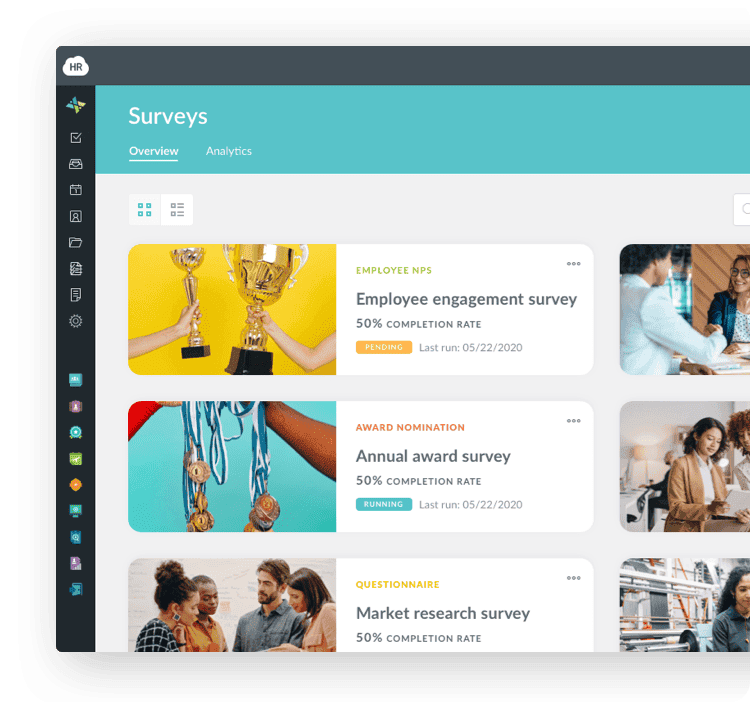
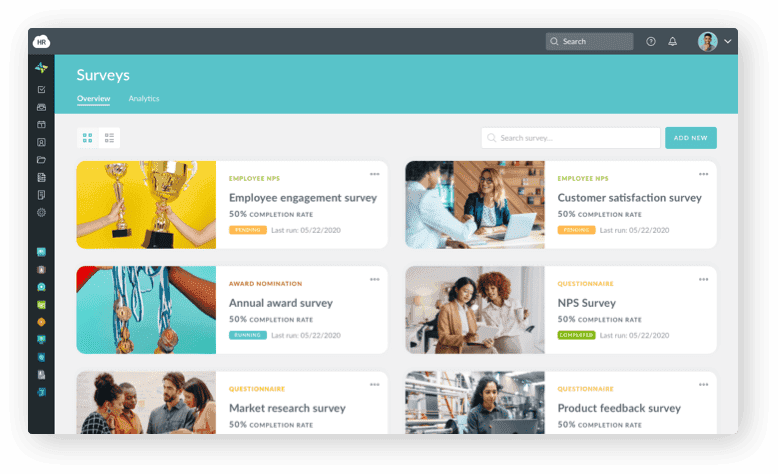
Workmates lets HR compose and schedule announcements, newsletters, company feed posts, polls, and app notifications as part of a targeted communication campaign, using a library of templates rather than building each one from scratch. Posts to the company feed can be filtered by audience: Everyone in the organization, a specific location, a specific department, or a specific division, so a plant-specific safety notice doesn't have to go to every employee at every site company-wide, and a message meant for one location reaches that location specifically.
That targeting matters as much as the notification itself. A manufacturer running multiple shifts across multiple buildings can push a message to one building's second shift specifically, rather than choosing between sending it to everyone (and training people to tune out irrelevant alerts) or manually managing separate contact lists outside the platform for every shift and building combination.
Two-way feedback channels
Beyond one-way announcements, Workmates supports comments and reactions on posts, so employees can respond, ask questions, or flag concerns directly rather than the communication only flowing one direction from corporate down. Higher plan tiers add Chat and Channels for more direct, ongoing conversation. Comfort Systems USA Southwest, a construction and field-services company, uses HR Cloud specifically to make "employee recognition & communication a priority," per its published case study, a similar structural case to manufacturing: a workforce spread across job sites rather than concentrated at a single desk-based office.
Recognition runs through the same feed as operational communication, via Workmates' Kudos feature, which lets any employee publicly recognize a coworker's work, visible to whichever audience the post is targeted to. That matters for a frontline communication rollout specifically: an app that only ever delivers corporate announcements and safety alerts gives employees no reason to open it between emergencies. An app that also carries peer recognition and lower-stakes company content gives people a reason to check it regularly, which is what keeps the safety-critical channel actually working when it matters, rather than becoming an app people forgot they installed.
Workmates also integrates with tools many manufacturers already run for other functions, including Google Workspace, Microsoft 365, Slack, and Yammer, so the rollout doesn't require replacing an existing collaboration tool the office side of the company already uses, just extending reliable communication to the frontline population that current tool never reached.
Common Mistakes in Frontline Communication Rollouts
The platforms themselves are rarely the reason a frontline communication rollout underperforms. The two mistakes below account for most of the failed or stalled rollouts manufacturers run into, and both are entirely avoidable with the right sequencing.
Launching without shift-lead buy-in
Shift-lead participation is one of the biggest adoption factors worth addressing before launch, not after. If a shift lead doesn't see the value or doesn't bother reinforcing it with their team, employees default back to whatever channel they trusted before, usually word-of-mouth through that same shift lead. Fixing this after the fact is much harder than sequencing Step 3 correctly the first time: train and win over shift leads before the company-wide launch, not after adoption numbers come in low.
This mistake often compounds with a second, related one: launching to every site simultaneously instead of piloting with one shift or one building first. A single-site pilot surfaces adoption problems, unclear messaging, or a shift lead who needs more support while the stakes are still small and easy to correct. A simultaneous company-wide launch means any of those same problems show up everywhere at once, and by the time it's clear the rollout isn't landing, the app has already earned a reputation as "the thing that didn't work" across every site, which is a much harder reputation to undo than a delayed pilot.
Overloading employees with non-essential notifications
The opposite failure mode is just as damaging: sending too many low-value notifications too often. An app that pushes a notification for every minor update, every department's internal announcement, and every company-wide reminder trains employees to ignore notifications altogether, which defeats the entire purpose of having a reliable channel for the messages that actually matter, like a safety alert. Reserve push notifications for genuinely time-sensitive or high-importance communication, and let lower-priority updates sit in the feed for employees to check on their own schedule instead of interrupting their shift for something that could have waited.
A useful discipline here is a simple two-tier rule, set before launch rather than figured out ad hoc: anything safety-related, anything with a deadline inside 48 hours, or anything requiring an acknowledgment gets a push notification; everything else, a birthday post, a routine newsletter, a non-urgent policy FAQ, goes into the feed without one. Employees can still find it when they check the app, but it doesn't compete for attention with the messages that genuinely can't wait.
What Better Communication Delivers
Faster safety response and higher engagement
The clearest return on closing this gap is speed on safety-critical communication: a push notification that reaches every relevant employee's phone within minutes closes the exposure window a paper notice or a verbal relay leaves open for hours or an entire shift. That's a meaningful difference when the communication in question is a hazard alert or an equipment recall, not just a nice-to-have improvement in message delivery time.
The engagement return is real but shows up more slowly. A workforce that reliably hears from the company, and has a way to respond, tends to report feeling more connected to it than one that only hears from corporate secondhand or not at all. Boston Consulting Group's research found more than four in ten deskless workers are already at risk of quitting, with disengagement as one contributing factor among several. Communication access is unlikely to be the deciding factor on its own, pay and scheduling almost certainly matter more, but it's one input into that number a manufacturer can act on directly.
There's a second, less obvious engagement effect worth naming: two-way communication surfaces problems corporate wouldn't otherwise hear about until they'd already become bigger ones. An employee who can easily flag a safety concern, ask a question about a policy change, or comment on an announcement is more likely to raise a small issue early than one whose only communication channel with corporate is one-directional. That feedback loop, not just the broadcast side, is part of what makes the return on a real platform larger than the return on simply posting information faster.
None of this happens automatically just by installing an app. The gains show up when the rollout is sequenced correctly, shift leads bought in, launched on a use case people notice, and tuned so notifications carry weight instead of becoming background noise.
Conclusion
Manufacturers don't close the communication gap by buying more software. They close it by putting the right information on the one device most of their workforce already carries, a phone, instead of a channel, email, an intranet, a bulletin board, built for people who sit at a desk. Start with the audit of what's actually breaking down today, launch on a use case employees will notice immediately, and track whether the messages are actually landing instead of assuming a new app fixes the problem on its own.
The platform matters, but sequencing matters just as much. A strong platform launched company-wide without shift-lead buy-in will underperform a modest one piloted carefully with a single shift first. Audit before you launch, win over shift leads before you go company-wide, and measure open rates after, rather than assuming adoption once the app is installed. The audit is what turns a vendor demo into a real test of whether the platform actually reaches your specific shifts and sites, rather than a generic feature list.
See how HR Cloud's Workmates supports internal communication and employee communication for teams without desks, or look at how it's built specifically for manufacturing workforces before you commit to a platform. If you're still comparing internal communication tools broadly rather than manufacturing-specific ones, the same core requirements from Step 2 apply: mobile-first, no company email required, and targetable by site and shift.
If you're ready to see what a frontline communication platform looks like for your plant's floor, request a demo of Workmates and walk through the rollout against your own shift structure, building by building if you run more than one.

Experience how Workmates can transform communication and strengthen culture—all in one powerful platform
Book Your Free DemoFAQs
Do employees need to download an app for this to work?
Most platforms, including Workmates, require installing a mobile app on a personal or company-issued phone the first time, though some vendors also offer SMS-based options for employees who prefer not to download anything. The one-time install is a much lower barrier than requiring a company email address or desktop access, which is the actual gap this kind of platform is meant to close. A short, hands-on install session during the shift-lead training in Step 3, rather than an email with instructions nobody reads, is usually what makes the difference between high and low first-week adoption.
Can communication be targeted by plant or shift?
Yes, on platforms built for multi-site manufacturers. Workmates lets posts be filtered by location, department, or division, so a message meant for one plant or one shift doesn't have to go to the entire company, and employees aren't trained to tune out notifications that are usually irrelevant to them.
How does this differ from a company intranet?
An intranet is typically built to be accessed from a desktop browser and often requires a company login tied to an email address, both of which assume the employee has regular computer access. A mobile employee app is built the other way around, phone-first, with push notifications that reach the device an employee already carries, rather than a page they have to remember to visit. An intranet can still be useful as an office-side reference, but it isn't a substitute for frontline reach on its own.
Can employees respond, or is it one-way only?
It depends on the platform, but the better ones support two-way communication, not just broadcast. Workmates allows comments and reactions on posts, and higher-tier plans add direct chat, so employees can ask questions, flag issues, or acknowledge a safety notice rather than only receiving information with no way to respond. A platform that's genuinely one-way is closer to a digital bulletin board than a real frontline communication solution, even if it's delivered through an app.
About the author

Keep Reading


Like What You Hear?
We’d love to chat with you more about how HR Cloud® can support your business’s HR needs.
Book Your Free Demo