How to Use AI in HR: Moving From Drafts to Trackable Workflows Across the Full Lifecycle

AI in HR becomes most valuable when it moves beyond content generation and supports structured, trackable workflows across the entire employee lifecycle. This blog explains how HR teams can use AI to automate onboarding, streamline communication, improve employee support, enhance engagement initiatives, and create more consistent HR operations. It highlights the shift from using AI for isolated tasks like drafting emails or documents to integrating it into workflows that provide visibility, accountability, and measurable outcomes. By embedding AI into end-to-end HR processes, organizations can reduce manual work, improve efficiency, and deliver a more connected, data-driven employee experience.
You're an HR director at a 400-person company. You have three open requisitions, a manager who can't give feedback without HR holding their hand, and an engagement survey sitting in your inbox that you haven't had time to analyze. AI can help with all three — right now, today. The catch is not access. The catch is that most HR teams use AI to draft faster, then route those drafts back into the same scattered workflows: email threads, spreadsheet checklists, and PDF packets that nobody finishes.
According to SHRM's 2026 State of AI in HR report, recruiting is the most common area where HR teams apply AI — but it's also where adoption diverges sharply. Extra-large organizations have moved into talent management and learning. Mid-market teams are still figuring out where to start. This guide walks through how AI fits into each stage of the HR lifecycle, what HR must validate before acting on AI outputs, and where platforms like HR Cloud turn drafts into trackable workflows.
How to use AI in HR starts with understanding where it fits: artificial intelligence supports HR tasks across recruiting, onboarding, training, talent management, and employee engagement. AI can help draft content, summarize feedback, identify patterns, and reduce repetitive work. The gap most HR teams experience is not access to AI — it's the absence of a workflow that takes AI output and turns it into something assigned, tracked, and completed. HR teams should review all AI outputs for accuracy, bias, privacy risk, and legal compliance before using them in candidate or employee decisions. Understanding What are AI Hallucinations is also essential, as generative AI can occasionally produce inaccurate or fabricated information that requires human verification.
Key Takeaways
- AI in recruiting covers more than resume screening. Job ads, interview guides, offer letter drafts, and onboarding document checklists are all outputs you can generate today with general-purpose AI tools. Human review is required before any output affects a candidate decision.
- Strong onboarding improves new hire retention by 82%, according to a Brandon Hall Group study commissioned by Glassdoor. AI helps build the checklist. HR Cloud's Onboard module makes sure every item on it gets completed before day one.
- Training design that used to take days can take hours. A full 10-module program with slide outlines, quizzes, and eLearning scripts can be drafted in a single session — and then assigned, tracked, and completed inside an LMS or HR platform.
- The difference between AI drafts and HR outcomes is workflow. AI can create a career plan, a performance conversation script, or a survey analysis in minutes. Whether any of that changes employee behavior depends on whether managers follow through — and whether HR can see it.
- 88% of HR leaders say their organizations haven't realized measurable business value from AI tools, according to a July 2025 Gartner survey. The gap is usually not the tool. It's the absence of a workflow behind the output.
- Use the framework table below to see what AI can draft, what HR must validate, and where HR Cloud fits at each stage.
The Honest State of AI in HR Right Now
Before getting into specifics, it's worth being clear about where things actually stand.
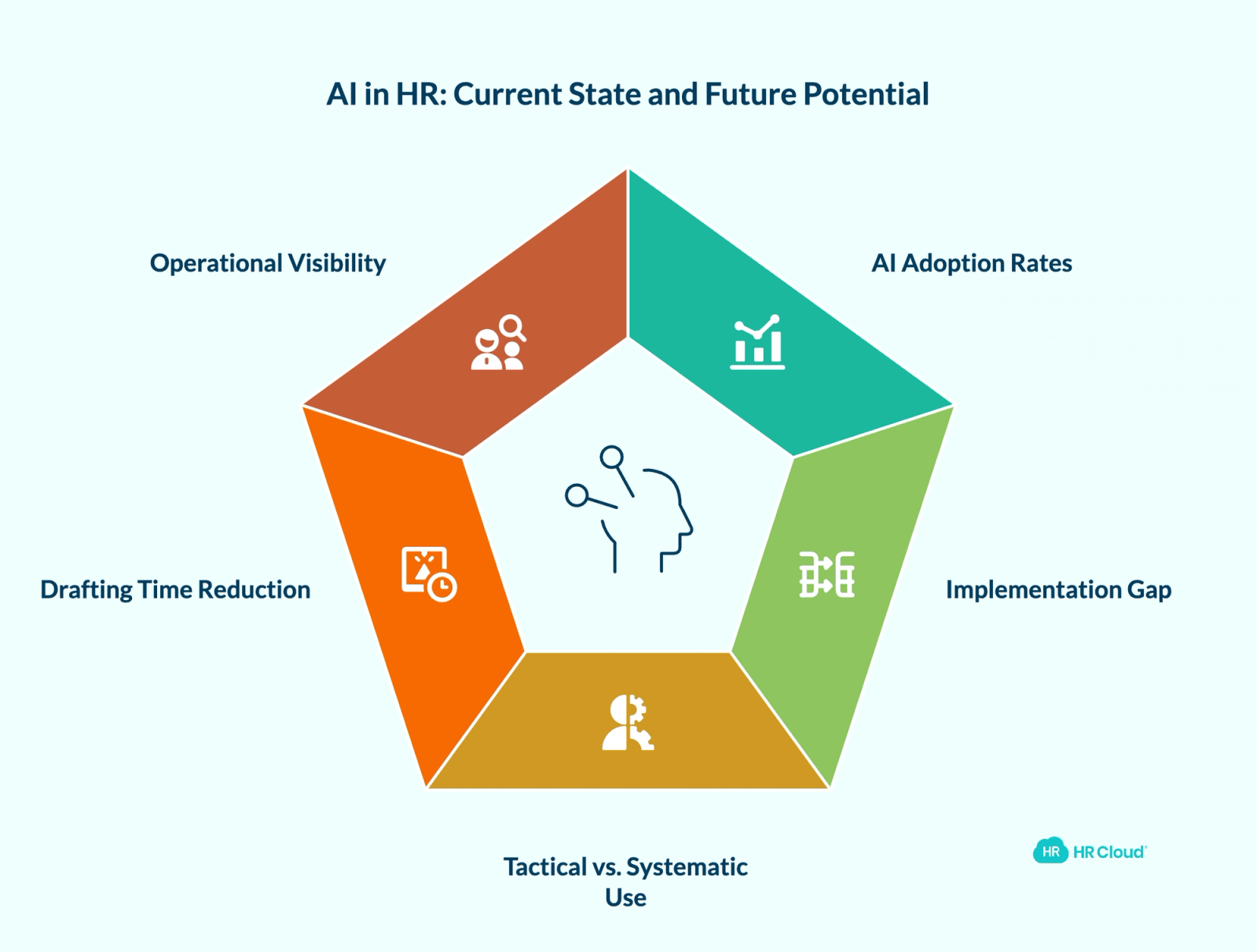
According to SHRM's 2026 State of AI in HR full report, 73% of HR directors and above had adopted AI by 2025 — but only 60% of large organizations have actually implemented AI into their HR functions. For mid-size companies, that number drops to 35%. The technology is available. The adoption is uneven, and for most teams the problem is not awareness — it's knowing what to do with the output once it exists.
Most HR professionals using AI today are using it tactically, not systematically. They prompt an AI tool to write a job description, then go back to doing everything else manually. That works for one-off drafting. It does not build the kind of operational visibility HR teams need across onboarding, performance, and engagement — a point covered in depth in our AI in HR playbook.
What follows is a stage-by-stage breakdown of where AI can reduce drafting time — and what needs to happen after the draft.
The AI in HR Practices Framework
Use this as your reference. Each stage shows what AI can produce, what HR must validate before acting on it, and where HR Cloud fits to turn the output into a tracked workflow.
| HR Stage | What AI Can Draft or Analyze | What HR Must Validate | Where HR Cloud Fits |
|---|---|---|---|
| Recruiting | Job ads, resume summaries, interview question banks | Bias review, job-relatedness, legal compliance, human decision on every candidate | Recruit ATS tracks applications, documents screening decisions, and maintains audit trail |
| Offer & Onboarding | Offer letter drafts, onboarding document checklists | Legal review of all employment terms, data privacy, jurisdiction-specific language | Onboard assigns tasks, collects I-9/E-Verify and all docs, sends reminders, and shows what's missing — including ADP-integrated workflows |
| Training & Development | Program outlines, slide structures, quizzes, eLearning scripts | Accuracy review, subject-matter expert sign-off, compliance requirements | Training workflows track completion, flag gaps, and integrate with manager dashboards |
| Talent Management | Career plan drafts, performance conversation guides, succession frameworks | Manager context, fairness, feasibility, HR sign-off before sharing with employee | Performance tools structure 1:1s, goal tracking, and development milestones in one place |
| Employee Engagement | Survey designs, open-ended response analysis, action plan drafts | Confidentiality handling, data privacy, manager review before acting on themes | Workmates distributes surveys, collects responses, and keeps actions visible after the survey closes |
Stage 1: Recruiting — Drafting Faster, Deciding Carefully
Writing job ads that attract the right candidates
The most common recruiting use for AI is job ad writing — and it's genuinely useful, as long as you're specific in your prompt. A generic prompt produces a generic ad. A prompt that includes the job title, company size, location, industry, reporting structure, and one or two required qualifications produces something much closer to publish-ready.
An HR manager at a regional healthcare system needed to fill an entry-level HR Coordinator role. She fed a detailed prompt into an AI tool — including the city, salary range, and the fact that the position supported a specific hospital department. The output covered administrative responsibilities, HRIS expectations, compliance knowledge, and preferred certifications, and required only light customization before posting. What would have taken 90 minutes took 15.
The 85/15 rule applies here consistently: AI handles about 85% of the structure and language. The remaining 15% — local salary benchmarks, your actual culture, specific team context — only you can add.
Why this matters for HR: A stronger job ad means better candidates in the pipeline before sourcing spend even enters the picture. According to SHRM's 2025 Talent Trends report, 69% of HR professionals now use AI to support recruiting, up from 51% the year before.
Scoring resumes — with the right safeguards
AI can summarize resumes against job-related criteria and flag gaps — which gives every resume a consistent first read regardless of who reviews it or when in the day they do it. That consistency is the value.
This section comes with a firm caveat: do not use AI scores as the sole or primary basis for candidate decisions. AI-assisted screening can introduce or amplify bias if criteria are not job-related, validated, and consistently applied. Before using AI in any selection workflow, HR should document the criteria used, ensure screening factors are legally defensible, keep personal information not relevant to the role out of the prompt, and confirm that a qualified human reviewer makes every final decision. Consult qualified legal counsel before deploying AI-assisted screening at scale.
For teams scaling hiring volume, an applicant tracking system with documented human review built into the process is the safer path.
Building a structured interview question bank
Behavioral interview questions are an area where most hiring managers either improvise or recycle the same five questions they've used for years. AI can build a complete, competency-mapped question set for any role in minutes — including follow-up probes and guidance on what a strong vs. weak answer looks like.
Pro tip: Save the output as a reusable interview guide template. Next time you fill the same role, you start with a complete, documented structure instead of rebuilding from scratch. Documentation also creates a defensible record of consistent treatment across candidates.


Stage 2: Offer Letters and Onboarding Documents
Getting the paperwork right, faster — with legal review
Offer letter generation is a time-consuming task that AI handles well structurally. Prompt it with the candidate name, role, salary, start date, reporting structure, and key benefits, and you get a full letter with standard employment conditions, acceptance instructions, and a signature block.
The firm caveat: have your HR attorney review any offer letter template before using it at scale. Jurisdiction-specific language around at-will employment, probationary periods, non-solicitation, and benefit eligibility requires a legal eye — not just a plausibility check. Also: do not paste confidential candidate information into AI tools that have not been approved by your organization's data governance policy.
On the onboarding documentation side, a single prompt can generate a complete checklist of new hire paperwork: I-9, direct deposit, emergency contacts, handbook acknowledgment, NDA, benefits enrollment — along with a suggested sequence from orientation through 90-day check-ins. For healthcare organizations and construction firms where I-9 compliance and credential verification are audited regularly, that checklist is the starting point. The tracking — who submitted what, what's expiring, what's still missing — is a separate problem.
That's where HR Cloud's Onboard module takes over. It assigns tasks, automates document collection including I-9 and E-Verify verification, sends reminders, and gives HR a live view of where every new hire stands. For teams running ADP, it syncs employee data automatically so nothing has to be entered twice.
Kaylee Collins, HR Analyst at Osmose Utilities Services — a field-based construction and utilities company — put it this way after implementing HR Cloud's Onboard:
“Our hiring managers now have a reliable system that is easy to navigate. Our HR team can actively monitor the process, and assist if needed, but Onboard has helped them save so much valuable time and effort while increasing data accuracy.”
— Kaylee Collins, HR Analyst, Osmose

All of this has helped us improve compliance and gives us a powerful tool to achieve even more results in the future.
Osmose had previously spent up to two hours onboarding each field-based employee outside of any central office. The move to automated, digital onboarding cut that time, reduced data entry errors, and resolved ongoing I-9 and E-Verify compliance concerns.
Why this matters: A Brandon Hall Group study commissioned by Glassdoor found that strong onboarding can improve new hire retention by 82%. AI gets the checklist right. HR Cloud makes sure everything on it actually gets completed — and that HR can see what's missing before day one becomes a problem. When employees eventually leave, HR Cloud's offboarding module closes the loop on the other end. For a deeper look at how AI fits into this whole process, see our guide to AI in employee onboarding.
AI can generate the onboarding checklist. HR Cloud helps HR assign it, track it, and see what's missing before day one.
Stop chasing new hire paperwork. See how Onboard tracks document completion before day one
Download Comprehensive AI Onboarding Checklist
Most onboarding checklists tell you what to do. This one also tells you who does it, and when, so that nothing falls through the cracks.
Download Now
Stage 3: AI for HR Training — From Idea to Full Program in One Session
Building a complete training program outline
Training design is one of the areas where AI's time savings are most dramatic. A full program outline — learning objectives, module structure, competency framework, delivery mode recommendations, assessment strategy — that would take a training manager a full day to draft can be produced in under an hour.
The key is specificity. Instead of asking for "a management training program," prompt for the number of participants, their roles, the specific skills gaps you're addressing, the delivery format, and the organization's context.
At a manufacturing company onboarding supervisors across multiple plant locations, a complete training program covering communication, performance documentation, conflict resolution, employment law basics, and crew engagement — with module-level learning objectives — starts with one well-constructed prompt. What changes between plants (shift schedules, safety compliance context, crew demographics) is the customization layer HR or an L&D lead adds on top. The AI handles the architecture. The subject-matter expert validates the content.
Slides, quizzes, and eLearning scripts
Once you have a program outline, the same tool can extend it into individual deliverables:
- PowerPoint slide outlines: Prompt for a specific module, a slide count, speaker notes, discussion prompts, and interactive exercises. The output gives you a slide-by-slide structure your facilitator can work from immediately.
- Assessment questions: A 10-question quiz with multiple choice, true/false, and short-answer items — plus an answer key — takes about 60 seconds to generate. Scale to 30 questions just as fast.
- eLearning module scripts: Narrator text, on-screen text suggestions, and interactive element descriptions are all included. AI produces a working draft; your eLearning designer refines it.
Why this matters for L&D: Training content creation is usually the bottleneck between identifying a skills gap and closing it. For distributed teams where trainers cannot physically reach every location, a well-structured eLearning script is the difference between a program that runs and one that waits on someone's to-do list.
Stage 4: AI Talent Management — Plans, Conversations, and Follow-Through
Career plans with actual milestones
Generic career development plans are one of HR's most persistent problems. They get filed after a review conversation and resurface 12 months later with nothing completed.
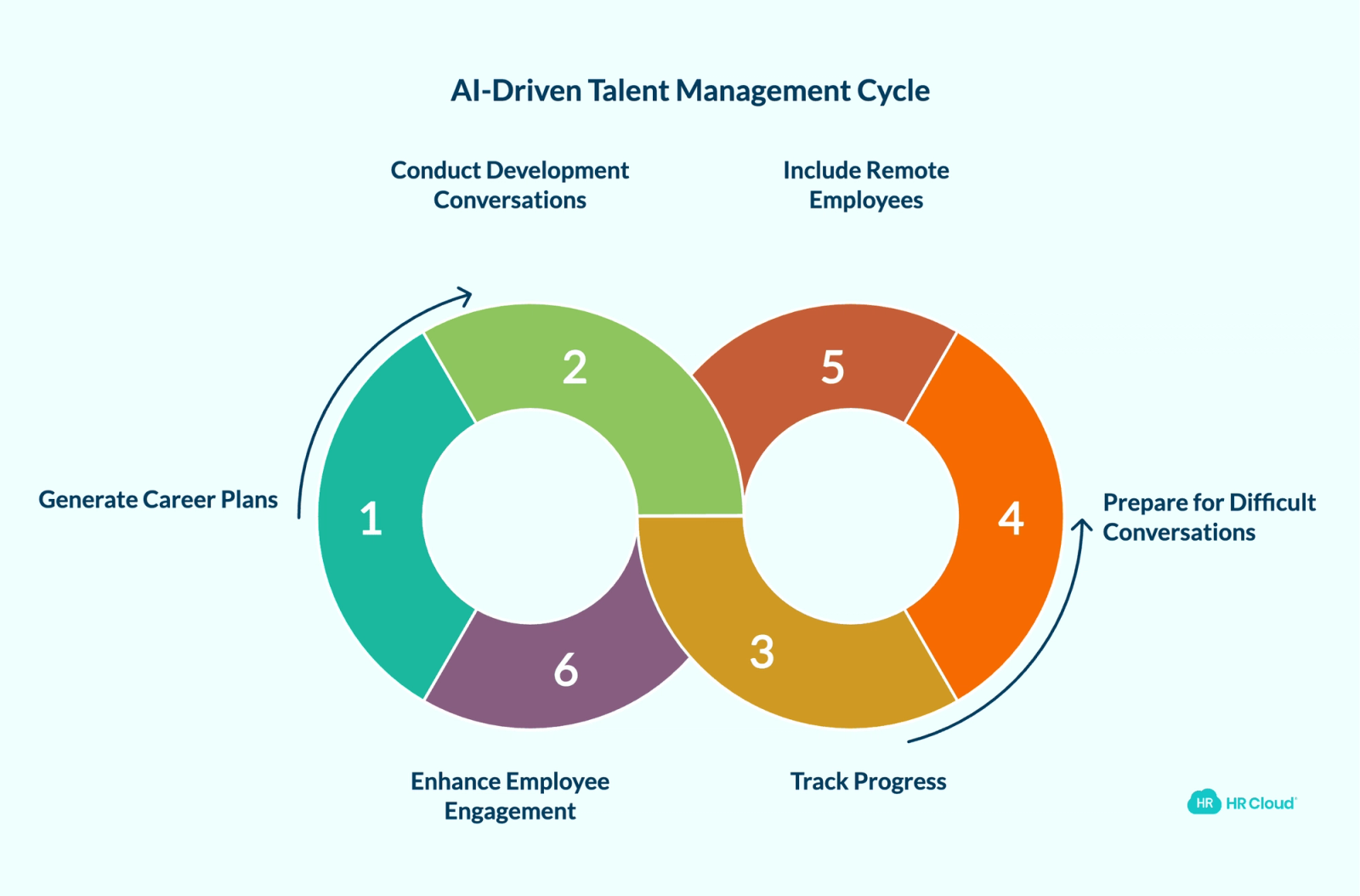
AI can produce a specific, milestone-based career plan when you give it three inputs: the employee's current role description, their stated career goal, and a time horizon. The output breaks into year-by-year objectives — certifications to pursue, projects to take on, skills to build, and leadership opportunities to seek.
For a junior HR Coordinator aiming toward an HR Director role over three years, that means Year 1 foundation-building (HRIS proficiency, recruiting exposure), Year 2 professional development (SHRM certification, project ownership), and Year 3 leadership preparation (cross-functional initiatives, direct reports). Each phase has trackable milestones — not aspirations.
The draft is a starting point for the development conversation, not a replacement for it. Once the plan is agreed upon, HR Cloud's performance management tools give managers a place to track goals, structure 1:1s, and document progress — so the plan doesn't live only in a shared document nobody opens.
Preparing managers for difficult performance conversations
Before a difficult conversation with an employee about attendance, missed deadlines, or interpersonal conflict, an HR professional or manager can prompt AI to generate a conversation structure: opening language, talking points for each issue, anticipated responses, and documentation guidance.
This is preparation, not a script to read aloud. It ensures the conversation covers the right ground, stays constructive, and gives the employee a clear path forward.
Why this matters for managers: Most managers avoid difficult conversations because they don't know how to start them. A structured preparation lowers that barrier enough that the conversation actually happens — and happens with the right documentation behind it.
Frontline and distributed employees in talent programs
Remote and deskless employees are consistently underrepresented in succession pipelines and development programs — not because they perform worse, but because managers promote who they see. AI can generate a remote-specific talent management framework covering virtual check-in cadences, digital learning paths, cross-functional visibility opportunities, and remote leadership development criteria.
For teams managing employee engagement across field crews, retail locations, or distributed care teams, that framework also helps surface who is at risk of disengagement before they resign. Our guide to employee engagement strategies covers how to structure those programs for both in-office and remote populations.
Stage 5: AI Employee Engagement — Analysis That Actually Leads Somewhere
Designing surveys that surface root causes
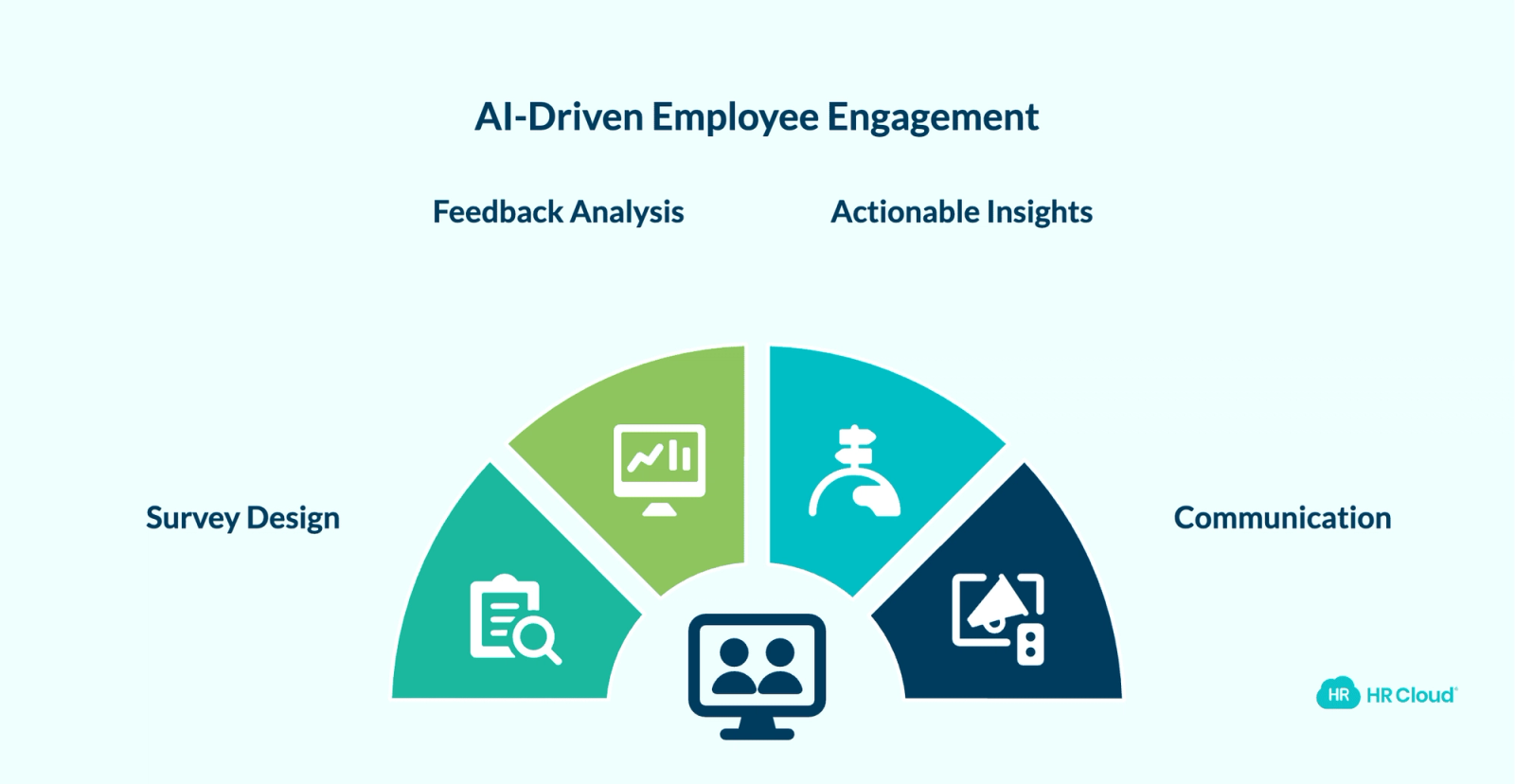
AI can design a complete engagement survey — quantitative rating scales, open-ended prompts, pulse cadences, and department-specific modules. More importantly, it can help you think through what to ask so you're measuring root causes, not just satisfaction scores.
The real value, though, is not in the survey design. It's in what happens after it closes.
Analyzing open-ended feedback at scale
Open-ended survey responses are valuable and time-consuming. Most HR teams don't have the bandwidth to read, code, and synthesize hundreds of responses without weeks of delay.
Feed responses into an AI tool and ask it to identify themes, flag concerns, and summarize sentiment distribution. The output gives you positive themes, concern areas with frequency and severity, and a prioritized draft action plan. For a 500-person organization, this analysis might take an HR director 8–10 hours manually. AI completes a first-pass synthesis in minutes.
One important caveat: survey response data is sensitive. Before pasting employee feedback into any AI tool, confirm that the tool meets your organization's data privacy and confidentiality standards.
The biggest challenge for most HR teams isn't analyzing feedback — it's making sure the results reach the right people quickly enough to mean something. Jamnica, a beverage producer with 1,000+ employees across multiple countries, faced exactly this problem. Before Workmates, they relied on internal magazines and newsletters that were too slow for their field and logistics teams. After implementing HR Cloud's platform, their leadership noted:
"Thanks to Fortecom [their branded Workmates platform], we have created a culture of two-way and open communication, which we will strive to maintain in the future."
Jamnica now sees over 80% active user adoption across its frontline workforce — a result of making engagement visible and accessible on mobile rather than waiting for information to filter down through print communications.
Why this matters for HR strategy: Engagement data is only useful if it drives action. According to Gartner's July 2025 HR research, 62% of employees report that AI has saved them time, but only 7% of organizations have given employees guidance on how to use that time productively. The same gap exists at the HR level: AI can produce the analysis in minutes, but someone still has to own the response.
AI can analyze what employees said. Workmates helps distribute the survey, collect responses, and keep the action plan visible after the survey closes.
For teams running engagement programs across distributed or deskless populations, HR Cloud's engagement platform surfaces trends in real time. See how to structure the full process in our guide to running employee engagement surveys.


Where AI in HR Is Heading: Agentic Workflows
Most HR teams today are using AI as a drafting assistant — you prompt it, it produces an output, you review and act. That is already valuable. It's also the first generation.
The next stage is agentic AI: systems that don't wait for a prompt but take multi-step actions based on triggers. An agentic onboarding workflow, for example, doesn't just generate a checklist — it detects a new hire record, assigns the right documents based on role and location, sends reminders at day 3 and day 7, flags incomplete items to the manager, and escalates compliance gaps before day one. The human sets the rules. The agent runs the process.
HR Cloud's workflow automation is already structured around this model — triggers, assignments, reminders, escalations, and completion tracking built into onboarding and engagement workflows. That underlying architecture is what makes agentic AI adoption practical: teams with connected, trackable HR workflows can extend them with AI triggers. Teams still running HR in email and spreadsheets will have to rebuild before they can automate. The foundation matters more than the AI layer on top of it.
How to Evaluate AI HR Tools: A Decision Framework
If you're assessing whether a general-purpose AI tool, a specialized AI HR module, or a full platform is right for your stage, use this framework.
| Evaluation Criteria | What to Look For | Red Flag | HR Cloud Position |
|---|---|---|---|
| Workflow connection | Does AI output connect directly to assigned tasks, reminders, and completion tracking? | AI generates output that goes into email or a PDF | Onboard, Workmates, and Performance all convert AI outputs into trackable workflows |
| Compliance handling | Does the system maintain audit trails for screening decisions, document collection, and I-9/E-Verify? | No documentation of how AI-assisted decisions were made | Built-in audit trail for onboarding compliance; audit-ready documentation for every screening and onboarding decision |
| Frontline/mobile access | Can field, hourly, and deskless employees access the platform without a corporate email or desktop? | Desktop-only or email-dependent workflows | Mobile-first design; 97% platform adoption rate across frontline deployments |
| Data privacy | Is employee and candidate data handled under SOC 2 and GDPR-compliant standards? | Vague data handling policy; no compliance certifications | SOC 2 certified; GDPR compliant |
| Integration | Does the platform sync with your existing payroll or HRIS (ADP, Workday, UKG)? | Standalone tool with no payroll integration | Platinum ADP Marketplace Partner; integrations with Workday, UKG, Paycor, and more |
How to Put AI in HR Practices Into Action
Three steps you can take in the next 48 hours:
Step 1: Pick one stage, do one task. Pick the HR lifecycle stage where you're losing the most time — resume summaries, training outlines, survey analysis — and use AI to complete one task this week. Build familiarity before building process.
Step 2: Build prompt templates your team can reuse. The biggest efficiency gain from AI in HR comes from saving the prompts that work. Create a shared document with templates for job ads, interview question sets, offer letter drafts, career plans, and survey analysis. Every time someone writes a new prompt from scratch, that's time the template should have saved.
Step 3: Decide where the time saved is going. A July 2025 Gartner survey found that only 7% of organizations provide guidelines on how to redeploy time saved by AI. If AI gets you 3 hours back per week, decide what those hours go toward before they get absorbed by the inbox — workforce planning, manager coaching, or direct employee conversations. Our overview of HR automation workflows shows what that redeployment looks like in practice.
AI drafts faster than any HR team can. That only creates business value when the draft moves into a trackable workflow: onboarding tasks assigned before day one, development plans with milestones managers can see, survey feedback that reaches the right people within days, not weeks.
200+ employees and still tracking onboarding in spreadsheets? See how HR Cloud turns AI output into workflows your team can actually see.Book a Demo

Discover how our HR solutions streamline onboarding, boost employee engagement, and simplify HR management
Book Your Free DemoFrequently Asked Questions
What is AI in HR practices?
AI in HR practices refers to using artificial intelligence to support HR tasks across recruiting, onboarding, training, talent management, and employee engagement. Common applications include drafting job ads, summarizing resumes, generating interview questions, analyzing survey responses, and building training content. HR teams should review all AI outputs for accuracy, bias, and compliance before using them in any employee or candidate decision.
What are the risks of using AI in HR?
The primary risks are algorithmic bias in candidate screening, privacy concerns around employee and candidate data, and over-reliance on AI outputs without human review. Resume scoring tools can reflect historical hiring patterns if criteria are not job-related and validated. Offer letters and performance documentation require legal review. Survey data should only be processed through tools that meet your organization's data governance standards.
What are the ethical concerns of using AI in HR?
The core ethical concerns are fairness, transparency, and accountability. AI systems used in hiring can produce disparate impact across protected groups if training data reflects historical bias. Employees and candidates often don't know when AI has been used to assess them. Best practice is to document AI criteria, require human review for every candidate decision, and audit AI outputs regularly for disparate impact. Consult qualified legal counsel for guidance specific to your state and industry.
How is AI used in HR analytics?
AI analyzes workforce data to surface trends HR teams would miss manually — attrition risk signals, engagement drop patterns, skills gaps across teams, and performance distribution outliers. Most purpose-built HR platforms include native analytics dashboards; general-purpose AI tools can analyze exported survey or performance data directly. Human interpretation is required before acting on any patterns that affect individual employees.
How do I get started with AI in HR without a big budget?
Start with general-purpose tools like ChatGPT, Claude, or Gemini for drafting tasks: job ads, interview guides, training outlines, career plan frameworks, and survey question sets. Build a shared prompt library so your team isn't rebuilding from scratch each time. Purpose-built HR platforms are worth evaluating once you've identified which workflows generate the most value from automation and need tracking, reminders, and operational visibility beyond the draft.
Can AI replace HR professionals?
No. According to SHRM's 2024 Talent Trends report, three-quarters of HR professionals believe AI will increase the value of human judgment in HR, not replace it. AI handles volume, pattern recognition, and first-draft speed. HR professionals handle context, relationships, legal complexity, organizational culture, and the judgment calls that affect people's careers — none of which AI can assess independently.
How does AI help with employee engagement surveys?
AI can design question sets, analyze open-ended responses at scale, identify sentiment themes, flag concern areas, and generate a prioritized draft action plan — faster than any manual review process. The most valuable application is processing feedback quickly enough that managers receive results while the survey is still fresh. For a complete walkthrough, see our employee engagement survey guide.
About the author

Keep Reading


Like What You Hear?
We’d love to chat with you more about how HR Cloud® can support your business’s HR needs.
Book Your Free Demo