How Do You Simplify I-9 and Compliance Paperwork for Healthcare New Hires?

Healthcare employers can reduce manual I-9 work by digitizing document collection, connecting E-Verify where applicable, catching incomplete fields before submission, and centralizing records across every facility a health system operates. The stakes for getting this right went up in March 2026: U.S. Immigration and Customs Enforcement quietly reclassified a long list of previously correctable I-9 errors as substantive violations with no correction window, which means the manual process many healthcare employers still run no longer has the safety net it used to.
This guide covers I-9 and E-Verify compliance specifically for healthcare new hires. It doesn't cover license or certification tracking, which runs on its own compliance track, or the broader onboarding process. For those, see our guides to healthcare credential tracking and fast healthcare staffing onboarding. This is also sometimes discussed as HR compliance automation or digital I-9 verification, different names for the same underlying shift: moving a paper-dependent, error-prone process onto a system that catches problems before they become fineable.
Reviewed by the HR Cloud Content Team. Last updated September 7, 2026.
Why I-9 Compliance Is Higher Risk in Healthcare
U.S. employers generally must complete Form I-9 for employees hired to work in the United States, so I-9 compliance itself isn't unique to healthcare. What is specific to the industry is the combination of factors that make healthcare's exposure larger than most: consistently high hiring volume, heavy reliance on travel and contract clinical staff, frequent multi-facility operations that fragment recordkeeping if nobody centralizes it, and, as of March 2026, an enforcement environment with a much smaller margin for the kind of paperwork error that's easy to make at scale. Healthcare onboarding also can't assume every nurse, technician, home-health worker, or per-diem employee will sit at a desk with an HR coordinator before Day 1, which is part of why a process built for a typical office doesn't hold up well here.
High hiring volume and traveling/contract staff
A hospital or health system hiring nurses, techs, and support staff every week generates a steady stream of I-9s, and every one of them is a fresh opportunity for a data entry error, a missed signature, or a deadline that slips. Travel nurses and contract clinical staff add a layer of complexity that's easy to get wrong: a transfer between locations of the same legal employer generally doesn't require a new I-9, the existing form moves with the employee, but a placement that amounts to a new hire by a genuinely different legal employer, such as a separate subsidiary within the same health system, may require a new one. High volume alone doesn't cause compliance problems. It multiplies whatever error rate already exists in the process, which is why a process that works fine at ten hires a month can quietly become a liability at two hundred. A staffing agency placing clinicians across multiple client facilities faces this multiplied risk directly, since getting the employer-versus-assignment distinction wrong at scale, treating every new placement as automatic grounds for a fresh I-9, or conversely assuming continuity across what's actually a different legal employer, compounds with every hire.
Employer vs. Facility: A Distinction Worth Getting Right
Whether a new I-9 is required depends on whether the hiring employer has actually changed, not on which building or facility the person is working in. USCIS treats a transfer between distinct units or locations of the same employer as continuing employment: the existing I-9 transfers with the employee, and no new form or E-Verify case is required.
A new I-9 generally becomes necessary when a worker is newly hired by a different legal employing entity, which is common when a health system operates multiple separate subsidiaries, or when a staffing agency places a worker with a new client under a genuinely separate employment relationship rather than simply a new assignment for the same employer. Getting this backwards in either direction creates real problems: requiring unnecessary new I-9s wastes time, and unnecessary or inconsistent reverification can also create separate anti-discrimination concerns, while assuming continuity across what's actually a different legal employer means a genuinely required I-9 never gets completed.
What Goes Wrong with Manual I-9 Processes
Data entry errors and missed deadlines
A paper-based or manually re-typed I-9 process depends on someone catching every mistake by eye, every time, across every hire. A missing date in Section 1 or an unchecked box are examples of the kind of paperwork slip that historically had a 10-business-day cure window under longstanding ICE guidance known as the Virtue Memorandum, in place since 1997. Actually completing Section 2 after the required three-business-day deadline is a different issue: OCAHO case law has long treated untimely completion as a substantive violation in its own right, not a correctable technical error, so this particular risk isn't new even though the enforcement environment around it has gotten less forgiving.
As of March 2026, the cure window for many of the errors that used to qualify is considerably smaller than it used to be, which is covered in more detail below. A manual process that relied on that cure window as a backstop is now carrying more risk than it was a year ago, without anyone necessarily having changed how they do the work. The people doing this work by hand aren't being careless. They're running a process that assumes a margin for error the current enforcement environment no longer reliably provides.
On March 16, 2026, ICE published an updated I-9 inspection fact sheet, without a formal rulemaking process or public announcement, that reclassified a substantial list of previously technical, correctable errors as substantive violations instead. Errors newly treated this way include a missing date of birth in Section 1, a missing Alien Registration Number where applicable, failure to date Section 1, use of the Spanish-language I-9 outside Puerto Rico, a missing date of hire or missing employer representative name in Section 2, failure to date Section 2, failure to check the alternative-procedure box when using remote verification, and failure to participate in E-Verify when using that same remote procedure. Under the old framework, an employer had 10 business days to correct most of these once notified. Under the new guidance, several of them may be fineable without that 10-business-day technical-error correction period.
| Common error | Before March 2026 | After March 2026 |
|---|---|---|
| Missing date of birth (Section 1) | Technical, 10-day cure period | Substantive, no cure period |
| Missing date on Section 1 or 2 | Technical, 10-day cure period | Substantive, no cure period |
| Missing employer representative name/title (Section 2) | Technical, 10-day cure period | Substantive, no cure period |
| Spanish-language form outside Puerto Rico | Not previously flagged this way | Substantive, no cure period |
| Unchecked alternative-procedure box | Not addressed under the legacy framework | Substantive, no cure period |
That table is the whole reason this topic matters more now than it did a year ago. Errors that used to be a paperwork inconvenience are, for many healthcare employers still running a manual process, now a direct financial exposure with no warning shot first.
No centralized tracking across facilities
A health system running I-9s independently at each facility, with no shared view across locations, has no reliable way to answer a basic compliance question: how many I-9s are missing information right now, and where. Each site's HR coordinator may be managing their own paperwork competently in isolation, but the health system as a whole has no aggregate picture, which becomes a serious problem the moment an audit or inspection requests records spanning multiple locations rather than one at a time. A well-run site with a careful coordinator and a struggling site with a backlog can sit inside the same health system with nobody at the corporate level aware of the gap until an inspection surfaces it. Acquisitions make this harder: a newly-added facility often carries over whatever I-9 process it had before joining, rather than the organization's standardized one.
What Automated I-9 Workflows Include
Automation closes the specific gaps a manual process leaves open, the ones that turn into errors at volume and, under the current enforcement guidance, into fines without warning.
| Manual process | Automated workflow |
|---|---|
| Paper form, handed out in person | Digital form, completed from any device |
| Manual re-entry into E-Verify | E-Verify case creation built into the same workflow |
| Errors caught during a later review, if at all | Errors flagged before the form is considered final |
| Records stored per facility | Centralized storage, searchable across every site |
| Reverification tracked manually or not at all | Automated reminders ahead of each deadline |
E-Verify and digital signature
Digital I-9 verification pairs the form itself with E-Verify submission in the same workflow, so for employers who use E-Verify, confirming work authorization doesn't require a separate manual step days after the I-9 is completed. Digital signature lets a new hire complete Section 1 from a phone any time after accepting the offer and before their first day, which matters for healthcare given how much of the clinical workforce doesn't sit at a desk during a normal shift. For an E-Verify participant, completing Form I-9 doesn't itself create the E-Verify case, someone still has to submit that information separately unless the workflow is integrated, and that gap is where a lot of manual processes quietly lose time. It's also where a form can sit long enough to miss a deadline nobody was actively tracking, a separate risk from the data-entry errors this section is otherwise focused on.
Error flagging before submission
An automated system can flag a missing field, an inconsistent date, or an incomplete section before the form is considered final, catching the kind of error that used to be correctable after the fact and increasingly isn't. Catching an error at entry, rather than discovering it during an audit months or years later, is often the difference between correcting a mistake before an inspection and having a substantive violation on record once one happens. Error checking matters more after the March 2026 change: missing dates, incomplete sections, and certain unchecked fields that once received a correction window may now be treated as substantive violations.
Automating this step also changes who does what day to day: instead of a compliance coordinator or HR generalist manually reviewing every field on every form, review shifts to handling the exceptions the system actually flags, a meaningfully smaller task at any real hiring volume.
Centralized storage and retrieval
I-9s stored in one searchable system, rather than scattered across facility-level filing cabinets or disconnected local drives, means a health system can produce records for any employee, at any location, within the response window an inspection requires. Centralized storage also makes the retention calculation easier to manage: I-9s must be kept for three years after the date of hire or one year after termination, whichever is later, and tracking that date correctly across thousands of current and former employees isn't a realistic manual task at scale. A system that calculates each employee's specific retention deadline removes the most common way retention compliance fails: not a policy nobody understood, but a date nobody was tracking.
Step-by-Step: Automating I-9 Compliance
Step 1: Digitize the I-9 collection process
Start by moving Section 1 completion off paper and onto a digital form a new hire can complete from a phone or computer once they've accepted the offer and before their first day. This step alone removes the most common source of delay in a manual process: paperwork that can't start until someone is physically in an office to hand it out. Audit the current forms and steps in use before digitizing, since a process built around outdated internal steps just digitizes the inefficiency along with the paperwork rather than actually fixing it. For a healthcare employer with travel or per-diem staff, this step matters even more than usual, since these are exactly the hires most likely to start before ever setting foot at the facility in person.
Step 2: Integrate E-Verify Where Required or Used
If your organization participates in E-Verify, whether because a state or contract requires it or because you've enrolled voluntarily, connect case creation to the same workflow as I-9 completion, rather than treating it as a separate manual step that happens whenever someone has time. Employers using the DHS-authorized alternative procedure for remote document examination must be enrolled in E-Verify and follow that procedure's specific requirements, so this integration step matters even more for any healthcare employer verifying documents remotely for travel or per-diem staff. Confirm which of your states require E-Verify participation independent of whether you're using it for remote verification, since state mandates and the federal remote-verification requirement are separate obligations that happen to overlap for some employers.
Step 3: Set automated error checks
Configure the system to flag incomplete fields, missing signatures, and inconsistent dates before a form is considered submitted. Given how much correction latitude has narrowed under the March 2026 ICE guidance, catching an error at the point of entry is doing far more compliance work than it used to. Build this step to check for the specific errors ICE's updated guidance now treats as substantive, missing dates, missing dates of birth, incomplete Section 2 entries, unchecked alternative-procedure boxes, rather than a generic completeness check that might miss the fields that now carry the most risk. Risk this addresses: the category of paperwork slip that used to be correctable after the fact and, for these specific fields, no longer is.
Step 4: Centralize storage for audit access
Every I-9, across every facility, needs to live somewhere a compliance officer can retrieve it quickly, not somewhere it takes a phone call to a specific site to locate. Centralized storage is also what makes retention tracking accurate at scale, since the system can calculate each employee's specific retention deadline rather than relying on someone remembering to check. Confirm the system can produce records within the response window an inspection actually requires, typically a matter of days, not just that records exist somewhere in the system. Run a test retrieval before an actual inspection ever happens, pulling a handful of records from different facilities and different hire dates, to confirm the process works under real conditions rather than assuming it will. Risk this addresses: fragmented recordkeeping that leaves a health system unable to answer a basic "how many, and where" question when an inspection requests records across multiple sites.
Step 5: Set reminders for reverification deadlines
Some employees, those with temporary work authorization, have a specific date by which their I-9 needs reverification. A missed reverification has long been treated as a substantive violation in its own right, not something correctable after the fact once flagged, so this is one of the higher-stakes failure modes even independent of the March 2026 changes. Automated reminders ahead of that deadline are what prevent it from happening quietly. Set the first reminder well ahead of the actual deadline, not just a few days before, since reverification sometimes requires the employee to provide new documentation that takes time to obtain. Risk this addresses: a compliance failure that was already substantive before March 2026 and is easy to miss without a system actively tracking it.
What Should Healthcare Employers Look for in I-9 Software?
Not every I-9 platform covers the same ground, and for a multi-site healthcare employer, a few capabilities matter more than the rest:
- Mobile-first Section 1 completion, so travel nurses, home-health staff, and per-diem workers can complete onboarding from a phone once they've accepted the offer, rather than waiting for an in-person session on Day 1.
- Built-in E-Verify case creation for organizations that participate, so confirming work authorization doesn't depend on someone re-keying data into a separate system.
- Field-level validation aligned to the current substantive-violation list, not just a generic completeness check, so the fields that now carry the most risk are the ones actually being checked.
- Support for the DHS remote document-examination alternative, including the required checkbox and an E-Verify enrollment check, for employers verifying travel or per-diem staff remotely.
- Centralized, searchable storage across every facility, with a documented retrieval process that can meet the response window an actual inspection requires.
- Automatic retention-date calculation per employee, rather than a spreadsheet someone has to remember to update.
- Reverification alerts set well ahead of each deadline, not just a few days before, since reverification can require new documentation that takes time to obtain.
- Cross-location visibility for a compliance officer, without needing to call each site individually to check status.
- Clear escalation to legal or compliance counsel for genuinely ambiguous cases, rather than the software making that determination on its own.
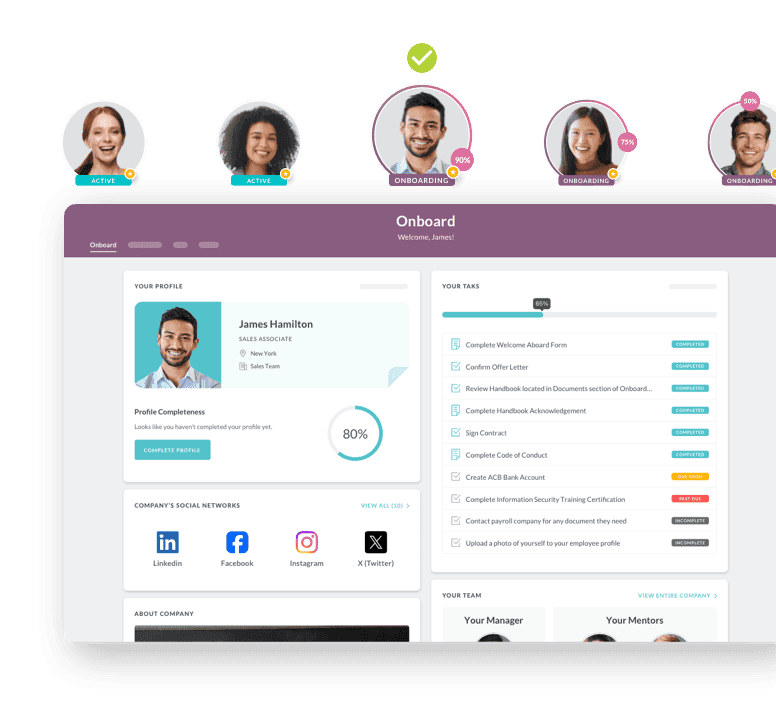
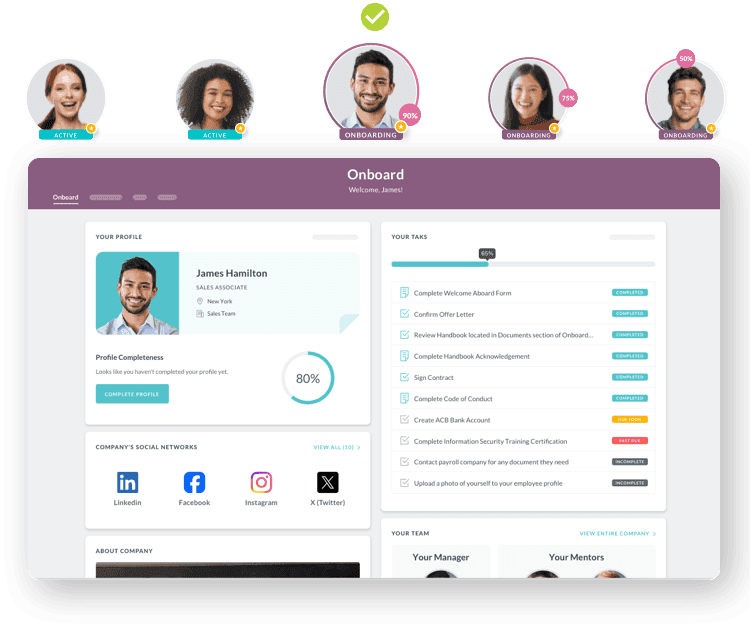
How HR Cloud Simplifies I-9 for Multi-Site Healthcare Employers
Digital I-9 and E-Verify integration
HR Cloud's I-9 and E-Verify integration runs inside the same platform as onboarding, so Section 1 completion and document handling happen within the same digital workflow rather than a separate paper process layered on top. E-Verify submission connects to that same record, so a healthcare employer isn't manually re-entering data from a completed I-9 into a separate verification step. For a health system with staff moving across multiple facilities, keeping I-9 completion and E-Verify submission in one system also gives HR a clear multi-location view of each record's status, which helps HR locate the existing record and its verification status before determining, together with legal or compliance counsel where the question is genuinely ambiguous, whether additional action is required.
Centralized compliance dashboard
For a multi-site health system, a centralized view of I-9 and E-Verify status across every facility answers a question a site-by-site paper process can't: which forms are complete, and which are missing information, all in one place rather than requiring a call to each location individually. Configurable reminders help teams track upcoming reverification and document-expiration needs on top of that status view. That same centralized picture is what a compliance officer needs during an actual inspection, when producing records quickly across every site matters more than how well any single facility has been managing its own paperwork in isolation.
Common I-9 Compliance Mistakes
Two recurring process failures deserve particular attention, and both are more about process design than individual carelessness.
Missing reverification deadlines
An employee with temporary work authorization has a specific date by which reverification needs to happen, and a missed deadline has long been treated as a substantive violation rather than something correctable after the fact once flagged. ICE's March 2026 guidance doesn't change that underlying classification so much as it sharpens the broader enforcement environment around it, which makes a manual tracking process, a spreadsheet someone has to remember to check, an even more fragile way to manage a deadline with that much consequence attached to missing it. The risk compounds specifically in healthcare given how often this population, staff on temporary work authorization, overlaps with exactly the high-turnover, high-volume hiring pattern that makes any manual tracking process harder to sustain.
Inconsistent processes across locations
A health system where each facility runs I-9 collection its own way, one site using paper, another a different digital tool, has no consistent baseline to audit against and no way to know if one location's error rate is dramatically higher than another's until an inspection surfaces the gap. Standardizing the process also makes it possible to measure where errors are happening, a precondition for fixing a specific site's process rather than guessing system-wide. An inspection may extend beyond one location depending on its scope and the employer's structure, so inconsistency at any one site can become the employer's problem to solve as a whole.
The Business Case for Automated I-9 Workflows
Automating I-9 collection and review offers two distinct kinds of value: catching errors before an inspection ever happens, and reducing the manual re-entry, chasing, and review that a paper-based process requires. Both matter, but they're worth separating rather than folding into a single ROI number, since the actual financial impact for any given employer depends on its own error rate, hiring volume, and audit history.
Risk visibility
Substantive I-9 violations currently carry civil penalties ranging from $288 to $2,861 per violation, the current inflation-adjusted range as of this writing, according to multiple employment law analyses of ICE's March 2026 enforcement guidance. Paperwork penalties are generally assessed form by form, so exposure grows as the number of deficient I-9s increases, which makes healthcare employers, with their typically high hiring volume and frequent use of travel and contract staff, more exposed than a lower-turnover industry running the same error rate. A system that flags problems before a form is considered final gives HR visibility into that exposure while it's still correctable, rather than finding out during an actual inspection.
Administrative efficiency
Separately from the fine exposure, automating collection, E-Verify submission where applicable, and reverification reminders reduces the manual re-entry and chasing that a paper process requires, freeing up compliance staff to handle the exceptions that actually need judgment rather than re-checking every field on every form.
A Quick Checklist for the Post-March-2026 Enforcement Environment
For a healthcare employer trying to gauge exposure right now, five questions cover most of what matters:
- Does every I-9 have complete dates in both Section 1 and Section 2, with no blank fields?
- Is the alternative-procedure box checked for every remote verification, with E-Verify enrollment confirmed for each one?
- Are reverification deadlines tracked with automated reminders, not a spreadsheet someone has to remember to open?
- Can records be retrieved for any employee, at any facility, within a few days of a hypothetical request?
- Has an internal audit happened in the last twelve months, checking specifically against the newly-substantive error list?
A "no" to any of these is worth treating as a priority, not a someday item, given how much less room for correction the current guidance leaves.
What This Guide Doesn't Replace
Automated I-9 workflows reduce the administrative errors that create compliance exposure, but they don't replace legal judgment on genuinely ambiguous situations: an unusual document combination, a complex reverification case, or a question about which state's E-Verify requirement applies to a remote employee. This guide isn't legal advice, and a healthcare employer facing a complicated I-9 situation, or an actual ICE inspection, should talk to an immigration or employment attorney rather than relying solely on software for that judgment call. Automation handles the volume of routine, repetitive compliance work where human error is the main risk; it's a weaker tool for the hard edge cases that need legal training to think through.
Conclusion
Healthcare I-9 compliance carries more risk today than it did a year ago, not because the law changed, but because the enforcement guidance around what counts as correctable did. Errors that once came with a 10-day cure window are now substantive with no correction period, which matters most for a healthcare employer hiring at volume with travel and contract staff moving between facilities.
Automating collection, error checking, and reverification tracking won't eliminate every risk, but it catches errors that used to be fixable after the fact before they become findings that aren't. Reviewing your current process against the table earlier in this guide is a reasonable starting point either way.
If your I-9 process still depends on someone catching every error by hand, see how HR Cloud's I-9 and E-Verify integration works inside the same platform as onboarding for multi-site healthcare employers.

Discover how our HR solutions streamline onboarding, boost employee engagement, and simplify HR management
Book a DemoFrequently Asked Questions
What's the Penalty for I-9 Errors in Healthcare Hiring?
Civil penalties for substantive I-9 paperwork violations currently range from $288 to $2,861 per violation, the current inflation-adjusted range as of this writing. Separately, penalties for knowingly employing unauthorized workers run higher, from roughly $716 to $5,724 for a first offense and escalating past $28,619 per violation for repeat offenses. As of March 2026, ICE reclassified numerous previously correctable errors, including missing dates, missing dates of birth, incomplete Section 2 entries, and failure to properly document remote verification, as substantive violations with no cure period, which means an error that used to be fixable without penalty may now trigger a fine on discovery, without the opportunity to correct it first. The specific fine within that range depends on factors ICE weighs case by case, including the employer's size, good faith effort, and history of prior violations, so two employers with the same underlying error can end up with meaningfully different fines.
Is E-Verify Required for All Healthcare Employers?
No. E-Verify is voluntary at the federal level for most employers, with the exception of federal contractors and subcontractors who have an E-Verify clause in their contract. However, a number of states, including Alabama, Arizona, Georgia, Mississippi, North Carolina, South Carolina, Tennessee, and Utah, require E-Verify broadly for most or all private employers, and several additional states require it for public employers or state contractors specifically. A healthcare employer operating across multiple states needs to check each state's specific requirement rather than assuming one policy applies everywhere it operates, since a system that's compliant in one state can be non-compliant the moment it opens a facility somewhere with a mandatory E-Verify law on the books. Even where E-Verify isn't legally required, voluntary enrollment is what makes an employer eligible for the DHS remote document-examination alternative, which is a meaningful consideration for any healthcare employer verifying travel or per-diem staff who don't complete onboarding in person.
Can I-9s Be Completed Remotely for Traveling Staff?
Yes, within specific limits. Since August 2023, qualifying E-Verify employers in good standing may use a DHS-authorized alternative procedure for remote document examination rather than physical in-person inspection, which is directly relevant for healthcare employers verifying travel nurses or per-diem staff who may complete onboarding before ever setting foot at the facility. This procedure has its own specific requirements, and under the March 2026 ICE guidance, failing to properly document the use of this alternative procedure, including failing to check the box confirming its use, is now treated as a substantive violation in its own right. Employers not enrolled in E-Verify, or not following the specific requirements of the alternative procedure, generally still need in-person document examination, which is worth confirming internally before assuming every remote hire can be verified the same way.
How Long Must I-9 Records Be Retained?
I-9 records must be retained for three years after the date of hire or one year after the date employment ends, whichever is later. In practice, this means an employee who worked for less than two years has their I-9 retained for three years from the hire date, while an employee who worked for two years or more has it retained for one year past their termination date. Current employees must always have an I-9 on file regardless of how long they've worked there; the retention clock only starts running once someone leaves. Destroying a record before its retention period ends, even by accident, can itself trigger a penalty during an audit, so a health system's retention tracking needs to be at least as reliable as its collection process, not an afterthought handled once a year during a cleanup pass.
Does I-9 Compliance Work Differently for a Healthcare Staffing Agency Than a Hospital's Own HR Team?
The underlying I-9 and E-Verify requirements are the same either way, but the operational pattern differs. A staffing agency is typically the actual hiring employer for the clinicians it places, which means it generally owns the I-9 and E-Verify obligation itself, separate from whichever client facility a worker is currently assigned to, and that obligation doesn't reset just because an assignment changes to a new client. Volume and turnover in the I-9 process itself run much higher for a staffing agency than for a hospital verifying its own directly-employed staff, since new placements happen far more often than new hires at a typical hospital. A hospital's internal HR team typically has more stable hiring volume but needs consistency across every department and facility it operates. Both need the same core capabilities, digital collection, E-Verify integration where applicable, error checking, centralized storage, reverification tracking, but a staffing agency's tolerance for a slow or error-prone process is generally lower, since a delayed I-9 directly blocks a placement that's already been committed to a client, and getting the underlying employer relationship wrong creates compliance risk that has nothing to do with processing speed.
What Happens If a Healthcare Employer Fails an I-9 Audit?
An employer that fails an I-9 audit typically receives a Notice of Discrepancies or a Notice of Intent to Fine, depending on what the audit found, with civil penalties calculated per violation across every deficient form identified. Beyond the direct fines, a failed audit can also trigger closer scrutiny in future inspections and, in more serious cases involving knowingly employing unauthorized workers, criminal liability rather than just civil penalties. The practical takeaway for most healthcare employers is that the best response to an audit is not scrambling to fix things after a Notice of Inspection arrives, but running the kind of process, automated error checks, centralized records, tracked reverification deadlines, that keeps forms audit-ready on an ongoing basis rather than only at the moment ICE asks to see them. Employers typically have only a few business days to produce records once an inspection is opened, so an ongoing compliance process also has to be able to respond to that timeline, not just avoid errors in the first place.
Should Healthcare Employers Run Internal I-9 Audits?
Yes, and the March 2026 enforcement change makes this more important than it was before, since employment law sources analyzing the updated guidance now recommend annual internal audits as a baseline practice rather than an optional precaution. An internal audit, reviewing a sample or the full set of current I-9s against the updated substantive-violation list, catches errors while they're still your own discovery rather than ICE's. The value of an internal audit is building a repeatable check that catches drift in the process itself, a facility that's slipped into a habit of skipping a field, a new hire coordinator who was never trained on the updated requirements, before that drift shows up across dozens or hundreds of forms.
About the author

Keep Reading


Like What You Hear?
We’d love to chat with you more about how HR Cloud® can support your business’s HR needs.
Book Your Free Demo