Best Employee Self Service Software in 2027

If you run HR for 500 people across several sites, every address change, direct deposit update and “how many days do I have left?” email lands on you.
Employee self service software moves that work to the person who owns the information. The catch is that products sold under that label are built three different ways, and the wrong build for your workforce shows up as low log-ins and a full HR inbox. This guide compares seven platforms by how each is built, what each vendor’s own pages say employees can do, and what to confirm in a demo.
Key Takeaways
- Employee self service software (see the glossary definition) comes in three builds: an HRIS with self service built in, a frontline operations app, or a front-door layer that sits on top of an HR system you already run. Pick the build before you compare features.
- All seven vendors describe some form of time off access, but the capability differs: some let employees submit requests, others show balances or request status from a connected system. The separators are approvals control, pay document access, and whether a deskless worker can finish a task on a personal phone.
- Pay stubs and W-2s are payroll documents. The IRS requires employee consent before a W-2 is delivered electronically, so ask which system hosts them.
- Use the eight-task scorecard in the table below on a real employee phone during the demo, not on the admin’s laptop.
- A 600-person worked example later in this guide shows how to size the request load before you shop.
What should employee self service software let employees do without HR?
Employee self service software is the part of an HR system where employees view and change their own information and file their own requests, while managers approve what needs approving. HR Cloud’s glossary entry on employee self-service separates the employee side (edit personal details, view pay stubs, request time off) from the manager side (approve time off, review team performance), and our explainer on what employee self-service software is covers the definition in depth. This guide skips the definition and goes straight to the buying decision.
Six jobs show up across the vendor pages reviewed for this guide. Employees update personal and contact details. They request time off and see balances. They open pay documents. They find documents, policies and the org chart. They handle benefits elections. They get answers to routine questions without opening a ticket.
BambooHR’s glossary page lists personal information changes, PTO requests, time tracking, direct deposit updates, benefits enrollment, self assessments and employee directory access as common tasks, and says the HR team decides who can change records and what they can change. Rippling’s HRIS review lists pay stubs and W-2s, personal information, time off and balances, benefits enrollment, policies, org charts, onboarding progress, expense reimbursements and performance reviews. HiBob’s HRIS requirements checklist describes a portal where people update personal data, submit requests and access documents.
Why this matters for HR: a feature list is a menu, not a decision. The useful question is which of the six jobs create the most tickets in your own inbox today, because that is the job your platform must do on day one.
| Employee job | What to test | Who owns the data |
|---|---|---|
| Update personal and contact details | Change an address and an emergency contact on a phone | HR system |
| Request time off and see balances | File a half-day request and read the remaining balance | HR system or time system |
| Open pay documents | Find the latest pay stub and a W-2 | Payroll system |
| Find documents, policies, org chart | Locate the handbook and a colleague’s manager | HR system or intranet |
| Handle benefits elections | Complete an election during a qualifying life event | HR system and carrier |
| Get routine answers | Ask a policy question without emailing HR | Knowledge base or AI assistant |
Which type of employee self service software fits your workforce?
The three builds differ in where employee records are maintained, which transactions they support directly and how they connect to existing systems.
An HRIS with self service built in. The employee record lives in the same product employees log in to. BambooHR, Rippling, HiBob and HR Cloud’s People HRIS follow this pattern. Employees can update permitted fields in the system of record, subject to the permissions and approval steps you configure.
A frontline operations app. The core product is a time clock, schedule and team app, with HR features added. Connecteam follows this pattern. Its time clock page lists clocking in and out, requesting time off, viewing schedules, trading shifts with admin permission and documenting shift details, and groups Documents and E-Sign, Time Off and Org Chart under an HR Hub.
A front-door layer. The product is the app or intranet employees open every day, and it pulls HR data from the system you already run. Staffbase and Workvivo follow this pattern. Staffbase’s HR widgets article says the widgets pull real-time data from existing HR systems integrated with Staffbase, so employees reach their information without leaving the platform. Workvivo’s features page says its People Directory is built from data sent from your HR system, and that updates should be made in the HR system first.
The practical difference is where employees can complete each change. In an HRIS with self service built in, employees may update permitted fields directly, subject to configured permissions and approvals. Frontline operations apps vary: some profile fields may be employee-editable, while others require an administrator. Front-door platforms display information from a connected HR system, with updates made in that system or through supported integrations. Ask every vendor to demonstrate an actual address change rather than assuming the workflow from the product category.
Why this matters when you choose: if you already run a good HRIS and your gap is reach, a front-door layer can be the shorter path. If your gap is the record itself, or HR keeps retyping what employees email, you need self service inside the system of record.
How do the seven platforms compare at a glance?
This table uses only what each vendor’s own pages state. These are vendor-published capabilities, not independent proof of performance, and Rippling’s review is self-published. “Not stated” means the pages we reviewed did not say, which is different from “not available.” Confirm anything marked that way in your demo.
| Platform | Build | Time off | Pay documents | Approval control |
|---|---|---|---|---|
| HR Cloud | HRIS and onboarding suite | Direct action documented: employees request, cancel and view balances | Not stated in the help center articles reviewed; HR Cloud has no payroll module | Requests approved by configured approvers |
| BambooHR | HRIS | Direct action documented: PTO requests | Pay stubs and tax withholdings described on its blog | HR sets who can change what; managers approve or deny |
| Rippling | HRIS and platform | Direct action documented: requests and balances | Pay stubs and W-2s | HR configures what employees see and edit |
| HiBob | HRIS | Direct action documented: booking and approval | Payslips and contracts on a phone | Approval routing described for time off and role changes; field-level approvals not established on public pages |
| Connecteam | Frontline operations app | Direct action documented in the mobile app | Not stated on pages reviewed | Admin approval settings on time off |
| Staffbase | Front-door layer | View-only documented in widgets (balance, status alerts); request via Navigator when connected to Workday | Payslip widget, with supported systems listed in its article | Not stated; confirm where requests are approved |
| Workvivo | Front-door layer | Integration-dependent: pages name time off requests through integrations | Through integrations | Not stated; confirm where requests are approved |
Which employee self service software is best for each situation?
HR Cloud: best for employers that want self service and onboarding in one HR record
HR Cloud is the publisher of this guide, so weigh this entry accordingly and check every line against the linked pages. Our help center is the most specific evidence we can offer.
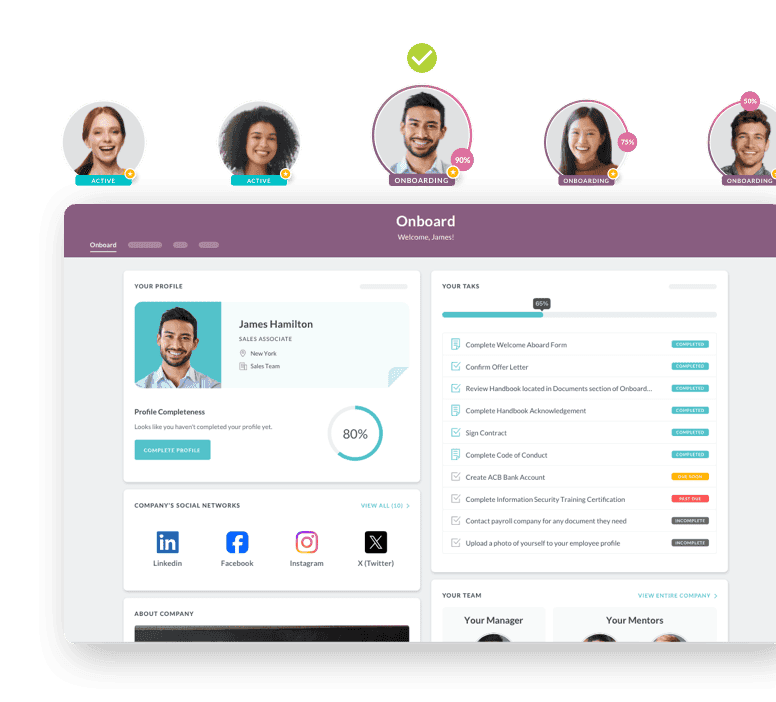
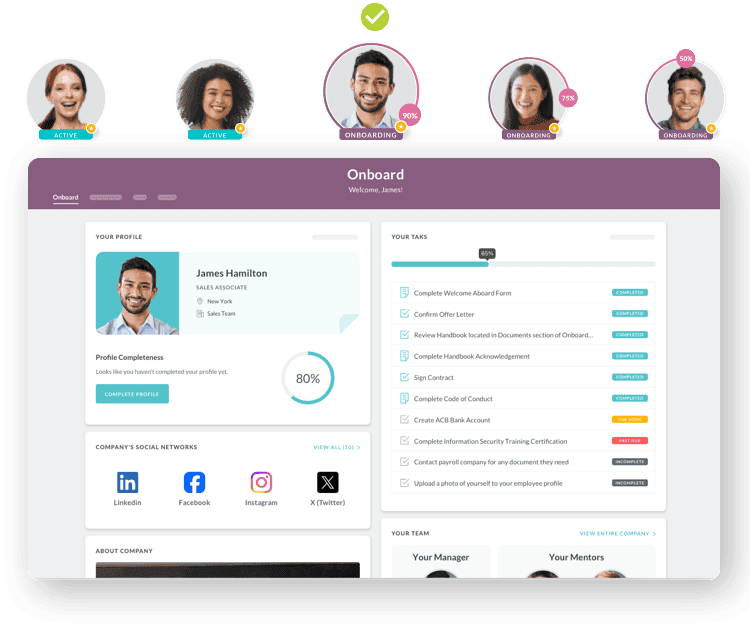
The profile article explains that the parts of a profile an employee can edit depend on their security role: open the profile, select the pencil icon on the Personal tab, change the information and save. The People help center page lists the employee-facing articles: adding a profile picture, a note or a document, viewing tasks, notes, forms and documents, adjusting notification preferences, viewing the org chart, messaging a colleague, adding emergency contacts and reaching 100% profile completeness. Document privacy settings sit under the admin and manager section, not the employee one.
For time off, the Time Off Overview article describes display cards per time off type with a plus button for a quick request, a calendar, upcoming requests filtered by approved or pending, and recent accruals. The open-ended request article covers extended leave: an employee submits a request with a start date and no end date, balances update daily while it is open, and the total recalculates when the return date is entered. The article notes that only full-day requests are supported and only one open-ended request can be active per employee. Employees can also file a request from the Status widget in Workmates, per this article, provided the Time Off application is enabled.
HR Cloud’s AI page states that its assistant answers HR policy questions and lets employees submit time-off requests, check balances and get confirmations without leaving the chat. Ask HR Cloud which of these functions come with the plan you are quoted, and how the assistant handles permissions, approvals and questions that need a person.
Log-in options are documented too: email and password, phone log-in once an admin asks an account manager to enable it, and single sign-on through SAML, Okta, OneLogin and Office 365, with ADP SSO available for the Onboard, Workmates and Time Off applications.
Two things to confirm. First, HR Cloud has no payroll module. It connects to the payroll you already run. Pay statements and W-2s are ordinarily generated through your payroll process, and employee access depends on your payroll provider and the available integrations. The help center articles we reviewed include no dedicated pay stub article, so ask the sales team to demonstrate whether employees can open these documents through HR Cloud or must use the payroll system separately. Second, plan contents matter. The pricing page lists People HRIS, e-forms and mobile access in Onboard, adds time off tracking in Growth, and adds Workmates in Full Suite, so confirm which plan includes the self service tasks you tested.
On proof, HR Cloud’s Veolia story reports 10,000+ employees onboarded and a mobile onboarding completion rate of 75%+. The page gives no time period or measurement method, and it describes onboarding rather than everyday self service, so treat it as evidence of mobile completion by field employees, not of HRIS request volume. HR Cloud’s self-service onboarding page carries an Osmose Utilities testimonial reporting 7 hours HR saves each week onboarding new hires. The page does not tie that figure to everyday self service transactions.
Best for: employers that also run onboarding and want the new hire’s self service profile to continue as the employee’s.
Ask in the demo: pay document access, which plan includes each task, and what an employee sees on a personal phone.
BambooHR: best for small and mid-size teams that want a familiar HRIS portal
BambooHR documents the broadest set of classic tasks. Its employee self-service article groups them into payroll (view pay statements, access tax information), time and attendance (clock in and out, manage PTO), benefits (view and enroll), company information and employee data (review and edit contact information, change log-in details).
A second BambooHR post describes a gateway where each person logs in with a custom access level, so the right people see the right information. It adds that employees can edit tax withholdings and direct deposit information in the system, and enroll in benefits during onboarding, open enrollment or a qualifying life event.
Best for: teams whose first need is a conventional portal with HR-controlled edit rights.
Ask in the demo: which of the payroll tasks require BambooHR’s payroll product and which work with your current payroll.
Rippling: best for employers that want configurable edit rights across a wide platform
Rippling’s own review post is explicit on control. It says you configure exactly what employees can and cannot see or edit, and gives the example of letting employees update home addresses while requiring HR approval for bank account changes. It lists self service tasks from pay stubs and W-2s through expense reimbursements and performance reviews, and says managers can approve time off, clock in and out of shifts and access documentation from the mobile app.
The same post lists time off features: blackout periods, manager approval only above a threshold such as five consecutive days, accrual rules by tenure, location or role, and a team calendar.
Best for: employers that want to define approval paths by field.
Ask in the demo: which modules your self service scope requires, because the post notes that exact pricing depends on a custom quote based on features and modules.
HiBob: best for teams that want automated approval routing
HiBob’s employee management page lists control of address, bank and contact details, time off booking and approval, payslips and contracts on a phone, and policy answers with Bob Companion. It also describes automation that routes time off and role changes to the right approver, nudges task owners before a step falls due and escalates overdue approvals to the next person. Its time off page says Time Off is included in Core HR and Time and Attendance is an add-on, and describes a Time Off Agent for checking availability, requesting time off and getting policy answers.
One limit on this entry: HiBob’s help center article on self service setup sits behind a customer login, so we could not verify from public pages how approvals work for personal data fields such as banking details.
Best for: teams that want approvals routed and escalated automatically.
Ask in the demo: whether bank and address changes require approval, how long approvals sit in a queue for a multi-site team, and who covers when an approver is out.
Connecteam: best for shift-based teams where the phone is the workstation
Connecteam is the one operations-first build in this list. Its time off guide shows how an employee views balances and request history from My Profile in the mobile app, submits a request for a full or partial day, and attaches a file such as a doctor’s note when the admin requires one. Admins can set a minimum notice period, a waiting period for new employees and a maximum balance.
Its PTO page says time off syncs with schedules and payroll-ready timesheets. The pages we reviewed did not state pay stub access, and the HR Hub is listed as a set of tools: hiring and onboarding, training, documents and e-sign, time off, recognition and org chart.
Best for: hourly teams whose daily tools are the clock and the schedule.
Ask in the demo: where employee master data lives and how pay documents reach employees.
Staffbase: best when you already run an HR system and need employees to reach it
Staffbase connects to HR systems rather than holding the employee record. Its HR widgets article describes a payslips widget that hides data by default until the user reveals it, and an absence widget with a balance view of vacation, sick leave and remaining hours, plus optional alerts when a time off request changes status. The widget documentation covers balances and status alerts, and request submission is documented only through Navigator, described below. The article states that SAP SuccessFactors and Workday offer payroll, absence and absence balance. Its Q2 2026 release notes say customers with the HR Self-Service Add-on can use the payslip and absence widgets.
Staffbase’s integrations page lists ADP Workforce among connected systems. On the AI side, its AI intranet article says Navigator, connected to Workday, lets employees check an absence balance, request time off, check in and out of shifts and find payslips, and acts within the permissions of the signed-in employee.
Best for: enterprises with a settled HR system and a communications gap.
Ask in the demo: which of your connected systems are supported for each widget, and what the self service add-on costs.
Workvivo: best for employers that want an employee headquarters over their HR data
Workvivo is also a front-door layer. Its integrations page says employees get direct access to personal HR data such as payslips, time off requests and benefits information within Workvivo, and names Workday, UKG, BambooHR, Sage HR and Personio among popular HR integrations. The page does not say whether a request is submitted in Workvivo or in the connected system. The features page adds that employees see upcoming time off and balances and get notified when time off requests are approved and payslips are published.
Its pricing page lists HQ Agent as an add-on that lets employees search and take action in connected third-party systems such as Workday, ServiceNow and Google Drive.
Best for: employers whose first problem is reach and engagement across desk and frontline teams. Ask in the demo: which self service actions are read-only and which can be completed in the app.
Why this matters for your shortlist: a front-door layer and an HRIS answer different questions. Do not rank them against each other on one feature list. Decide the build first, then compare within it.
What do employee self service tools not cover?
Three gaps are worth planning for before you sign.
Pay documents usually start in payroll. Payroll systems commonly generate pay statements and tax documents, while an HR portal may give employees access to them. HR Cloud’s integrations page lists payroll and HR platforms such as ADP, UKG Pro, Paylocity, Paycor, Dayforce, Workday and SAP SuccessFactors, and HR Cloud does not process payroll itself. A listing does not prove that a particular workflow is available, so confirm which integration applies to your systems, which employee and payroll data it exchanges, how often it synchronizes and whether implementation costs extra. Whichever platform you choose, confirm which system generates each document, which system displays it and who administers tax-form delivery and consent.
Electronic W-2 delivery needs consent. The IRS Pub. 15-A, the Employer’s Supplemental Tax Guide, says an employee must consent to receive Form W-2 electronically and that an employer may not send one electronically to an employee who has not consented or has revoked consent. The consent statement must explain that the employee gets a paper form if they decline, the scope and duration of the consent, how to get a paper copy and how to withdraw consent. Electronic forms are due on the same date as paper forms. The Form W-2 instructions give February 1, 2027 as the general deadline for forms covering 2026. Your payroll provider often runs this consent flow, but the employer remains responsible for furnishing the form, so ask who administers consent.
Self service does not answer judgment questions. A policy assistant can state the leave rule. It should not decide an accommodation request or a pay dispute. HR Cloud’s Maya help center article is a useful model: if Maya cannot answer a question, it directs the employee to the HR administrator. Ask every vendor with an AI assistant where the hand-off to a person happens.
How do permissions and approvals keep employee self service safe?
Self service is only as safe as its edit rights. Three patterns appear across the vendors above.
Edit by role. HR Cloud’s profile article ties editable sections to the security role. BambooHR’s glossary page says HR decides who can change records and which changes are allowed.
Edit by field with approval. Rippling’s review post gives the address-versus-bank-account example. For HiBob, public pages describe approval routing for time off and role changes, so confirm field-level approvals in the demo.
Read-first in the front door. Staffbase and Workvivo show HR data pulled from the system of record. Profile edit rights stay with the HR system.
Bank-account changes deserve particular scrutiny because an unauthorized update can redirect pay. Decide before the demo which fields employees may change instantly, which need approval and which only HR may edit, then ask each vendor to configure that exact policy while you watch. This is an example approach, not a compliance requirement, and your data-control needs may differ. Ask each vendor to show the record left behind by a changed bank account, including who made the change, who approved it and when.
Single sign-on belongs in the same conversation. HR Cloud documents SAML, Okta, OneLogin and Office 365 options, and Workvivo’s HQ page lists SSO and SCIM provisioning. A short list is a good start, and a confirmed match against the identity provider you already run is better.
Why these controls matter: the approval step is where HR’s time goes. Too many approvals recreate the inbox. Too few put payroll data at risk. Set the policy by field, not by platform.
How do you test adoption before you buy?
One risk is that employees cannot finish the task on the device they carry. Run this eight-task scorecard on a personal phone, with an employee who is not in HR, during the demo.
| Task | Pass condition | What a fail tells you |
|---|---|---|
| Log in for the first time | Done without an HR call | Activation friction |
| Change a home address | Saved or sent for approval in under two minutes | Form design or permissions |
| Add an emergency contact | Completed without help | Hidden profile sections |
| Request a half day off | Request filed, balance shown | Partial-day policy gap |
| Cancel a pending request | Cancelled by the employee | Dependency on the manager |
| Find the handbook | Located in two taps | Weak document hub |
| Ask a policy question | Correct answer or a hand-off to HR | Assistant overreach |
| Find last month’s pay stub | Reached, or told which system holds it | Payroll boundary unclear |
Before the demo, configure the test account with the permissions, leave policies and approval rules you intend to use. Score each task pass, pass with help or fail, and record whether a failure reflects a product limitation, a plan restriction or an intentional company policy. Treat failures on tasks employees do weekly as major concerns. Record the severity and ask the vendor to show how they would fix each one.
Ask also for the vendor’s adoption reporting. HiBob’s HR software guide recommends tracking login rates and self service use over the first months after launch and using what you find to guide the next round of training. That is a sound practice whichever vendor you pick.
A pro tip for multi-site teams: include one manager from your slowest-approving site in the demo. Testing with that site can reveal delays that an ideal demonstration would miss.
What does a rollout look like for a 600-person multi-site employer?
This is a hypothetical example, not a customer result. A distributor has 600 employees across five sites, 70% hourly, and an HR team of four. HR currently receives address changes, time off requests and pay document questions by email and paper.
Assume, for illustration, that each employee files four HR requests a year and each takes HR six minutes to process. That is 2,400 requests and 240 hours of HR time a year. The numbers are assumptions, and your own inbox audit will replace them.
The team runs the scorecard above at two sites. It finds that employees can view pay information in the front-door product it first favored, but must open a separate HR system to update an address. The team decides that this extra step fails its usability requirement for the most frequent request. It shifts to an HRIS with self service built in, configures address and emergency contact changes as instant, bank detail changes as approval-required and legal name changes as HR-only, and keeps pay stubs in payroll with a link on the employee home page.
The rollout runs in phases. Site one goes live with profile updates and time off. Site two adds document access. Pay document links follow once payroll confirms the W-2 consent flow. HR tracks login rates and the volume of address and time off emails for the first three months, then decides whether to add benefits elections.
HR Cloud’s footer publishes a six-week go-live from kickoff, and its pricing page says setup, configuration, data import and training are included in the license. Your own schedule depends on configuration, data migration, selected modules, integrations and customer readiness. Third-party integrations may cost extra, so ask for those in writing.
Why this example matters: the decision that changed the outcome was made by testing, not by feature lists. The team learned in one afternoon that the product it favored needed a second system for its most frequent request.
What should you do in the next 30 days?
- Audit your inbox. Count 90 days of HR emails by type. Rank the top five. These are the jobs your platform must do first.
- Pick the build. Decide whether you need an HRIS with self service built in, a frontline operations app or a front-door layer over your current system.
- Set the edit policy. List every profile field and mark it instant, approval-required or HR-only.
- Run the scorecard. Schedule two demos on a personal phone with a non-HR employee and a manager from your slowest site.
- Ask the three closing questions. Which plan includes each task, which system holds pay documents, and what third-party integrations cost.
Request a personalized HR Cloud demo, bring your top five inbox jobs and ask the team to demonstrate People HRIS, Time Off and the available AI features on your own scenarios.
The bottom line on employee self service software
The right platform lets employees complete their most common HR tasks without unnecessary HR involvement, on the device they carry, while keeping the controls your organization requires. Choose the build first, set the edit policy by field, and run the eight-task scorecard on the shortlist. To see how HR Cloud handles your top five inbox jobs, request a personalized demo and ask the team to show them on your scenarios.

Discover how our HR solutions streamline onboarding, boost employee engagement, and simplify HR management
Book a DemoFrequently Asked Questions
What is the best employee self service software?
The best employee self service software depends on your build. An HRIS with self service built in suits teams that want changes saved to the record, a frontline app suits shift teams, and a front-door layer suits employers that already run an HR system. Test eight weekly tasks on a phone before deciding.
Which HR platforms offer the best employee self service features?
Vendors such as BambooHR, Rippling, HiBob and HR Cloud document profile edits, time off requests and document access in their own pages. Features differ in approval control, pay document access and mobile completion. Compare them with the same scorecard and the same edit policy rather than a feature count.
What is the best employee self service portal for a mid-size company?
Look for configurable edit rights, approval paths by field and a mobile experience that works for hourly staff. Rippling documents field-level control, BambooHR documents HR-set edit rights, and HR Cloud ties editable sections to security roles. Test each with your own policy during the demo.
How much does employee self service software cost?
Pricing varies by vendor, plan and add-ons. HR Cloud uses a fixed annual license with no per-seat fees, priced by headcount band, plan and add-ons, and offers a personalized demo instead of a self-serve trial. Rippling’s review notes custom quotes. Ask every vendor for add-on and integration costs in writing.
Is employee self service software the same as an HRIS?
No. Self service is the employee-facing layer. In an HRIS it sits on the system of record. In a front-door product such as Staffbase or Workvivo, it displays data from an HR system you already run, and profile changes are made there. Ask each vendor where the edit actually happens.
Can employee self service software work for frontline and hourly employees?
Yes, if the tasks finish on a personal phone. Connecteam documents clocking in, time off requests and shift trades on mobile, and HR Cloud’s Veolia story reports a mobile onboarding completion rate of 75%+. Run the scorecard on a phone with an hourly employee, not on an admin laptop.
Do employees get pay stubs and W-2s through self service?
Often through the payroll system, linked from the HR portal. Rippling documents pay stubs and W-2s on its platform, while HR Cloud does not process payroll and connects to the payroll you already run. For W-2s, the IRS requires employee consent before electronic delivery, so ask which system runs that consent step.
What approvals should employees need for personal data changes?
Match the approval to the risk. An example policy allows instant changes to phone numbers and emergency contacts, requires approval for address and bank details, and keeps legal name changes with HR. It is an illustration, not a compliance standard. Rippling’s review gives the bank account example.
How do I measure whether employees actually use self service?
Track first log-in rates, the share of time off requests filed by employees rather than HR, and the volume of address and policy emails before and after launch. HiBob recommends tracking login rates and self service use over the first months and adjusting training accordingly.
About the author

Keep Reading


Like What You Hear?
We’d love to chat with you more about how HR Cloud® can support your business’s HR needs.
Book Your Free Demo