
High Response Rates on Mobile Employee Pulse Surveys
Hypothetical: Picture day three of a pulse survey. The head office is nearly done, and the warehouse column on your dashboard is close to empty. This guide shows how to get high response rates on mobile employee pulse surveys by following one pulse from invitation to counted answer. It draws on Pew Research Center studies, a Census Bureau presentation, AAPOR's standard definitions and HR Cloud's help center, all opened on November 26, 2026.
Pew Research Center's 2015 guidance says fully 27% of respondents to its American Trends Panel used a smartphone for their latest survey. Another 8% used a tablet. That panel is a nationally representative sample, so it says little about any one employer. It still supports a simple rule: plan a web survey as a phone survey.
UKG's January 5, 2026 release on a survey of 8,200 frontline workers says frontline workers make up nearly 80% of the global workforce. Its footnote divides a 2022 Gartner estimate by a 2025 Statista figure and gets 77%. Whichever figure you use, frontline work covers a large share of the people you may want to hear from.
HR Cloud publishes this guide and sells survey tools, so read the product sections with that in mind. Product facts come from HR Cloud's help center and pricing page. Review sites and vendor benchmark posts are not used as sources. This guide quotes no response-rate benchmark for frontline pulses, because none of the sources opened here sets one.
Pulse survey here means a short survey that repeats on a schedule. Mobile means the person completes it on a phone. Response rate follows AAPOR's general definition of complete interviews divided by eligible reporting units, read as completed surveys divided by eligible employees. None of these terms has a single industry standard for employers, so the definitions are this guide's own.
Short answer: Here is how to get high response rates on mobile employee pulse surveys. Follow one pulse through five stages called the Pulse Response Funnel: reach, open, start, finish and count. Log one number at each stage, fix the stage with the biggest drop and test one change at a time. Table 1 lists the questions to ask.
Key Takeaways
- Define the response rate before you launch: completed surveys divided by eligible employees, logged for each site and shift. A single company-wide figure can hide a quiet group.
- Table 1 lists the five stages of the Pulse Response Funnel, with one number to log at each stage.
- Table 2 compares ways to deliver a pulse to workers without a work inbox.
- Table 3 lists Pew's mobile survey tips with a check for each.
- Table 4 lists the survey items in HR Cloud's help center, including a gap: the survey articles do not mention mobile.
- Write the rules down first. Table 5 lists nine decisions, from the denominator to who posts the results.
What Counts as a Response Rate on Mobile Employee Pulse Surveys?
A response rate is a fraction, and the fraction changes with its denominator. Divide by all who got an invitation, and a bounced email lowers your rate. If you divide by eligible employees, an unreachable worker lowers it. Both numbers are useful, and they answer different questions, so name the one you report.
AAPOR's Standard Definitions describe a response rate as the number of complete interviews divided by the number of eligible reporting units. For a pulse, the closest reading is completed surveys divided by employees who were eligible to answer. Write down who is eligible, such as active employees at a site on the survey date, so the denominator is the same each month.
Decide what complete means as well. A person who answers two of five questions and stops has started the survey and has not finished it. The Pulse Response Funnel in this guide counts those as separate stages, because the fix for each differs. A slow first screen may lose people at the start, while a long list of questions may lose them at the finish.
Report the rate for each group that matters to you. A company-wide figure blends the head office with the warehouse, and the blend can look healthy while one site is nearly silent. AAPOR also notes that response rate information alone is insufficient for determining how much nonresponse error exists in a survey. A high rate helps, and it does not prove the answers represent all workers.
Why this matters for People Analytics and HR: The rate is a tool for finding groups you are not hearing from. Log it by site, shift and role so you can see where to act.
Which Evidence Should You Trust on Pulse Survey Response Rates?
Advice on pulse surveys mixes five kinds of statement. Experiments report what happened to a sample, and a standards body reports how to count. Government presentations report what one agency saw in its own surveys. Product documentation reports what a tool does, and vendor benchmarks report what a company says about its own customers.
Label each statement before you rely on it. The Pew experiments and the Census Bureau presentation in this guide come from general-population and household surveys. They are design evidence for how people behave on phones, and they do not predict your rate. Test any idea on one group of your own before you change a company-wide process.
Treat a benchmark with care, since the number depends on how it was counted. Ask what the denominator was, how long the window ran and which workers were eligible. Check also whether the figure came from customers who chose the product. A rate that counts only workers with a work email can look strong and miss the people you hope to reach.
This guide sets no target for that reason. Pick a baseline from your own last pulse, and compare each group with its own history. Your key question is which group moved, and by how much, after you changed one thing.
Where the data helps: A group-level baseline turns a vague goal into a testable one. Keep the previous pulse's numbers beside the new ones.
What Is the Pulse Response Funnel?
The Pulse Response Funnel is this guide's own framework, with no published standard behind it. It follows one pulse through five stages: reach, open, start, finish and count. Each stage has a question to ask, a design move to test and a number to log. The funnel is how to get high response rates on mobile employee pulse surveys without guessing which change helped.
Think of one worker. First, the invitation has to arrive where that person looks, and the person has to recognize it and open it. Then the first screen has to load and read well on a phone. Last, the questions have to be short enough to finish in one sitting, and the answer has to land in a result the person trusts.
Log each stage by group. If invitations reach a group and few open them, the problem sits at the open stage, so a shorter survey will not fix it. When a group starts the survey and few finish, length and layout are possible culprits. The same number can have different causes, so use the table as a prompt for questions and check each cause with your own records.
Your tool may not report all five numbers. Some counts, such as invitations delivered or surveys started, may come from your own logs or from a vendor report. Ask your vendor which of the five numbers it can show, and note the ones you will track by hand.
Start with the stage that has the biggest drop. A fix at the wrong stage costs you a pulse cycle. If you can't tell which stage is weakest, run the next pulse as a diagnostic. Change nothing, log all five numbers for each group and keep the result as your baseline.
Keep a short note beside the numbers. Record the date, the channel, the number of questions and anything unusual, such as a holiday or an outage. Those notes explain a dip months later, when the details have faded.
Table 1. The Pulse Response Funnel. This guide's framework, with no published standard behind it, as of November 26, 2026.
| Stage | Question to ask | Design move to test | Number to log |
|---|---|---|---|
| 1. Reach | Did the invitation land where the worker looks? | Send it by a channel the worker already uses, with consent for texts | Invitations delivered, by group |
| 2. Open | Did the person recognize the sender and the purpose? | A short note on who reads the results and what happens next | Invitations opened or links clicked |
| 3. Start | Does the first screen load and read well on a phone? | A direct link with no access code, tested on a personal phone | Surveys started |
| 4. Finish | Is the survey short enough to complete in one sitting? | A written cap on questions and no grids | Surveys completed |
| 5. Count | Does the answer appear in results for the person's group? | A minimum reporting group size agreed with HR | Completed surveys in reportable groups |

How Do You Reach Frontline Workers Without a Work Inbox?
The reach and open stages come first, and they depend on the channel. A pulse that lives in a work inbox reaches the people who read that inbox. Workers without a work email need a different path, and you should name it before you write a question.
Pew's guidance on web surveys offers two relevant ideas. It advises a unique URL in the invitation and says not to require respondents to enter an access code, username or password. Another idea is inviting respondents through a text message, as long as you have explicit consent to send texts. Both ideas aim at the same goal, which is getting a person from the invitation to the first question in one tap.
Pew also ran experiments on text invitations. In its 2016 study of text message notification, 15% of the email-and-text group responded within 30 minutes, compared with 6% of the email-only group. By the end of the first full day the figures were 50% and 37%. The final response rates over the field period were 82% and 81%, and Pew reports no difference between the groups.
Read those results with care. Those panel members had consented to texts, and the study covered a general-population panel. The finding suggests that a text can speed answers without changing the final rate over a long window. If your response window is short, earlier answers may matter more, so test a text invitation on one group and compare it with email alone.
HR Cloud's survey article lists four delivery options for a Questionnaire Survey: Inbox, Task, Email or URL. For an NPS Survey, the article says delivery is web only. It does not list text message as an option. Ask how your team would send a link by text and whether that fits your consent records.
Table 2. Delivery options for a pulse and what each source states. Sources opened November 26, 2026.
| Channel | What the source states | Question for your frontline workers |
|---|---|---|
| HR Cloud lists Email as a delivery option | Do your workers read this inbox on a phone? | |
| Inbox | HR Cloud lists Inbox as a delivery option | Where do workers see it, and do they sign in first? |
| Task | A survey sent as a task shows in the Tasks grid, and an HR Admin can filter it to see who completed it | Do workers open Tasks during a shift? |
| URL | HR Cloud lists URL, and Pew advises a unique URL with no access code or password | Does the link open on a personal phone without a login? |
| Text message | Pew advises it with explicit consent, and HR Cloud's survey article does not list it | Do you hold consent records, and which tool sends the text? |
| Workmates post with Notify Audience | The help center says a post can notify its audience by email, push or both | Can the post carry a link to the pulse? |
The Workmates row needs a caution. According to the Notify Audience article, a poster can notify the audience of a post in a Workmates channel by email, push notification or both. Notifications go to active users who can see the post, and users who turned off these notification types still receive them for that post. Nothing in the article says a post can link to a survey, so confirm that in a demo.
Pro tip: Send the first pulse to one site with a plain note on who will read the results. Compare that site with a similar one that received the usual invitation.
How Do You Make the First Screen Easy on a Phone?
The start stage is where a slow or crowded first screen loses people. Pew's tips for web surveys on mobile devices list eight practices. These are checks you can run yourself in a few minutes on a personal phone.
Open your pulse on two phones, one older and one newer, over a mobile connection. Note what needs zooming, what scrolls sideways and what fails to load. Ask a worker who did not build the survey to try it and say what confused them. A first screen that works for you may fail for a person with a smaller screen or a slower connection.
Pew's advice on grids and fancy features is worth taking literally. Its guidance says grids have drawbacks that are more pronounced on smartphones. On sliders and spin wheels, it says to stick to radio buttons, checkboxes or text boxes. A pulse that asks one plain question at a time is easier to read afterward.
Table 3. Pew's tips for mobile web surveys, with a check for your pulse. Page opened November 26, 2026.
| Pew tip | What Pew says | Check for your pulse |
|---|---|---|
| Software should be mobile optimized | The software should detect the device and adjust the layout | Open the pulse on two personal phones and note what needs zooming |
| Shorter is better | The longer the survey, the more likely it is to lose respondents | Write a cap on questions and keep to it |
| Avoid fancy features | Stick to radio buttons, checkboxes or text boxes | Use plain choice questions |
| No grids | Grids have drawbacks that are more pronounced on smartphones | Ask one question per item |
| Ask multiple questions on the same screen | Group questions on the same topic on one screen, since slow load times can burden smartphone respondents | Group two or three related questions |
| Maximize use of the smartphone screen | Remove clutter such as logos and place navigation buttons at the bottom | Check what the first screen shows |
| Use a unique URL in the invitation | Do not require an access code, username or password | Test whether the link opens with no login |
| Invite respondents through a text message | With explicit consent, send a text invitation in addition to email | Check consent records before you send |
Worth knowing: Pew's tips come from research on web surveys of the general public. Treat them as a checklist for design, and let your own start and finish numbers show which tip matters at your sites.
How Short Should a Mobile Pulse Be?
The finish stage depends on length, and no source opened for this guide gives a question count for employee pulses. Pew's guidance says the longer a survey is, the more likely it is to lose respondents. It also says shorter questions and response options make it easier for smartphone respondents to read and answer. Pick your own cap and write it down.
A Census Bureau presentation on mobile-friendly design in two household surveys compares a test of about 10 minutes with a survey of about 40 minutes. For the shorter test, phone respondents broke off 2.3 times as often as computer respondents before optimization and 1.4 times as often after. In the longer survey, the ratio moved from 2.2 to 1.8. The presentation says optimization improved each measure for both surveys, and that length is likely only one factor.
These are household surveys, so do not read the numbers as a forecast for your pulse. Still, a mobile-friendly design narrowed the gap in both a shorter and a longer survey. They also suggest that length alone does not explain breakoffs. Connection speed, population and question type may also play a part.
HR Cloud's survey article says a Questionnaire Survey takes as many questions as you want, each optional by default or made required. The article sets no cap, so the cap is yours. Keep required questions to the few you need. For a survey sent as a task, the article says a worker can skip optional questions and still submit.
Write the cap beside the purpose of the pulse. If a question does not feed a decision you plan to make, cut it. A shorter pulse also leaves room to ask again next month, which gives you a trend.
Quick note: Test the length on a handful of workers before launch. Ask how long it took and where they hesitated.
What Does HR Cloud Document for Employee Surveys?
HR Cloud's help center describes how to build, send and read a survey. The survey creation article and the survey analytics article are the two sources for this section. Each item below comes from those articles, and the table marks what they leave out.
Table 4. Survey items as the HR Cloud help center states them. Articles opened November 26, 2026.
| Item | What the help center states | Question for your demo |
|---|---|---|
| Survey types | Choose NPS Survey or Questionnaire Survey after clicking New Survey | Which type suits a short pulse? |
| Questions | A Questionnaire Survey takes as many questions as you want, each optional by default or made required | Can the tool cap or warn on length? |
| Delivery | Questionnaire surveys go by Inbox, Task, Email or URL, and NPS surveys go by web only | How does each option look on a phone? |
| Timing | Send once or on a recurring schedule, with start and end dates and a response window in days | Can reminders go out inside the window? |
| Publishing | Click Run Survey, and edit until 10 minutes before it is sent | What can change after sending? |
| Completion tracking | An HR Admin can check who completed a survey sent as a task by filtering the Tasks grid | Does completion tracking cover the other delivery options? |
| Anonymity | The article says respondents answer anonymously | How is anonymity handled in small groups? |
| Analytics | Available once more than 4 employees complete the survey, as graphs or lists, with an Export button | Can results be split by site and shift? |
| Mobile | The survey articles do not mention mobile | Show a worker finishing a survey on a phone |
Look closely at the mobile row. The survey creation article does not use the words mobile, phone or reminder, and the analytics article does not mention mobile. A FAQ answer on the Workmates product page says employees can view updates, recognize coworkers and participate in surveys in the mobile app. That is page copy, so ask for a live demonstration on a phone before you plan a pulse around it.
The analytics article also does not use the terms response rate or participation. That means the rate and the funnel numbers in Table 1 may need your own calculation. The completion filter for tasks gives you one input. Ask HR Cloud which other counts its reports show, and plan to export results and calculate the rest.
Remember: HR Cloud's pricing page lists Surveys and polls as included in Full Suite and as an add-on for Onboard and Growth. Ask whether they are in your plan.
Where Does HR Cloud Fit for Mobile Employee Pulse Surveys?
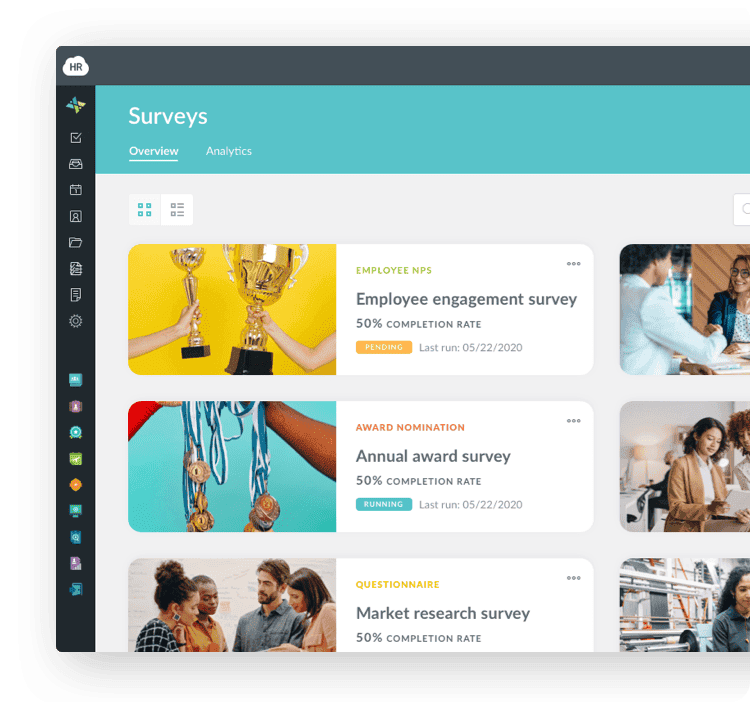
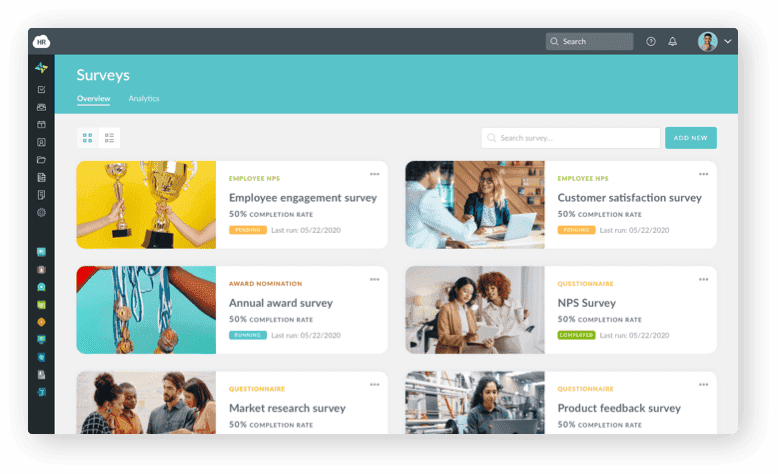
HR Cloud documents how to build a survey, send it, track completion and read results. You can create a Questionnaire Survey or an NPS Survey and choose a delivery option. A response window can be set, and a survey can run once or on a recurring schedule. Workmates posts can notify an audience by email or push, and the pricing page lists Surveys and polls in the Workmates section.
Here is what the pages opened do not show. The survey creation article does not use the words mobile, phone or reminder. In the analytics article, mobile does not appear, and neither do the terms response rate and participation. Text message does not appear among the delivery options.
The pricing page also lists AI survey creation and Survey AI insights. Ask what they do, since the help center articles opened do not describe them. A separate help center article documents a manual reminder for a task, so ask whether it covers a survey sent as a task.
The pages checked were the survey creation and analytics articles, the mobile app article and the Notify Audience article. Also checked were the Workmates product page and the pricing page. These absence statements describe only those pages, and help centers change, so confirm in a demo. HR Cloud also publishes a related post on what pulse surveys are, which covers the basics more broadly than this guide.
On cost, HR Cloud's pricing page lists Onboard, Growth and Full Suite with no prices, as an annual company license tied to headcount bands. Its FAQ says it does not bill each user as a separate seat. Surveys and polls are included in Full Suite and are an add-on for Onboard and Growth. Ask what sits in your plan.
This fit is narrow, and it suits some teams better than others. It suits a People team that wants surveys in the same system as employee records and Workmates posts. A team that needs a documented response-rate dashboard or text delivery will not find either in the help center articles opened.
Where the data helps: Ask for a live run of one pulse on a phone, from invitation to export. Note which of the five funnel numbers you could read without a spreadsheet.
How Do You Keep Answers Anonymous Enough to Trust?
The count stage is where trust shows up in the data. A worker who doubts that answers are private may skip the survey or choose a safe response. Your wording, your group sizes and your follow-up all send a signal about who can see what.
HR Cloud's survey article says respondents answer anonymously. Its analytics article says results are available once more than 4 employees complete the survey. Neither article says whether that threshold exists to protect anonymity, so ask. Also ask how a site with a handful of workers sees results, since a small group can make an answer easy to trace.
Agree on a minimum reporting group with HR before the pulse. If a team falls below that size, roll its answers into a larger group. Tell workers the rule in the invitation, in plain language, so they know a manager will not see a single person's answer.
Watch the questions themselves. A question that asks for a role, a shift and a site can point to one person. Ask only for the groupings you will report, and drop the rest. A pulse that asks less about who someone is can feel safer to answer, and it is easier to report.
Why this matters for People Analytics and HR: Your reporting rule decides what people may believe about privacy. Write it down and share it before the pulse goes out.
What Should You Do After the Survey Closes?
The funnel ends at the count, and the next pulse starts when you share what you heard. A worker who sees a result and one action has a reason to answer again. This guide has no source that proves the link, so treat it as a design choice to test.
Share results with each group in a form that group can read. A short post with two or three findings and one action keeps the message readable. Name an owner and a date for the action, and say what you will not change this time. Honest limits build more trust than a promise to fix everything.
HR Cloud's help center describes posts, polls and campaigns in Workmates. A post can carry the findings, and a poll can ask a group which action to take first. Campaigns are timelines of pre-scheduled posts that can keep the follow-up visible. The help center does not describe any of these as a way to raise response rates, so measure the effect yourself.
Test the follow-up the way you test the invitation. Share results with one site and wait on another, then compare the open and finish numbers for the next pulse. Keep the comparison fair by choosing sites of similar size and shift pattern. A single test will not settle the question, and it will tell you what happened at your sites.
Pro tip: Put the next pulse date in the results post. Workers then know the conversation continues.
What Should You Put in Writing Before the Next Pulse?
A written sheet keeps the program steady when the owner changes and when a leader asks why a number moved. It can be one page. Table 5 lists nine decisions, with a suggested owner and the reason each one matters.
Table 5. Nine decisions to write down before the next pulse. This guide's checklist, with suggested owners, as of November 26, 2026.
| Decision | Why it matters | Suggested owner |
|---|---|---|
| The denominator | Keeps the rate comparable from month to month | People Analytics |
| What counts as complete | Separates a started survey from a finished one | People Analytics |
| The channel for each group | Matches the link to where workers look | HR with site supervisors |
| Consent for text messages | Pew advises texting only with explicit consent | HR with counsel |
| The question cap | Stops the pulse from growing each month | People Analytics |
| The minimum reporting group | Protects privacy in small teams | HR |
| The response window and close date | Gives each group the same time to answer | HR |
| Who shares results and when | Closes the loop in a form workers can read | HR with site supervisors |
| The one change you are testing | Lets you link a result to a cause | People Analytics |
Keep the sheet short enough that a supervisor will read it. Share the reporting rule and the question cap with the supervisors who will promote the pulse. A supervisor who knows the rule can answer a worker's question in the moment.
Review the sheet after each pulse. Note what you changed and what the funnel numbers did. A record of small changes is more useful than a memory of the last launch, and it helps a new owner pick up the work.
Worth knowing: Table 5 names owners so that no decision waits on a general meeting. Assign each row to one person who brings questions back to the group.
What Does a Four-Week Test Look Like?
A test keeps the first change small and reversible. Pick two sites that are similar in size and shift pattern. Take the funnel numbers from the last pulse as a baseline, then change one thing at one site.
Hypothetical: One site receives the pulse as a direct link in a Workmates post with Notify Audience turned on. A similar site receives its usual invitation. Both keep the same questions and response window, and each posts a short results note after the survey closes. The two sites log the five funnel numbers by shift, then compare them and decide whether to keep, adjust or drop the change.
The hypothetical states no result, because the purpose of a test is to learn what your own records show. It also changes only one thing, so any difference has a likelier cause. If the sites differ in other ways, such as staffing or season, note that beside the comparison.
Plan the review before the test starts. Put it on the calendar and invite one person from HR. Bring the funnel numbers and the written sheet.
Quick note: A test that ends with a decision to drop the change is a useful result. It tells you what not to roll out.
What Can You Start in the Next 48 Hours?
You can begin with three small steps that need a spreadsheet and a few messages.
- Write your denominator and your definition of complete, and list the groups you will report. Add the cap on questions for the next pulse.
- Open your last pulse on two personal phones, and run each row of Table 3. Note what needs zooming, what scrolls sideways and where you hesitated.
- Ask HR Cloud, or your current vendor, the questions in Table 4. Include a request to watch one survey finished on a phone and exported with results.

Experience how Workmates can transform communication and strengthen culture—all in one powerful platform
Book Your Free DemoFrequently Asked Questions
How to get high response rates on mobile employee pulse surveys?
Here is how to get high response rates on mobile employee pulse surveys. Log reach, open, start, finish and count for each group, then fix the stage with the biggest drop. Keep the pulse short, send a direct link, test it on personal phones and share results afterward.
What is a good response rate for a pulse survey?
No source opened for this guide sets a benchmark for frontline pulses. A better target is your own baseline, measured by site, shift and role with a fixed denominator. AAPOR also notes that response rate information alone is insufficient for judging nonresponse error, so read the rate beside who answered.
Do text message invitations raise pulse survey response rates?
In a 2016 Pew study of consenting panel members, 15% of the email-and-text group responded within 30 minutes, compared with 6% of the email-only group. The final rates were 82% and 81%, with no difference reported. Test texts on one group, and send them only with explicit consent.
How short should a mobile pulse survey be?
Pew's guidance says the longer a survey is, the more likely it is to lose respondents. No source opened here gives a question count for employee pulses, and HR Cloud's survey article sets no cap. Choose your own cap, write it down and test it with a few workers first.
Does HR Cloud support mobile employee pulse surveys?
HR Cloud's help center documents building and sending surveys by Inbox, Task, Email or URL, with a response window. Its survey articles do not mention mobile. The Workmates product page FAQ says employees can participate in surveys in the mobile app, so ask for a phone demonstration. Ask whether surveys sit in your plan.
Are HR Cloud surveys anonymous?
The help center says respondents answer anonymously. Its analytics article says results are available once more than 4 employees complete the survey. It does not say whether that threshold exists for anonymity. Ask how small groups are handled, and agree a minimum reporting group with HR before the pulse.
How do you calculate a pulse survey response rate?
AAPOR's general definition is the number of complete interviews divided by the number of eligible reporting units. For a pulse, read that as completed surveys divided by eligible employees. Write down who is eligible and what counts as complete, and report the rate for each site, shift and role.
How do you reach frontline workers without a work email for a survey?
Pew advises a unique URL with no access code, username or password, and text invitations with explicit consent. HR Cloud lists URL as a delivery option for Questionnaire Surveys. Ask whether the link opens on a personal phone without a login, and whether your tool can send the link by text.
About the author

Keep Reading


Like What You Hear?
We’d love to chat with you more about how HR Cloud® can support your business’s HR needs.
Book Your Free Demo