7 Signs Your HR Team Needs Better HRIS Software in 2026

You didn't set out to build a patchwork of spreadsheets, workarounds, and disconnected tools. It happened one workaround at a time — a form here, a manual export there — until your HR team is now spending real hours every week doing work the platform should handle. According to a 2022 Gartner survey cited by SHRM, the average HRIS is actively used by only 32% of employees — meaning most platforms are sitting half-idle while HR teams fill the gaps manually.
The cost of staying put is real: reduced accuracy, compliance exposure, and a growing trust gap between HR and the employees who expect the same digital access at work they get everywhere else.
Most HRIS platforms were designed around employees who sit at desks, check email daily, and log into systems regularly. The cracks appear when HR has to support shift workers, field employees, multi-location teams, seasonal hires, healthcare staff, or manufacturing employees — people who may never open a laptop. That gap is where the workaround layer grows fastest.
The issue is not whether your HRIS has features on a spec sheet. The issue is whether HR still has to chase the work after the system says it's done. Here are seven signs the answer is yes.
Key Takeaways
- Manual data re-entry is not a workflow problem — it's a platform architecture problem, and it compounds into compliance risk at scale.
- Employees who can't access their own information through self-service create predictable, measurable volume for HR teams — volume a well-built HRIS can significantly reduce. Here's what effective self-service actually looks like.
- Disconnected recruiting and onboarding systems create duplicate data entry at exactly the moment when accuracy matters most: the point of hire.
- The table in this post maps each warning sign to the platform capability gap behind it — use it to prioritize your evaluation.
- HR Cloud is built for the organizations where HRIS failure shows up most: distributed teams, deskless workers, multi-location operations, and high-volume hiring environments where the gap between what the system tracks and what actually happens on the ground is widest.
- If three or more signs in this post describe your current situation, the operational cost of staying on your current platform almost certainly exceeds the cost of switching.
The Hidden Cost of Staying on the Wrong HRIS Software
Most HR leaders know their platform has gaps. What they underestimate is the compounding cost of those gaps at scale. According to Gartner's 2025 HR Software Trends research, organizations rely on an average of four separate HR software tools — each requiring its own data maintenance, its own logins, and its own manual handoffs between them.
That complexity has a price. A 2025 ISG State of HR Technology report found that only 52% of organizations see quantifiable value from their HR technology — despite growing investment. The gap between what the platform costs and what it delivers is usually filled by HR team hours.
Here is a reference map of the seven warning signs and the capability gap behind each one:
| Warning Sign | What Your HRIS Is Failing to Do |
|---|---|
| Manual data re-entry | Centralized employee records with connected workflows that reduce duplicate updates |
| Onboarding requires heavy HR coordination | Automated task assignment, reminders, and completion tracking |
| Employees contact HR for basic information | Mobile-accessible self-service for documents, PTO, and personal information |
| Workforce reports require data cleaning | Consolidated workforce data accessible without manual exports or spreadsheet cleanup |
| Recruiting lives in a separate tool | Recruiting and onboarding workflows that reduce candidate-to-hire re-entry |
| Remote teams fall through operational gaps | Mobile-first design with tools for shift workers, field teams, and distributed locations |
| Turnover is rising with no clear data | Surveys, recognition, communication, and engagement visibility |
Sign 1: Your Team Spends Meaningful Time Re-Entering Data That Already Exists Somewhere Else
If an HR coordinator has to update an employee's information in payroll, then again in your benefits portal, then again in your employee directory, your HRIS has a structural problem. That's not a process issue. It's a data architecture issue.
Duplicate entry across payroll, benefits, and employee records creates two measurable risks. The first is efficiency loss — hours spent on data maintenance that should be automated. The second is compliance exposure: when the same employee record lives in multiple systems, discrepancies accumulate silently and surface during audits or reporting at the worst possible moment.
A better-designed HRIS software reduces that duplicate effort by centralizing the employee record and connecting key workflows — so a change in one place pushes through to connected systems where integrations are configured, rather than requiring manual re-entry in each one.
The compliance angle: Manual re-entry isn't just inefficient — it creates version-control problems in the data your company relies on for compliance reporting. Every discrepancy between systems creates a visibility gap that can complicate reporting, audits, and corrections when they matter most.
Sign 2: Every New Hire Requires Hands-On Coordination From HR
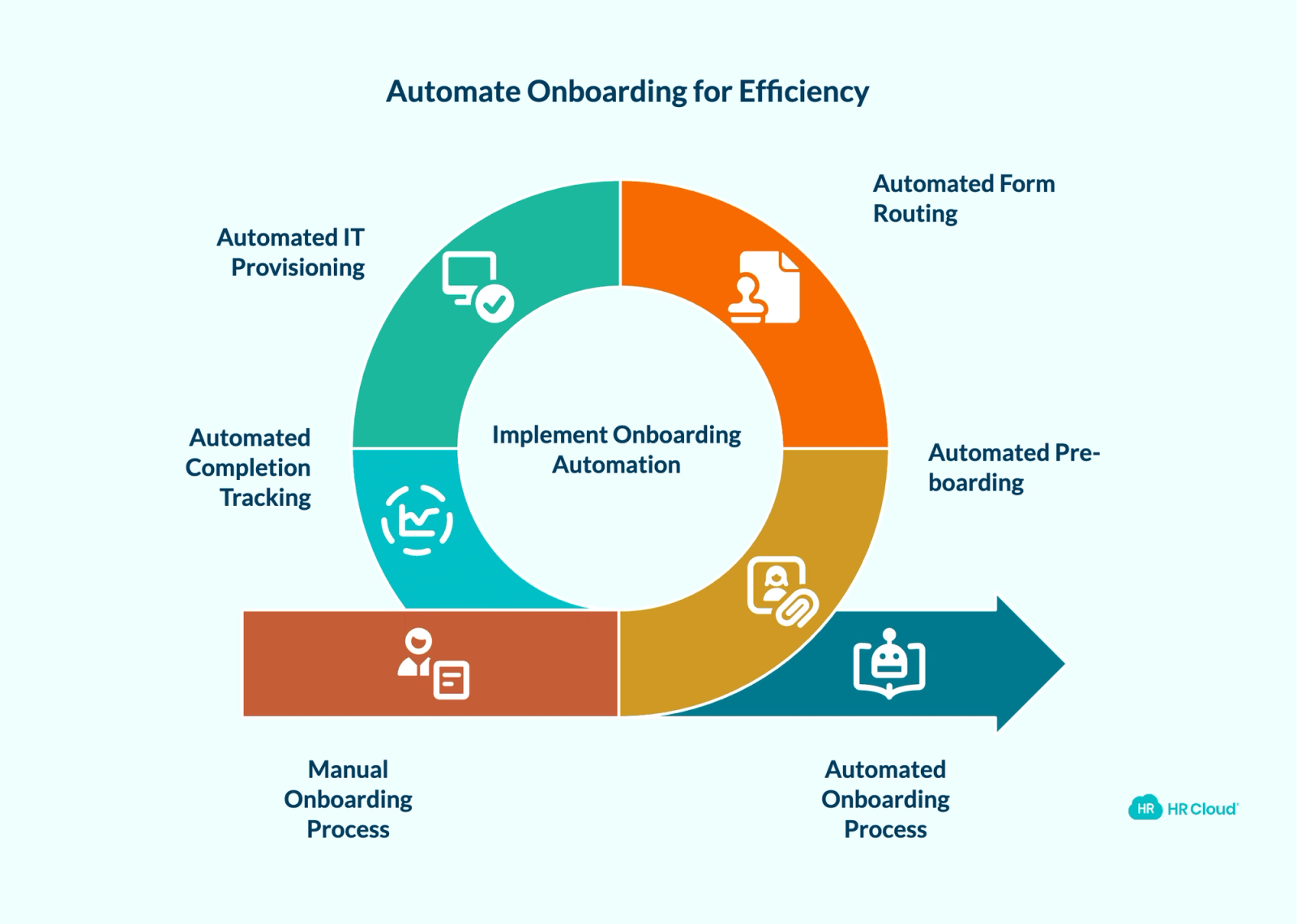
Consider what a well-structured onboarding process should look like once it's configured: the new hire receives their pre-boarding materials automatically, forms route for signature without HR prompting, IT provisioning alerts fire on schedule, and completion tracking runs without anyone manually chasing status.
If your onboarding instead requires an HR team member to manually initiate each step — sending forms, following up on signatures, coordinating with IT, and tracking down missing paperwork for every hire — the platform isn't carrying the load it should be.
HR Cloud's onboarding automation research found that one fast-growing company was spending 10 hours of staff time across three departments to onboard a single employee — handling more than six emails per hire and entering data across six different systems. That is the predictable result of a manual process running at scale, not an unusual outlier.
The cost compounds with hiring volume. At 30 new hires per month, 10 hours per hire represents significant HR and operations time — every month — on work that a well-configured platform can handle with far less manual coordination.
Pro tip: If your team could not onboard 3× its current volume without adding headcount, your HRIS software is the constraint. HR Cloud's new-hire onboarding automation is built to reduce that manual coordination load — with automated task assignment and deadline tracking designed for high-volume and multi-location hiring.


Sign 3: Employees Contact HR to Access Information They Should Control Themselves
When employees regularly call or email HR to check PTO balances, update personal contact information, pull pay stubs, or verify benefits enrollment details, that volume signals a self-service failure in your platform.
The ticket volume is only the visible symptom. Employees in 2026 manage their banking, healthcare, and personal finances through intuitive mobile interfaces. When their work HR system requires a support ticket to check a vacation balance, the contrast is jarring — and it erodes trust in HR as a functional, modern operation.
Self-service is not an advanced feature. It is a baseline expectation — and it only works if employees can actually use it from the device and location where work happens. A portal that requires a desktop login and a password reset serves desk workers. It does not serve a nurse between shifts or a warehouse employee without a company email.
Understanding how to maximize the benefits of employee self-service starts with a platform that makes self-service genuinely easy — not technically available but practically ignored.
Why this matters for HR leaders: Every self-service failure translates to an HR touchpoint. Track your inbound HR ticket volume by category for 30 days. If PTO inquiries, personal information updates, and benefits questions are in the top five, your HRIS self-service is underperforming.
Sign 4: Generating a Basic Workforce Report Requires a Data Project
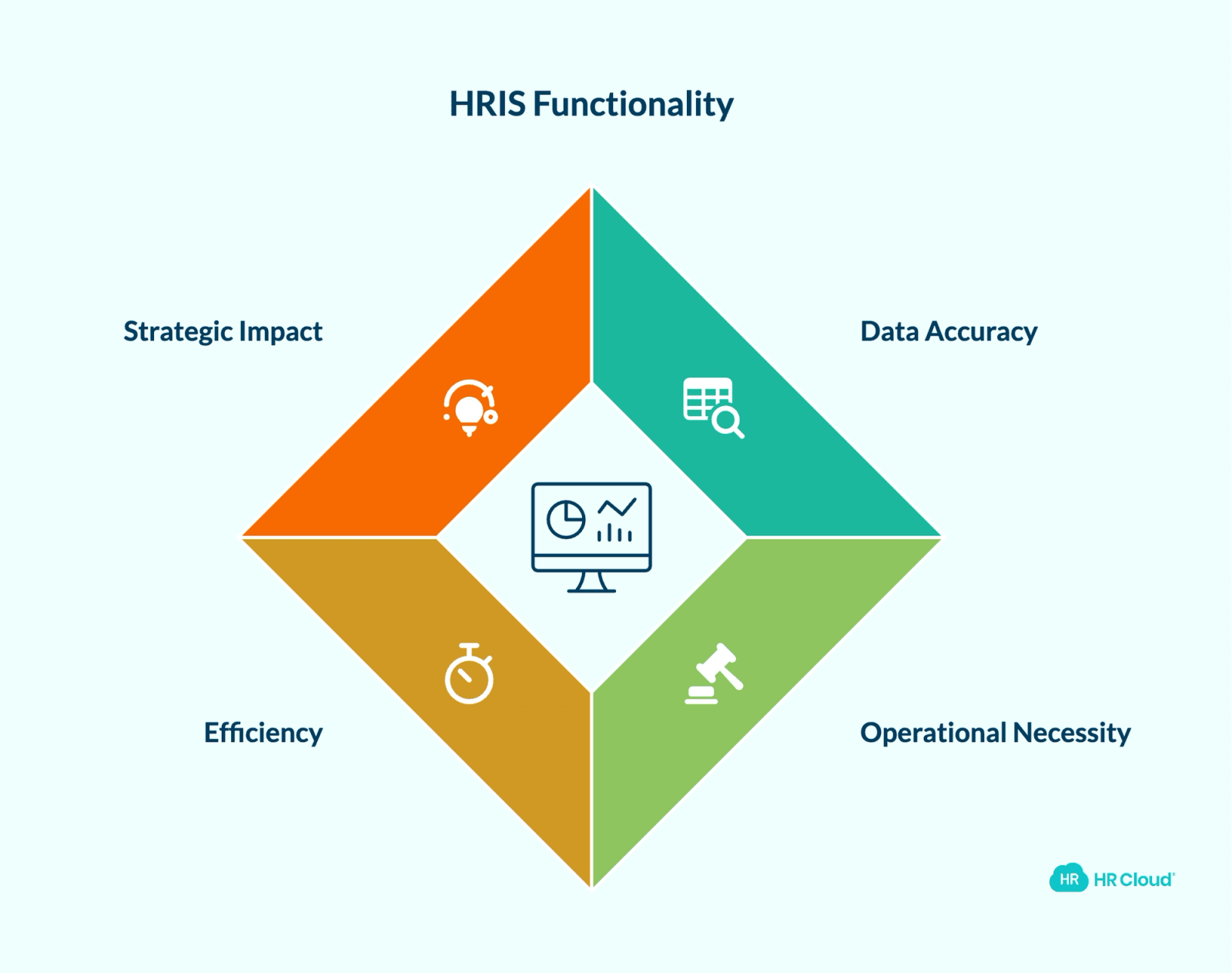
HR leaders who can't pull accurate headcount, turnover, or time-off data on demand are making strategic decisions with incomplete information. If your team's response to a leadership request for "last quarter's turnover by department" involves exporting from multiple systems, cleaning duplicates in a spreadsheet, and reconciling conflicting numbers — your HRIS is not functioning as a system of record.
Reliable workforce analytics are not a strategic luxury. They're operationally necessary for compliance reporting, budget conversations, and board-level workforce metrics. When generating those reports requires manual labor, two problems compound: the data takes longer to produce, and the margin for error increases with every manual step.
A buyer-grade HRIS should let HR answer basic workforce questions without turning every leadership request into a spreadsheet cleanup project.
The strategic cost: When HR can't provide clean data on demand, leadership fills the gap with assumptions. Those assumptions drive workforce decisions. An HRIS that can't produce reliable analytics isn't just an HR problem — it's a business intelligence problem.
Sign 5: When a Candidate Becomes a Hire, Someone Has to Re-Enter Their Data
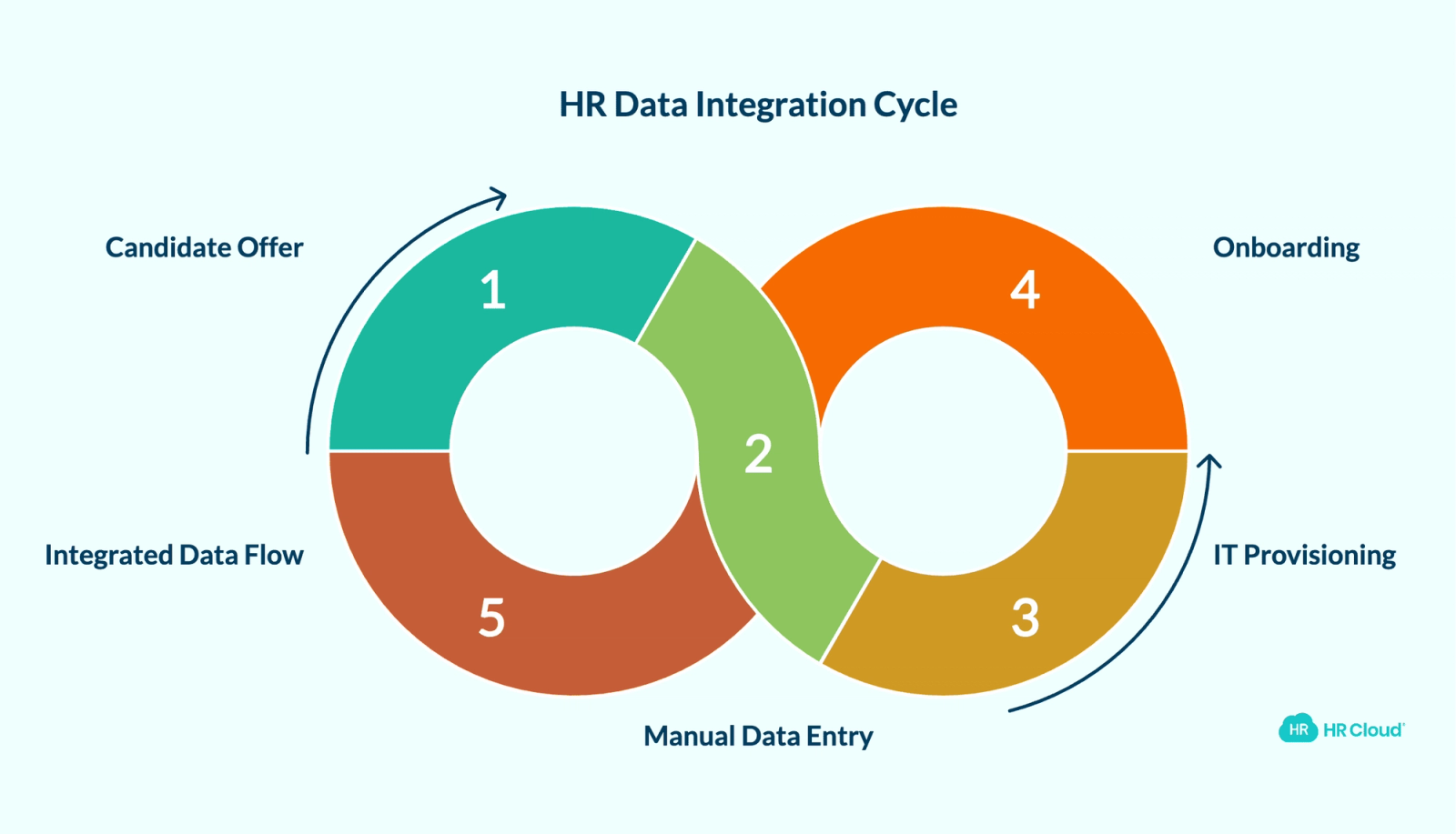
If your recruiting pipeline lives in a standalone ATS that doesn't connect to your HRIS, you have a data handoff problem at the most error-prone moment in the employee lifecycle: the transition from candidate to employee.
When that connection doesn't exist, the practical consequence is predictable: an HR coordinator manually re-types candidate information into the HRIS when an offer is accepted. That duplication creates errors, creates delays in Day 1 readiness, and defeats the efficiency argument for having an ATS in the first place.
An integrated applicant tracking system closes that gap — candidate data can move into onboarding workflows with less manual re-entry when recruiting and onboarding systems are connected. That also means onboarding steps can begin before Day 1 rather than waiting for manual data transfer to complete.
Consider a common manufacturing scenario: the recruiting team closes an offer on a Thursday. Because the ATS and HRIS are disconnected, the HR coordinator manually transfers candidate data to the onboarding system on Friday. IT provisioning doesn't start until Monday. The new hire's laptop isn't ready on Day 1. That sequence — candidate offer to ready workstation — takes four days when it should take four hours. Connecting recruiting to onboarding in a unified platform can significantly reduce each manual handoff in that chain.
What to evaluate: Ask whether your ATS and HRIS share a live data connection or rely on CSV exports and manual entry. If the answer is exports or manual entry, you have a structural integration gap that a platform built around the full employee lifecycle resolves.
Sign 6: Managing Your Distributed or Deskless Workforce Requires Manual Workarounds
HRIS platforms built for in-office desk workers don't function the same way for field teams, shift workers, or geographically distributed employees. Time tracking, shift management, document access, and communication all require fundamentally different tooling when your employees don't sit at a computer.
If your HRIS doesn't support mobile access, if remote employees can't complete onboarding from their phone, or if managers at distributed locations are building their own workarounds to fill operational gaps — those gaps reflect a platform designed for a workforce model that doesn't match yours.
The operational risk is not just friction. It's consistency. When some employees go through a structured onboarding experience and others don't because the tools don't work in their context, compliance tracking gaps and engagement issues can follow. In healthcare, that may mean missing credentials or license renewal visibility. In manufacturing, it may mean new hires arriving before safety documents and manager tasks are complete. In retail or hospitality, it may mean location managers improvising their own onboarding process — with no visibility from HR.
What this looks like at scale: Veolia — one of HR Cloud's enterprise customers — used the platform to onboard large-scale field workforces across distributed locations. That kind of deployment only works when the system is built mobile-first and designed for operational complexity across locations, not retrofitted for it.
Sign 7: Employee Turnover Is Rising and You Don't Have Data to Explain It
Gallup research consistently finds that voluntary employee turnover costs US businesses approximately $1 trillion per year. The majority of that cost lands on companies that learned about disengagement only when an employee submitted their resignation — because their HR systems weren't collecting early warning signals.
If you're not running regular employee surveys, if recognition activity isn't tracked or measured, or if your HRIS doesn't surface engagement trends over time, you're managing retention reactively. Exit interviews are useful, but they're a lagging indicator. By the time someone is answering exit interview questions, the conditions that drove their decision were present months earlier.
A stronger HR platform gives HR more than exit interviews. Without tools for collecting ongoing employee feedback, recognizing employees, and tracking engagement over time, HR leaders end up responding to turnover after the fact instead of addressing the conditions that drive it.
According to SHRM data, 20% of turnover happens within the first 45 days alone — well before most annual engagement surveys would have captured the signal. Organizations that run structured onboarding programs alongside ongoing engagement measurement see retention rates that outperform those relying on annual reviews alone.
What forward-thinking HR teams do differently: They treat engagement data as an operational metric, not an annual event. HR Cloud's Workmates engagement platform includes built-in surveys, recognition tools, and communication features that help HR teams spot engagement patterns earlier — instead of relying only on exit interviews to understand what went wrong.
Download the free employee engagement checklist for managers
Use it to turn good intent into steady habits. Tick items, spot misses, and correct fast. The format is printable, one page, and built for hybrid and deskless teams.
Download Now
What Operational HRIS Software Actually Covers
Most HR teams don't need a longer feature list. They need trackable workflows, manager visibility into what's complete or missing, and tools that work for employees who aren't sitting at desks. The table below maps the specific gaps where legacy systems most commonly fail — and what a well-built platform handles instead:
| Capability | Where HR Loses Visibility | Operational Standard |
|---|---|---|
| Employee records | Data stored in silos; manual updates required per system | Centralized employee records with connected workflows where configured |
| Onboarding | Manual task coordination by HR for each new hire | Automated workflows triggered by hire date, role, and location |
| Self-service | Limited or desktop-only; low adoption | Mobile-first access to documents, PTO, and personal information |
| Analytics | Manual exports; spreadsheet reconciliation required | Consolidated workforce data accessible without a spreadsheet cleanup project |
| Recruiting integration | Separate ATS with manual data transfer at point of hire | Recruiting and onboarding workflows that reduce candidate-to-hire re-entry |
| Distributed workforce | Desktop-only tools; field employees underserved | Mobile-first design with support for shift workers and distributed locations |
| Engagement | Annual surveys only; no ongoing signal | Surveys, recognition, communication, and engagement visibility |
If your current system cannot meet these operational standards, the problem is bigger than user adoption. This comparison of HRIS vs. HRMS vs. broader HR software is a useful starting point for understanding which category of platform your team actually needs.
HR software should not just store employee data. It should help HR see what is missing, overdue, stuck, or incomplete across the workforce. HR Cloud helps teams do that by bringing onboarding tasks, employee documents, mobile-friendly new hire experiences, employee records, recruiting workflows, time off, communication, recognition, surveys, and manager visibility into more trackable workflows. It is especially relevant for teams supporting distributed employees, deskless workers, multi-location operations, or high-volume hiring — where the gap between what the system tracks and what actually happens on the ground is largest. HR Cloud is frequently used alongside existing payroll systems — including organizations that use ADP — so teams can improve the workflow layer around onboarding, documents, communication, and employee readiness without replacing payroll infrastructure.
How to Turn These Warning Signs Into Action
Step 1: Calculate the cost of your workaround layer. For one month, track five numbers: manual data re-entry instances, onboarding follow-up hours, report prep time, employee self-service tickets handled by HR, and manager escalations for missing documents or access. Categorize by type. Then multiply each by your monthly hiring volume, employee count, or location count. The result is not just an HR productivity number — it is a labor cost figure that finance and operations can evaluate alongside any platform investment. This audit requires no tools, takes one shared spreadsheet, and produces a business case that HR did not have to invent.
Step 2: Survey your employees on self-service usability, not just satisfaction. Ask two questions: "Did you contact HR in the last 30 days for something you expected to handle yourself?" and "If yes, why?" Low-friction self-service failures surface immediately in that data. You'll know within one survey cycle whether your platform's self-service is functioning or theoretical.
Step 3: Map your current tool stack against the seven signs. Take the two tables in this post. For each row, mark whether your current platform meets, partially meets, or does not meet the standard. Any row marked "does not meet" with a downstream business cost — compliance, retention, productivity — is a prioritized gap for your next vendor evaluation conversation.
If several of the signs above describe your current situation, the workaround layer your team has built around your HRIS is already costing hours, accuracy, and consistency — especially for the employees who don't work from a desk. Every workaround may look small on its own. Together, they become the operating cost of a system HR has outgrown. The question is whether fixing it with patches is still cheaper than replacing the foundation.

Discover how our HR solutions streamline onboarding, boost employee engagement, and simplify HR management
Book Your Free DemoFrequently Asked Questions
What is HRIS software?
HRIS software — Human Resource Information System software — is a centralized platform that manages employee data, HR workflows, and people operations across the employee lifecycle. It replaces spreadsheets, paper documents, and disconnected point solutions with a single system where employee records, onboarding, time tracking, payroll integration, and reporting connect. A strong HRIS reduces duplicate entry by centralizing employee records and connecting related HR workflows where integrations are configured — so HR teams spend less time maintaining data and more time acting on it.
What does HRIS software do?
An HRIS manages the core data layer of HR operations: employee records, job information, compensation history, time off, benefits enrollment, compliance documentation, and workforce reporting. Modern HRIS software extends that foundation to include onboarding automation, employee self-service, integrated recruiting, and analytics — reducing manual HR work while giving employees direct access to their own information.
What is the difference between an HRIS and HR management software?
HRIS and HR management software are often used interchangeably, but there is a functional distinction. An HRIS is the system of record for employee data — it stores, organizes, and connects that data across HR functions. HR management software is a broader category that may include talent management, performance, engagement, and learning tools built on top of that data foundation. The practical difference matters most when evaluating platforms: ask whether the system manages data only or also drives operational workflows.
How do I know if my current HRIS is outdated?
The clearest indicators are manual workarounds your team has built to compensate for platform limitations — spreadsheets for reporting, manual emails for onboarding steps, separate tools for ATS and HRIS. If generating a standard workforce report requires exporting and cleaning data, or if employees avoid self-service because it doesn't work reliably, those are structural gaps rather than user-error issues.
How long does it take to implement a new HRIS?
Implementation timelines vary based on organization size, data migration complexity, integrations, locations, and the number of modules being activated. HR Cloud's documented average go-live is 6 weeks for standard deployments, though organizations with higher complexity may require additional time. A well-structured implementation plan with clear data migration support and dedicated onboarding from the vendor can reduce operational disruption during the transition.
Can switching HRIS software improve employee retention?
It can support retention efforts when the new platform includes engagement, feedback, and onboarding capabilities — but software alone does not retain employees. Platforms with built-in surveys, recognition tools, and engagement visibility give HR leaders earlier warning of disengagement before it becomes voluntary turnover. The critical factor is continuous data collection: annual surveys miss the 30- and 60-day signals that often predict early departure. An HRIS with integrated engagement tools helps HR act on those signals rather than learn about them in exit interviews.
About the author

Keep Reading


Like What You Hear?
We’d love to chat with you more about how HR Cloud® can support your business’s HR needs.
Book Your Free Demo