Human Resources Management System Software and Payroll

Most conversations about human resources management system software start with features and end with a payroll question nobody planned for: does this connect to what we already run? The honest answer is "it depends on the field, the direction and the event," and that is exactly what a feature list never tells you. This guide explains how an HRMS works alongside payroll by following the moments when HR data becomes pay data: a hire, a raise, a termination, a rehire and a tax form.
It is written for HR leaders, payroll administrators and operations leaders who are choosing, replacing or connecting an HRMS and want to keep their payroll provider. HR Cloud publishes it, so we mark where our own documentation answers a question and where it does not. It is educational and not legal or tax advice. For the definitions behind the acronyms, see our HRMS glossary entry, our guide to HR management systems and our HRIS vs HRMS vs HCM comparison. Those pages describe an HRMS as typically including payroll processing. This guide uses a narrower working definition, with payroll as a separate system, because HR Cloud has no payroll module.
Short answer: An HRMS holds the employee record and runs the HR workflows around it. Payroll calculates and pays. They work together through a small number of data handoffs, mostly at hire, at pay or status changes, and at termination. For each handoff, decide which system owns the field, which direction the data moves, who fixes a failed record and where HR makes later changes. HR Cloud has no payroll module. It connects to the payroll you already run.
Key Takeaways
- Human resources management system software and payroll overlap in name more than in job. The HRMS is the system of record for people and HR processes. Payroll is the system that calculates and pays wages and taxes.
- Most handoffs happen at a handful of events: new hire, pay or position change, termination, rehire and tax or deposit forms. Table 1 maps each one.
- Direction matters more than the word "integrated." HR Cloud's help center describes two-way, import-only and export-once connections, and they behave very differently after the first sync.
- Each system needs a named owner for each field. In HR Cloud's own help center, the answer is sometimes "make the change in the payroll system, not here."
- Table 3 and Table 4 give you the integration patterns and the questions to ask any vendor before you connect anything.
- If you want HR and payroll from one vendor in one database, an HRMS that connects to payroll is the wrong fit. We cover that case honestly below.
What Is Human Resources Management System Software, and Where Does Payroll Fit?
Human resources management system software is a platform that brings core HR work into one system: employee records, onboarding, time off, documents, performance and reporting. The acronyms blur at the edges. HR Cloud's own guide to HR management systems says HRMS, HRIS and HCM are often used interchangeably, though there are technical differences, while our comparison treats an HRMS as an HRIS plus employee lifecycle tools. We use the working definition above and ignore the label debate, because the useful question is what each system does with a given piece of data.
Payroll is the narrower, higher-stakes job. It takes pay rates, hours, tax elections and deposit details, then calculates and pays. The IRS describes Form W-4 as the form employees complete so an employer can withhold the correct federal income tax from pay. That one form shows the shape of the handoff: the employee gives data once, HR collects it, and payroll acts on it every pay period.
| Question | The HRMS usually answers it | Payroll usually answers it |
|---|---|---|
| Who works here, in which role, reporting to whom? | Yes, as the system of record | Needs a copy |
| What documents and acknowledgments are on file? | Yes | Rarely |
| What is this person's pay rate and pay frequency? | Holds the approved record | Applies it to each pay run |
| How much tax was withheld this period? | No | Yes |
| Who is on the onboarding checklist today? | Yes | No |
| Who was paid, when and how? | No | Yes |
Table 1. A working split between HRMS and payroll. Individual systems differ, so confirm yours.
The table is a starting point, not a rule. Some vendors sell both in one database, and some payroll providers include HR features. The point of the split is to make the next question concrete: for each row, which system is allowed to be right?
Why this matters for the HR team: most payroll corrections start as HR data problems. A wrong start date, a missed title change or a stale address is cheaper to prevent at the handoff than to correct after a pay run.
Which Events Move HR Data Into Payroll?
Instead of comparing modules, follow the events. Each one has a trigger in HR, a set of fields payroll needs and a failure mode worth testing in a demo.
| Event | Starts in the HRMS | What payroll needs | What to test |
|---|---|---|---|
| New hire | Offer accepted, record created, forms completed | Name, start date, pay details, tax and deposit data | Does a record with a missing required field get stopped before it goes to payroll? |
| Pay or position change | A dated change in the HRMS | New rate or job data on the effective date | Is the change dated, approved and sent, or typed twice? |
| Termination | Effective date entered | Separation date and final status | Does payroll learn the date from the HRMS or from a second entry? |
| Rehire | A former employee returns | A new or reactivated payroll record | For ADP Workforce Now the rehire is entered in ADP. Where is it entered for your platform? |
| Tax and deposit forms | Employee completes forms in onboarding | W-4 data and direct deposit details | Which forms travel to payroll, and which stay in the HRMS? |
Table 2. Five handoff events between an HRMS and payroll, and what to test at each.
The next sections take them in the order they usually happen. Each one uses what HR Cloud's help center says, because those articles are the closest thing to a field manual for how these connections behave in practice.
How Does a New Hire Move From the HRMS to Payroll?
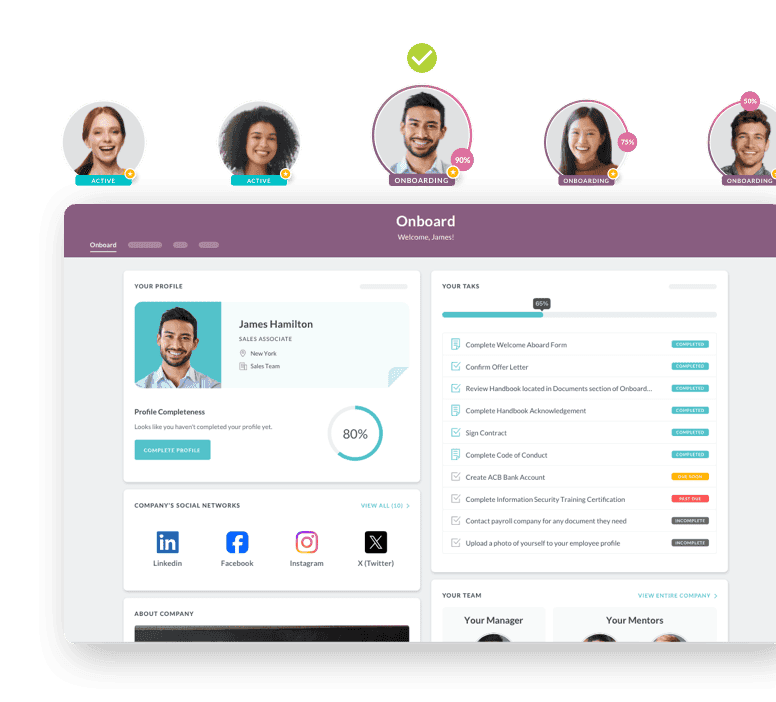
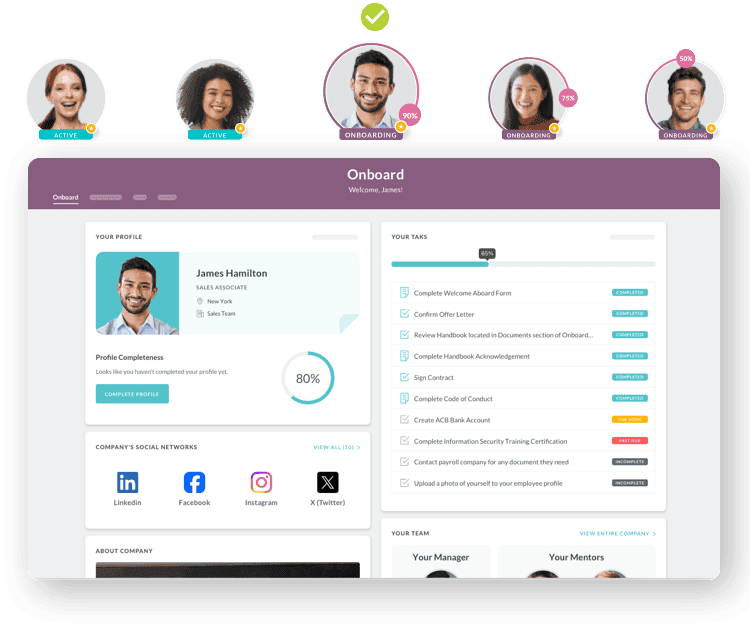
The new hire is the cleanest handoff and the one most vendors demonstrate. HR Cloud's help center describes it as a task. For ADP Workforce Now, the article says completing the "Add New Hire to ADP" task triggers the integration and creates a record in ADP. The ADP Vantage article describes the same pattern: add the employee in HR Cloud, then send the record to ADP through that task. You can read the details in the ADP Workforce Now and ADP Vantage articles.
The handoff is only as good as the fields that are complete when it fires. For Paylocity, the help center article says the export task flags any missing required fields before an employee can be exported, and it recommends adding the task to your new hire checklist. For ADP Workforce Now Next Generation, the article says HR Cloud can use any ADP Hire/Rehire template as long as every required field is either mapped or has a default in the template. It also says that if you choose a full hire and the employee does not meet all full-hire requirements, the employee is exported as an applicant and can be completed in ADP.
Those details are worth reading closely, because they show where a new hire can stall without anyone noticing. A hypothetical 300-person distributor that hires 25 people in a busy month needs to know whether an incomplete record is blocked, sent as a partial record or sent with defaults. Ask for that behavior to be shown with a deliberately incomplete record, not described.
The same articles also set limits. The ADP Vantage and Workforce Now articles both say the ADP payroll integration does not receive all the data and forms from the HR Cloud employee profile. The Workforce Now article says the integration supports export of state tax and W-4 forms from HR Cloud to ADP, while the Next Generation article says it does not support export of state tax forms, W-4 forms or emergency contacts. Behavior differs by ADP platform, so confirm the field mapping for yours before you plan around it. The mapping files are linked from the articles themselves.
Pro tip for the demo: ask the vendor to export one record with a blank required field, one with a valid record and one for an employee who already exists on the payroll side. The three outcomes tell you more than any integration logo.
Which System Should Own Each Field After the First Sync?
The first sync is easy. The hard part is the second one: a name changes, a rate moves, a manager leaves. Whichever system is allowed to make the change decides whether your records stay aligned. HR Cloud's help center describes several different answers, and comparing them is the fastest way to see why "integrated" is not one thing.
| Connection | What the help center says about direction | The question it raises |
|---|---|---|
| ADP Workforce Now | Imports employees and company information into HR Cloud. Sends new hires to ADP through a task. Custom fields from the Personal and Employment sections can be exported and imported | Which fields are mastered in which system after the first export? |
| ADP Workforce Now Next Gen | Imports and exports. Updates to fields such as legal name, address, personal email and work phone can be exported, but the article says updates can only be synchronized in one direction | Which direction have you chosen, and who knows it? |
| UKG Pro | Imports employees and lookup data such as locations, jobs and pay groups. Exports from HR Cloud only once, on the Export Employee task, and the article says no updates are sent from HR Cloud afterward | Where do changes get made after that single export? |
| Dayforce | Imports new employees and updates into HR Cloud. The article says Dayforce is the master of data and changes should be made there | What if HR needs a fix and only has access to HR Cloud? |
| Paylocity | Imports automatically at a set time or manually. Exports new hires through a task. Location, department and division map to cost center fields | Does your cost center structure match HR Cloud's fields? |
| Intuit QuickBooks Online | Imports employees, overnight or manually. Admins can also turn on real-time export to QuickBooks Online. For employees that exist on both sides, updates come from QuickBooks to HR Cloud | Who owns an employee's name and pay data? |
Table 3. Integration directions as described in HR Cloud's help center articles. Confirm current behavior in your own account.
Read the middle column as a set of design choices, not a ranking. A one-way import from payroll is simple and keeps payroll as the master. A one-time export at hire keeps HR from overwriting payroll later, but it also means a promotion entered in the HRMS never reaches payroll on its own. A two-way connection gives you both views, and it also gives you two places where someone can make a conflicting edit.
The rule is stated plainly in one help center article: the Dayforce article says Dayforce is the master of data and that changes belong there. HR Cloud's help article on changing employment information adds a similar instruction for ADP users: if you use the ADP integration and the employee already has an ADP account, make those changes in ADP. If the employee has not been added to ADP yet, the changes can be made in HR Cloud. That is a clear rule, and a clear rule is exactly what you want written down before go-live.
A rule worth writing down: for every field that appears on both sides, name one system that is allowed to change it. Put the list where both HR and payroll can find it. Most data disputes between systems are cheaper to settle in a design meeting than in a payroll correction.
What Happens When Pay, Status or Employment Changes After Hire?
The first sync is a hire. Everything after it is a change, and changes have dates. HR Cloud's help center describes how dated changes behave inside the HRMS: by default a change takes effect at 12 AM on the selected date, and a change dated in the future is applied on that date. Only an HR Admin or an authorized user can make them, and approval processes can be set up. While a change is pending, no more status changes can be requested for that period, and a pending change can be cancelled to make a correction. You can read this in the employment information article.
The article does not discuss payroll directly, apart from the ADP instruction above. That is a useful gap to notice. It tells you the HRMS handles the date and the approval, and it leaves open the question you must ask any vendor: when a dated change is approved, when does payroll learn about it, and does it arrive in time for the pay run that uses it?
For terminations, the termination article describes the sequence. Offboarding checklists start when termination is initiated. The employee stays Active until the selected effective date, the date is added as the separation date, and on that date the status changes from Active to Offboarding, for a period that can vary. Again, the article describes the HR side. It does not say how or when a separation date reaches a payroll provider, so that is a question for your implementation plan.
A hypothetical example shows why. A company with 400 employees approves a pay increase in March for an employee in a department that is mastered in the payroll system. If HR keys the change into the HRMS and nobody tells payroll, the HRMS is right and the paycheck is wrong. If the rule is "pay changes are made in the payroll system and read into the HRMS," the same raise is entered once and appears in both places. Neither system is better. The rule is what protects the paycheck.
Rehires are a similar test. For ADP Workforce Now, the rehire article says the rehire is started in ADP and then imported into HR Cloud. Rehire checklist tasks run only if you have set up a rehire checklist, and rehiring an employee who already exists in HR Cloud as terminated archives their previous tasks. The principle is general: a returning employee should not create a second record or lose the history of the first.
Finally, history is a legal question as well as a convenience. The U.S. Department of Labor's recordkeeping fact sheet says employers must preserve payroll records for at least three years and should retain records used to compute wages for two years. State rules may differ, and an employment attorney should confirm what applies to you. The software question is whether the change history in each system lets you reconstruct what was paid and why.
Where to look first: when a paycheck is wrong, check three things in order: what the HRMS says, what payroll says, and which one made the last change. Systems that show who changed a field and when make that check take minutes instead of days.
Which Questions Should You Ask Before You Connect an HRMS to Payroll?
Take these questions into every demo, in this order, and ask for the answers on screen or in writing. They apply to any HRMS and any payroll provider.
| Question | Why it matters | What HR Cloud's help center documents |
|---|---|---|
| Which payroll platform and version do we run? | Capabilities differ by platform | The ADP page lists several ADP platforms and says capabilities vary, so confirm yours in a demo |
| Which fields move, and in which direction? | Prevents two-system edits | Mapping files are linked from the ADP articles |
| What triggers the first export? | Decides who can stop a bad record | A task, such as Add New Hire to ADP, Export Employee or Export Employee to Paylocity |
| What happens to an incomplete record? | Prevents silent partial hires | Paylocity export flags missing required fields. Next Gen uses a template and may send an applicant |
| Who owns each field afterward? | Prevents conflicting edits | Examples include Dayforce as master and ADP changes made in ADP |
| Who fixes a failed record, and how fast? | Decides how long payroll waits | The ADP error article lists 19 add-new-hire errors with fixes. Reporting and escalation are not described |
| How often does data sync? | Decides whether a change makes the next pay run | Paylocity states an automatic import time, and ADP articles mention overnight imports and daily time-off exports. Confirm the interval for your platform |
| What does not travel? | Prevents surprises at go-live | ADP articles say not all profile data and forms are received |
Table 4. Eight questions to ask before connecting an HRMS to payroll.
Two rows deserve extra attention. The ADP page explicitly says that capabilities vary by platform and that scope should be confirmed in a demo, and the platforms it lists are ADP Workforce Now, Vantage HCM, Lyric, RUN, TotalSource and Next Gen. The help center also has articles for RUN, Lyric and TotalSource. We read the Workforce Now, Next Gen and Vantage articles closely, so do not assume the others behave the same way. And on sync frequency, the ADP marketing page does not state an interval, so get it in writing.
Also ask about time. If you plan to send time-off data to payroll, check how it is documented for your platform. The help center's Time Off by HR Cloud for ADP Workforce Now article says approved time off syncs to ADP Workforce Now and TotalSource, with daily exports. The ADP marketing page does not say whether document-workflow data syncs to ADP, so ask.

Ready to pass your next audit—without the stress?
See how you can simplify compliance and eliminate gaps before they become problems.
Book Your Free Demo
When Should You Replace Payroll Instead of Connecting to It?
An HRMS that connects to payroll is not the right answer for everyone. If you want one vendor, one database and one support line for both HR and pay, an all-in-one system may fit better than a connected pair. A buyer's guide from People Managing People says most HRMS tools offer API integrations or pre-built connectors with popular payroll programs, and advises buyers to verify whether extra fees or custom development are needed. It also describes some platforms as single-database systems that handle payroll processing. You can read that in its HRMS buyer's guide.
Connecting makes sense when:
- You already run payroll you trust, with tax filings and pay rules set up around it.
- Your HR needs, such as onboarding, documents, engagement or time off, are different from your payroll needs.
- You would rather change one system at a time than both at once.
- Your workforce is spread across locations, shifts or roles where HR workflows need to be handled in the field.
Replacing makes sense when:
- You want one vendor accountable for both HR and pay.
- Your current payroll is due for replacement anyway.
- Your team can absorb a larger implementation covering two functions at once.
- You value a single database over the flexibility of choosing each system separately.
HR Cloud sits on the first list. It has no payroll module. It is built to run alongside the payroll you have, which is why this guide spends its time on handoffs. If your decision criteria point to the second list, say so early in your vendor conversations and save yourself a demo.
The honest tradeoff: a connected pair gives you choice and costs you a seam. An all-in-one gives you one system and costs you the freedom to change either half independently. Neither is wrong. The mistake is not deciding which one you are buying.
What Does HR Cloud Document, and Where Are the Gaps?
You should be able to tell what a vendor has proven from what it has not. Here is what HR Cloud's published material supports, and what it leaves open, based on the pages and help center articles we reviewed.
What is documented:
- HR Cloud has no payroll module and connects to payroll providers. The integrations page lists payroll and tax connections, including ADP, UKG Pro, UKG Ready, Paylocity, Paycor, Dayforce, Workday, SAP SuccessFactors and Intuit QuickBooks Online.
- The ADP integration page describes a two-way direct API connection, and says new-hire data is pushed to ADP while supported changes in ADP sync back. It lists ADP Workforce Now, Vantage HCM, Lyric, RUN, TotalSource and Next Gen, and says capabilities vary by platform.
- Help center articles describe the trigger for the first export, the direction of each connection, the field mapping files and several limits, as covered above.
- The pricing page says setup, configuration, data import, training and support are included, and that certain third-party integrations may cost extra, so confirm integration costs in your quote.
What is not documented in the material we reviewed:
- How a failed record is reported and escalated. The ADP error article lists 19 errors and fixes, but not a reporting process.
- A sync interval on the ADP marketing page. Help center articles mention overnight imports and daily time-off exports, so confirm the interval for your platform. Conflict handling when both systems change a record is also not described.
- Whether document-workflow data syncs to ADP.
- The imported field list for Dayforce, which the article shows only as an image.
None of these gaps is unusual. Most vendors leave them to the implementation phase. What matters is that you ask for answers in writing before you sign, and that you test them with one real record from your own company.
HR Cloud states a six-week go-live. How much of that your team controls depends on mapping decisions, approvals and the quality of your data, so ask for a dated plan with the tasks you own marked clearly.
How Do You Put This Together Before Choosing Human Resources Management System Software?
Use the structure of this guide as your evaluation plan. Pick the five events in Table 2. For each one, ask the vendor to show the HR side and the payroll side with one of your own records. Use Table 3 to decide which direction you want for each connection and Table 4 to collect the answers. Write down which system owns each field, and have HR and payroll both sign off on the list.
Then decide whether you are connecting or replacing. If you are connecting, run the events with your actual payroll platform and version. If you are replacing, run them with the vendor's payroll. Either way, the best proof is a demo where nothing is rehearsed and every answer comes from a live record.
Discover how our HR solutions streamline onboarding, boost employee engagement, and simplify HR management
Book a DemoFrequently Asked Questions
What is human resources management system software?
Human resources management system software is a platform that holds employee records and runs the HR work around them, such as onboarding, documents, time off, performance and reporting. It is the system of record for people. Payroll, which calculates and pays wages and taxes, is a separate job that the HRMS either connects to or includes.
Is an HRMS the same as payroll software?
No. An HRMS manages people data and HR workflows, while payroll software calculates pay and taxes and issues payments. The terms overlap because some vendors sell both and some payroll providers include HR features. Ask each vendor whether payroll runs on the same database as HR or connects through an integration.
Can an HRMS work with the payroll I already use?
Usually yes, but the details vary by payroll platform. Ask which fields move, in which direction, what triggers the first export and who owns each field afterward. HR Cloud has no payroll module and connects to payroll providers, and its help center describes different behavior for ADP, UKG, Dayforce, Paylocity and QuickBooks Online.
What data should move between an HRMS and payroll?
Typically new hire details, start date, pay data, tax and direct deposit information, job changes and termination dates. Which of these actually move depends on the integration, so ask for the field mapping. HR Cloud's ADP articles say the payroll integration does not receive all data and forms from an employee profile.
Does HR Cloud include payroll?
No. HR Cloud does not have a payroll module. It connects to the payroll you already run, and its integrations page lists payroll and tax connections including ADP, UKG, Paylocity, Dayforce and QuickBooks Online. If you want payroll and HR from one vendor in one database, HR Cloud is not that kind of product.
How long does it take to connect an HRMS to payroll?
It depends on your payroll platform, how many fields you map and how fast your team approves decisions. HR Cloud states a six-week go-live for the platform. Ask any vendor for a dated plan that separates their tasks from yours, and test one real record before the full rollout.
About the author

Keep Reading


Like What You Hear?
We’d love to chat with you more about how HR Cloud® can support your business’s HR needs.
Book Your Free Demo