
HR Cloud

Home care HR software · Onboarding

Home Care Onboarding Software That Gets Caregivers Ready for Their First Visit

Bring caregiver forms, credential documents, orientation tasks and approvals together, before the first client visit.

Take the tour
  • Document collection
  • Agency approvals
  • Mobile completion

Trusted by care teams, including Interim HealthCare.

A home care nurse in scrubs talking with an older woman on the sofa in her living room

Example · Tasks

3 of 4 complete

CPR cardPolicies

Example · Status

Ready for review

Forms signed · Tasks done
Agency review pending

Trusted by leading companies

ToyotaChick-fil-APelotonAmazonBurger KingDunkin'KFCTaco BellBaskin RobbinsInterim HealthcareComfort SystemsOsmoseYMCAPizza Hut

Home care onboarding

How home care onboarding works in HR Cloud?

Home care onboarding software brings caregiver paperwork, document collection, orientation and approvals into one process. HR Cloud turns your agency’s requirements into role-based checklists, so caregivers know what to complete and managers can review progress before the first visit.

Complete the paperwork. Confirm every onboarding step.

  • A signed offer and completed forms are only part of caregiver onboarding.
  • Missing documents or unfinished orientation can leave an agency’s requirements incomplete.
  • Track each step by role and branch, with a clear owner for the next action.

New caregiver, starts Monday

Example record

1/4 complete

Onboarding checklist

  • Onboarding packetComplete
  • Required credential documentsMissing
  • Agency policiesAwaiting signature
  • Branch orientationNot completed
Onboard module · HR Cloud
3 remaining

Home care onboarding

Every home care requirement,
tracked in one place

Set the requirements for each role, branch and location. Your agency decides what is needed and approves completion.
Typical items home care teams track:

  1. Credentials

    Caregiver licenses and certifications

    Collect required documents, route them for review and keep them with the employee record.
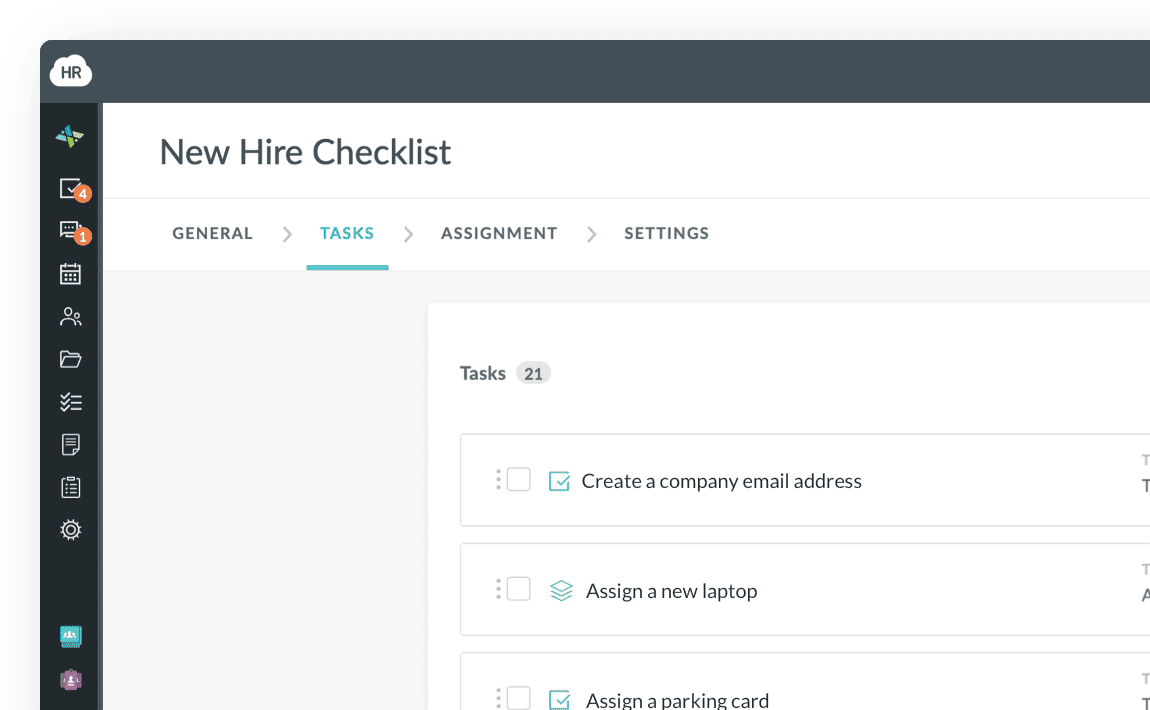
    HR Cloud Onboard New Hire Checklist with tasks, assignees and due dates
  2. Work eligibility

    Identity and work eligibility (I-9)

    Manage digital forms and required document collection as part of the onboarding checklist.
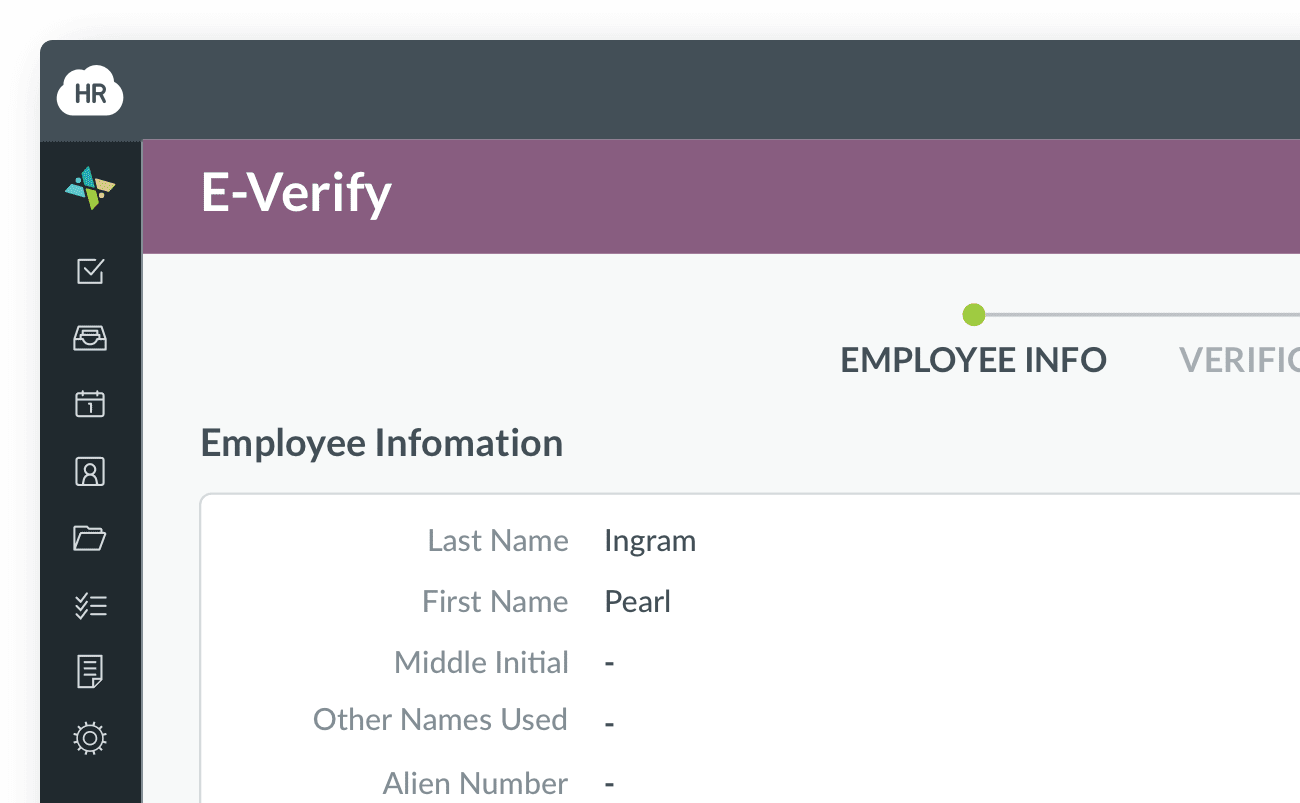
    HR Cloud E-Verify case showing the employee's information
  3. Screening

    Background and exclusion screening tasks

    Track screening tasks and follow-up steps assigned by your agency.
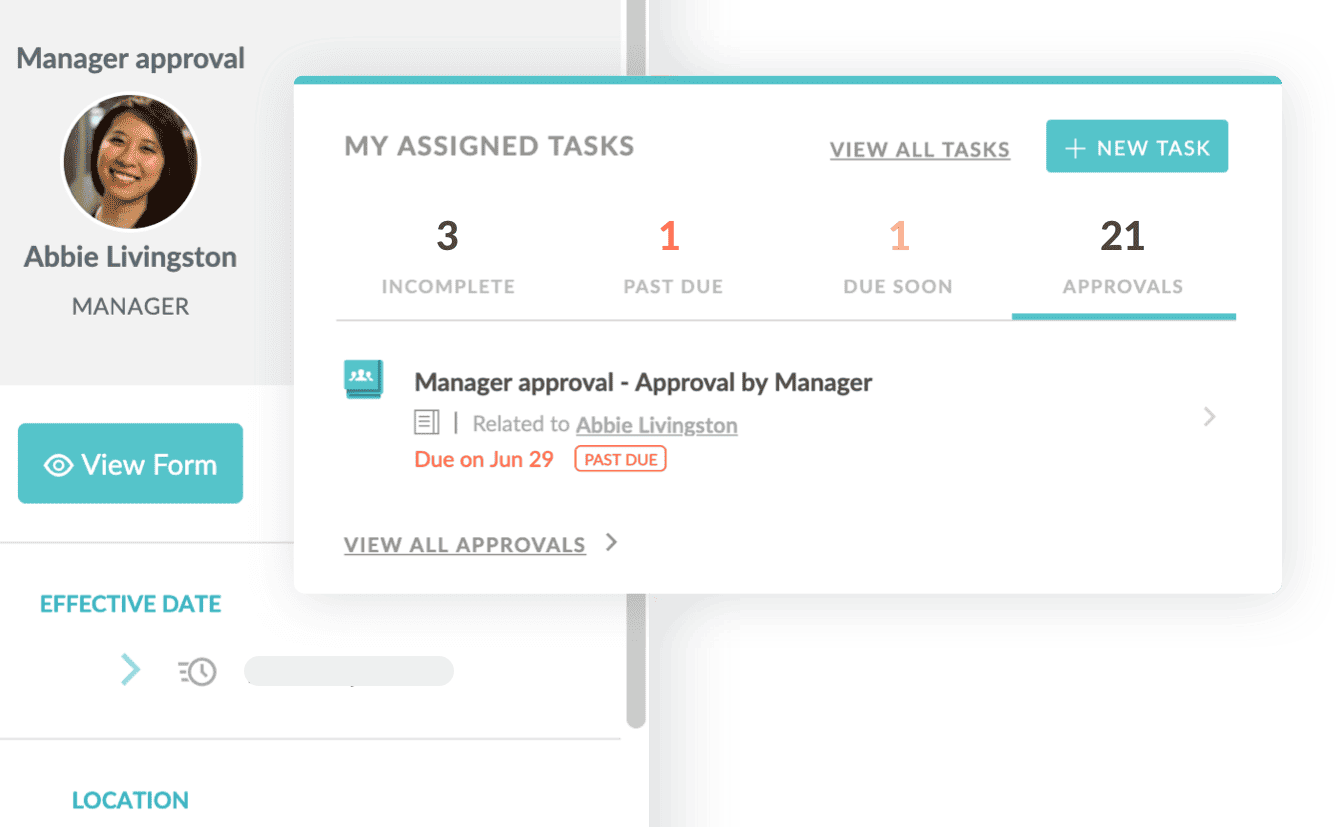
    HR Cloud manager approval request next to the assigned-tasks panel
  4. Health records

    TB screening and other required records

    Request the records your agency requires, collect uploads and assign a reviewer.
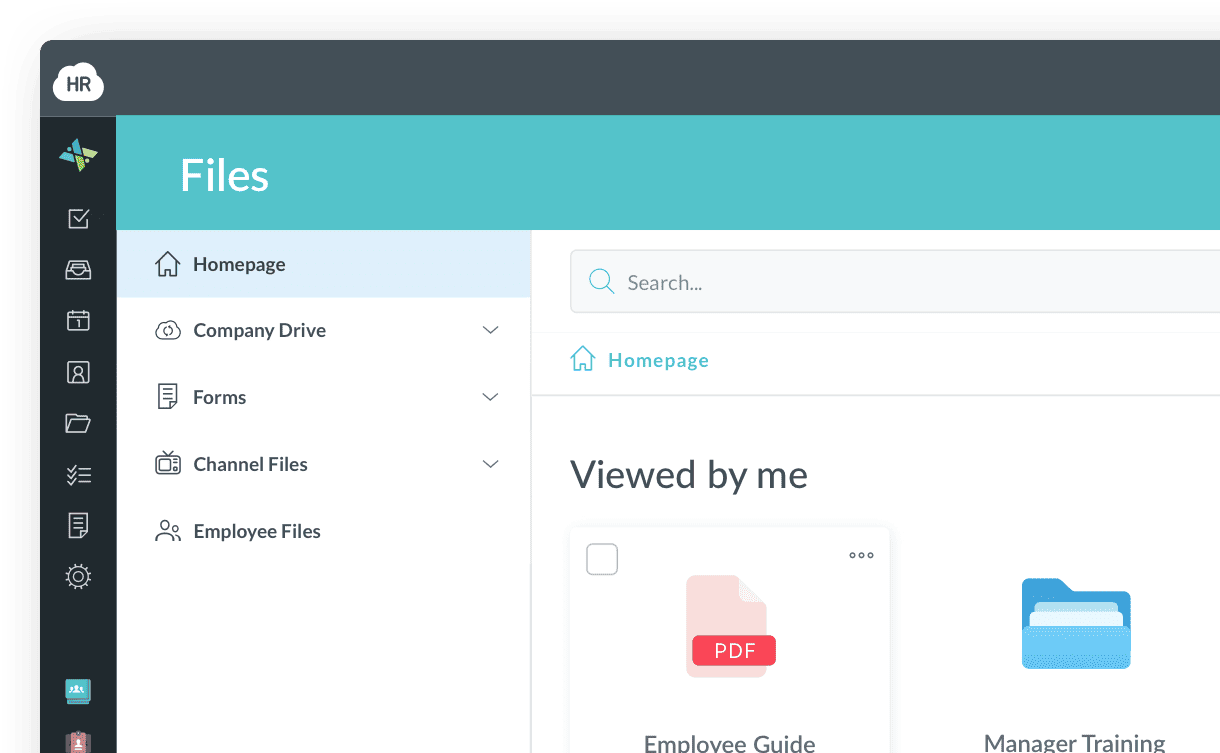
    HR Cloud Files area showing uploaded documents and forms
  5. Orientation

    Agency orientation and visit setup

    Assign policy acknowledgments, orientation and system-access tasks with due dates.
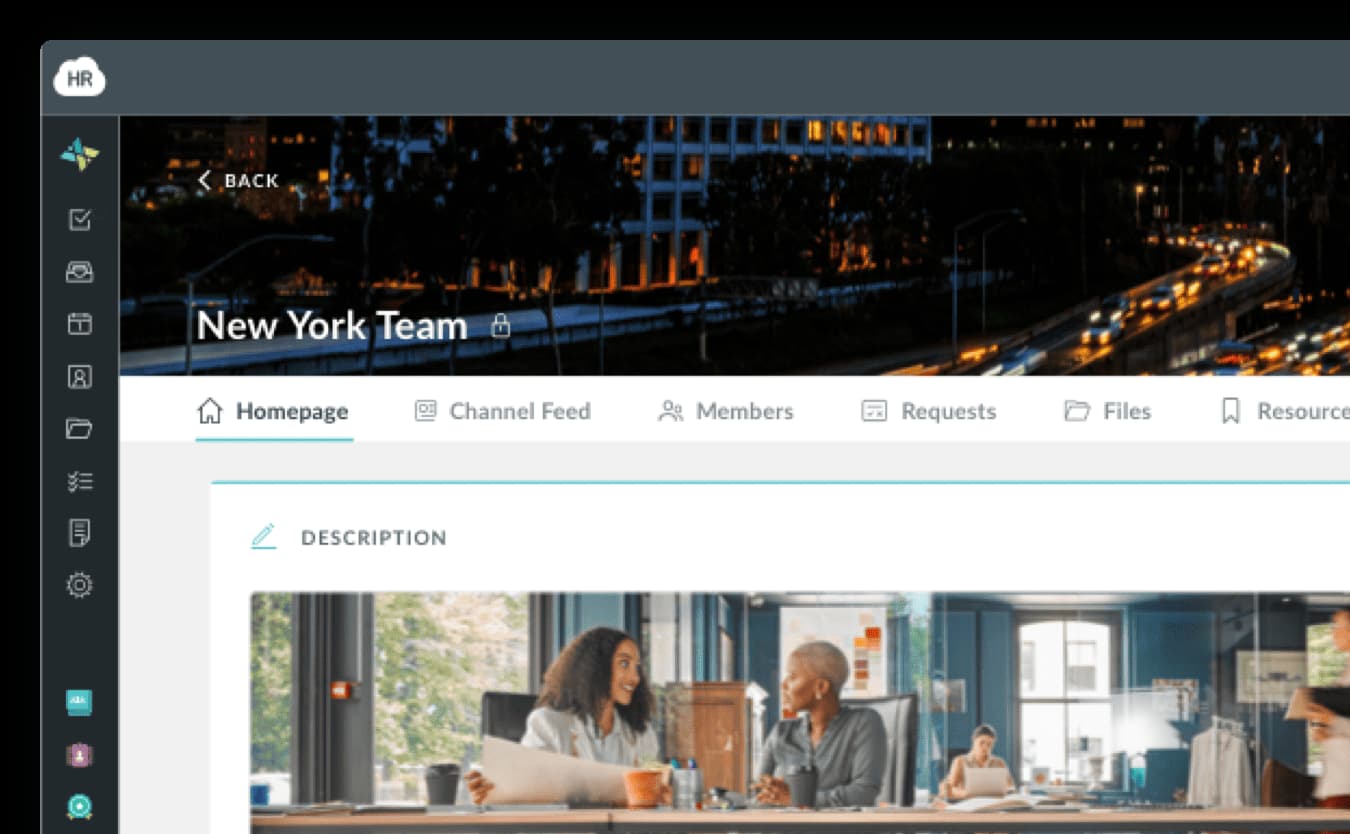
    HR Cloud team homepage with channel feed, members and files
  6. New-hire forms

    W-4 and direct deposit authorization forms

    Collect tax forms and direct deposit authorization details during onboarding for use in your payroll provider’s system.
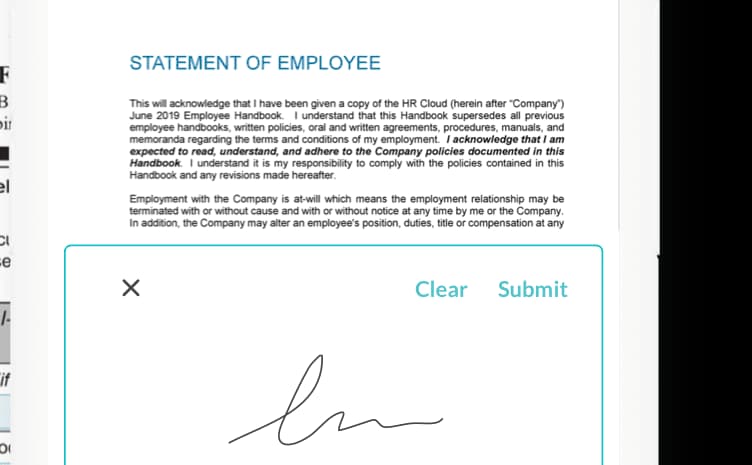

    HR Cloud employee handbook signed on a phone with an e-signature

How home care onboarding works in HR Cloud

A home health nurse filling in a form on a tablet while talking with an older woman at home
Home care onboarding

Give caregivers a clear path from the first form to your agency’s final onboarding review.

See who has finished, and what still needs attention

  • Track each caregiver’s onboarding stage and checklist progress in one dashboard.
  • Review progress by location, role or start date to find incomplete steps.
  • Give HR and branch managers a clear view of what still needs agency approval.
Onboarding by stageSample data
  • Documents requested5 hires
  • Waiting on the caregiver3 hires
  • Awaiting agency approval4 hires
  • Onboarding approved6 hires
Onboard module · HR Cloud
A smiling caregiver with a name badge leaning in to talk with an older woman in a wheelchair

Built for caregivers who don’t sit at a desk

Caregiver onboarding software should fit around a day spent in clients’ homes. New hires can complete forms, upload documents and add e-signatures from their phones. Managers can follow progress and send reminders without collecting another paper packet.


Built for different home care teams

A caregiver in scrubs smiling at an older woman by a window at home
Personal care at home

Mobile forms and agency orientation for caregivers working in clients’ homes.

A home health nurse reassuring an older woman holding a medication bottle
Skilled home health

Role-specific document checklists for nurses, therapists and home health aides.

A caregiver explaining a prescription bottle to a client in her living room
Private duty care

Consistent onboarding steps for caregivers joining an individual care assignment.

A home care nurse taking notes while talking with a client in her living room
Multi-branch agencies

A shared onboarding process with checklists tailored to each branch and role.

Customer success

How healthcare teams use HR Cloud

Three healthcare organizations, three different problems. Here is what each set out to fix.

Interim HealthCare
Interim HealthCare
Read the Interim HealthCare case study
85%
onboarding satisfaction in the 2025 employee survey
Interim HealthCare

Multi-location home care

Interim HealthCare Sioux Falls replaced paper employee files with digital onboarding across three offices. Recruiters review checklists and documents in one place, while returning employees retain their document history.

3 offices
one digital onboarding process
Paperless
physical employee files eliminated

Illustrative photo

Behavioral Progression
Read the Behavioral Progression case study
60%
fewer procedural questions from new hires
Behavioral Progression

Behavioral health

Behavioral Progression replaced manual onboarding documents with organized workflows, checklists and reminders. New therapists found what they needed with fewer questions, and average onboarding time fell from four weeks to two and a half.

4 → 2.5 weeks
average therapist onboarding time

Illustrative photo

Medlinks Staffing
Medlinks Staffing
Read the Medlinks Staffing case study
Mobile
guided onboarding for new associates
Medlinks Staffing

Healthcare staffing

Medlinks replaced paper-based recruiting and onboarding with guided workflows and mobile access. Recruit ATS gives the team visibility into candidate stages, helping them report hiring progress to clients.

Visibility
candidate status across the recruiting pipeline

Illustrative photo

Keep caregivers connected after Day 1

Bring recruiting, home care employee onboarding, employee records and team communication together with Recruit, Onboard, People HRIS and Workmates.

Recruit · Home care recruiting

Build your caregiver team. Keep hiring moving.

  • Applicant tracking
  • Interviews
  • Offers

Manage jobs, candidates and interviews in one applicant tracking system, then move accepted candidates into your agency’s onboarding process.

Explore Recruit ATS
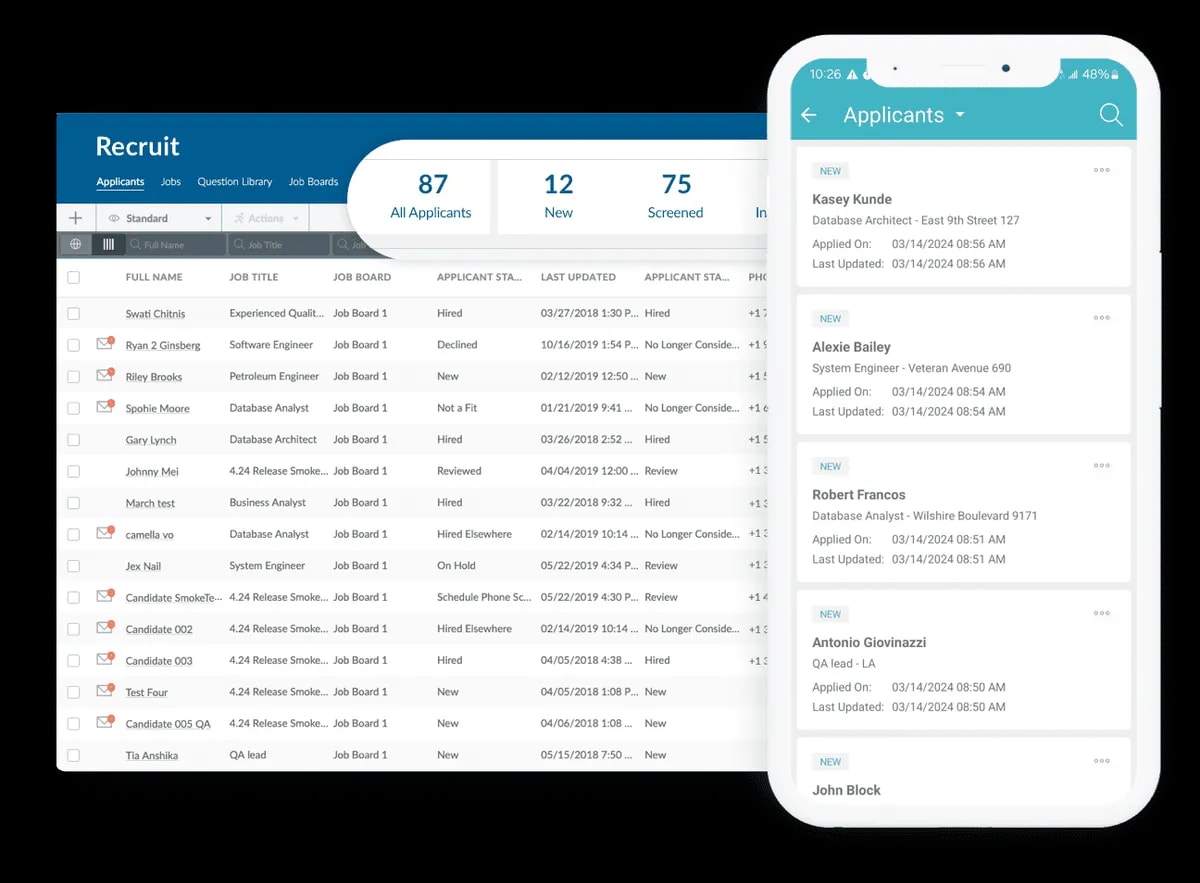
HR Cloud Recruit applicant dashboard and mobile candidate list
Recruit · Applicant tracking

Onboard · Home care onboarding

Help caregivers prepare for their first visit.

  • Checklists
  • E-signatures
  • Reminders

Guide new caregivers through role-based checklists, document collection and agency approvals. They complete their assigned steps from any device.

Explore Onboard
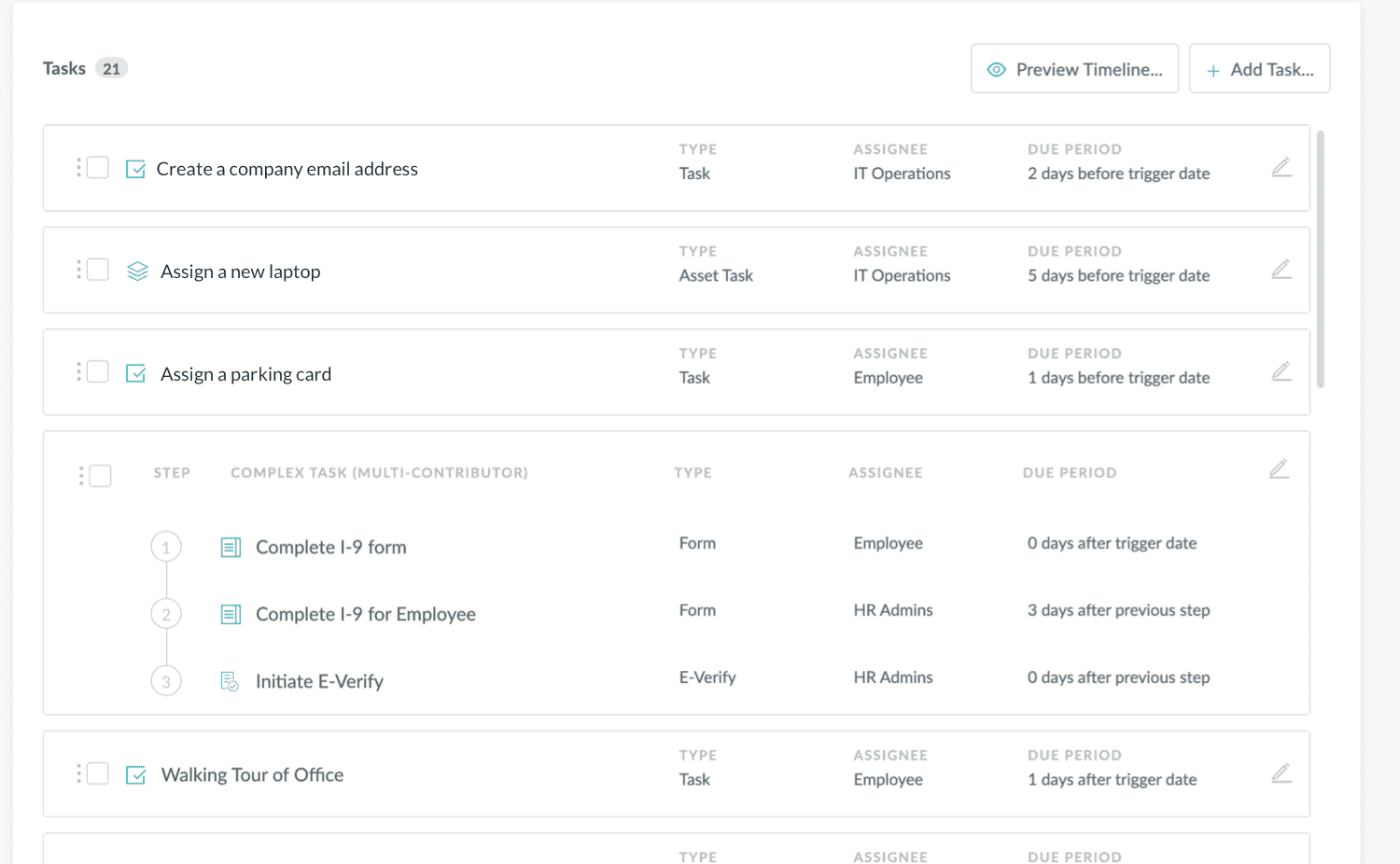
HR Cloud Onboard New Hire Checklist with tasks, assignees and due periods
Onboard · Workflows & checklists

People HRIS · Employee records

One caregiver record. Less scattered information.

  • Employee records
  • Documents
  • Self-service

Keep employee profiles, documents and job details together, with new-hire information carried forward from onboarding.

Explore People HRIS
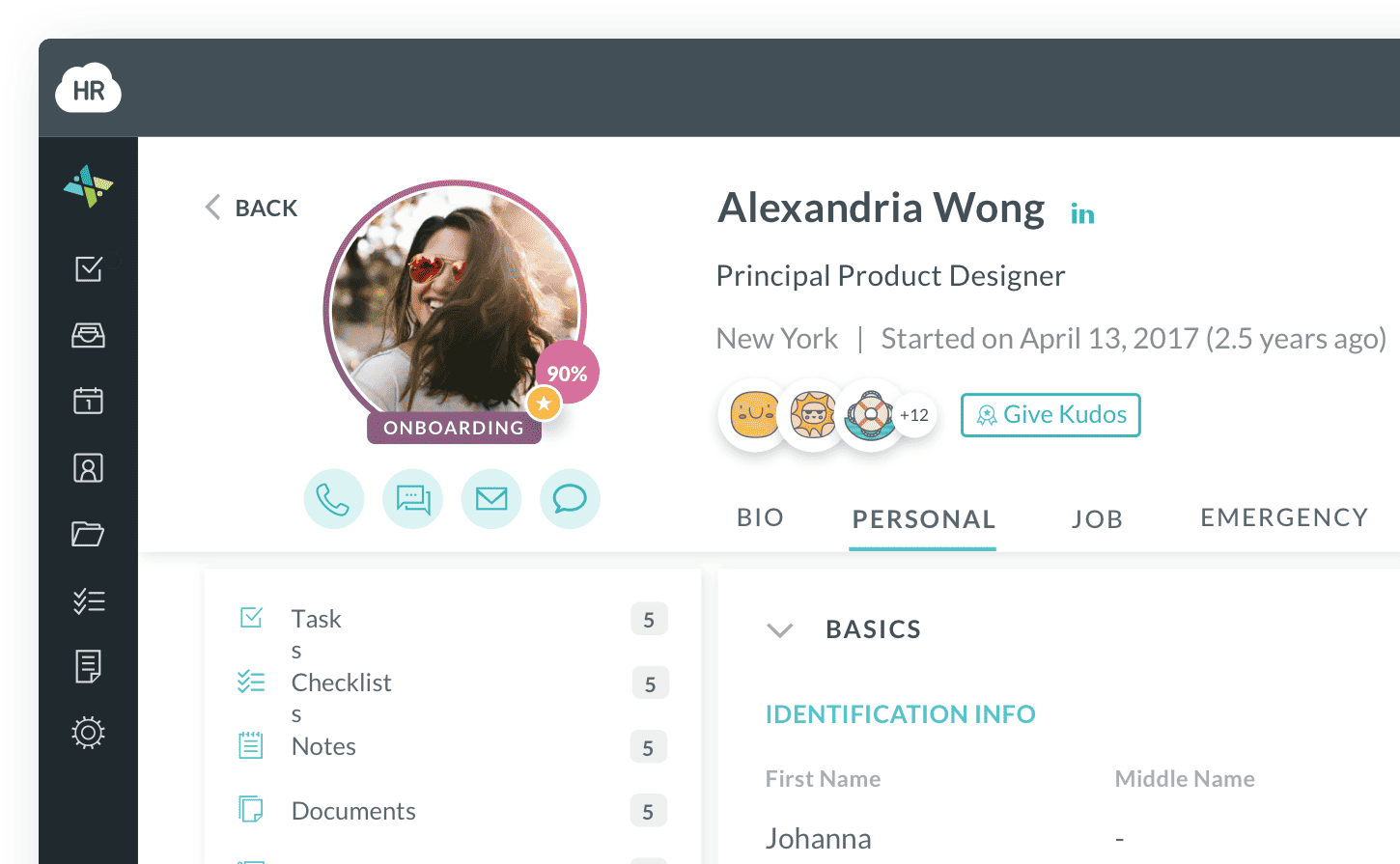
HR Cloud employee profile with personal details, documents and manager
People HRIS · Employee information

Workmates · Employee engagement

Connect caregivers across every branch.

  • Communication
  • Recognition
  • Surveys

Share agency updates, recognize helpful work and gather feedback from caregivers who rarely meet in the same place.

Explore Workmates
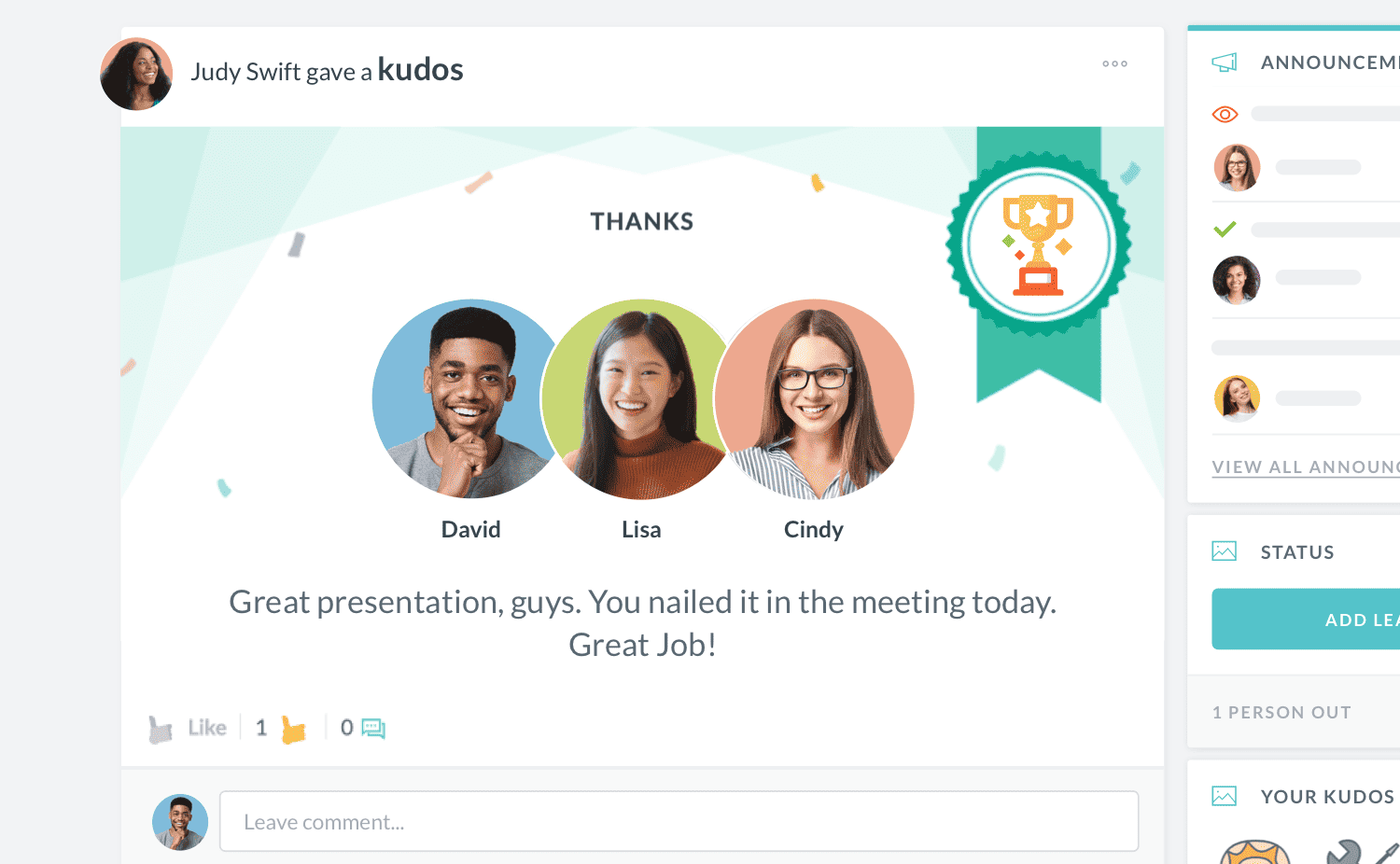
HR Cloud Workmates employee recognition interface
Workmates · Employee engagement

Carry new-hire information into the employee record, and keep caregivers connected with updates, recognition and feedback after onboarding.

Compare home care onboarding options

Compare ways to manage caregiver onboarding
Onboarding capabilityPaper and spreadsheetsPayroll provider’s onboarding toolsHR Cloud
Separate listsVaries by providerConfigurable
Separate forms and filesVaries by providerYes
Manual updatesVaries by providerYes
Manual follow-upVaries by providerYes
Separate recordsVaries by providerConnected modules

Works with the systems you already use

  • Start with Onboard and keep your current payroll platform.
  • Use onboarding software for home care agencies alongside your existing payroll, HRIS and recruiting tools. Confirm the available connections and data flow for your setup.
  • Integration details are confirmed during setup.

Home care onboarding software FAQs

Home care onboarding software brings caregiver paperwork, document collection, orientation tasks and approvals into one process. HR Cloud Onboard helps agencies assign role-based checklists, collect digital forms and signatures, and review progress before the first client visit. Caregivers can complete their assigned onboarding tasks from their phones.
A caregiver onboarding checklist should cover employment paperwork, required screening, credentials, orientation and visit setup. Depending on the role and agency requirements, it may include Form I-9, tax forms, direct deposit authorization forms, background and exclusion checks, CPR certification, driving documents, policy acknowledgments and training completion records. Include access to the agency’s scheduling or EVV system where needed. HR Cloud Onboard lets your agency organize these requirements into checklists by role and location.
For Medicare-certified home health agencies, the training-program route under 42 CFR 484.80 includes at least 75 hours: at least 16 hours of classroom instruction must precede at least 16 hours of supervised practical training. The rule also requires at least 12 hours of in-service training in each 12-month period. Alternative qualification routes and state requirements can apply. HR Cloud helps agencies assign training tasks and collect completion records according to their own requirements.
Screening requirements depend on the caregiver’s role, location and the programs your agency serves. Your checklist may include criminal history checks, exclusion screening and driving-record checks where relevant. HHS OIG recommends routinely checking its List of Excluded Individuals and Entities for new hires and current employees. HR Cloud Onboard helps your agency assign screening tasks, collect supporting records and track the required review steps.
TB screening requirements depend on the caregiver’s role and applicable state and local rules. CDC recommends screening U.S. health care personnel when they are hired, including in home-based health care settings. Routine annual testing is generally not recommended without a known exposure or ongoing transmission. Your agency should define the screening and documentation required for each role. HR Cloud Onboard can include those document requests and review tasks in the onboarding checklist.
Electronic Visit Verification applies to Medicaid-funded personal care and home health services that require an in-home visit. For caregivers whose work is covered, onboarding should include access to the agency’s EVV system and instructions on how to record visits. Your agency can add EVV setup and training tasks to its HR Cloud Onboard checklist and track completion alongside other onboarding steps.
A clear onboarding process can help caregivers reach their first assignment with fewer paperwork delays and a better understanding of the agency. Give new hires clear tasks, introduce a supervisor or mentor, and schedule early check-ins. In a related healthcare example, Behavioral Progression reported reducing therapist onboarding from four weeks to two and a half weeks and improving six-month therapist retention by 10% after adopting HR Cloud.
HR Cloud integrates with payroll systems including ADP and Paylocity. Your payroll provider handles payroll processing. Available data fields, sync direction and document support depend on the connection. Your agency can continue using its care management, scheduling and EVV tools while using HR Cloud for employee onboarding. Confirm the connections and data flow needed for your setup with the HR Cloud team.
HR Cloud uses encryption to protect data while it is stored and transmitted, and supports role-based access to employee records. Permissions can be configured for user responsibilities and the locations, departments or divisions they support. Your agency can work with HR Cloud to review access settings and the employee documents included in its onboarding process.
Pricing depends on the products, employee count and setup your agency needs. Request a quote for your team and branches. HR Cloud generally plans for a six-week launch. Smaller companies may launch in around four weeks, while larger companies typically take four to six weeks. Your implementation team will confirm the schedule and any implementation fees for the agreed scope.

Prepare every caregiver before their first visit

Bring us your caregiver roles, branch checklists and approval steps. We’ll show you how to manage them in HR Cloud.