Cloud Human Resources Software for Frontline Teams

Your newest hire is on a loading dock, a hospital floor or a job site. She has a phone, no work email and ten minutes before her shift. Most cloud human resources software was designed for someone sitting at a laptop, and the gap shows up on her first day. This guide explains what cloud human resources software is and how to test whether it works for people who are never at a desk.
Short answer: Cloud human resources software is HR software that the vendor runs and you reach over the internet, usually by subscription. For frontline teams, the choice comes down to whether a person with only a phone can do everything HR needs from them: finish onboarding, see shifts, request time off, read company news and sign forms. Run that test on each vendor, then check security, payroll connections, pricing model and rollout time. Table 3 maps the moments to test.
It is written for HR leaders, operations leaders and IT partners at organizations where most employees work on their feet. It does not rank vendors. It gives you a way to judge any of them, including HR Cloud, where we state what HR Cloud's own pages say and flag what they do not. For a wider look at the category, see our guide to HR cloud software, our cloud vs on-premise cost comparison and our roundup of HR software platforms.
Key Takeaways
- Cloud human resources software is software you use over the internet that the vendor hosts and maintains. NIST's definition of cloud computing centers on on-demand network access to a shared pool of computing resources.
- Frontline workers are most of the workforce. HR Dive reports that front-line workers make up almost 80 percent of the global workforce according to UKG, and 70 percent of the U.S. workforce according to a 2025 Josh Bersin Company study with UKG.
- Test the phone, not the demo. Table 3 lists the moments where frontline HR breaks: hiring, scheduling, time off, questions and company news.
- Check what a vendor states and what it leaves out. HR Cloud's platform page, for example, does not state offline use or device requirements, so ask.
- Check how the system connects to the payroll you already run. HR Cloud connects to the payroll you already run, including systems such as ADP, UKG, Paycor and Paylocity.
- Pilot with one location before you sign. Table 5 gives a scorecard and a pilot plan you can use with any vendor.
What Is Cloud Human Resources Software?
Cloud human resources software is a set of HR tools, such as employee records, onboarding, time off, performance and engagement, that run on the vendor's infrastructure and that your staff reach through a browser or an app. You subscribe. You do not buy servers, install software or maintain a database.
The standard source for the word "cloud" is the U.S. National Institute of Standards and Technology. Its 2011 definition, NIST Special Publication 800-145, describes cloud computing as enabling "ubiquitous, convenient, on-demand network access to a shared pool of configurable computing resources". The same publication describes software as a service as using the provider's applications running on cloud infrastructure, reached from many client devices, with the user generally not managing the underlying network, servers, operating system or storage. Most cloud HR software fits that last model.
For an HR leader, the practical meaning is simple. The vendor runs the system and ships the updates. You manage the people data, the workflows and the access.
| Question | Cloud HR software | On-premise HR software |
|---|---|---|
| Where does it run? | On the vendor's cloud infrastructure | On servers your organization owns or leases |
| Who maintains the servers? | The vendor | Your IT team |
| How do employees reach it? | A browser or an app, from any connected device | Often a company network or VPN, depending on setup |
| How is it bought? | Usually a subscription | Often a license plus hardware and maintenance |
Table 1. Cloud and on-premise HR software compared. This is a general summary, not a claim about any one product.
The labels vary. Vendors and analysts also say cloud HR software, cloud HRIS, HR SaaS and cloud-based HR system. They mostly describe the same thing, so judge the product by what it does and not by the label. If you want the cost side of the cloud decision, our cost comparison covers it in detail.
Why this matters for HR leaders: "Cloud" tells you how a product is delivered. It tells you nothing about whether your night-shift employees can use it. That is a separate test, and it is the one this guide is built around.
Why Do Frontline Teams Need a Different Test?
Frontline teams work in person, often without a company email or a desk, so software built for a laptop fails them in small, daily ways. HR Dive defines front-line workers as employees who need to do their jobs in person, along with workers who build products and serve customers, patients, students and residents. By the figures it reports, that is most of the workforce: almost 80 percent globally according to UKG, which cited Statista and Gartner, and 70 percent in the United States according to a 2025 study from The Josh Bersin Company in collaboration with UKG. HR Dive also reports a separate UKG survey of more than 8,000 workers in 10 countries. The 80 percent figure is background that UKG attributes to Statista and Gartner, not a result of that survey. Treat these as vendor-sponsored estimates and not census counts.
If most of your people are frontline, a system built around the desk worker is built for the minority. Table 2 shows where the assumptions differ.
| Assumption in desk-first software | What frontline reality looks like | What to test |
|---|---|---|
| Everyone has a work email | Many staff have none | Can invites, forms and tasks reach a person by text or app? |
| Employees log in from a laptop | They use a personal phone, on a break | Can every task be finished on a phone? |
| News arrives in an inbox | Shifts do not allow inbox time | Can announcements reach people on a phone? |
| Schedules are stable | Shifts change weekly | Can managers post and change shifts, and can staff see them? |
| Training happens in a block | New hires start between tasks | Can onboarding be done in short pieces? |
Table 2. Where desk-first assumptions fail frontline teams
Customer examples from HR Cloud's own site show the same pattern. Its Veolia story says the company needed a faster, more organized way to onboard thousands of employees, many of them field workers with limited tech access, and that field staff often lacked email or desktop access. The page lists 10,000+ employees onboarded and a 75 percent or higher mobile onboarding completion rate. These are vendor-published figures tied to one customer, not a benchmark.
Pro tip: Before you evaluate vendors, ask three people in your own frontline roles how they get HR information today. Their answers tell you which rows of Table 2 apply to you.
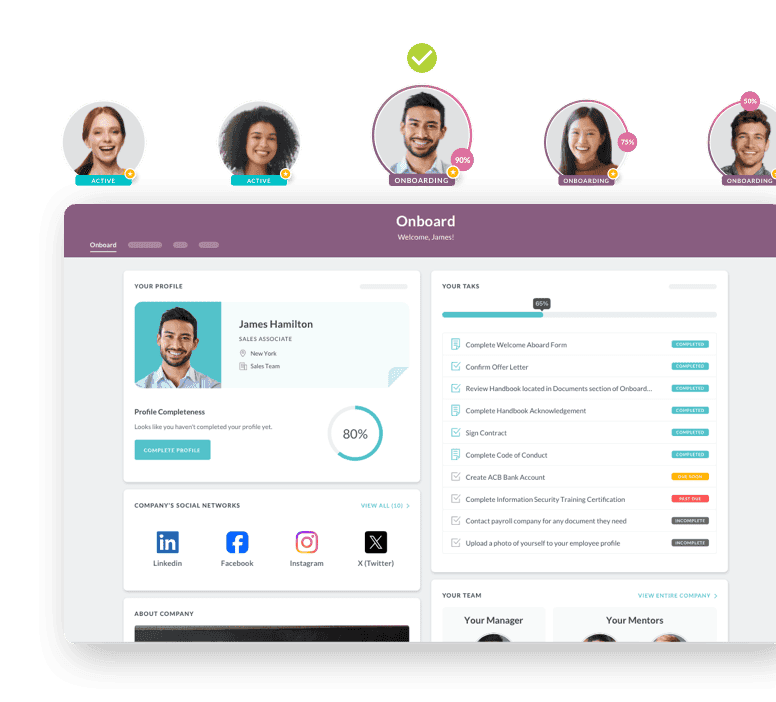
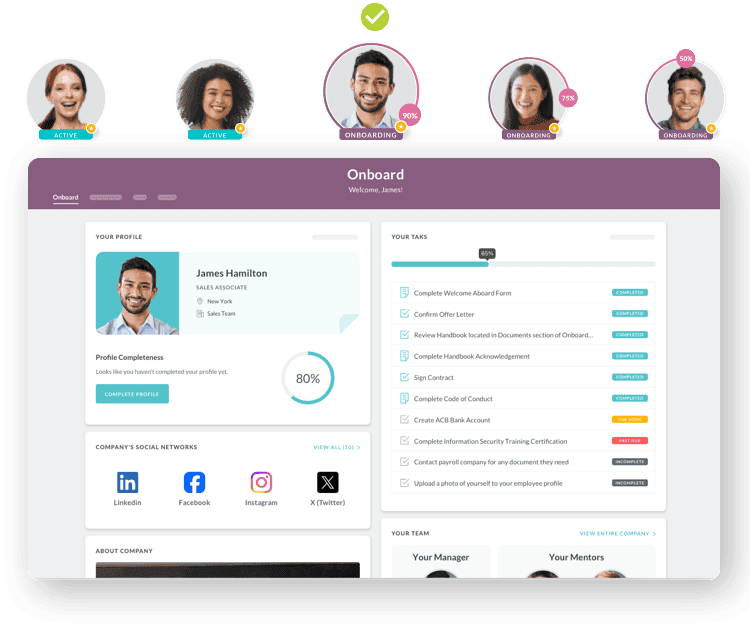
How Does Cloud HR Software Handle the Five Moments That Matter to Frontline Staff?
Judge a product by five moments: getting hired, knowing the schedule, asking for time off, getting an answer and hearing company news. If a frontline employee can complete each on a phone without help, the software fits. Table 3 lists what to test at each moment, what HR Cloud's own pages and help center state, and what they do not state.
The right column matters as much as the middle one. A page that is silent on a feature has not told you the feature is missing, and it has not told you it exists. Ask for it in the demo.
| Moment | What to test on a phone | What HR Cloud's pages state | Not stated on the pages read |
|---|---|---|---|
| Getting hired | Can a new hire finish forms and sign from a phone, with no work email? | The People HRIS page says new hires get an SMS invitation and can complete I-9, W-4, policy sign-offs and direct deposit from a phone. The onboarding page says Maya reaches new hires by SMS on any phone | Device and operating system requirements. The pricing page lists Maya in the Onboard plan, but the onboarding page lists Maya with add-ons and says to ask about plan eligibility, so confirm it in writing |
| Knowing the schedule | Can staff see shifts, and can managers change them? | The platform page says employees can view shifts on their phones. Help center titles list creating shifts, managing assignments, claiming open shifts and adjusting shift notifications | Whether shift swaps or employee availability are supported. The help center category lists article titles only |
| Asking for time off | Can staff request, cancel and see balances, including part days? | Help center titles list requesting time off, requesting less than a full day, cancelling, approvals, policies and a balance grid | How accruals are calculated and whether every time off function works in the mobile app |
| Getting an answer | Can a new hire get help without calling HR? | The homepage describes Maya as guiding new hires through documents, tasks, questions and reminders | How Maya's answers are produced and where she is limited |
| Hearing company news | Can announcements reach people on a phone, with no inbox? | The homepage lists Workmates for announcements, recognition, surveys and feedback, and an employee app on the App Store and Google Play | Whether every module, such as Workmates, is available in the mobile app. The help center mobile category lists article titles only |
Table 3. The five frontline moments, what HR Cloud's pages state, and what they leave out. Read November 20, 2026.
A few of these deserve a closer look.
Getting hired. The People HRIS page describes multi-language support for onboarding and workflows, and says frontline staff without a desk or work email can use the system by phone. That is the right shape of claim to test: pick your two most common new-hire roles and run a real new hire through on a personal phone before you sign.
Knowing the schedule. The help center's Shift Planner category lists seven article titles. They show that shifts can be created from scratch or from an existing schedule, assignments can be managed, and open shifts can be claimed. The titles do not describe swaps or availability, so if your operation relies on swaps, put that question to the vendor in writing.
Asking for time off. The Time Off category lists seventeen article titles covering requests, partial days, policies, approvals and a balance grid. HR Cloud's pricing page says Time Off is part of the Growth and Full Suite plans, so confirm the plan before you assume it.
Hearing company news. Workmates is the engagement module. The homepage describes it as announcements, recognition and rewards, surveys and feedback. HR Cloud's customer stories page lists Veolia (environmental services), Osmose Utilities Services (construction) and Interim HealthCare (healthcare) among its stories, and all of these are vendor-published.
Hypothetical example: A 700-person senior-living operator has nine locations and a turnover problem in its aide roles. It lists its twenty most common HR tasks, circles the ones a frontline employee must do, and tests each on a phone with no work email. Three of the circled tasks fail in the first vendor's demo, including signing a policy form. The operator drops that vendor before pricing. The test cost an afternoon.
Why this matters for operations leaders: Every task that fails on a phone becomes a call, a visit or a paper form. Those are the costs a demo hides and a pilot reveals.
What Should You Ask a Cloud HR Vendor About Security?
Ask for certifications by name, how access is controlled, how people sign in, and where the data lives. Table 4 lists the questions and what HR Cloud's pages say. Security claims should be checked against documents, so ask for the report and not only the badge.
| Question | Why it matters for frontline teams | What HR Cloud's pages state |
|---|---|---|
| Which independent audits has the vendor passed? | Shared devices and high turnover raise the cost of a breach | The homepage states SOC 2 Type II certified and GDPR compliant |
| How is access limited by role? | A site manager should not see another site's records | The People HRIS page lists role-based access and an audit trail. The homepage lists role-based access as enabled |
| How do employees sign in? | Single sign-on removes extra passwords | The integrations page lists Okta, OneLogin, Google and Office 365. Help center articles cover SAML, OneLogin, Office 365 and Okta single sign-on |
| What does the vendor say about data location and retention? | Contracts and regulators can require answers | The platform page, as read, does not state hosting location, retention or deletion policies |
| Is the product suited to regulated data such as health information? | Healthcare employers have extra duties | The platform page, as read, does not state HIPAA compliance terms. The healthcare page mentions HIPAA acknowledgments and training modules. Do not assume compliance |
Table 4. Security questions for any cloud HR vendor, with what HR Cloud's pages state
Two cautions. First, the HR Cloud pages are not uniform: the pages word GDPR differently: the homepage lists GDPR as compliant, the platform page says both "GDPR ready" and "compliant with GDPR", and the People HRIS badge says GDPR ready, and the platform page lists a different set of single sign-on providers than the integrations page. Ask for the current report and the current list. Second, the help center's Security category describes itself as GDPR and SOC2 data security and lists User Management, Access and Permissions and Single Sign-On sections, but it shows titles and not article text. A certification is a claim. The report is the evidence.
Pro tip: Put the security questions in a short written questionnaire and send it before the demo. Vendors that answer in writing give you something to hold them to.
How Does Cloud HR Software Connect to the Payroll You Already Run?
It should connect to your payroll, not replace it. HR Cloud connects to the payroll you already run. Its integrations page lists payroll and tax connections including ADP, UKG Pro, UKG Ready, Workday, SAP SuccessFactors, Paycor, Paylocity, Dayforce, Intuit QuickBooks Online and GTM Payroll. The integrations page does not state a total count, so ask which integrations your payroll provider connection actually uses.
The ADP list in the help center is long. It includes Workforce Now, Workforce Now Next Generation, TotalSource, Vantage, RUN and Lyric, plus articles on adding new hires to ADP and manually importing changes from ADP. The titles suggest the direction of data movement varies by task, and the help center index does not state what each integration syncs or how often. So for any payroll you run, ask four questions in writing:
- Which fields move between the systems?
- In which direction, and how often?
- What happens when a record fails to sync?
- Is the connection included in the plan or billed as an add-on?
HR Cloud's pricing page tells buyers to confirm whether certain third-party integrations cost extra, so put the last question to every vendor.
Why this matters for HR and payroll teams: A cloud HR system that does not connect to payroll creates double entry. For frontline teams with high turnover, double entry multiplies every month.
How Is Cloud HR Software Priced, and How Long Does Rollout Take?
Expect a quote and a rollout plan, not a price list. HR Cloud's pricing page describes a fixed annual license with no per-seat fees, quoted by headcount band, plan and add-ons. It lists three plans: Onboard, Growth and Full Suite. Onboard covers onboarding, offboarding, People HRIS, e-forms and e-signatures, workflows and checklists, branded portals, mobile access and Maya. Growth adds Recruit, performance management, time off and AI for hiring and performance. Full Suite adds Workmates engagement features. Time Clock and Assets are optional add-ons. The page says setup, configuration, data import, training and in-house support are included, and that HR Cloud offers a personalized demo and not a self-serve free trial.
On timing, HR Cloud's onboarding page says its guided launch takes 6 weeks from kickoff to go-live, and the homepage describes three phases: connect, configure, and pilot and launch. Treat any go-live claim as a question to put to every vendor: what is included in the timeline, what do you need to supply, and which customers have done it at your size?
Two notes on price when you compare vendors:
- Ask for the quote in writing, including every add-on and any third-party integration costs.
- Ask what happens to the price at renewal and when headcount changes bands.
Why this matters for finance: A flat annual license makes budgeting easier, but only if the quote lists what is included. Add-ons and integrations are where the final number moves.

Ready to pass your next audit—without the stress?
See how you can simplify compliance and eliminate gaps before they become problems.
Book Your Free Demo
How Do You Score Cloud HR Vendors Side by Side?
Score every vendor on the same written questions, with the evidence you were given, before anyone sees a price. Table 5 is a scorecard you can copy. Rate each row 0, 1 or 2: 0 means not shown or failed, 1 means shown with gaps, 2 means shown in your own test. Weight the rows to match your operation.
| Area | Question | Evidence to ask for |
|---|---|---|
| Phone test | Can a new hire in your most common role finish onboarding on a personal phone with no work email? | A live test with your own forms |
| Schedule | Can managers post and change shifts, and can staff see them? Are swaps and availability supported? | A written answer and a demo |
| Time off | Can staff request, cancel and view balances on a phone? | A demo on a phone |
| Reach | Can announcements reach staff with no inbox? | A demo of the employee app |
| Language | Which languages does onboarding support? | A list, in writing |
| Security | Which audits, which access controls, which single sign-on? Where is data stored? | The report and a written questionnaire |
| Payroll connection | Which fields move, in which direction, how often? | Written answers for your payroll provider |
| Price | What is in the quote, including add-ons and integrations? What happens at renewal? | An itemized quote |
| Rollout | What is the timeline, what do you supply, and who has done it at your size? | A written plan and two references |
| Support | Who helps your managers after launch? | A named contact and the help center |
Table 5. A vendor scorecard for frontline teams
Keep the scorecard honest. If a vendor cannot show a row, score it 0, even if the sales team is sure the feature exists.
Why this matters for buyers: A scorecard turns a stack of demos into comparable evidence. It also gives you a record to point to when a promise is not kept.
How Do You Pilot Cloud HR Software at One Location?
Pilot at one location with real employees, a fixed end date and a pass mark set in advance. This is a suggested plan and not a standard.
- Pick the site. Choose a location with typical staff, not your best-run one.
- Set the pass mark. For example: 90 percent of new hires finish onboarding on a phone without calling HR, and every manager can post a shift in under five minutes. Choose your own numbers.
- Run real work. Onboard a real cohort and run a real schedule and real time off requests.
- Count the calls. Log every call, visit and paper form the system did not remove.
- Review with the frontline. Ask the staff and the managers what failed, then score the vendor against Table 5.
Run the pilot for long enough to include a hiring cycle and a schedule change. HR Cloud's own go-live timeline of 6 weeks includes a pilot phase, so ask any vendor where the pilot fits in theirs.
What Mistakes Do Buyers Make With Cloud HR Software?
Most mistakes come from buying for the person who evaluates the software and not the person who uses it. This list is a synthesis of the approach in this guide and is not a research finding.
- Testing on a laptop. Demos run on a laptop. Your staff will not.
- Trusting the label. "Mobile-friendly" can mean a page that shrinks. Test the real task.
- Skipping payroll questions. Integration claims are easy to make and hard to verify without written answers.
- Buying modules you will not use first. Start with the moment that hurts most, usually onboarding or scheduling.
- Treating security as a badge. Ask for the report, the access model and the sign-in method.
- Signing without a pilot. A pilot costs weeks. A bad rollout costs a year.
Pro tip: Write your pass marks before the first demo. Pass marks set after you have seen a product tend to match the product.
Where Does HR Cloud Fit, and Where Might It Not?
HR Cloud is a cloud HR platform built for frontline-heavy organizations. Its homepage lists onboarding, Recruit ATS, People HRIS, Time Off, Time Clock, Shift Planner, performance reviews and goals and feedback, Workmates engagement, forms and workflows, and reporting, and it states that HR Cloud is trusted by 760+ organizations worldwide. Its platform page says it is designed mobile-first, and its pricing page describes a fixed annual license by headcount band.
It is not the right fit for every buyer. HR Cloud connects to the payroll you already run, so you need a payroll provider and a connection to it. Its pages as read do not state offline use, device requirements, data hosting location or HIPAA compliance terms, so those need written answers before you sign. The healthcare page mentions HIPAA acknowledgments and training modules as document and training content, not as a compliance claim. And it offers a personalized demo and not a self-serve trial, so you will not test it on your own until you are in a conversation with the team. If those points rule it out, the scorecard will tell you quickly. For a look at its healthcare page, see HR software for healthcare.
Cloud Human Resources Software in Short
Cloud human resources software is HR software the vendor runs and you reach over the internet. For frontline teams, the deciding question is whether a person with only a phone can finish what HR needs from them. Test the five moments in Table 3, ask the security questions in Table 4, get written answers on payroll and price, and run a pilot with the scorecard in Table 5.
Start with one step. List the twenty HR tasks your frontline employees must do, circle the ones that need a phone and no email, and run those through your first vendor demo. That single afternoon will tell you more than any feature list.
Discover how our HR solutions streamline onboarding, boost employee engagement, and simplify HR management
Book a DemoFrequently Asked Questions
What is cloud human resources software?
Cloud human resources software is HR software that the vendor hosts and maintains, and that your staff use through a browser or an app, usually under a subscription. It covers tasks such as employee records, onboarding, time off and performance. You do not run servers or install the software yourself.
What are the benefits of cloud HR software?
The main benefits are that the vendor runs the servers, updates arrive without installs, and employees can reach the system from any connected device. For frontline teams, the benefit depends on the phone experience, so test it. Benefits also depend on the vendor, so ask for evidence from customers like yours.
Is cloud HR software the same as an HRIS?
Not exactly. An HRIS is the system of record for employee data. Cloud HR software is a delivery model, and many cloud products include an HRIS plus modules such as onboarding, time off and performance. Vendors use the terms loosely, so compare what each product does and not what it is called.
Are there cloud HR solutions for growing businesses?
Yes. Many vendors sell cloud HR software that scales with headcount. Check how the price changes when you move up a headcount band, and which modules you must add. HR Cloud's pricing page describes a fixed annual license by headcount band, with a separate page for organizations under 250 employees.
Can I compare cloud HR solutions before buying?
Yes, and you should. Send every vendor the same written questions, score the answers on a shared scorecard such as Table 5, and test the tasks your staff do most on a phone. Ask for an itemized quote and references at your size. Then pilot at one location before you sign.
What should frontline teams look for in cloud HR software?
Look for a full phone experience: onboarding and signatures without a work email, shifts and time off in an app, announcements without an inbox, and language support for your workforce. Then check security, the payroll connection, the price model and the rollout plan. Test each item with your own staff.
Does cloud HR software replace payroll?
Not always. Some vendors include payroll and some do not. HR Cloud connects to the payroll you already run, and its integrations page lists systems such as ADP, UKG, Paycor and Paylocity. Whatever you choose, ask in writing which fields sync, in which direction and how often.
How long does it take to implement cloud HR software?
It varies by vendor, size and scope, so ask for a written plan. HR Cloud's onboarding page says its guided launch takes 6 weeks from kickoff to go-live, with connect, configure, and pilot and launch phases. Ask every vendor what is included in its timeline and which customers of your size have done it.
About the author

Keep Reading


Like What You Hear?
We’d love to chat with you more about how HR Cloud® can support your business’s HR needs.
Book Your Free Demo