
HR Cloud

Staffing HR software · Onboarding

Staffing Agency Onboarding Software That Helps New Hires Prepare for Their First Assignment

Bring agency paperwork, assignment requirements and recruiter reviews into one onboarding process. Help temporary workers prepare before their first day.

Take the tour
  • Agency paperwork
  • Role-based checklists
  • Mobile completion

One onboarding process for temporary, contract and multi-branch staffing teams.

A team reviewing documents together beside a laptop

Example · Tasks

3 of 4 complete

W-4Policies

Example · Status

Ready for review

Forms signed · Tasks done
Recruiter review pending

Trusted by leading companies

ToyotaChick-fil-APelotonAmazonBurger KingDunkin'KFCTaco BellBaskin RobbinsInterim HealthcareComfort SystemsOsmoseYMCAPizza Hut

Staffing agency onboarding

How staffing agency onboarding works in HR Cloud?

Staffing agency onboarding software organizes worker forms, policy acknowledgments and assignment preparation. HR Cloud Onboard turns your temp worker onboarding checklist into tasks by role and location, so recruiters can follow progress and review missing items before the start date.

Every assignment has details to get right.

  • Agency forms, client policies and worksite details all need to reach the worker.
  • Missing documents or an unfinished training task can delay an assignment.
  • Give each step an owner and follow completion before the planned start date.

New temp, starts Monday

Example record

1/4 complete

Onboarding checklist

  • Agency paperworkComplete
  • Required documentsMissing
  • Client policiesAwaiting signature
  • Site orientationNot completed
Onboard module · HR Cloud
3 remaining

Staffing agency onboarding

Every staffing onboarding step,
tracked in one place

Build checklists around your agency process, roles and locations. Assign each task to the worker, recruiter or reviewer.
Typical items staffing teams track:

  1. Checklists

    Agency and assignment checklists

    Organize shared agency steps and the requirements your team selects for each role and location.
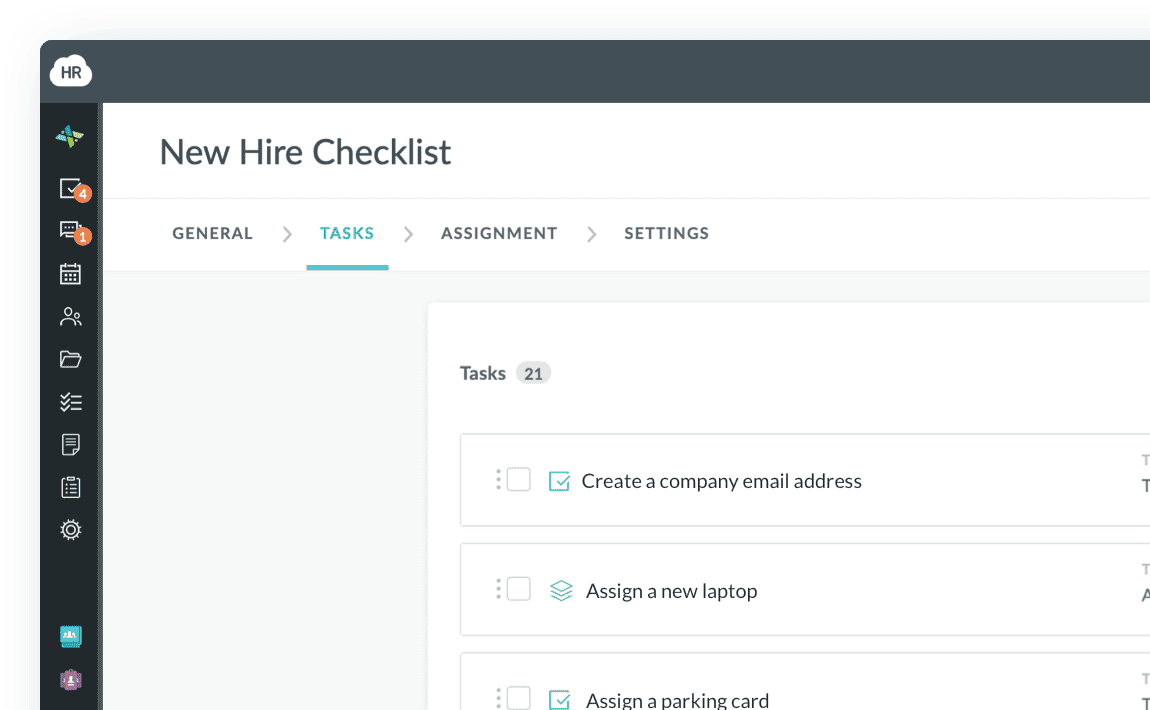
    HR Cloud Onboard New Hire Checklist with tasks, assignees and due dates
  2. Work eligibility

    Form I-9 and E-Verify

    Keep I-9 tasks and your verification process within the onboarding workflow.
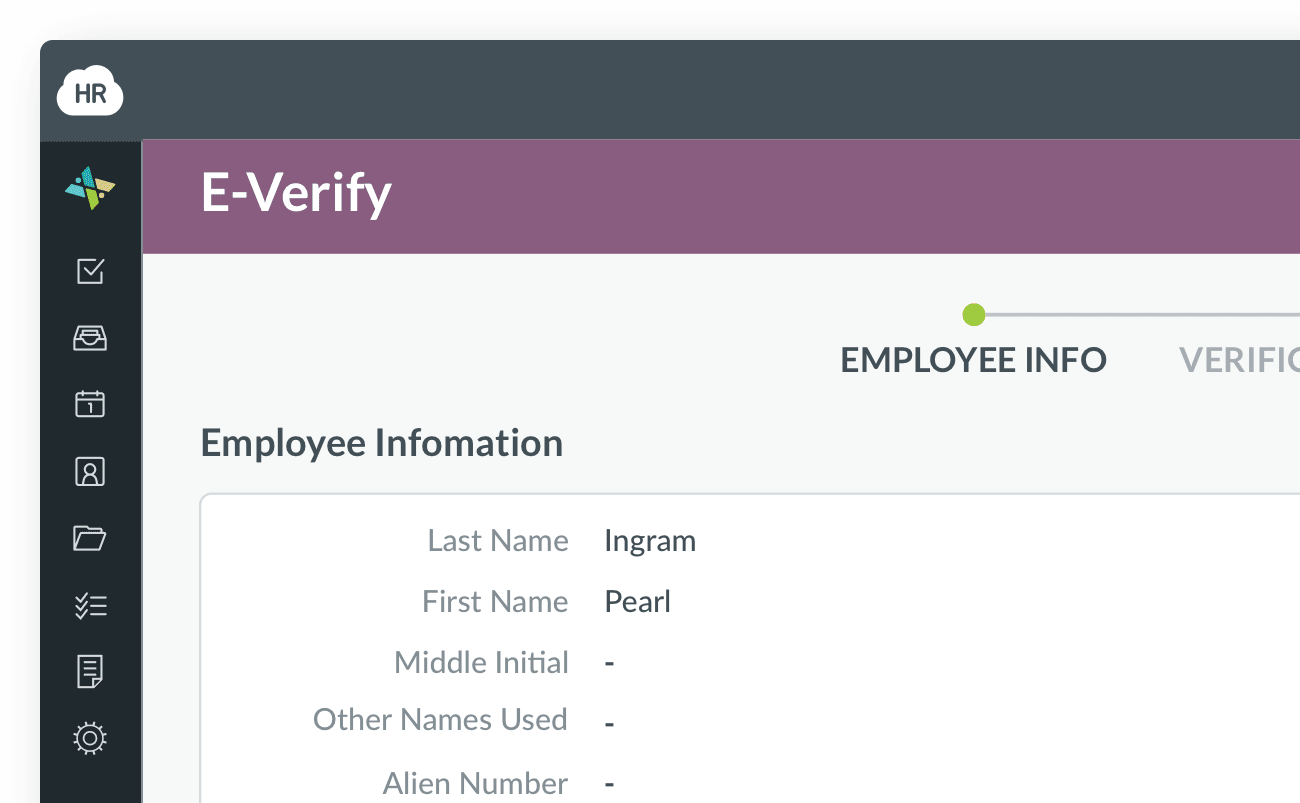
    HR Cloud E-Verify case showing the employee's information
  3. Approvals

    Recruiter reviews and approvals

    Assign reviewers, track approvals and follow up on incomplete onboarding tasks.
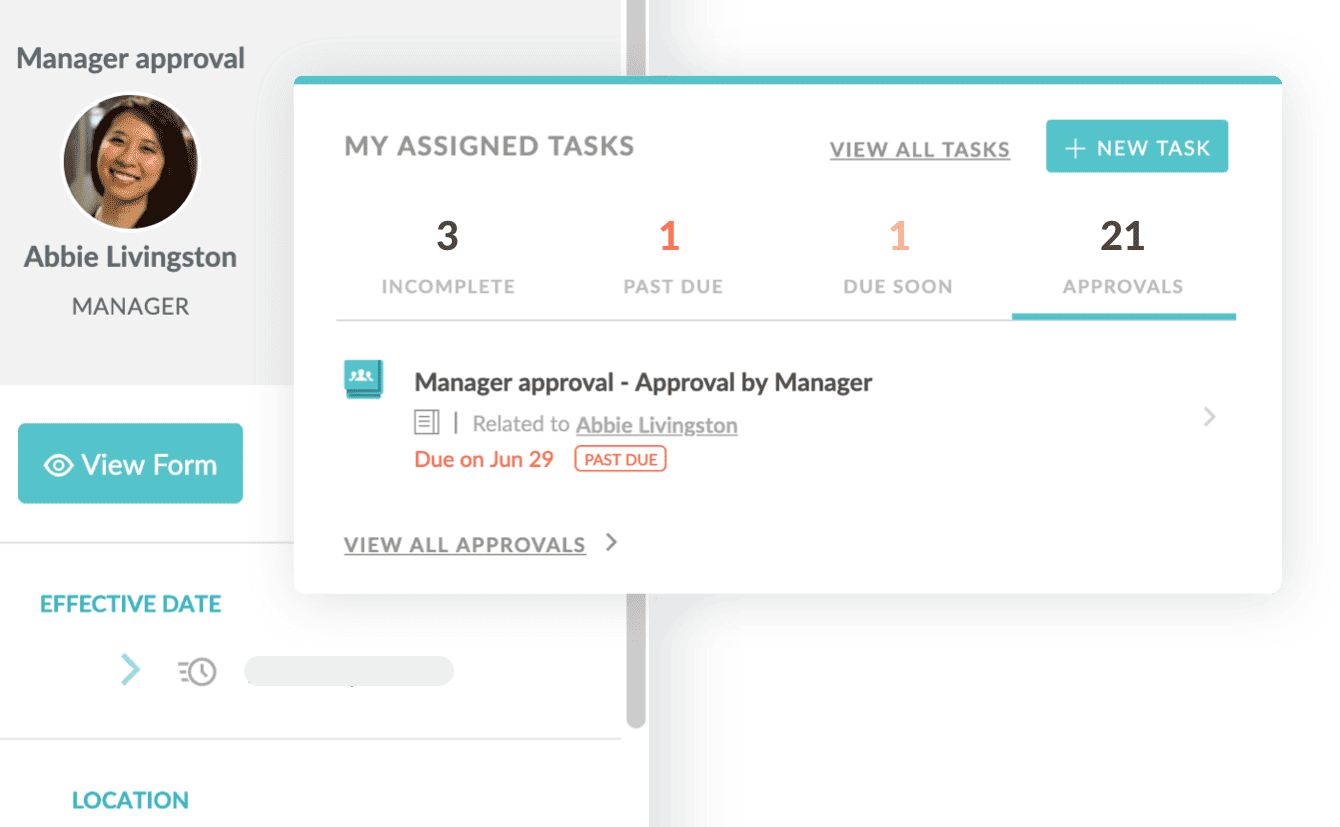
    HR Cloud manager approval request next to the assigned-tasks panel
  4. Documents

    Worker documents and policies

    Collect uploads and keep signed handbooks and policies with the employee record.
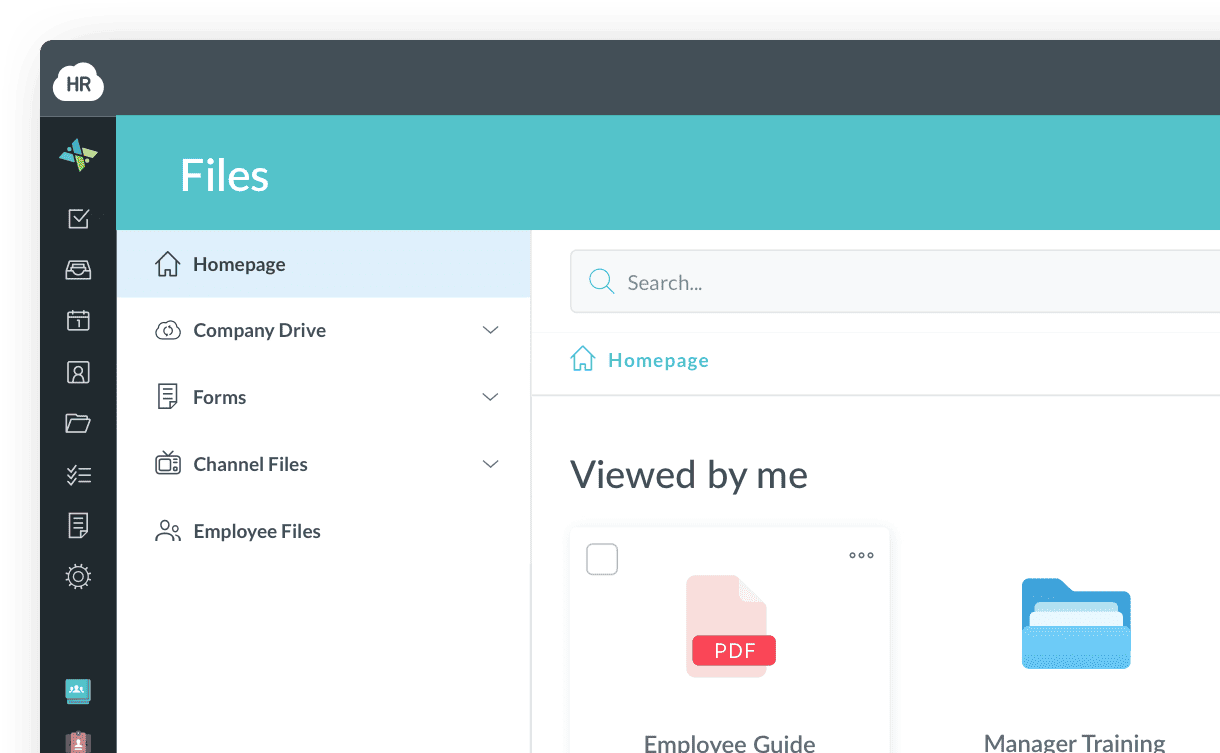
    HR Cloud Files area showing uploaded documents and forms
  5. Orientation

    Worksite orientation and training

    Assign site instructions, safety acknowledgments and required training tasks to the right owner.
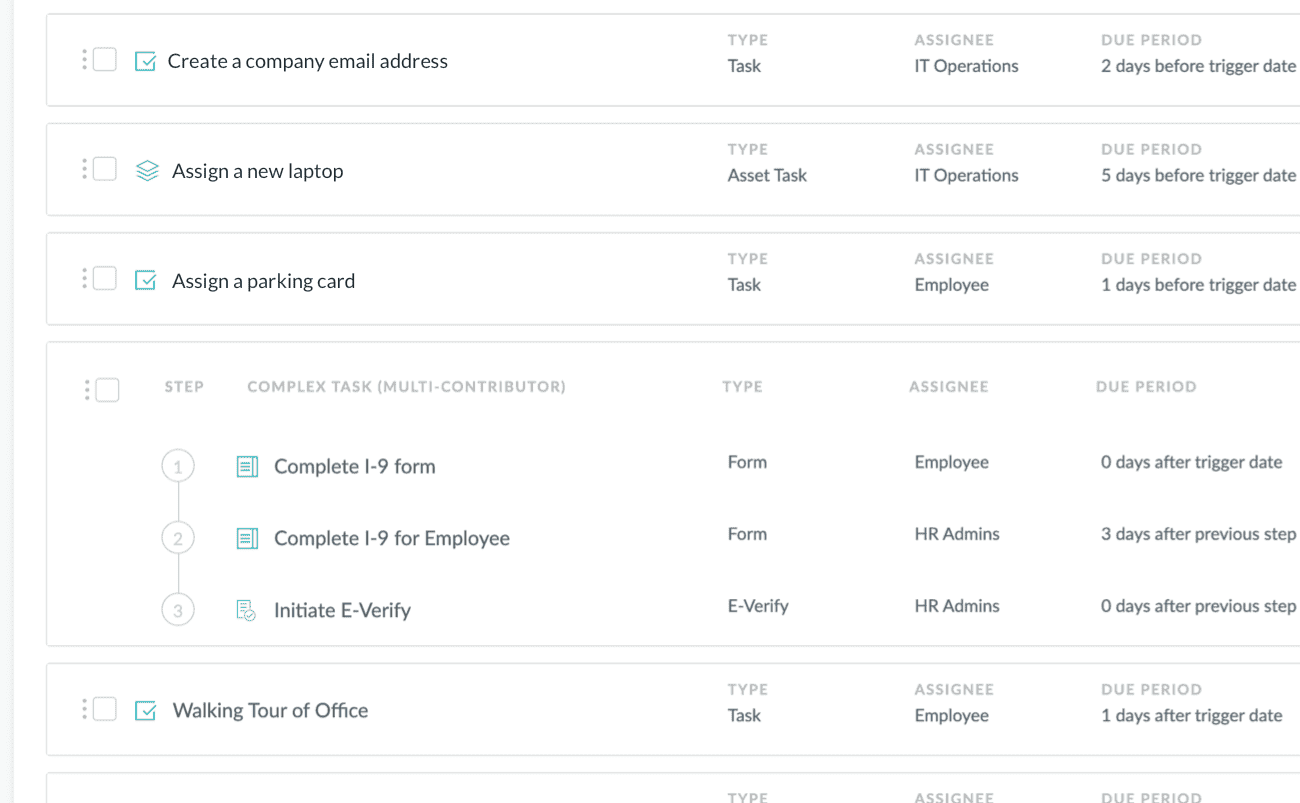
    HR Cloud onboarding checklist with tasks, assignees and due periods
  6. New-hire forms

    W-4 and direct deposit authorization forms

    Collect tax forms and direct deposit authorization details during onboarding for use in your payroll provider’s system.
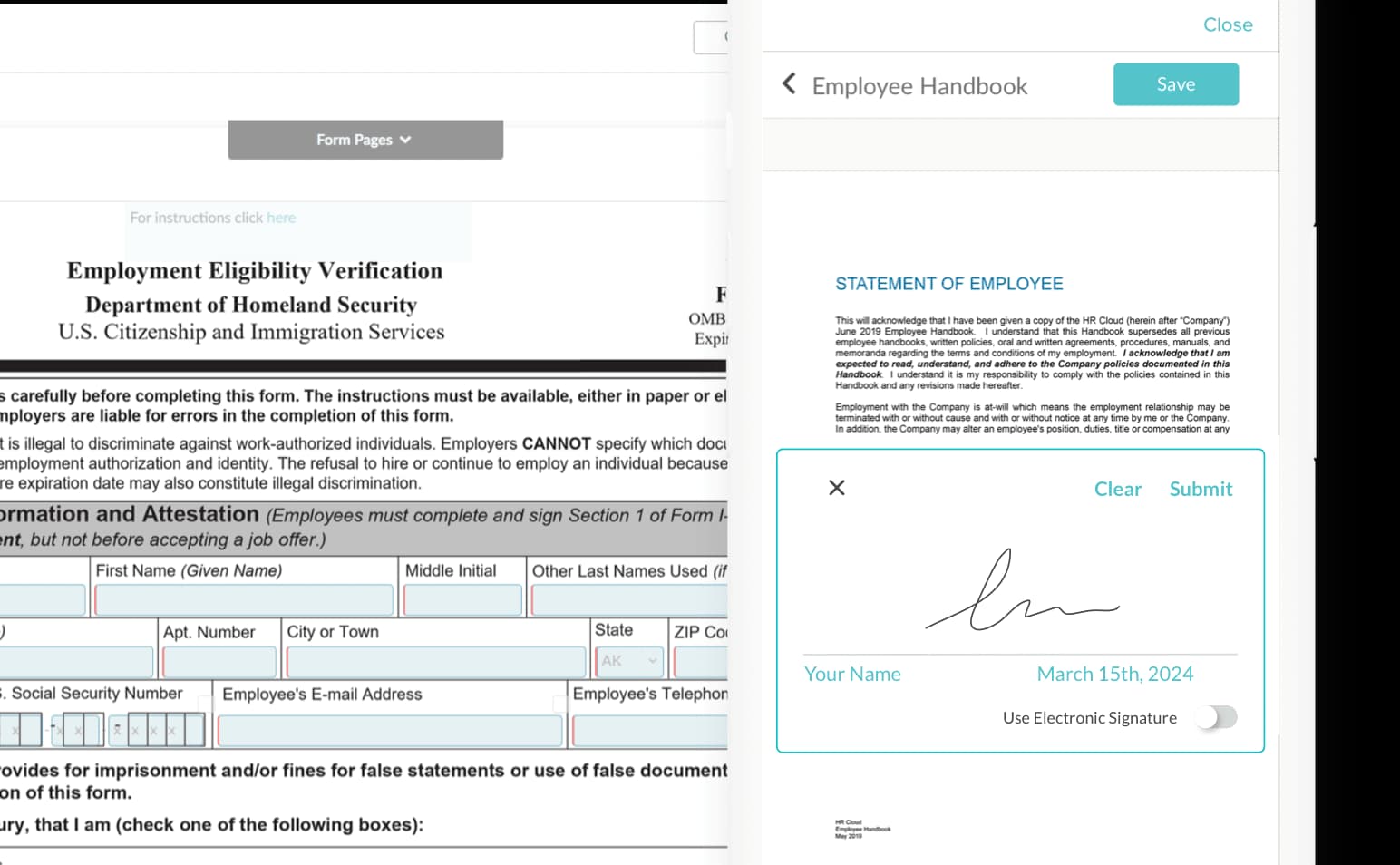

    HR Cloud Onboard form builder next to an employee handbook e-signature

How staffing agency onboarding works in HR Cloud

Colleagues talking beside a desk with a laptop and office files
Staffing agency onboarding

Give every temporary worker a clear path from the first form to recruiter review.

See what is complete, and what needs recruiter attention

  • Track each worker’s onboarding stage and checklist progress in one dashboard.
  • Follow incomplete forms, document requests and reviews across your agency.
  • Give authorized recruiters and managers a clear view of their next steps.
Onboarding by stageSample data
  • Forms requested5 hires
  • Waiting on the worker3 hires
  • Awaiting recruiter review4 hires
  • Checklist complete6 hires
Onboard module · HR Cloud
A team reviewing documents together beside a laptop

Temporary employee onboarding software that works on a phone

Temporary workers can complete forms, upload documents and sign policies before arriving at the worksite. With Maya enabled, HR Cloud guides new hires through onboarding by text without an app download or HR portal login. Recruiters can follow progress and see where support is needed.


Onboarding software for staffing agencies with different needs

Colleagues talking beside a desk with a laptop and office files
Temporary assignments

Organize agency paperwork, assignment details and required acknowledgments.

Four colleagues discussing work around a laptop in a meeting room
Returning workers

Use configured rehire checklists for the steps your returning workers need.

An overhead view of colleagues working at desks in an open-plan office
Multiple branches

Keep shared onboarding steps consistent across roles and agency locations.

An overhead view of colleagues reviewing documents around a meeting table
Different client requirements

Configure workflows around the forms, policies and reviews each assignment needs.

Customer success

How staffing and multi-client teams use HR Cloud

See how teams organize onboarding, client workflows and employee records with HR Cloud.

Medlinks Staffing
Medlinks Staffing
Read the Medlinks Staffing case study
Mobile
guided employee onboarding
Medlinks Staffing

Healthcare staffing and services

Medlinks replaced paper-based recruiting and onboarding with guided workflows and mobile access. Recruit ATS gives the team visibility into candidate stages, helping it report hiring progress to clients.

Onboard
guided forms and tasks
Recruit ATS
candidate pipeline visibility
Rehmann
Rehmann
Read the Rehmann case study
~1,200
employees across client accounts
Rehmann

Accounting and business advisory

Rehmann manages onboarding, recruiting and time off across multiple client companies. Its team uses HR Cloud workflows configured for each client, supporting about 1,200 employees across 22–24 locations in four states.

22–24
locations across four states

Illustrative office photography

Interim HealthCare
Interim HealthCare
Read the Interim HealthCare case study
3
offices, one digital process
Interim HealthCare

Healthcare staffing and home care

Interim HealthCare Sioux Falls moved paper employee files into one digital onboarding process across three offices. Recruiters review checklists and documents in one place, while returning employees retain their document history.

85%
2025 onboarding satisfaction

Keep workers connected beyond the first assignment

Bring recruiting, staffing agency employee onboarding, worker records and communication together with Recruit, Onboard, People HRIS and Workmates.

Recruit · Agency recruiting

Keep candidates and hiring teams moving.

  • Applicant tracking
  • Interviews
  • Offers

Manage job openings, candidates and interviews in one applicant tracking system, then move accepted candidates into onboarding.

Explore Recruit ATS
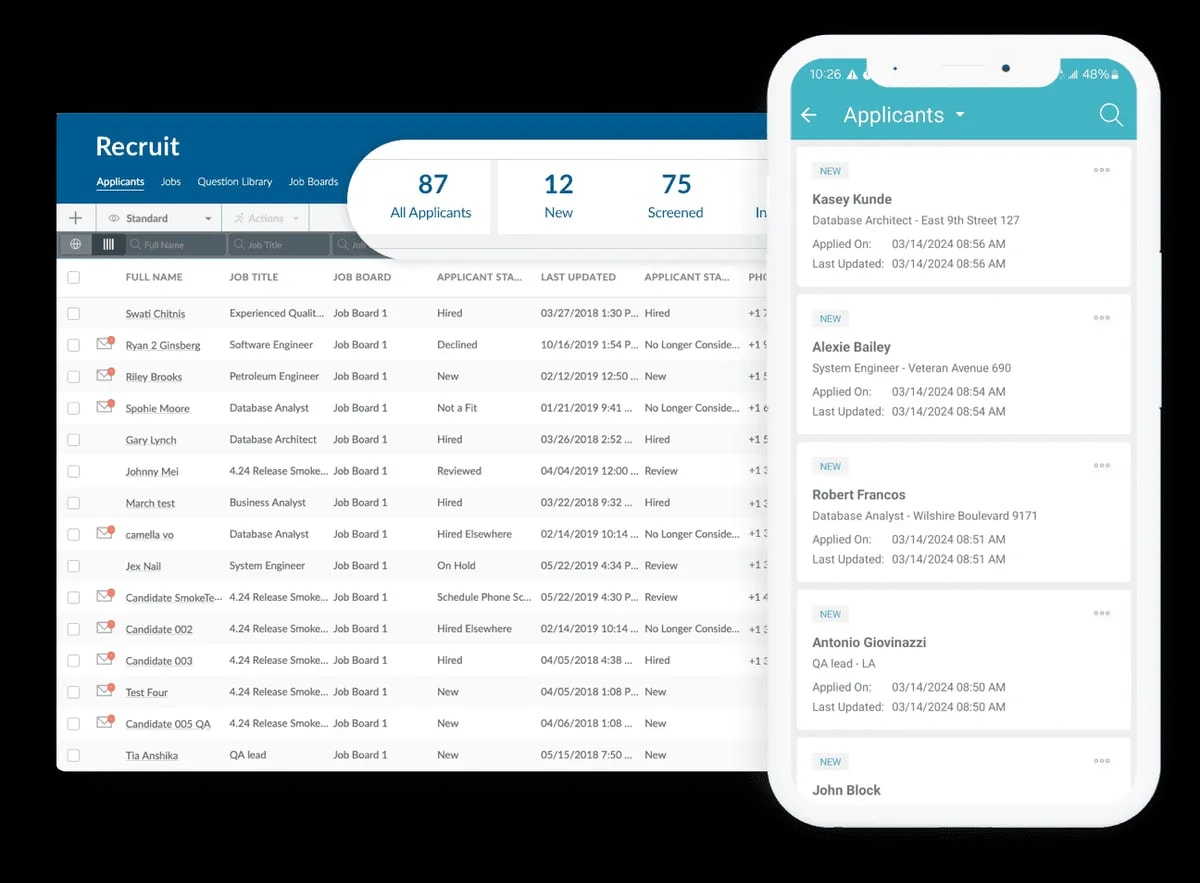
HR Cloud Recruit applicant dashboard and mobile candidate list
Recruit · Applicant tracking

Onboard · Staffing onboarding

Help workers prepare for their next assignment.

  • Checklists
  • E-signatures
  • Reminders

Guide temporary and contract workers through forms, policies and assignment checklists. Give each task a clear owner and follow completion.

Explore Onboard
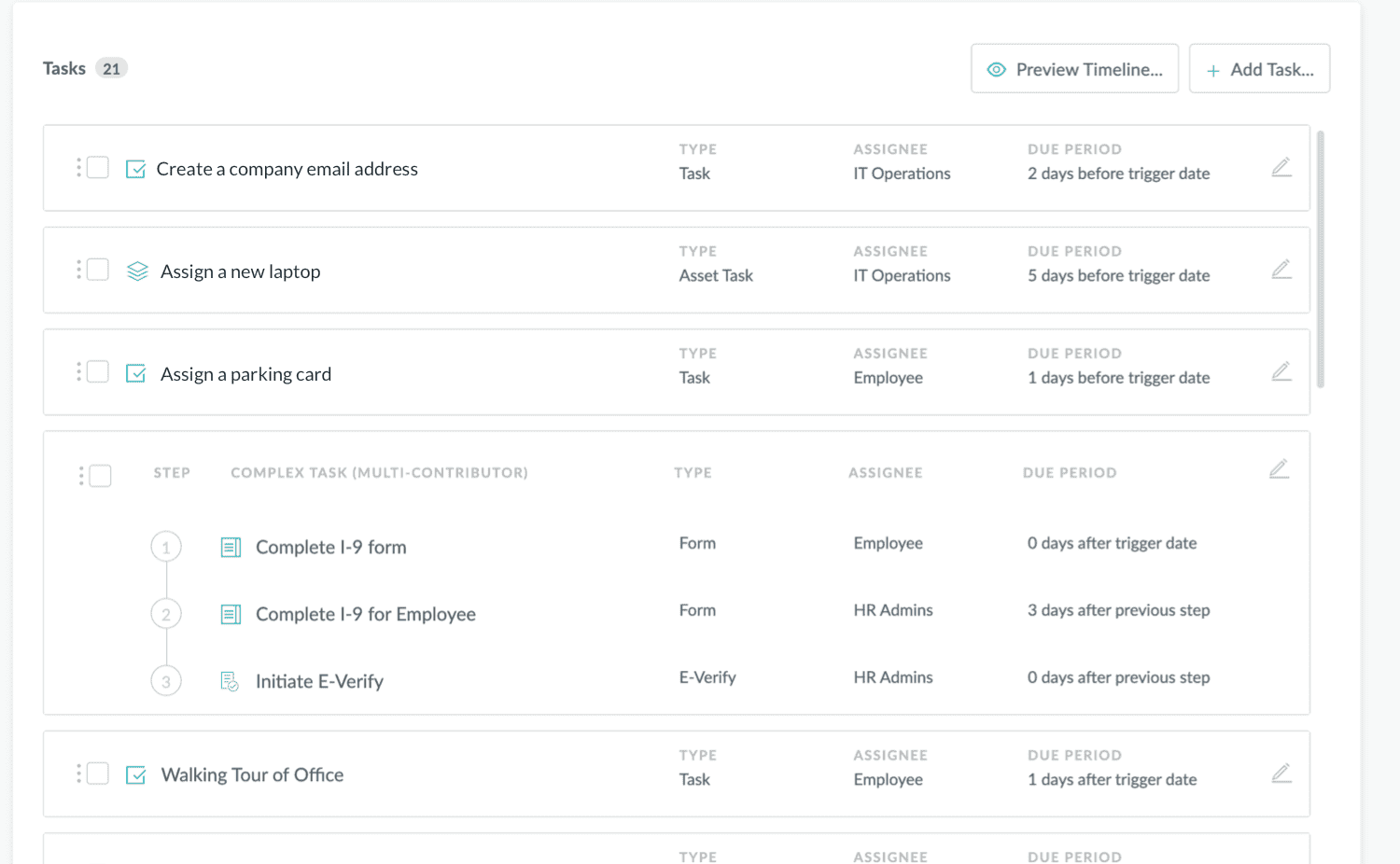
HR Cloud Onboard New Hire Checklist with tasks, assignees and due periods
Onboard · Workflows & checklists

People HRIS · Employee records

Keep worker information in one place.

  • Employee records
  • Documents
  • Self-service

Keep employee profiles, documents and job details together, with new-hire information carried forward from onboarding.

Explore People HRIS
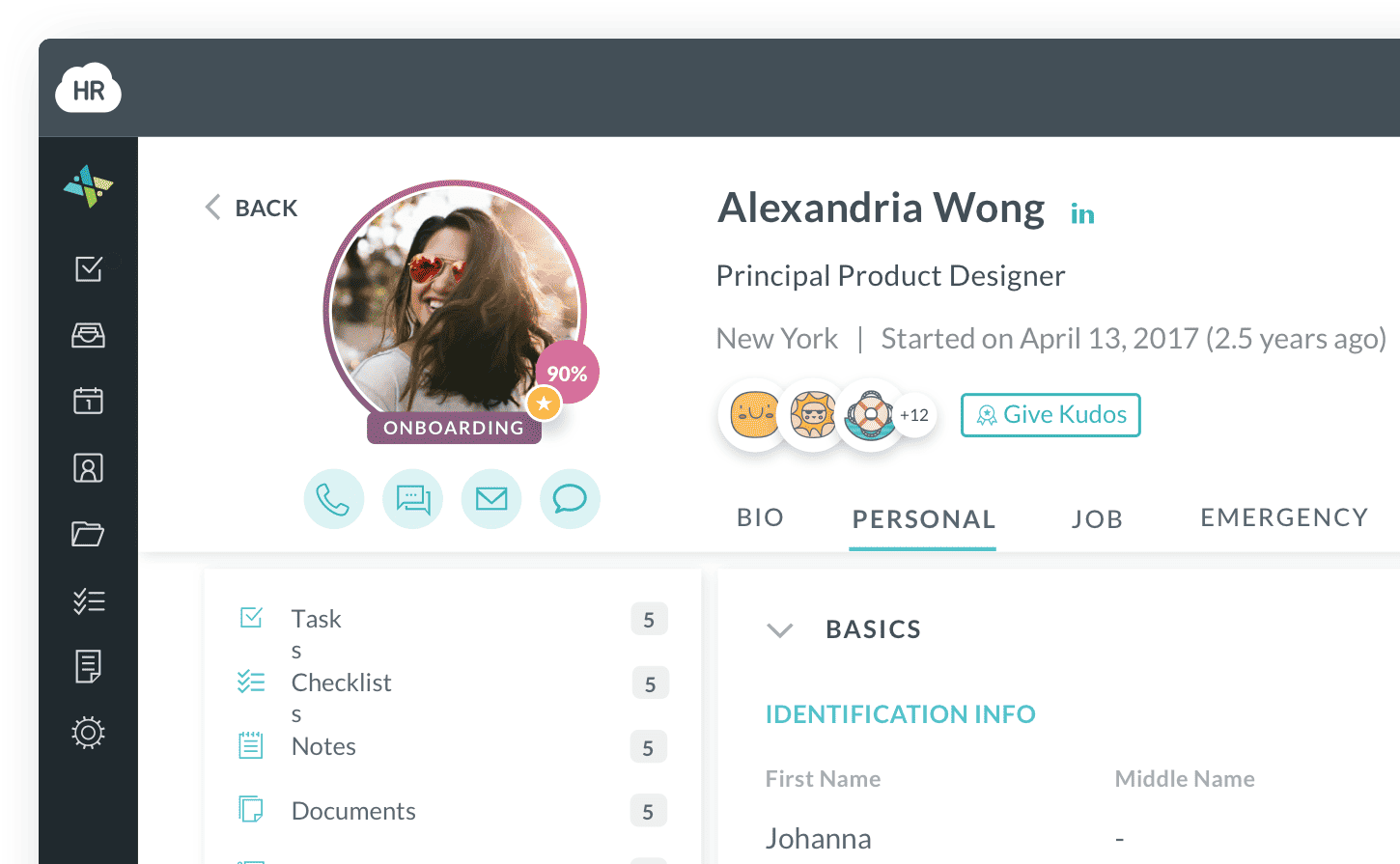
HR Cloud employee profile with personal details, documents and manager
People HRIS · Employee information

Workmates · Employee engagement

Connect workers across locations.

  • Communication
  • Recognition
  • Surveys

Share agency updates, recognize helpful work and gather feedback from workers across locations and assignments.

Explore Workmates
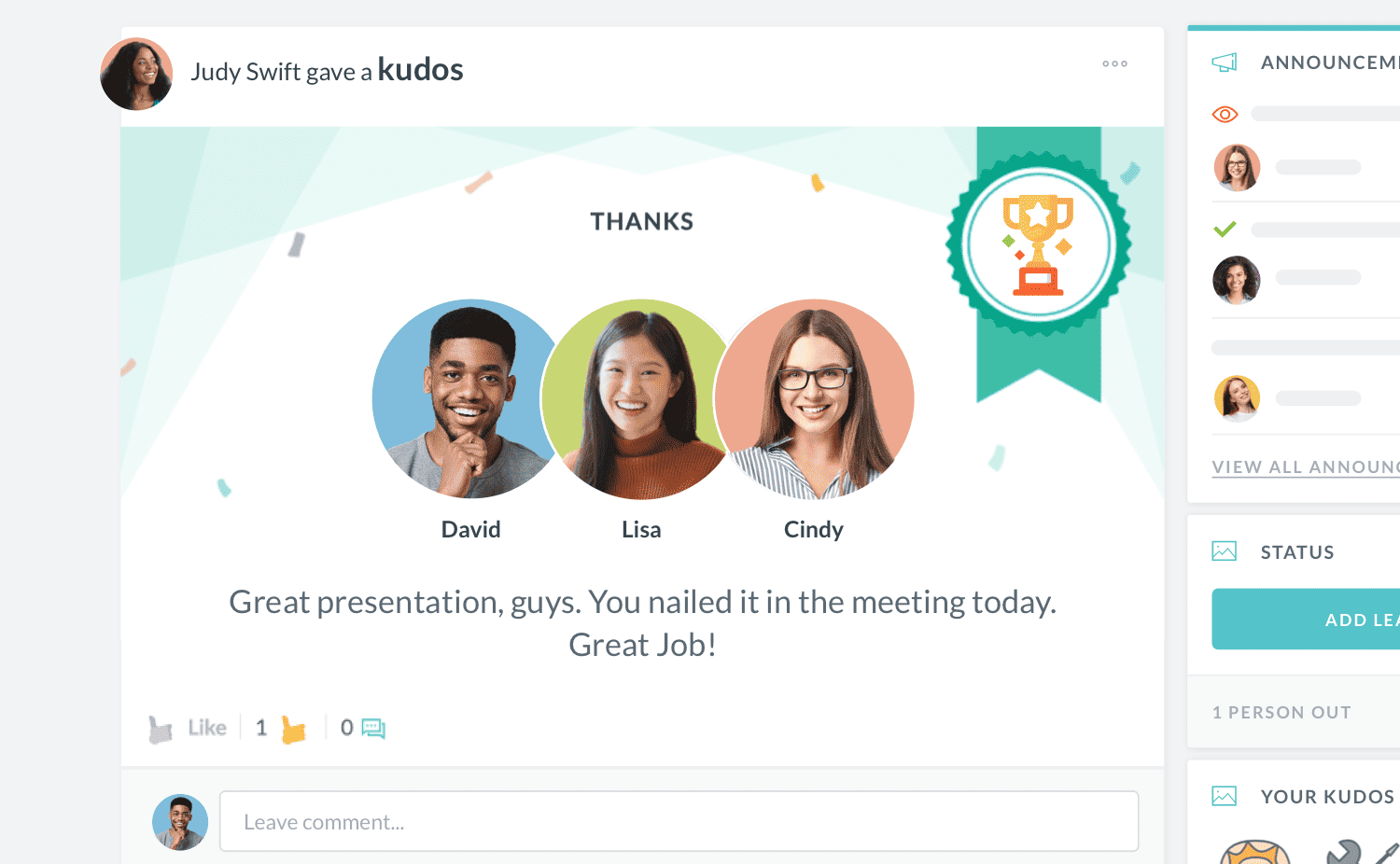
HR Cloud Workmates employee recognition interface
Workmates · Employee engagement

Carry new-hire information into the employee record, and keep your workforce connected with updates, recognition and feedback after onboarding.

Compare staffing agency onboarding options

Compare staffing agency onboarding capabilities. HR Cloud integrates with payroll providers; payroll processing remains with the payroll provider.

Compare staffing agency onboarding capabilities
Onboarding capabilityPaper and spreadsheetsPayroll provider’s onboarding toolsHR Cloud
Separate listsVaries by providerConfigurable
Separate forms and filesVaries by providerYes
Manual updatesVaries by providerYes
Manual follow-upVaries by providerYes
Separate recordsVaries by providerConnected modules

HR Cloud manages onboarding and integrates with supported payroll providers. Your payroll provider handles payroll processing.


Works with the systems you already use

  • Start with Onboard and keep your current payroll platform.
  • Connect staffing onboarding with supported payroll, HRIS and recruiting tools. Your payroll provider handles payroll processing.

  • Confirm the available connections, supported fields and data flow for your setup.

Staffing agency onboarding software FAQs

Staffing agency onboarding software organizes the forms, documents and tasks temporary workers need before an assignment. It helps an agency collect new-hire information, share policies and track completion in one place. HR Cloud Onboard supports configurable checklists, electronic forms and document collection, with Maya available for onboarding by text. Your agency defines its requirements and reviews completion, while your payroll provider handles payroll processing.

A temp onboarding checklist should cover employment paperwork, required screening, client requirements and assignment details. Depending on the role, it may include Form I-9, Form W-4, state withholding forms, direct deposit authorization forms, policy acknowledgments and required training records. Add the worksite address, start time, supervisor contact, dress code and PPE instructions. HR Cloud Onboard can organize the forms and tasks your agency selects into configurable checklists.
The staffing agency is responsible for Form I-9 when it is the worker’s employer. The employee completes Section 1 by the first day of work for pay, and the employer or its authorized representative completes Section 2 within three business days. If the employment lasts fewer than three business days, Section 2 is due on the first day. A client generally does not complete a separate I-9 for an agency employee. Follow current USCIS and E-Verify guidance for the hiring arrangement.
Returning workers may need updated paperwork rather than a completely new onboarding packet. USCIS permits eligible rehires within three years of the original Form I-9 to use Supplement B; agencies must still check whether employment authorization needs reverification. Whether a gap between assignments counts as continuing employment depends on the circumstances. Review the new assignment’s policies, credentials and training needs. HR Cloud supports configured rehire checklists, but your agency decides what each returning worker needs to complete.
The staffing agency and the host employer share responsibility for temporary workers’ safety. OSHA explains that agencies may provide general safety training while host employers provide training on site-specific hazards and equipment. The exact responsibilities depend on the work and should be agreed between both parties. HR Cloud Onboard can organize training tasks and acknowledgments, while your agency and client remain responsible for ensuring workers receive the training required for the assignment.
Start with the agency’s shared forms, then add the documents, acknowledgments and tasks required for each assignment. Requirements may vary by role, location, client and state. HR Cloud Onboard supports configurable checklists and assignment rules using employee profile information, including location and position. Your agency should map its client requirements and confirm the proposed configuration with HR Cloud before launch, including how assignment details will be stored and which tasks each worker receives.
Text messaging gives workers a way to access onboarding without relying on a company email address. HR Cloud’s Maya guides new hires through onboarding by text, with prompts for forms, document uploads and policy acknowledgments, without an HR portal login. Recruiters can track progress in HR Cloud. Ask the team to confirm Maya availability, supported tasks and worker contact requirements for your setup before rollout.
You can use HR Cloud Onboard alongside your existing payroll platform and supported recruiting tools. HR Cloud integrates with payroll providers including ADP and Paylocity; your payroll provider continues to handle payroll processing. Available connections, supported fields and data flow depend on the systems and setup involved. Review your staffing ATS and integration requirements with the HR Cloud team before committing to a rollout, so the proposed workflow fits the tools your agency uses.
HR Cloud supports role-based permissions and configurable access to employee forms and individual fields. Access can also be limited using organizational settings such as locations, departments and divisions. Your agency should define what recruiters, branch managers and operations staff need to see, then confirm how those controls map to client accounts during setup. Review the proposed access model with HR Cloud before rollout, including any requirements for users outside your agency.
Request an HR Cloud quote based on your agency’s workforce, selected products and integration needs. Confirm how temporary workers, rehires and active headcount are counted, along with any implementation charges. Plan around six weeks for implementation, with the schedule agreed after reviewing your forms, workflows and connections. The proposal should also confirm Maya availability and the support included, so your team can plan the rollout with clear expectations.

Help your next group of temps prepare for day one

Bring us your staffing agency onboarding checklist, client requirements and current systems. We’ll show you how to build a process that fits your agency.