Best Healthcare Onboarding Software For Faster Onboarding

A nurse accepts your offer on Tuesday and expects to start Monday. In between, someone in HR is chasing a license copy, a TB result, an exclusion check, a signed policy acknowledgment and a system access request, usually across email threads and a shared drive. Healthcare onboarding software exists to close that gap, and the right choice depends on which part of the chase slows your team down most. This guide compares six tools on the same five checks, using only what each vendor publishes on its own pages.
HR Cloud publishes this guide, so we hold ourselves to a stricter rule than most comparison posts. Every capability below comes from a page the vendor published, and every link goes to that page. Where a vendor’s pages do not state something, we write “not stated” instead of guessing. We do not crown a single winner. We organize the tools by five checks, which are our own evaluation method, and tell you which kind of team each tool tends to fit.
Key Takeaways
- The job of healthcare onboarding software is narrow and measurable: help HR track the documents, approvals and tasks a clinician needs before the first scheduled shift. The employer still confirms that every clinical and facility-specific requirement is met. Judge every tool on five checks (paperwork, proof, approval, assignment and visibility), not on feature counts.
- Among the pages we reviewed, HR Cloud’s healthcare page is the one that names clinical credential types (RN, LPN, CNA, BLS, ACLS) and immunization and TB documents. The other five describe document collection and screening more generally, so ask each of them for a credential walkthrough.
- Federal I-9 timing is the one hard clock in every onboarding: Section 1 by the first day of employment, Section 2 within three business days of the hire date. Software organizes the work. It does not replace the document examination.
- Behavioral Progression, a Tampa behavioral health company, reports cutting new therapist onboarding from 4 weeks to 2.5 weeks on average. Treat it as one customer’s published result, not a promise.
- Test every shortlisted tool with your most complicated recent hire. The matrix below tells you where to look, and our healthcare onboarding checklist guide gives you the item list.
What should healthcare onboarding software do before a clinician’s first shift?
Generic onboarding software answers “did the new hire sign the handbook?” Healthcare onboarding software has to answer a harder question: “is this person ready to work the schedule we already published?” Software tracks that readiness. The employer remains responsible for confirming clinical and facility-specific clearance. The readiness question breaks into five checks, and each one is a place where onboarding stalls.
| Check | The question it answers | What to look for |
|---|---|---|
| Paperwork | Can the hire finish forms and signatures before day one, from a phone? | Digital forms, e-signature, document upload, I-9 and W-4 support |
| Proof | Are licenses, certifications, immunizations and screening results collected against the role? | Named credential types, requirements by role and state, screening status |
| Approval | Does a person with authority confirm each item before the hire is marked ready? | A reviewer step, comments on rejection, reminders for missing items |
| Assignment | Do HR, the manager, IT and the unit each know what they owe and by when? | Checklists by role, department or location, owners and due dates, bulk start |
| Visibility | Can you see who is at risk of missing their start date without opening forty records? | A dashboard with overdue, unassigned and upcoming-start counts, filters by site |
Why this matters for HR: a staffing gap shows up on the schedule long before it shows up in a report. The five checks give you a shared vocabulary for the conversation with your nursing director or administrator, because each one maps to a reason a start date slips.
How do six healthcare onboarding software options compare on the five checks?
The matrix reflects what each vendor states on its own pages, as reviewed in November 2026. “Not stated” means the pages we reviewed do not say, which is different from “cannot.” Product pages change, so confirm anything that decides your purchase in a live demo.
| Vendor | Paperwork | Proof | Approval | Assignment | Visibility |
|---|---|---|---|---|---|
| HR Cloud | Forms, uploads and signing from a phone; digital I-9 forms | RN, LPN, CNA, BLS and ACLS credentials; background and exclusion screening; immunizations and TB | One review queue with automatic reminders | Checklists by role, department or location | Readiness view by site, role or start date (labeled sample data) |
| Connecteam | Role-specific packets for e-signed contracts, I-9s, W-4s and bank details | Documents with expiration dates and reminders; credential types not stated | Managers filter incomplete items and approve each hire | Packets by role | Admin dashboard of employee compliance statuses |
| BambooHR | E-signature for tax forms, I-9 verifications and direct deposit before day one | I-9 and E-Verify, background checks; credential types not stated | Reviewer step not stated | Custom tasks and checklists | Signed document reports |
| Rippling | Offer letters and tax forms sent for e-signature on offer acceptance | Credential types not stated; confirm I-9, background check and E-Verify scope in the demo | Not stated | HR, IT and payroll in one workflow, with device and app access provisioning | Not stated |
| GoCo | Offer letters with e-signature; I-9 and W-4 generation | E-Verify or background check integration; credential types not stated | Not stated | Automated workflows | Not stated |
| ClearCompany | Digital forms and guided tasks | Built-in I-9, E-Verify and background checks; credential types not stated | Not stated | Guided tasks, bulk onboarding | Not stated |
Watch for this: every vendor on this list collects documents. The differences show up when you ask which documents, who approves them, and what the dashboard shows on a Monday morning. A “not stated” cell is your demo question.
Where does each healthcare onboarding software option fit best?
HR Cloud
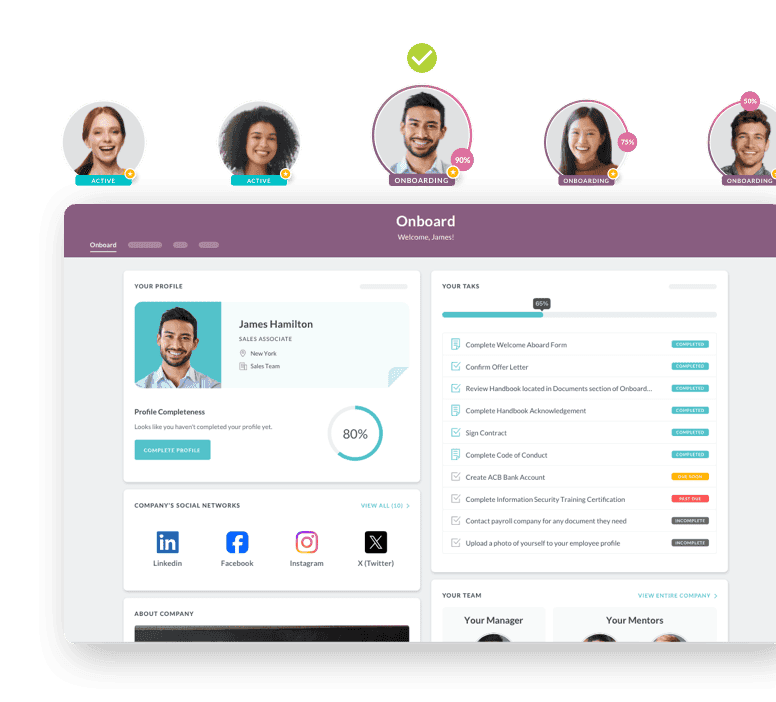
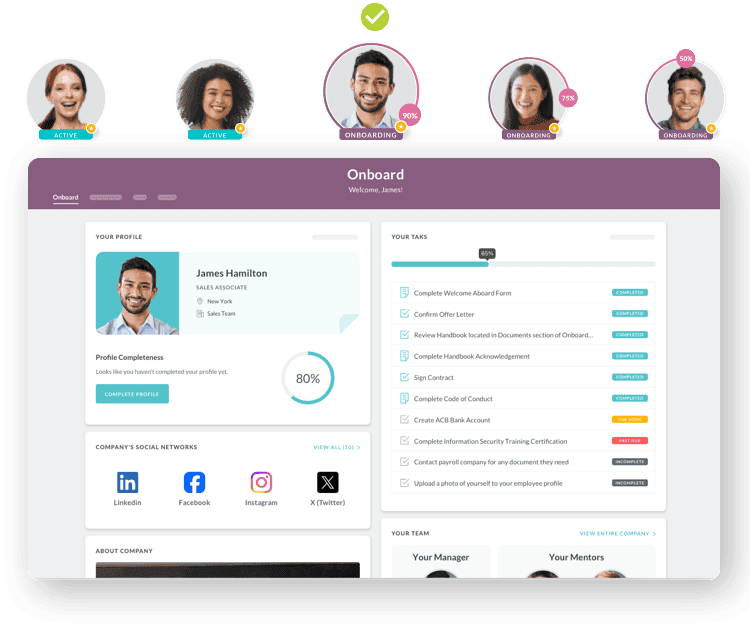
HR Cloud’s healthcare page describes a four-step flow: build checklists by role, department or location; send the new hire one link to complete forms, upload documents and sign; review and approve in one queue with automatic reminders for missing items; then mark the hire ready and carry the record into the HRIS. It lists license and certification collection (RN, LPN, CNA, BLS, ACLS), background and exclusion screening, immunizations and TB screening, facility orientation and system access tasks, and digital W-4 and direct deposit forms, with requirements configurable by state, employer and role.
The help center shows how the mechanics work. A task review step means a task cannot be marked complete until reviewers finish, reviewers are prompted in the order they were added, and a rejection sends the task back to Incomplete so the assignee is prompted again. Alerts can fire before a due date or after it, and overdue alerts can repeat daily, weekly or monthly. Bulk onboarding starts onboarding for selected employees from the People tab, and batches larger than 100 are repeated. The onboarding dashboard shows cards for total onboardings, starts in the next 7 days, onboardings with overdue tasks and unassigned onboardings, and lets you view overdue tasks by task or by assignee.
Best fit: multi-site healthcare employers that want one checklist per role and site, a reviewer queue and a clear readiness view.
Watch for: the readiness dashboard on the product page is labeled sample data, so ask to see your own sites and roles live. The page shows logos for ADP, UKG, Workday, Slack, Microsoft 365 and QuickBooks and says integration details are confirmed during setup, so ask which fields move into your payroll before you sign. The page describes collecting and approving credential documents. It does not describe primary-source verification or privileging, so confirm scope in a demo if your medical staff office needs either.
Connecteam
Connecteam is built around deskless teams. Its onboarding page describes role-specific packets that collect e-signed contracts, I-9s, W-4s, bank details and policy confirmations, with required fields and live tracking, plus documents with expiration dates and reminders. Its comparison page says managers can filter to incomplete items and approve each hire, and that Connecteam is not a full HRIS.
Best fit: teams that want onboarding, forms and training in one mobile app.
Watch for: the employee record, benefits and payroll administration live elsewhere, so plan the handoff.
BambooHR
BambooHR’s onboarding page lists e-signatures for tax forms, I-9 verifications and direct deposit before the first day, custom onboarding tasks and checklists, new hire packet templates, signed document reports, I-9 and E-Verify, and background checks. One detail matters for clinicians who have no work login yet: a BambooHR help article says employees can sign onboarding documents only when logged in through the web app, not the mobile app, by design.
Best fit: teams that want guided pre-boarding packets and checklists.
Watch for: credential types are not stated on the pages we reviewed, and signing happens in the web app.
Rippling
Rippling’s onboarding roundup describes offer letters and tax forms sent for e-signature on offer acceptance, and a workflow that unifies HR, IT and payroll, including device and app access provisioning. Ask Rippling to show I-9, background check and E-Verify handling in the workflow, since we did not confirm that scope on the page linked here.
Best fit: employers that want HR, IT and device provisioning in one workflow. Watch for: healthcare credential types are not stated on the pages we reviewed.
GoCo
GoCo’s onboarding page describes digital offer letters with e-signature, Magic Docs, I-9 and W-4 generation, E-Verify or background check integration, automated workflows and new-hire benefits enrollment. GoCo positions itself for small to mid-sized businesses.
Best fit: smaller teams that want onboarding bundled with benefits enrollment. Watch for: credential types are not stated, so a multi-site clinical employer should test depth carefully.
ClearCompany
ClearCompany’s onboarding page pairs guided tasks, digital forms and early learning, and carries candidate data forward from recruiting. Its best practices site lists built-in I-9 and E-Verify, background checks, bulk onboarding and 30, 60 and 90 day new-hire reviews.
Best fit: organizations that want recruiting, onboarding and early performance connected on one platform.
Watch for: credential types are not stated on the pages we reviewed.
Pro tip: ask every vendor the same three questions in the same order: which credentials can I name, who approves them, and what does the dashboard show for my sites? A consistent script makes the demos comparable.
Which checks matter most in each care setting?
HR Cloud’s healthcare page groups employers into four care settings. Our reading of where each setting feels pressure first is below. It is guidance for weighting the checks, not a measured finding.
| Care setting | What the HR Cloud page says | Check to weight most |
|---|---|---|
| Hospitals and health systems | Multi-site onboarding with one template per role | Assignment and visibility |
| Skilled nursing and senior living | High-volume CNA and LPN hiring | Approval, because volume turns a reviewer queue into the bottleneck |
| Home health and home care | Remote field caregivers | Paperwork on a phone |
| Behavioral health and rehab | Licensed clinician credential tracking and role-specific training | Proof |
Why this matters in a staffing meeting: weighting the checks before you see a demo keeps the evaluation from drifting toward the slickest interface. A home health agency and a hospital system can pick different winners from the same matrix, and both can be right.
What does a worked example look like?
This is a hypothetical with illustrative inputs, not customer data. A 400-person home health agency with three branches hires about 12 caregivers a month. Each hire has roughly seven open items before the first visit: I-9 Section 1, W-4, direct deposit, license copy, TB proof, background check status and a policy acknowledgment. That is 84 items a month that someone has to request, receive, check and file.
Run that through the five checks. The agency builds one checklist per role and branch, so assignment is settled when onboarding starts. Hires complete forms and uploads from a phone, which handles paperwork. A coordinator reviews uploads in one queue, so approval has a single home, and overdue alerts nudge the people who owe items. Proof and visibility then become a daily habit: the coordinator opens a dashboard showing starts in the next seven days and onboardings with overdue tasks, and works that list.
The change is in the coordinator’s morning question. It moves from “who is missing what?” to “which starts are at risk this week?”
Pro tip for your own version: replace the inputs with your last quarter of hires. Count the open items per hire by role, because a CNA and a nurse practitioner will not have the same list, and run the demo against the longest one.
What do the compliance clocks require, and what can software actually do?
Two federal items shape most healthcare onboarding calendars. This is general information, not legal advice, so confirm your obligations with counsel.
Form I-9. According to USCIS, the employee completes and signs Section 1 no later than the first day of employment, and may complete it any time after accepting the offer. Per USCIS guidance on Section 2, the employer completes Section 2 within 3 business days of the hire date, so a Monday start means Thursday. If employment lasts less than 3 business days, Section 2 is due by the first day. The Form I-9 instructions set retention at one year after employment ends or three years after the first day of work, whichever is later. Software can let a hire finish Section 1 before day one and route the Section 2 task to the right person with a due date. The employer or authorized representative still examines the documents, in person or through an eligible DHS-authorized alternative procedure.
Exclusion screening. The HHS Office of Inspector General maintains the List of Excluded Individuals and Entities. Its background page says an employer that hires someone on the list may be subject to civil monetary penalties, and advises routine checks without setting a frequency, so your compliance policy sets the cadence. What you want from software is a record of when the check ran, who ran it and what it found. Ask whether the tool runs the lookup against the exclusion list and documents it, or only records that someone else did.
Why this matters to your auditor: an auditor does not ask whether you have software. An auditor asks for the file on a specific person and the date each item was completed. Choose the tool whose record answers that request fastest.
What have healthcare teams reported after switching?
Two healthcare customers publish specifics on HR Cloud’s pages. Treat them as company-published results, not independent studies.
Interim HealthCare (Sioux Falls). The customer story describes employee records kept in physical filing cabinets, state audits that meant pulling paper files, and requirements that varied by role and state across three offices. After adopting HR Cloud’s Onboard, compliance forms, contracts, policy acknowledgments and E-Verify live in one system, and contract signing moved into HR Cloud, replacing a separate e-signature tool. The story reports 85% employee satisfaction with onboarding in the 2025 Employee Survey and physical employee files going from paper to zero. Separately, HR Cloud’s healthcare page reports figures for Interim HealthCare franchises in Manassas, Salt Lake City and Sioux Falls: 97% monthly active usage across locations, a 6-week full rollout and a 60% efficiency improvement. These are company-published franchise-group figures, not part of the Sioux Falls story above.
Behavioral Progression. The customer story reports that new therapist onboarding time dropped from 4 weeks to 2.5 weeks on average after implementing Onboard. The healthcare page adds HR Cloud’s reported figures of 8 hours saved by HR each week and a 66% efficiency gain. The page does not define how efficiency is measured.
HR Cloud’s customer stories page lists more healthcare customers, including Medlinks and All About Kids.
What these results do and do not show: both customers replaced paper or shared-drive processes. If your process is already digital, your starting point differs, and so will your gain. Ask any vendor for a customer with a baseline like yours.
“The flexibility of the HR Cloud system is invaluable in ensuring compliance. It helped us stay a step ahead of changing document collection requirements.”

— Jesse Rose, Provider recruitment, onboarding, and compliance manager

How do you test healthcare onboarding software before you buy?
Run the same eight-step test on every shortlisted vendor. Block ninety minutes per demo.
- Bring your most complicated recent hire. Use the hire with the longest list of open items, not the easiest one.
- Ask for credential types by name. Have the vendor build your RN, CNA or therapist checklist live, with the exact license, certification and immunization items you track.
- Walk the rejection path. Upload a wrong document and watch who is notified, what the reviewer can say, and where the task lands.
- Complete a packet on a personal phone. Do it as a new hire would, with no existing login, and time it.
- Ask for your sites in the dashboard. If the vendor shows sample data, ask what filters exist and when you can see a live account.
- Ask which fields sync to your payroll and HRIS. Get the field list and the direction of the sync in writing.
- Ask what is out of scope. Primary-source verification, privileging and clinical training content are often handled by other tools. Find out where the line sits.
- Ask who can see health records. Find out who can open uploaded TB and immunization records, and how permissions, retention and export are controlled.
HR Cloud’s onboarding checklist is a useful starting list of items to compare.
Pro tip: if a vendor cannot run steps 2 and 3 in the demo, ask for a sandbox. A recorded walkthrough tells you what the product can look like. A live attempt tells you what it does with your data.
Conclusion
The best healthcare onboarding software is the one that gets your clinicians ready for the shifts you already scheduled, with a record you can hand to an auditor. Six tools can collect documents. The differences sit in credential detail, the approval step and the Monday-morning dashboard. Use the five checks to build your shortlist, weight them for your care setting, and test each vendor with your hardest hire.
If your team hires across multiple sites, see how HR Cloud’s healthcare onboarding software handles checklists by role and site, the reviewer queue and the readiness view, then bring your own checklist to the conversation.

Discover how our HR solutions streamline onboarding, boost employee engagement, and simplify HR management
Book a DemoFrequently asked questions
What is healthcare onboarding software?
Healthcare onboarding software helps HR teams move a new clinical or support hire from accepted offer to ready for the first shift. It collects forms, signatures, licenses, immunization records and screening results, routes them for approval, assigns tasks to HR, managers and IT, and shows who is ready to start. The employer still confirms clinical clearance.
What should healthcare onboarding software track before a first shift?
At minimum, track identity and work eligibility (I-9), tax and payroll forms, licenses and certifications for the role, immunization and TB records, background and exclusion screening status, policy acknowledgments, and facility orientation and system access. HR Cloud’s healthcare page lists each of these and ties requirements to role, site and state.
How is healthcare onboarding software different from an ATS or HRIS?
An ATS manages candidates before the offer, and an HRIS keeps the employee record after hire. Onboarding software covers the gap between them: the tasks, documents and approvals needed to make a hire ready. Many teams connect all three so the record carries forward without re-entry.
Can clinicians complete onboarding on their phones?
With some tools, yes. HR Cloud’s healthcare page says new hires can complete forms, upload documents with the phone camera and sign from their phone. Connecteam describes mobile training and onboarding packets. BambooHR’s help article says pre-start signing happens in the web app, so test the phone experience in every demo.
How does healthcare onboarding software handle I-9 and E-Verify?
Healthcare onboarding platforms may support digital I-9 forms, document upload, deadline reminders and E-Verify workflows. HR Cloud’s page lists digital I-9 forms with document upload, and Interim HealthCare’s story says E-Verify is collected and stored in one system. The employer still examines the documents, so confirm Section 2, E-Verify case handling and retention in the demo.
Does healthcare onboarding software replace credentialing software?
Not necessarily. Onboarding software collects credential documents and routes them for approval. Credentialing and privileging, including primary-source verification, are often separate processes run by a medical staff office or a specialist tool. HR Cloud’s page describes collection and approval, so confirm scope in a demo if you need more.
How much does healthcare onboarding software cost?
Pricing varies by vendor and is usually quoted. HR Cloud licenses annually by headcount band with no per-seat fees, in three plans: Onboard, Growth and Full Suite. It offers a personalized demo instead of a self-serve trial. See the pricing page and ask each vendor for a quote at your headcount.
Does HR Cloud replace our payroll system?
No. HR Cloud has no payroll module and connects to the payroll you already run. The healthcare page shows logos for ADP, UKG, Workday, Slack, Microsoft 365 and QuickBooks and says integration details are confirmed during setup, so ask for the field list before you sign.
How long does implementation take?
It depends on your sites, roles and integrations. Interim HealthCare franchises report a 6-week full rollout on HR Cloud’s healthcare page. Ask each vendor for a timeline based on your own checklist count and integrations, and ask what the license includes for setup, configuration, data import and training.
How do we compare healthcare onboarding software vendors fairly?
Use one script for every demo. Ask each vendor to build your most complicated checklist, reject a document, complete a packet on a phone, show your sites in the dashboard, and list the fields that sync to payroll. Score the five checks (paperwork, proof, approval, assignment, visibility) the same way each time.
Keep Reading


Like What You Hear?
We’d love to chat with you more about how HR Cloud® can support your business’s HR needs.
Book Your Free Demo