Credential Tracking in Healthcare: How to Automate License Renewals and Stay Audit-Ready

Credential tracking software automates the collection, storage, and renewal monitoring of nurse licenses, certifications, and training records, so hospitals catch an expiring credential weeks before it lapses instead of finding out when a nurse shows up for a shift she can't legally work. The right system centralizes every license and certification in one record, sends escalating alerts as renewal windows close, and produces an audit-ready report the moment a surveyor asks for one.
This guide covers workforce-level license and certification tracking: the licenses, certifications, and training records HR is responsible for keeping current across nursing and clinical staff. It doesn't cover physician privileging, payer enrollment, or primary source verification for medical staff credentialing, which are separate processes typically run by a medical staff office or a dedicated credentials verification organization, not HR.
Hospitals search for this capability under a few different names, a nurse license tracking system, healthcare compliance software, or simply credentialing software, but the underlying need is the same: know what's current, what's expiring, and what's missing, without a person manually checking a spreadsheet.
| Workforce credential tracking | Medical staff / provider credentialing | |
|---|---|---|
| Owned by | HR / credentialing coordinator | Medical staff office / CVO |
| Covers | RN, LPN, CNA, and clinical staff licenses and certifications | Physician privileging, payer enrollment |
| Core function | Expiration tracking, alerts, document storage | Primary source verification, sanctions monitoring |
| Typical software | HR platform with credentialing module | Dedicated CVO / privileging platform |
Why License Tracking Is a High-Stakes HR Function in Hospitals
A nurse's license isn't paperwork. It's the legal basis for every task she performs that shift, from medication administration to wound care. When that license lapses, the hospital doesn't just have a compliance gap. It has a nurse who is, as of that moment, not legally allowed to do her job.
Patient safety implications of expired credentials
An expired RN license means the person at the bedside is practicing without the state's authorization to do so. That's not a technicality. Boards of nursing exist because unsupervised, unverified practice puts patients at risk, and a lapsed license means that authorization has run out, whether or not anyone has noticed yet. If that nurse is pulled from the floor mid-shift once someone notices, the unit loses coverage at the worst possible moment: after the assignment was already made and the patient load already set.
The same logic extends past RN licenses. Expired ACLS or BLS certifications on a code team, a lapsed radiology tech certification, an unrenewed CNA credential. Each one is a specific, task-linked authorization, and each lapse creates a specific, task-linked gap in who can safely do what.
This risk concentrates disproportionately in float pool and per-diem staff, who move between units and sometimes between facilities within the same health system. A per-diem nurse's credential status is easy to lose track of precisely because no single unit manager sees her often enough to notice a problem building. A tracking system that's organized around one nurse's permanent unit assignment can miss exactly the population most likely to slip through, and travel nurses working short-term contracts across multiple states add a further layer: their license and certification requirements can differ by assignment, on top of already carrying the highest onboarding frequency of any clinical staff category.
Legal and accreditation risk
Hospitals answer to more than one authority on this. The Joint Commission's human resources standards require documented evidence that staff hold current licenses and certifications appropriate to their role, checked and re-verified on a defined cycle. CMS Conditions of Participation carry their own credentialing and staff-qualification requirements tied to Medicare and Medicaid reimbursement. State boards of nursing can independently investigate a facility that knowingly allowed an unlicensed individual to practice, separate from and in addition to any accreditation-body findings.
Malpractice and liability exposure factor in too, in a different way than the Joint Commission or CMS risk. Negligent credentialing, allowing an unqualified or improperly licensed staff member to provide care, has been recognized in court cases as a distinct basis for hospital liability, separate from the malpractice claim against the individual practitioner. A claim involving a staff member whose credential had lapsed complicates the defense regardless of whether the lapse had any bearing on the clinical outcome, because the facility's own credentialing failure becomes part of the liability picture.
An expired required credential found during a survey raises questions about whether the hospital's broader tracking and verification process is operating consistently, not just about the one lapsed date. Surveyors tend to treat a single expired credential as a signal worth digging into further, which is why a corrective action plan and follow-up survey are common outcomes even when the immediate gap looks small.
What Counts as a "Credential" in Healthcare HR?
"Credential" gets used loosely in healthcare HR, but a tracking system only works if it's built against a precise definition of what it's actually tracking. Requirements also vary by state, which means a health system operating across state lines can't run one national credential list. A nurse licensed in a Nurse Licensure Compact state may practice in any other compact state under that single license, while a non-compact state requires its own separate license entirely, on its own separate renewal clock. Any tracking system needs to account for that variation at the individual level, not assume a single national rule applies uniformly.
State licenses vs. specialty certifications
A state license (RN, LPN, CNA, respiratory therapist, physical therapist) is the base legal authorization to practice in that role in that state. It's issued and renewed by a state board, on that board's timeline, and it doesn't transfer automatically across state lines except where the Nurse Licensure Compact applies.
A specialty certification sits on top of the license. ACLS, BLS, PALS, CCRN, wound care certification, chemotherapy administration certification. These are typically required by an employer, facility, or specific clinical assignment on top of the underlying license, rather than being part of the state's legal scope-of-practice authorization itself. They're typically issued by professional bodies (American Heart Association, American Nurses Credentialing Center) rather than state boards, and they often run on shorter renewal cycles than the license itself, sometimes annually.
A tracking system that only watches license expiration and ignores certification expiration is watching half the risk. The two also don't share renewal cadences, which is exactly why lumping every credential into one generic "expires annually" rule tends to break down in practice:
| Role | Typical credential | Issuing body | Common renewal cycle |
|---|---|---|---|
| RN | State RN license | State board of nursing | 1–2 years, varies by state |
| RN (code team) | ACLS certification | American Heart Association | 2 years |
| RN (pediatric units) | PALS certification | American Heart Association | 2 years |
| RN/LPN (general) | BLS certification | American Heart Association | 2 years |
| CNA | State CNA certification | State board / registry | 2 years |
| Respiratory therapist | State RT license | State licensing board | 1–2 years |
| ICU/critical care RN | CCRN certification | AACN Certification Corp. | 3 years |
A single facility easily runs a dozen combinations of role and credential type, each on its own clock. That's the actual scale a tracking system has to manage, not a single renewal date per employee.
Continuing education requirements
Most state boards tie license renewal to a minimum number of continuing education (CE) hours completed in the renewal period, and some specify subject-matter requirements within that total (infection control, opioid prescribing, cultural competency, depending on the state and role). A nurse can complete every CE hour and still miss renewal if the paperwork proving completion isn't submitted to the board on time, which is a documentation failure, not a competency failure, but it produces the identical outcome: a lapsed license.
Credential tracking that only monitors the renewal date and not the underlying CE completion status misses the step where most renewal failures actually originate. That means the most useful trackers monitor two things at once for every credential: the calendar date the license or certification expires, and whether the underlying requirement (CE hours, a recertification exam, a specific training module) has actually been satisfied. A nurse who's behind on CE hours with sixty days left on her license is a very different risk than one who's already completed her hours and is simply waiting on the state board to process the renewal, and a system that treats both cases identically will either raise false alarms constantly or miss the real ones.
Why Manual License Tracking Fails at Scale
Every hospital that ends up building automated credential tracking started with a spreadsheet. The failure mode is predictable and shows up in roughly the same order every time.
Spreadsheet and paper-file risks
A spreadsheet has no enforcement behind it. Nothing stops a row from going stale, a date from being entered wrong, or a tab from silently falling out of sync with the personnel file it's supposed to mirror. Add a second facility, a per-diem pool, or a night-shift-only credentialing coordinator working from a different version of the file, and the spreadsheet stops being a single source of truth. It becomes several partially-true sources, and nobody can say with confidence which one is current.
Scale makes the problem worse, not just slower. A mid-size hospital running 600 clinical staff across four or five credential types per role is tracking somewhere in the range of 1,500 to 2,000 individual renewal dates in a given year, not counting the CE documentation behind each one. A spreadsheet doesn't get harder to maintain in a straight line as that number grows. It gets harder to maintain in a curve, because every added row is one more place a manual process can quietly fail without anyone noticing until the date has already passed.
No visibility until it's too late
A spreadsheet doesn't reach out. Someone has to open it, scroll it, and notice a date. That means the system's entire early-warning function depends on a person remembering to check, on a day when there are usually twenty other things competing for that same fifteen minutes. In practice, most manual systems get checked reactively: after a renewal notice arrives in the mail, or worse, after a nurse is already scheduled for a shift she's no longer licensed to work.
The gap between "the date passed" and "someone noticed the date passed" is where the real risk lives. A credential that expired three weeks ago and hasn't been caught yet isn't a minor administrative lag. It's three weeks where that employee has potentially been working shifts, getting assigned tasks, and appearing on the schedule as fully credentialed when she isn't, and every one of those shifts is now a retroactive compliance question the hospital has to answer for.
HR team bandwidth limitations
Credentialing at scale is a full-time administrative burden even before you count the actual HR generalist work sitting on top of it: scheduling, benefits questions, onboarding, employee relations. A manual system doesn't reduce that burden, it just makes the person carrying it responsible for catching every date manually, across every employee, every credential type, every renewal cycle, indefinitely. That's not a staffing gap that more hours fixes. It's a structural mismatch between the task and the tool.
Cost of compliance lapses (audits, fines, malpractice exposure)
The downstream cost of a missed renewal is disproportionate to the administrative effort that would have prevented it. A Joint Commission finding can trigger a formal corrective action plan and follow-up survey, which pulls leadership and clinical staff time into remediation for weeks after the original miss. A CMS deficiency tied to staff qualifications can put reimbursement at risk, and reimbursement risk at the CMS level scales with the size of the program, not with the size of the original administrative gap. If an incident occurs while an unlicensed or uncertified staff member is providing care, the hospital's malpractice exposure widens considerably, because the facility's own credentialing failure becomes part of the liability picture, independent of what actually happened clinically. None of that cost shows up on a budget line item the way software does, which is exactly why it's easy to underweight until the hospital has already lived through one of these findings.
What Automated Credential Tracking Should Include
Not every system marketed as "credentialing software" or "healthcare compliance software" is built for the same job. For hospital HR teams specifically, four capabilities separate a system that actually prevents lapses from one that just digitizes the same spreadsheet problem.
| Dimension | Manual (spreadsheet/paper) | Automated credential tracking |
|---|---|---|
| Who catches an approaching expiration | Whoever remembers to check that row | The system, on a set schedule, without depending on memory |
| Alert cadence | None, or a single reminder if someone sets one manually | Escalating sequence (e.g. 90/60/30/14/7 days out) |
| Document and date in one place | Often split across a file share and a separate tracker | Stored together on the employee's credential record |
| Audit prep time | Hours to days, pulling personnel files by hand | Minutes, via a filtered status report |
| Visibility for managers/employees | Limited to whoever has spreadsheet access | Self-service view of individual credential status |
Expiration alerts and renewal reminders
Alerts need to escalate, not just fire once. A single 30-day-out email that goes unread is functionally the same as no alert at all. One workable configuration is a sequence at 90, 60, 30, 14, and 7 days out, adjusted by credential risk, with escalation to a manager or credentialing coordinator once the employee-facing reminders go unanswered past a defined threshold. High-risk credentials (a nurse's primary license, a code-team member's ACLS) should get a longer runway and more frequent touches than a lower-stakes certification.
Document storage tied to employee records
The renewal date is only useful next to the document that proves it. A system that tracks dates in one place and stores license copies, certification PDFs, and CE completion records somewhere else recreates the same fragmentation problem spreadsheets have, just with better-looking alerts on top. Document storage tied directly to the employee's credential record means an auditor, a manager, or the employee can see the current license and the current status in the same view.
Manager and employee self-service visibility
Credentialing shouldn't be a black box that only HR can see into. When a manager can check a direct report's credential status without submitting a request to HR, and an employee can see her own upcoming renewals and upload a new license the moment she has it, the number of credentials that depend on one HR coordinator noticing a date drops sharply.
Mobile access for shift-based, deskless staff
Nurses aren't sitting at a desk checking email between patients, and a credentialing system built around desktop logins and email reminders misses most of the workforce it's supposed to serve. Alerts that reach a phone directly, and a renewal process a nurse can complete from her phone between shifts, close the gap between "the system sent a reminder" and "the employee actually saw it and acted on it." This matters more in healthcare than in almost any other industry, because the population most likely to miss a desk-based email reminder is exactly the population whose credentials carry the highest patient-safety stakes.
Audit-ready reporting
When a surveyor asks for proof that every staff member on a unit holds a current, verified license, the answer needs to be a report generated in minutes, not a multi-day scramble through personnel files. Audit-ready reporting means the system can produce a current-status export, filtered by role, department, or credential type, on demand.
How Leading Hospitals Manage Credentialing Today
Centralizing credentials in one system of record
The hospitals that have actually solved this problem share one structural decision: every credential type, for every role, lives in a single system of record instead of being split across a scheduling tool, a separate compliance spreadsheet, and paper files in a locked cabinet. Centralization doesn't eliminate the administrative work of collecting and verifying credentials. It eliminates the much larger risk of the same credential existing in three places with three different statuses.
This matters most for multi-facility health systems, where the same credentialing inconsistency shows up across locations rather than just across departments. Standardizing one credentialing process across every facility, instead of letting each site run its own version, is consistently the harder and more valuable part of the fix, since it's rarely a single site that's the problem. It's the gap between how different sites each do it.
Automating renewal workflows instead of manual chasing
Once credentials sit in one system, the renewal process shifts from HR chasing employees to the system prompting employees, with HR stepping in only when an alert goes unanswered. All About Kids, a pediatric healthcare organization serving children across New York, moved from a paper-based onboarding and credentialing process to an automated system with HR Cloud after finding that key credentialing documents were slipping through the cracks under the old process. The result was full visibility into which credentials were current, which were approaching expiration, and which needed immediate follow-up, replacing a process where gaps were often discovered only after they'd already become compliance problems.
“The flexibility of the HR Cloud system is invaluable in ensuring compliance. It helped us stay a step ahead of changing document collection requirements.”

— Jesse Rose, Provider recruitment, onboarding, and compliance manager

Step-by-Step: Building a Credential Tracking Process
Step 1: Inventory every credential type across roles
Before any system, whether a dedicated nurse license tracking system or a broader HR platform with credentialing built in, can track credentials, someone has to define what "credentialed" means for every role on staff: RNs, LPNs, CNAs, respiratory therapists, techs, and any specialty certifications layered on top (ACLS, BLS, PALS, wound care, chemotherapy administration). Build this inventory role by role, not department by department, since the same role can exist across multiple units with identical credential requirements. This is also the point to decide whether background checks, immunization records, and mandatory annual trainings get tracked in the same system as licenses and certifications, since hospitals that treat them separately often end up rebuilding this inventory a second time later.
Step 2: Set renewal windows and alert timelines
Different credentials carry different real-world consequences when they lapse, so they shouldn't share one alert timeline. A primary nursing license and an ACLS certification for a code-team member warrant an earlier first alert and a tighter escalation cadence than a lower-stakes annual training requirement. Map each credential type to a renewal window and an alert schedule before configuring the system, rather than defaulting every credential to the same generic timeline. Build in state-specific variation here too: a state with a two-year RN renewal cycle and a state with a one-year cycle can't run on the same default window if the hospital operates in both.
Step 3: Assign ownership (HR vs. department manager)
Someone has to own the response when an alert fires, and it needs to be explicit, not assumed. A common split: HR or a credentialing coordinator owns the system-level tracking and first-line reminders, while department managers own following up with their own staff once an alert escalates past the employee-facing stage. Without a documented owner at each stage, an alert can fire correctly and still get missed, because everyone assumed someone else was handling it. Write the ownership split down as part of the rollout, not just as a verbal understanding between whoever happens to be in those roles today.
Step 4: Automate reminders and escalation
Manual reminders only work as well as the person sending them remembers to. Automating the reminder sequence, and the escalation path when reminders go unanswered, removes that dependency. This is the step that turns a tracking spreadsheet into an actual system: the software initiates contact, not a person checking a calendar. Confirm at this stage how reminders reach staff who don't check a company email regularly. A reminder sequence that only sends email is functionally invisible to a large share of a clinical workforce.
Step 5: Run quarterly compliance audits
Even a well-configured automated system benefits from a periodic manual check. A quarterly audit, pulling a current-status report and spot-checking it against actual documents on file, catches configuration drift, credentials that were never entered into the system in the first place, and any gaps between what the system shows and what's actually true. This is a much smaller task than the audit prep hospitals do without any system at all, but it isn't zero, and it's the step most likely to get skipped once the automated alerts start working well enough that the process feels solved rather than actually confirmed.
How HR Cloud's Credentialing Tools Work
Setting up automated renewal workflows
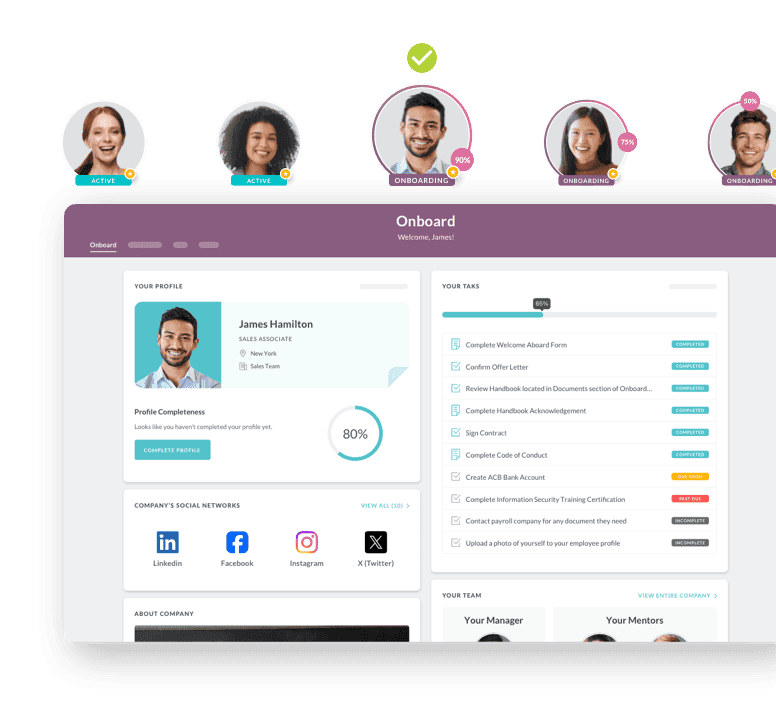
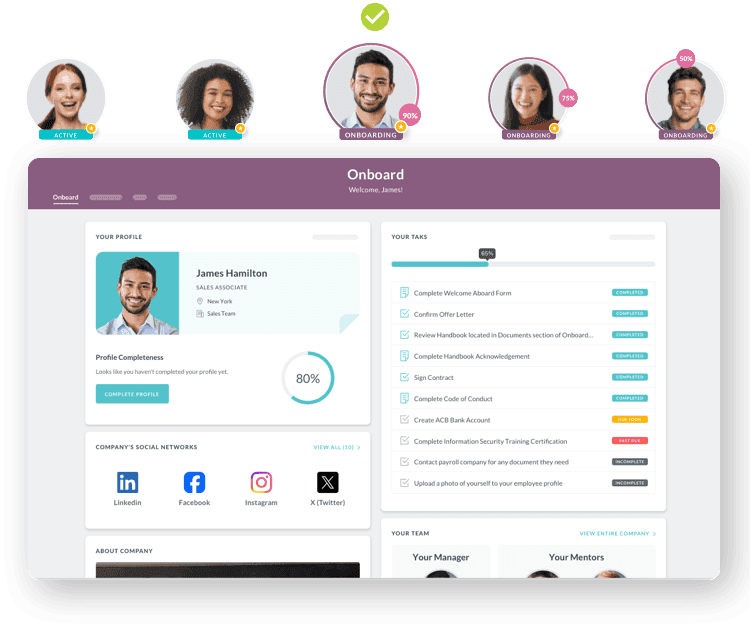
HR Cloud's Onboard platform supports healthcare credential tracking through document request tasks that can be chained to specific roles and credential types, so a nurse's license and certification requirements are assigned automatically based on her position rather than configured one employee at a time. Renewal reminders escalate on a defined schedule, moving from employee-facing alerts to manager notification if a credential approaches its expiration date without a renewal on file.
For hospitals onboarding nurses who don't work from a company email address, HR Cloud's Maya is an SMS-first onboarding agent built for exactly this kind of frontline, deskless workforce. Instead of routing a new hire's credentialing paperwork through an email inbox she may not check between shifts, Maya can reach her directly by text, which shortens the gap between "document requested" and "document submitted" for the population most likely to fall through a desktop-only process.
Document uploads tied to employee profiles
Licenses, certifications, and CE completion records upload directly to the employee's profile, so the document and its expiration date live in the same record instead of a document store separate from the tracking system. Role-based access controls determine who can view or edit which documents, which matters in a hospital setting where credential records for one department shouldn't be broadly visible across the organization. This same document infrastructure supports People, HR Cloud's core HRIS, so credential records stay connected to the broader employee record rather than living in a standalone module.
Audit-ready reporting for accreditation bodies
HR Cloud's reporting tools can generate a current-status export filtered by department, role, or credential type, built for the moment a Joint Commission surveyor or an internal compliance officer asks for proof of current licensure across a unit. I-9/E-Verify integration and Checkr background check workflows run alongside credential tracking in the same platform, so a hospital isn't managing compliance documentation across three separate systems for a single new hire.
This matters as much for multi-facility health systems as for a single hospital. A health system running credential tracking through HR Cloud's People HRIS can pull a status report across every facility at once, rather than requesting a separate export from each site and reconciling them manually before a system-wide audit or a board review. That's the same standardization problem raised earlier, applied at reporting time instead of tracking time: one system of record produces one report, not five reports that need to be checked against each other first.
Common Mistakes in Credential Tracking
Relying on employee self-reporting alone
A system that depends entirely on employees remembering to upload their own renewed license is a spreadsheet with extra steps. It fails for the same reason spreadsheets fail: it assumes a busy person will remember a low-frequency task on their own, with no mechanism to catch it when they don't. A nurse mid-renewal, juggling CE hours and a full shift schedule, is exactly the person most likely to let a self-reported update slip. Self-service visibility should supplement HR's tracking, not replace it. The alert and escalation logic still needs to run independently of whether the employee remembers to act on it.
No escalation path when renewals are missed
An alert that fires once and stops if it's ignored isn't a safeguard, it's a notification. If a 30-day reminder goes out and nothing happens next, the system has done the easy part and skipped the part that actually prevents a lapse. Every credential type needs a defined answer to "what happens if this alert goes unanswered," whether that's escalation to a manager, a hard block on scheduling that credential-holder for shifts requiring it, or both.
Not linking credentials to job eligibility
The most serious version of this mistake is a credential tracking system that runs independently of the scheduling system, so a lapsed license doesn't actually stop that nurse from being scheduled. A tracker can flag an expired ACLS certification perfectly and still let that nurse get assigned to the code team next week, if nothing connects the flag to the schedule itself. Credential status should connect to eligibility for the shifts and tasks that specific credential authorizes, not exist as a parallel record that scheduling never checks.
The ROI of Automated Credential Tracking
Reduced compliance risk and audit prep time
Credential tracking pays off before an audit ever happens. The first return is knowing which employee is becoming a staffing risk before that risk lands on next week's schedule, not after. Audit prep that used to mean pulling personnel files department by department compresses into generating a report, which matters every time a survey is announced and matters even more when one isn't, since unannounced surveys are increasingly common under current Joint Commission practice. Every credential caught before expiration is a compliance gap, a potential scheduling crisis, and a piece of liability exposure that never materializes in the first place, which is a harder number to put on a spreadsheet than hours saved, but it's the larger part of the return. The U.S. credentialing software and services market in healthcare reached roughly $267.72 million in 2024 and is projected to grow at nearly 7% annually through 2033, according to Grand View Research, and that growth is driven directly by hospitals making this same calculation: the cost of the software is smaller than the cost of the gaps it prevents.
National RN turnover climbed to 17.6% in 2025, up 1.2 percentage points from the year before, now costing the average hospital $5.19 million annually according to the 2026 NSI National Health Care Retention & RN Staffing Report. That means credentialing isn't a one-time setup task for most hospitals. It's a continuous process running against a workforce that's constantly onboarding, and turnover heading back up makes the tracking burden heavier, not lighter, at exactly the moment a manual system is least equipped to absorb it.
If a credentialing coordinator spends even 15 minutes a month manually checking and updating status for each of 600 clinical staff, that's 150 hours a year spent on status-checking alone, before counting the time spent chasing anyone who's actually overdue. Automating the status check and the first-line reminder doesn't eliminate the coordinator's role. It removes the part of the job that was never a good use of a trained person's time in the first place, and frees that time for the follow-through that actually needs a human: the conversation with a nurse whose renewal is genuinely at risk.
Closing the Loop on Credential Tracking
A nurse showing up to a shift she's no longer licensed to work is the visible symptom of a tracking system that didn't catch the problem weeks earlier, when it was still preventable. Spreadsheets and manual reminders can work at a small enough scale, for a short enough time, with a dedicated enough person watching them. They don't hold up against real hospital turnover, multiple credential types per role, and the reality that the person responsible for catching every date is also responsible for a dozen other things.
Automated credential tracking doesn't just replace the spreadsheet. It shifts the system from reactive, where gaps surface during an audit or a scheduling crisis, to proactive, where a credential at risk of lapsing surfaces on its own, early enough to fix. For a hospital HR team, that's the difference between chasing renewals and staying ahead of them.
Most hospitals that get here start with the highest-risk credential types, RN licenses and code-team certifications, get the inventory and alert cadence right for those, and expand the system to lower-stakes credentials once the core process is proven. Hospitals do not need another place to store a license PDF. They need visibility into what is current, what is expiring, what is missing, and who needs to act next, before a credential problem becomes a staffing problem.
If your current process still depends on someone remembering to check a spreadsheet, see how HR Cloud's Onboard platform can help your healthcare team track employee documents, credentials, and renewal follow-up. See how HR Cloud supports healthcare teams with employee onboarding, document collection, credential visibility, and workforce workflows.

Discover how our HR solutions streamline onboarding, boost employee engagement, and simplify HR management
Book a DemoFrequently Asked Questions
How Far in Advance Should Renewal Alerts Be Sent?
High-risk credentials, like a primary nursing license or a code-team certification, should get a first alert at 90 days out, with escalating reminders at 60, 30, 14, and 7 days if no renewal has been logged. Lower-risk annual trainings can run on a shorter runway, but every credential type should have at least one alert early enough that a lapse is still preventable, not just detectable after the fact.
Can Credential Tracking Software Integrate with State Licensing Boards?
Most credential tracking software doesn't pull renewal status directly from state licensing boards in real time. Instead, it tracks the renewal date the hospital has on file and alerts before that date, with the employee or HR uploading the renewed license as proof once it's issued. A small number of specialized credentialing platforms offer primary source verification integrations with state boards and databases like the NPDB, but that's a distinct capability from day-to-day expiration tracking, and it's worth confirming explicitly with any vendor rather than assuming it's included.
Who Should Own Credential Compliance: HR or Department Heads?
Ownership works best split, not assigned to one side alone. HR or a dedicated credentialing coordinator typically owns the system itself: configuring alert timelines, maintaining the credential inventory, and running the tracking process day to day. Department managers own the follow-through with their own staff once an alert escalates, since they're the ones who can immediately address a coverage gap if a credential does lapse. A system with only one owner tends to break at exactly the point where that person is out sick, on vacation, or simply overloaded.
What Happens If a Credential Lapses Before Renewal?
If a license or certification lapses before renewal, the employee is no longer authorized to perform the tasks that credential covers, and scheduling needs to reflect that immediately, not after the fact. Hospitals generally need a defined policy for restricting duties when a required credential is no longer current, and the exact response, whether that's reassignment, pulling the employee from specific shifts, or another remedy, depends on the credential, role, and facility policy. This is exactly the scenario automated alerting exists to prevent, since a properly configured escalation sequence should surface a credential at real risk of lapsing weeks before it actually does.
What KPIs Should Hospitals Track for Credentialing Success?
The clearest signal is the number of credentials that lapse before renewal, tracked monthly. A well-run system should trend that number toward zero. Secondary metrics worth watching: average time between an alert firing and the employee responding, percentage of credentials with documentation on file versus tracked by date alone, and time required to generate a full audit-ready compliance report. That last one is a useful proxy for how much manual work would still be required if a surveyor asked for proof today.
Is Credential Tracking Different From General Document Storage?
Yes. General document storage keeps a file. Credential tracking keeps a file and actively monitors the date attached to it, alerting before that date passes and, ideally, connecting the credential's status to whether that employee is eligible for the shifts or tasks it authorizes. A hospital can have excellent document storage and still miss renewals if nothing in the system is watching the clock, the same way a filing cabinet full of accurate paperwork never once stopped a license from expiring on its own.
How Long Does It Take to Set Up Credential Tracking for a Hospital?
Most of the setup time goes into the credential inventory step, mapping every role to its required licenses and certifications, not into the software configuration itself. For a single facility with a defined set of roles, initial setup typically runs a few weeks, with ongoing refinement as edge cases (per-diem staff, multi-state licensure, contract nurses) surface during the first few renewal cycles.
About the author

Keep Reading


Like What You Hear?
We’d love to chat with you more about how HR Cloud® can support your business’s HR needs.
Book Your Free Demo