How to Choose the Right Human Resources System

Choosing the right HRIS is one of the most strategic decisions your organization will make. With 85% of organizations now using HR technology to manage people operations, the question isn't whether you need an HRIS—it's which one will truly scale with your business.
The stakes are high. The right HRIS reduces administrative overhead by 40%, cuts onboarding time by 60%, and provides real-time workforce insights that drive better business decisions. The wrong choice leads to costly migrations, frustrated teams, and systems that don't grow with you. Moreover, the right system directly impacts employee retention and engagement programs, helping organizations maintain higher employee satisfaction and retention rates.
This comprehensive guide breaks down exactly what to look for in an HRIS, how to evaluate vendors effectively, and which capabilities matter most for different company sizes and industries.
What is an HRIS?
An HRIS (Human Resources Information System) is a centralized software platform that automates, manages, and tracks all core HR processes and employee data. Think of it as your digital command center for everything related to your workforce—from the moment a candidate applies to the day an employee departs.
Unlike legacy systems that required manual data entry across disconnected spreadsheets, modern HRIS software like HR Cloud's People HRIS creates a single source of truth for employee information. This means demographics, job history, compensation, benefits, time-off balances, performance reviews, and compliance documents all live in one secure, accessible location.
The Evolution of HRIS: From Record-Keeping to Strategic Platform
HRIS systems have evolved dramatically. Today's leading solutions extend far beyond basic employee record management to include:
- Applicant Tracking Systems (ATS) to streamline hiring workflows, support candidate evaluation through pre-employment testing and behavioral assessments, and reduce time-to-fill by 35% (source: SHRM 2024 Recruitment Benchmarking Report)
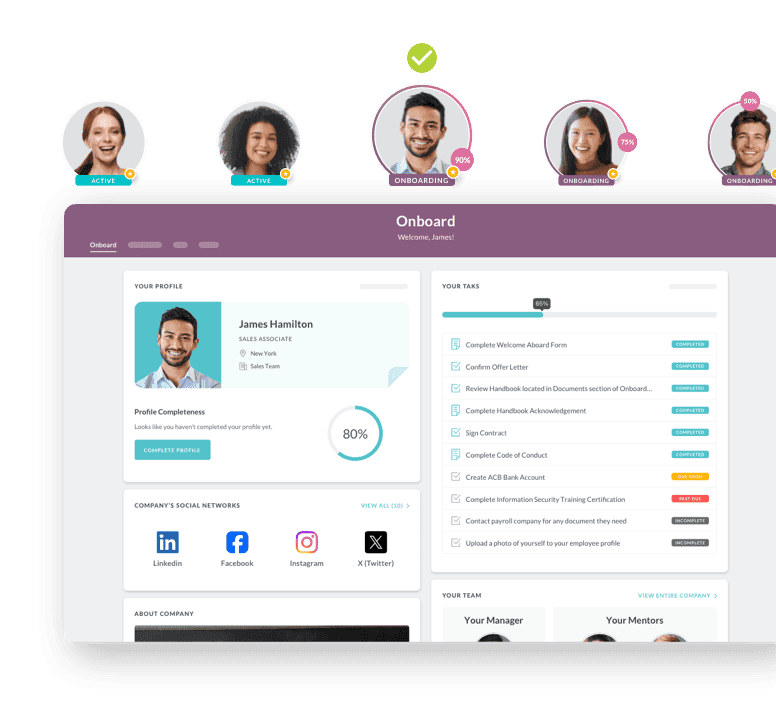
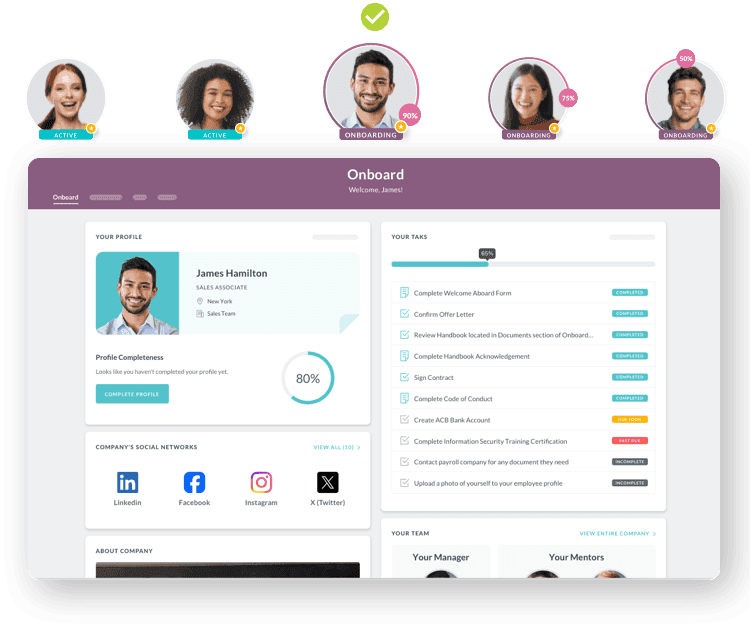
- Automated onboarding platforms that transform paper-heavy processes into digital experiences, improving job readiness and getting new hires productive 3x faster
- Time and attendance tracking with mobile clock-in/out capabilities for distributed and frontline teams
- HR and benefits administration to simplify open enrollment and ensure payroll accuracy
- Performance management tools that align individual goals with company objectives through continuous feedback, performance coaching, and employee feedback mechanisms
- Learning management capabilities and learning experience platforms to track certifications, compliance training, employee training programs, skills assessment, and skill development including both hard skills and soft skills like emotional intelligence, problem solving, critical thinking, and adaptability
- Employee engagement and retention platforms that drive engagement and retention through consistent communication, team engagement initiatives, and culture-building
For organizations with frontline or distributed workforces, mobile-first HRIS capabilities are non-negotiable. HR Cloud's mobile app ensures that employees without desk access can still complete onboarding paperwork, request PTO, access pay stubs, and stay connected to company communications—all from their smartphones.
The Benefits of an HRIS
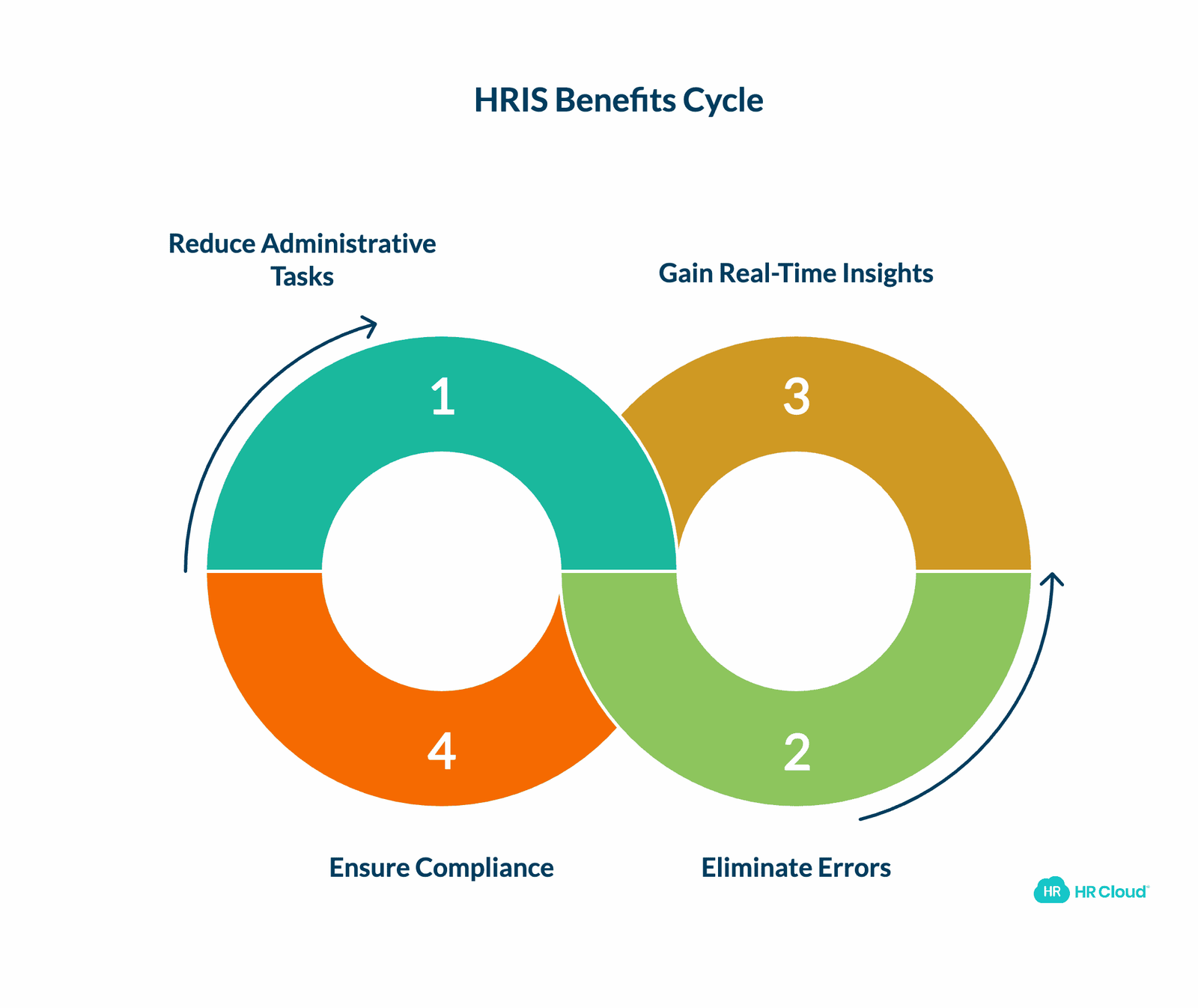
Implementing a modern HRIS delivers measurable ROI across multiple dimensions. According to Gartner's 2024 HR Technology Survey, organizations report an average 42% reduction in time spent on administrative HR tasks within the first year of HRIS adoption.
Eliminate Manual Processes and Human Error
Spreadsheet-based HR management is a liability. Manual data entry creates errors that cascade into payroll mistakes, compliance gaps, and employee dissatisfaction. HRIS platforms automate data collection through employee self-service portals, workflow triggers, and payroll integrations that ensure accuracy.
HR Cloud's ADP integration, for example, eliminates duplicate data entry entirely. When you onboard a new hire in HR Cloud Onboard, their information flows directly into ADP Workforce Now, creating their employment record and payroll profile automatically.
Gain Real-Time Workforce Insights
The best HRIS platforms transform raw employee data into actionable intelligence through workforce analytics. Advanced reporting capabilities help you:
- Identify turnover trends before they become retention crises and improve employee retention
- Track time-to-hire and cost-per-hire metrics to optimize recruiting ROI
- Monitor PTO accrual and usage patterns to prevent burnout
- Analyze compensation equity across departments and demographics
- Measure training completion rates and certification renewals
- Conduct skills gap analysis and skills mapping to identify development opportunities
- Track employee engagement survey results and implement targeted engagement programs
These insights empower HR leaders to move from reactive firefighting to proactive workforce planning and talent management. When you can see retention patterns six months in advance, you have time to implement engagement initiatives that actually work.
Ensure Compliance and Security
Compliance requirements grow more complex every year. Multi-state employers must navigate different labor laws, wage regulations, and leave policies. Global companies face GDPR, data residency requirements, and local employment regulations across dozens of jurisdictions.
An HRIS with built-in compliance workflows and audit trails is essential. Look for platforms that offer:
- Automated I-9 and E-Verify processing with expiration tracking
- Configurable approval chains that enforce SOX and financial controls
- Role-based permissions that restrict access to sensitive data
- Encryption both in-transit and at-rest for employee information
- SOC 2 Type II certification (like HR Cloud's security protocols)
For healthcare, construction, and other highly regulated industries, compliance isn't a nice-to-have—it's a requirement. HR Cloud's industry-specific configurations ensure that your HRIS adapts to your sector's unique regulatory landscape.
HRIS Benefits Across the Organization
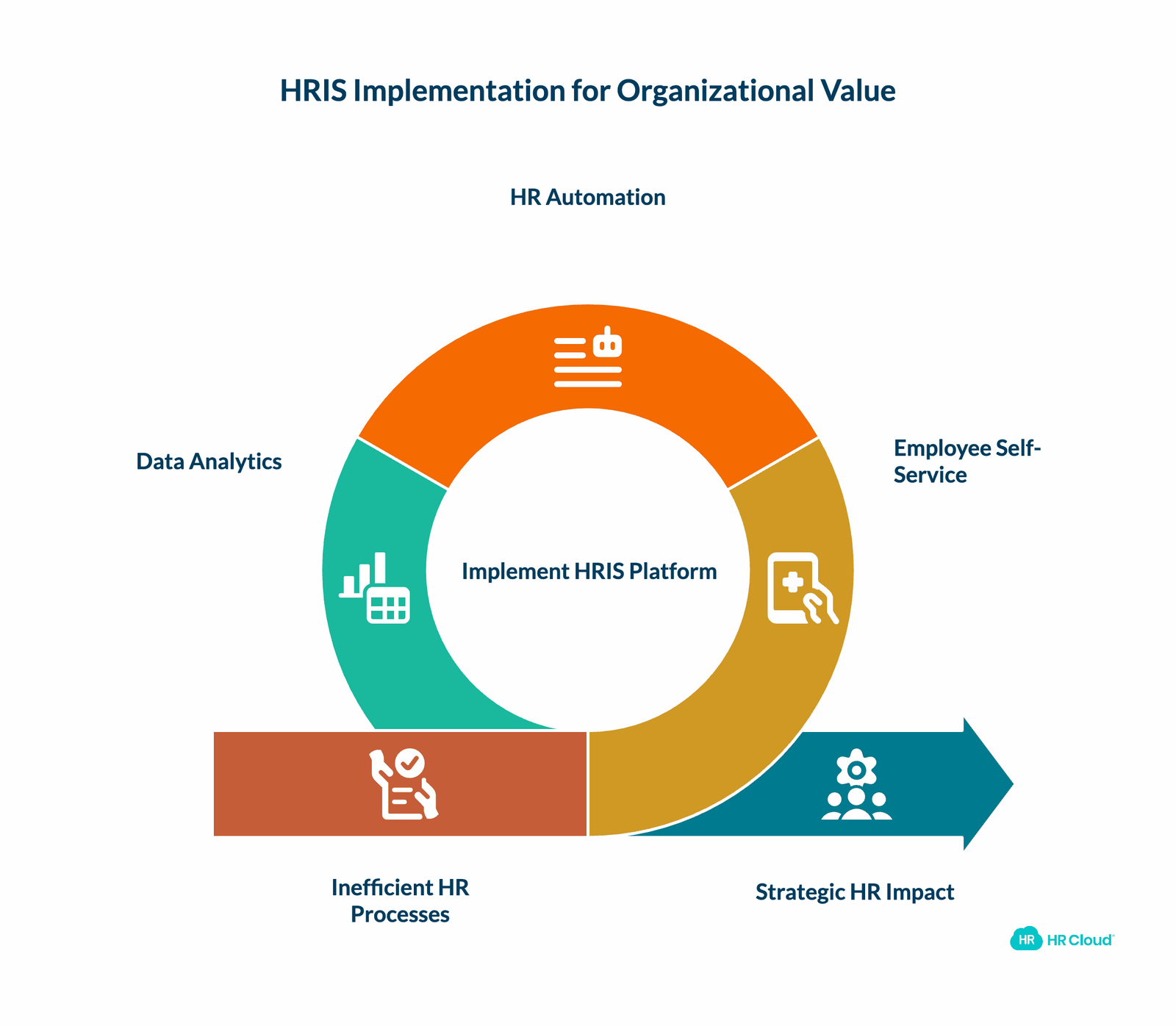
HRIS impact extends far beyond the HR department. When implemented effectively, these platforms create value for every stakeholder in your organization.
For Employees: Self-Service and Transparency
Modern employees expect consumer-grade technology experiences at work. The days of emailing HR to check a PTO balance or update a W-4 are over. Employee self-service portals put control in employees' hands, letting them:
- View and download pay stubs instantly
- Submit PTO requests with real-time approval status
- Update personal information and emergency contacts
- Access company policies and training materials on-demand
- Track their own performance goals, career paths, and review history
- Explore career development opportunities and career mapping tools
- Access personalized development plans and professional development resources
This transparency drives engagement. When employees can see exactly how much PTO they've accrued, when their next performance review is scheduled, what training certifications are required for advancement, and clear paths for career growth, they feel empowered to manage their own career progression.
For frontline workers in retail, healthcare, manufacturing, and hospitality, mobile accessibility is critical. A nurse starting a shift at 6 AM can't wait until they're near a desktop computer to call in sick or check their schedule. HR Cloud's mobile-first design ensures every employee has equal access to HR resources, regardless of their work environment.
For HR Leaders: Strategic Impact and Executive Visibility
The HR function has evolved from administrative support to strategic business partner. HRIS platforms enable this transformation by automating transactional work and surfacing insights that inform critical business decisions around talent management, succession planning, and workforce strategies.
According to Deloitte's 2024 Global Human Capital Trends report, CHROs at high-performing organizations spend 60% less time on administrative tasks and 3x more time on workforce strategy compared to their peers at underperforming companies. The difference? Sophisticated HRIS capabilities that handle routine work automatically.
With HR Cloud's analytics and reporting suite, HR leaders can:
- Build custom dashboards that track KPIs leadership actually cares about
- Generate headcount reports by department, location, and cost center
- Monitor diversity metrics and progress toward DEI goals
- Calculate true cost-per-hire including recruiting, onboarding, and ramp time
- Identify flight risk indicators before top performers start interviewing elsewhere
- Conduct employee skills assessments and continuous assessment for succession planning
- Implement competency frameworks that support skills-based organizations
These insights earn HR a seat at the executive table. When you can demonstrate that your onboarding improvements reduced time-to-productivity by 40% and saved $250K annually, CFOs pay attention.
For the Business: Bottom-Line Impact
Organizations with high employee engagement outperform competitors by 147% in earnings per share, according to Gallup's State of the Global Workplace 2024 report. Research from the Gallup Q12 employee engagement survey consistently shows that highly engaged teams demonstrate superior performance outcomes. HRIS platforms drive this engagement by improving communication, recognition, and the overall employee experience.
HR Cloud Workmates combines internal communication, peer recognition, and company culture-building in one platform. When employees can celebrate wins publicly, connect with colleagues across departments through collaboration tools and teamwork initiatives, and stay informed about company updates, engagement naturally increases. This creates a culture of engagement that reduces the number of disengaged employees and prevents workers from becoming disengaged at work. Understanding that employee engagement is directly tied to business performance, organizations can improve engagement through strategic use of HRIS capabilities that foster engagement and performance.
The financial benefits compound over time:
- Reduced administrative overhead (40% average reduction in HR processing time)
- Lower turnover costs ($4,000-$15,000 saved per prevented resignation) through improved retention rates
- Faster onboarding ramp (new hires reach full productivity 3x faster)
- Improved compliance (avoiding costly EEOC, DOL, and IRS penalties)
- Better talent acquisition (stronger employer brand attracts better candidates)
- Enhanced internal mobility that retains high performers and reduces external hiring costs
For mid-market companies scaling from 100 to 500 employees, the right HRIS can mean the difference between smooth growth and organizational chaos.
What to Look for in an HRIS
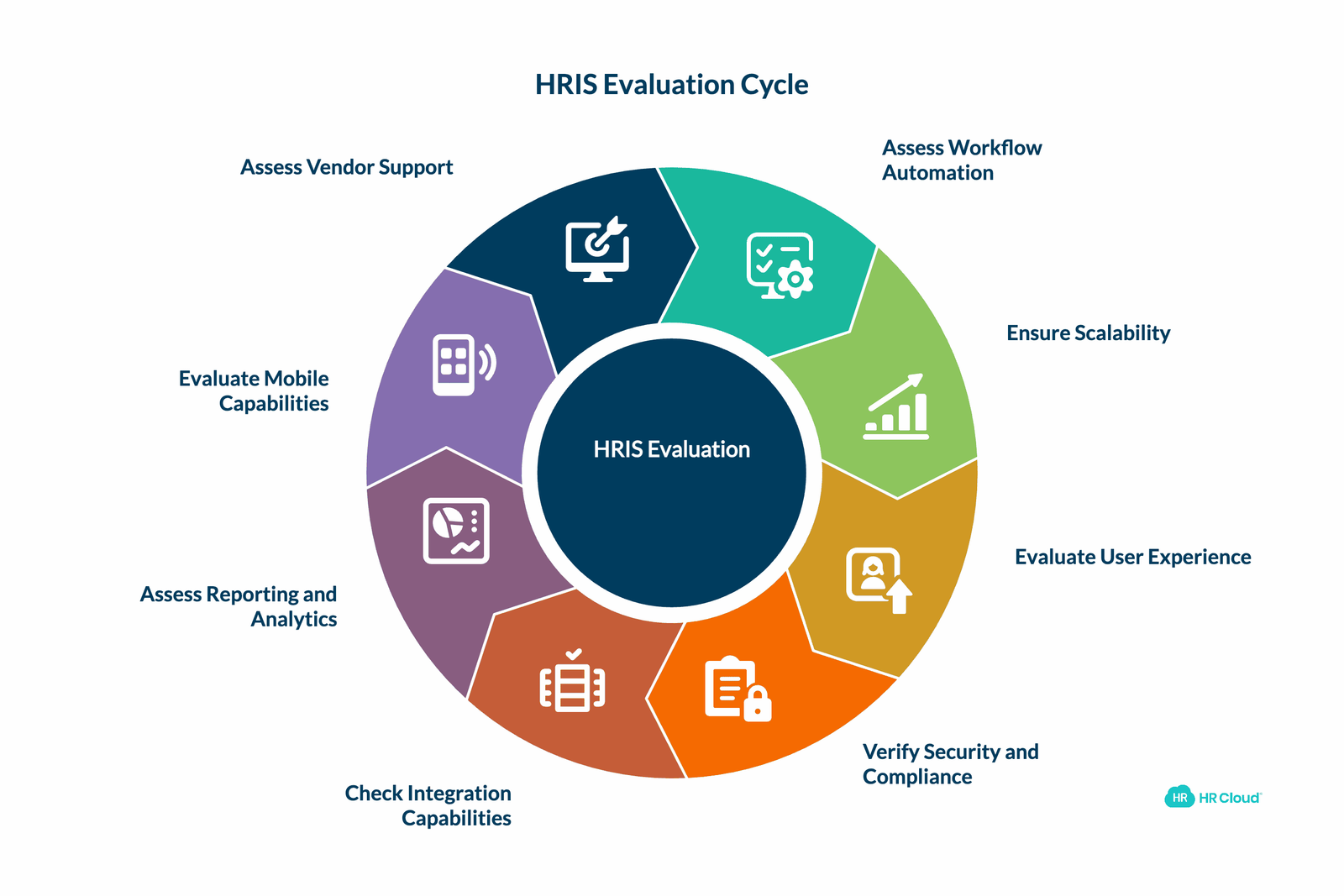
Evaluating HRIS vendors requires a structured approach. The platforms that win sales demos often fail during implementation or don't scale as your company grows. Here's a comprehensive framework for making the right choice.
1. Workflow Automation and Process Efficiency
The primary value of an HRIS is eliminating manual work. Look for proven automation capabilities across the entire employee lifecycle:
Onboarding automation should include:
- Customizable workflows that trigger based on department, location, or role to streamline the onboarding process
- Automatic task assignment to HR, IT, hiring managers, and new hires
- E-signature integration for offer letters, handbooks, and policy documents
- I-9 and E-Verify automation with expiration tracking and reminders
- Integration with payroll systems to create employee records automatically
HR Cloud Onboard excels here. Customers report cutting onboarding time by 60% and reducing paperwork errors by 90%. One healthcare client onboarding 200+ nurses annually eliminated three full-time equivalent positions' worth of manual work.
Performance management automation should include:
- Scheduled review cycles with automatic reminders to employees and managers
- 360-degree feedback collection with anonymous submissions
- Goal-setting frameworks aligned to company objectives
- Continuous feedback mechanisms outside formal review periods
- Skills tests and assessment methods to identify high performers
Offboarding automation prevents security risks and ensures knowledge transfer:
- Exit interview scheduling and survey distribution
- Automatic IT asset recovery tracking
- Final paycheck and benefits termination workflow
- Access revocation across all systems (when integrated with HR Cloud's offboarding module)
Ask vendors for specific examples: "How many workflow steps can I automate in your platform?" Generic promises mean nothing. Request customer references who can speak to actual time savings.
2. Scalability: Growth Without Migration Pain
Nothing derails HR operations like outgrowing your HRIS. Migrating to a new platform is expensive, time-consuming, and disruptive to employees who must relearn systems.
When evaluating scalability, consider:
Employee volume capacity: Can the HRIS handle your current headcount plus 5x growth? Some "small business" solutions break down above 250 employees. Others claim to serve enterprises but provide terrible experiences for companies under 1,000 employees. HR Cloud serves organizations from 50 to 5,000+ employees with the same platform, adjusting features and support levels as needed.
Geographic expansion: If you might hire employees in multiple states or countries, international capabilities matter. Look for:
- Multi-currency payroll support
- Localized tax and compliance workflows
- Language localization for the employee experience
- Data residency options to comply with GDPR and local regulations
Module expansion: Your HRIS should grow with your sophistication. Start with core HR and onboarding, then add performance management, learning and development, advanced analytics, and engagement tools as your team matures. Support for internal mobility and career mapping becomes essential as organizations scale. Modular platforms like HR Cloud let you expand without switching vendors.
Integration ecosystem: As your tech stack grows, your HRIS must connect to more systems. Evaluate:
- Native integrations (pre-built, maintained by the vendor)
- Marketplace/partner integrations (third-party connectors)
- Open API capabilities for custom integrations
HR Cloud offers native integrations with ADP, UKG, Workday, SAP, Paylocity, Microsoft Teams, and Slack, plus an open API for custom connections.
3. User Experience and Adoption
The most feature-rich HRIS is worthless if employees refuse to use it. According to a 2024 study by HiBob, 67% of HRIS implementations fail to achieve target adoption rates in the first year, primarily due to poor user experience.
Evaluate UX through the lens of three distinct user groups:
HR administrators need:
- Intuitive navigation that doesn't require extensive training
- Bulk actions for updating multiple employee records simultaneously
- Customizable dashboards that surface their most-used functions
- Advanced search and filtering to find information quickly
- Clear visual indicators for tasks requiring attention
Managers need:
- Quick approval workflows for PTO, timecards, and requisitions
- Team dashboards showing attendance, upcoming reviews, and certifications
- One-click access to direct report profiles and documents
- Mobile capabilities for approving requests on-the-go
- Tools for manager development and leadership capabilities enhancement
Employees need:
- Consumer-grade interfaces that feel intuitive (like apps they use personally)
- Self-service access to all personal information
- Clear visibility into PTO balances, pay history, and benefits selections
- Mobile access for workers without desk-based roles
- Easy access to employee feedback channels and engagement programs
HR Cloud's employee experience prioritizes frontline workers. Whether you're a construction worker checking your schedule from a job site, a retail associate swapping shifts before a store opening, or a nurse reviewing benefits during a break, the mobile experience provides full functionality without requiring a desktop computer.
Pro tip: During vendor demos, have actual employees (not just HR staff) test the system. Their feedback on intuitiveness matters more than feature checklists.
4. Security, Compliance, and Data Protection
HRIS platforms store your organization's most sensitive data: Social Security numbers, bank account details, health information, salary data, and performance reviews. A security breach isn't just embarrassing—it's legally and financially catastrophic.
Essential security capabilities include:
- Encryption: Data must be encrypted both at-rest (when stored) and in-transit (when transmitted). Look for AES-256 encryption standards.
- Access controls: Role-based permissions let you restrict who sees sensitive information. A hiring manager shouldn't see salary data for employees outside their department. A regular employee shouldn't access termination records.
- Audit trails: Every action in the system should be logged with timestamps and user IDs. If someone inappropriately accesses an employee file, you need to know who and when.
- SOC 2 Type II certification: This independent audit verifies that security controls are both designed properly and operating effectively. HR Cloud maintains SOC 2 Type II certification, demonstrating commitment to enterprise-grade security.
- GDPR compliance: If you have European employees or customers, GDPR compliance is mandatory. This includes data residency options, right-to-deletion workflows, and consent management.
Compliance features should cover:
- I-9 and E-Verify: Automated verification with expiration tracking and re-verification reminders
- FLSA compliance: Proper classification of exempt vs non-exempt employees, overtime tracking
- Leave management: FMLA, ADA, and state-specific leave laws with automatic accrual calculations
- EEO reporting: Data collection and reporting for EEOC compliance
- Document retention: Configurable retention policies that auto-delete records per legal requirements
For healthcare organizations, HIPAA compliance adds another layer. For financial services, SOX controls matter. For construction, OSHA recordkeeping is critical. Your HRIS should adapt to your industry's regulatory environment and hiring practices.
5. Integration Capabilities: The Connected Tech Stack
No HRIS operates in isolation. Your platform must exchange data with payroll, benefits administration, time tracking, learning management, and other HR systems.
Integration approaches fall into three categories:
1. Native integrations are built and maintained by the HRIS vendor. These tend to be most reliable with deepest data synchronization. HR Cloud offers native integrations with major payroll providers:
- ADP Workforce Now (bi-directional sync of employee data, org changes, and onboarding completion)
- Workday
- UKG
- SAP SuccessFactors
- Paylocity
- Paycor
- Dayforce
2. Marketplace/partner integrations are built by third parties or the other software vendor. These can work well but may break when either platform updates.
3. API-based custom integrations require development work but offer maximum flexibility. HR Cloud provides open APIs for custom connections.
Critical integration questions to ask:
- Which direction does data flow? (One-way vs bi-directional)
- What triggers data synchronization? (Real-time, hourly, daily)
- What happens when data conflicts occur? (Which system is source of truth)
- How are integration errors handled and reported?
- Is there an additional cost for integrations?
The best HRIS vendors proactively monitor integration health and alert you to issues before they impact payroll or compliance.
6. Reporting, Analytics, and Business Intelligence
Descriptive analytics answer "what happened?" (How many employees did we hire last quarter?) Predictive analytics answer "what might happen?" (Which employees are at risk of leaving?) Prescriptive analytics answer "what should we do?" (Which retention interventions will work best?)
Most HRIS platforms offer basic reporting. Sophisticated platforms provide analytics that drive strategic decisions and improve organizational performance.
Essential reporting capabilities:
- Pre-built reports for common HR needs (headcount, turnover, time-to-fill, demographics)
- Custom report builder with drag-and-drop field selection
- Scheduled report delivery via email
- Exportable data in multiple formats (Excel, CSV, PDF)
- Visualization options (charts, graphs, pivot tables)
- Filtering by department, location, employee type, or date range
Advanced analytics capabilities:
- Trend analysis showing changes over time
- Cohort analysis comparing employee groups
- Predictive models for turnover and performance
- Compensation benchmarking and equity analysis
- Real-time dashboards with auto-refreshing metrics
- Skills data tracking through employee skills assessments and competency frameworks for workforce development
- Skills gap analysis and skills mapping to identify reskilling needs
- Behavioral assessments to understand team dynamics and cognitive abilities
- Continuous assessment capabilities for ongoing talent evaluation
HR Cloud's analytics suite combines both standard HR reporting and engagement metrics from Workmates, giving you complete visibility into how employee experience drives business outcomes and performance outcomes.
Pro tip: During demos, ask vendors to build a custom report using your actual data scenarios. Generic demo reports with fake data don't reveal platform limitations.
7. Mobile Capabilities for Distributed Workforces
If your workforce includes retail workers, field technicians, healthcare providers, hospitality staff, manufacturing employees, or construction crews, mobile capabilities aren't optional—they're mandatory.
According to Gallup's 2024 American Upskilling Study, 47% of U.S. employees work in roles that don't provide regular access to a desktop computer. These frontline workers have been underserved by HR technology designed primarily for knowledge workers.
Mobile HRIS requirements for frontline teams:
- Native mobile apps (iOS and Android), not just responsive websites
- Offline functionality for completing forms without internet connectivity
- Push notifications for schedule changes, PTO approvals, and company announcements
- Mobile-optimized forms with large touch targets and minimal typing
- Camera access for uploading documents like license photos or certifications
- Biometric authentication for secure, password-free login
- Language localization for multilingual workforces
HR Cloud's mobile app was specifically designed for frontline workers. Clients in healthcare, hospitality, and manufacturing report 90%+ mobile adoption rates among non-desk employees.
Kiosk mode is another critical capability for shared workspaces. Instead of distributing laptops, employees can complete onboarding paperwork from a shared iPad or tablet in a break room, with the system automatically logging them out afterward.
8. Vendor Support and Implementation Success
HRIS implementation failure rates hover around 30-40%, often due to poor vendor support, inadequate training, or misaligned expectations.
Evaluate vendor support across these dimensions:
Implementation methodology:
- What's the typical timeline for go-live? (Red flag if less than 4 weeks for enterprise deployments)
- Is implementation included in licensing costs or an additional fee?
- Who leads implementation—the vendor's team or a third-party consultant?
- What's expected from your team during implementation?
- Is data migration from your current system included?
Training and enablement:
- Is administrator training included?
- Are training materials (videos, documentation) available 24/7?
- Do you provide train-the-trainer programs for our HR team?
- What training resources are available for end-users?
- Are there development programs for building technical skills and leadership skills?
Ongoing support:
- What support channels are available? (Phone, email, chat, ticketing system)
- What are your support hours? (9-5 vs 24/7 availability)
- What's your average response time for critical issues?
- Is there an additional cost for premium support tiers?
- Do you provide a dedicated Customer Success Manager?
Product evolution:
- How often do you release feature updates?
- How do you communicate upcoming changes to customers?
- Can customers influence your product roadmap?
- Do you grandfather pricing for existing customers or raise rates over time?
HR Cloud provides white-glove implementation support, dedicated Customer Success Managers for enterprise clients, and 24/7 technical support to ensure your investment delivers ROI quickly.
Pro tip: Request customer references at companies similar to yours in size and industry. Ask them specifically about implementation challenges and vendor responsiveness.
HRIS Selection by Company Size
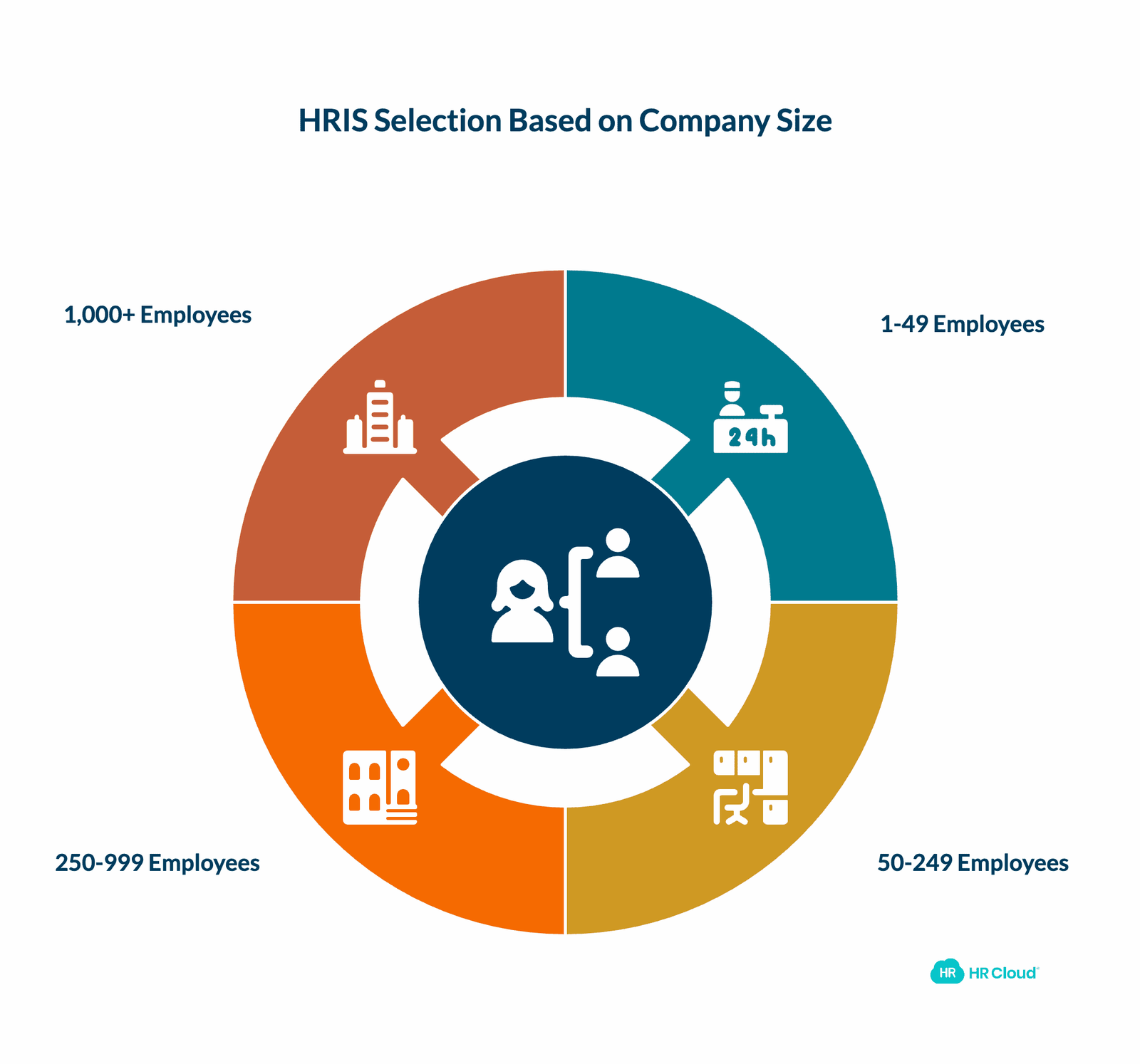
Your organization's size dramatically impacts which HRIS will serve you best. Here's how to think about HRIS selection based on employee count:
For 1-49 Employees
Focus on simplicity and cost-effectiveness. You need core HR functionality without complexity. Look for:
- Simple setup (under 2 weeks)
- Minimal training requirements
- Basic reporting capabilities
- Essential compliance features (I-9, W-4, state tax forms)
- Affordable pricing ($6-12 per employee per month)
At this stage, small business solutions like Gusto or BambooHR Core plans work well. You may not need separate performance management or advanced analytics yet.
For 50-249 Employees
This is HR Cloud's sweet spot. You need more sophistication than basic small business tools but don't want enterprise complexity. Look for:
- Multi-location support
- Customizable workflows for different departments
- Mobile capabilities for frontline workers
- Integration with your payroll provider
- Scalability to 500+ without migration
- Industry-specific configurations
- Implementation support (4-6 weeks typical)
- Development programs for soft skills, hard skills, and leadership development
HR Cloud for growth-stage companies provides enterprise features at mid-market prices, with implementation timelines of 4-8 weeks.
For 250-999 Employees
You require enterprise features without enterprise pricing. Need:
- Advanced permissions and security controls
- Comprehensive reporting and analytics
- Multiple approval workflows
- International employee support (if applicable)
- Dedicated implementation support
- SOC 2 compliance and enterprise security
- Advanced automation capabilities
- Succession planning and talent management tools
- Learning experience platforms for personalized development
HR Cloud's enterprise solutions serve this segment with sophisticated capabilities and white-glove support at prices 50% below traditional enterprise vendors.
For 1,000+ Employees
Consider true enterprise platforms like Workday or UKG, but evaluate if mid-market solutions like HR Cloud with dedicated support can meet needs at lower cost. True enterprise platforms make sense when you need:
- Complex organizational hierarchies
- Advanced workforce planning
- Financial system integration
- Custom development capabilities
- You manage 10,000+ employees across multiple countries
The HR Cloud Advantage: Purpose-Built for Mid-Market and Enterprise Growth
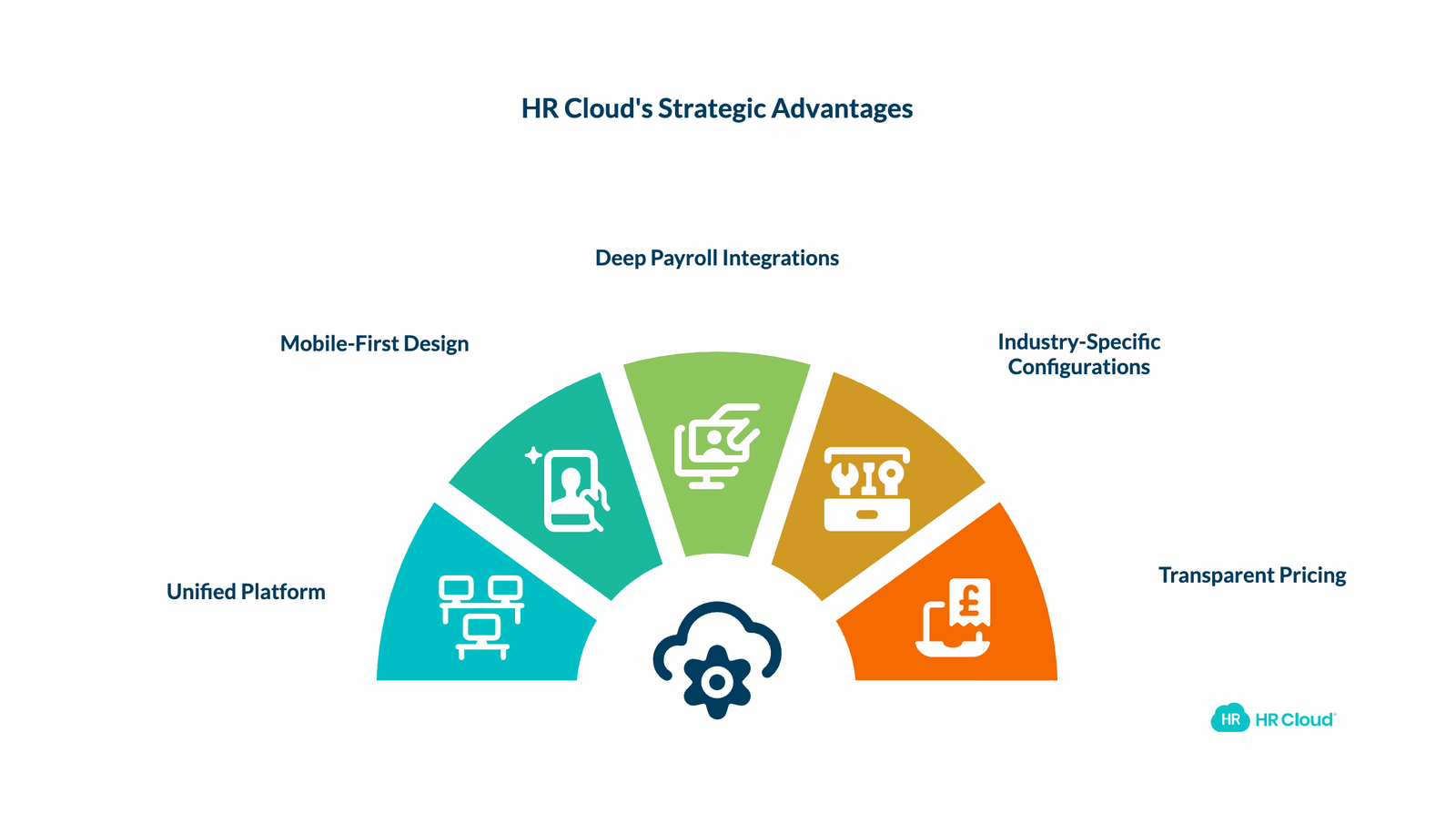
Not all HRIS platforms are created equal. While point solutions like BambooHR work well for small businesses and enterprise giants like Workday serve Fortune 500 companies, there's a critical gap in the market: mid-market and growth-stage companies that need enterprise capabilities without enterprise complexity or cost.
This is where HR Cloud excels.
Unified Platform, Not Piecemeal Solutions
Many competitors offer "platforms" that are actually acquired products loosely stitched together. You get one interface for onboarding, a different one for performance management, and yet another for employee engagement. Data doesn't flow between modules, and employees must learn multiple systems.
HR Cloud built every module—Onboard, People HRIS, Workmates, Perform, Time Off, Recruit, and Offboard—on a single platform architecture. This means:
- One login for employees across all HR functions
- Consistent user experience from onboarding through offboarding
- Data flows automatically between modules without integration headaches
- Changes in one module instantly reflect everywhere else
Mobile-First Design for Frontline Workers
While competitors treat mobile as an afterthought, HR Cloud designed its platform mobile-first. Over 60% of U.S. workers don't have regular access to a desktop computer. These frontline employees in healthcare, retail, manufacturing, hospitality, and construction have been underserved by HR technology.
HR Cloud's mobile app provides full functionality, not limited features. Employees can:
- Complete entire onboarding workflows from their smartphones
- Access company updates and recognition from anywhere
- View schedules, request PTO, and get approvals without a laptop
- Receive push notifications for important updates and deadline reminders
Clients report 90%+ adoption rates among mobile-first workforces, compared to 40-60% with desktop-only solutions.
Deep Payroll Integrations That Actually Work
Many HRIS vendors claim "seamless" payroll integrations that turn out to be basic data exports requiring manual reconciliation. HR Cloud's partnerships with ADP, UKG, Workday, and other major payroll providers offer true bi-directional synchronization.
With HR Cloud's ADP integration, for example:
- New hire data flows from Onboard to ADP Workforce Now automatically
- Employee changes in ADP (promotions, transfers, raises) sync back to HR Cloud
- You eliminate duplicate data entry and the errors it causes
- Onboarding paperwork generates ADP employment records without HR touching them
Industry-Specific Configurations
Generic HRIS platforms force you to customize extensively to fit your industry's needs. HR Cloud provides pre-configured solutions for:
- Healthcare: HIPAA compliance, credential tracking, shift scheduling
- Manufacturing: Safety training, certification management, shift differentials
- Construction: Project-based assignments, OSHA recordkeeping, equipment tracking
- Retail: Peak season hiring, multi-location management, hourly scheduling
- Technology: Rapid scaling, remote-first tools, technical recruiting integration
- Food & Beverage: High-turnover management, multi-location coordination
- Public Sector: Government compliance, union rules, complex leave policies
These industry packages include pre-built workflows, relevant compliance checklists, and best-practice templates that get you live faster.
Transparent Pricing and Fast Implementation
Enterprise HRIS vendors like Workday quote six-figure implementation fees and 6-12 month timelines. Small business solutions like Gusto lack the sophistication you need as you scale. HR Cloud provides middle-market pricing with enterprise capabilities and implementation timelines of 4-8 weeks.
No bait-and-switch pricing. No mandatory multi-year contracts. No hidden professional services fees.
What Can HR Cloud Do for You?
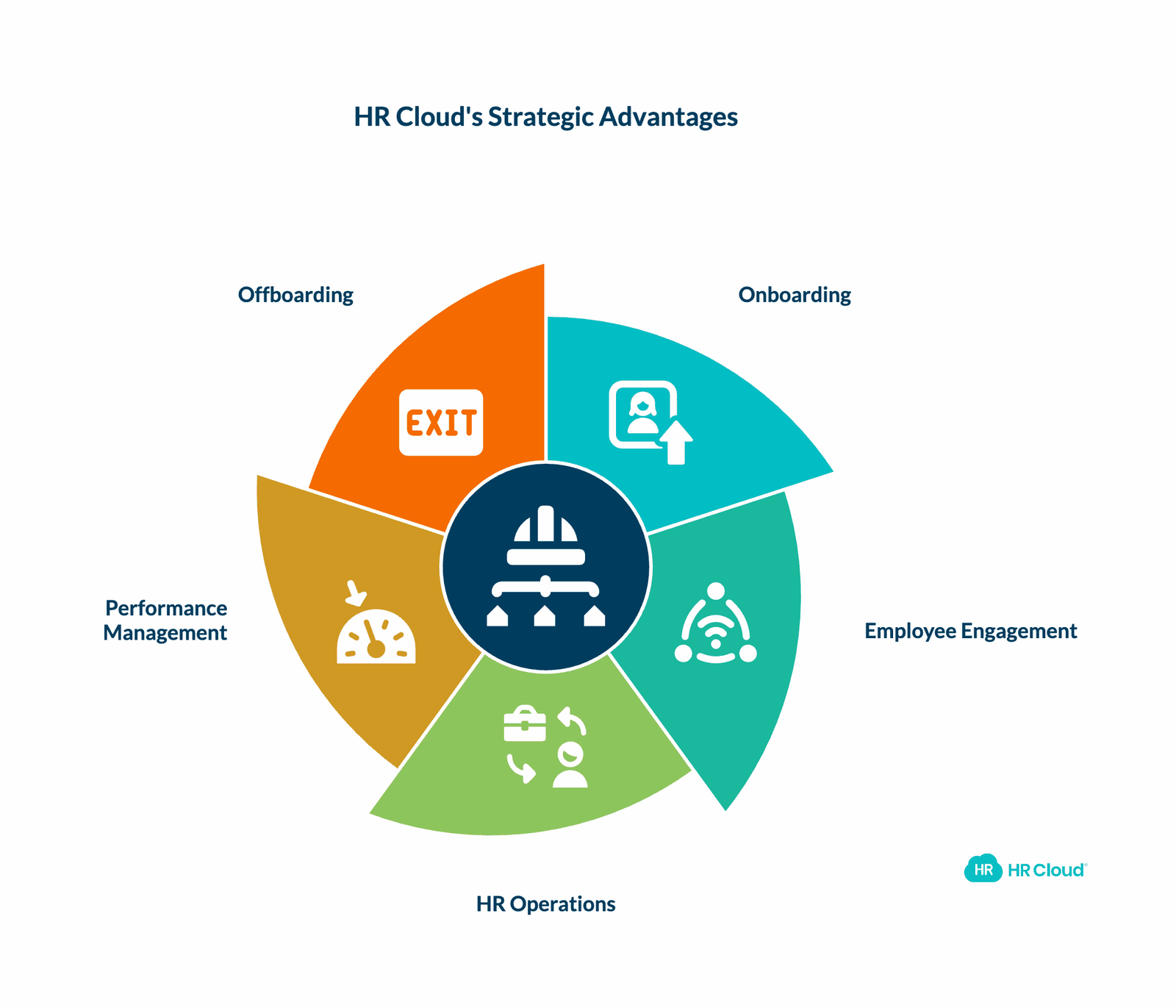
When you partner with HR Cloud, you're not just buying software—you're gaining a strategic advantage in talent acquisition, employee experience, and operational efficiency.
Onboard New Hires 3x Faster
Our onboarding solution transforms chaotic first-day paperwork into streamlined digital workflows. New hires complete I-9 verification, tax forms, benefits enrollment, handbook acknowledgment, and role-specific training before their start date. Hiring managers spend 75% less time on administrative onboarding tasks, focusing instead on integration and productivity.
Use our onboarding ROI calculator to estimate your time and cost savings.
Engage Frontline Workers Who Drive Your Business
Workmates is the leading employee experience platform for distributed and frontline teams. When your employees can receive company updates, recognize peers for great work, access important documents, and stay connected to your company culture—all from their smartphones—engagement soars.
Clients using Workmates report 31% higher retention rates and 2.5x more internal promotion rates.
Simplify HR Operations and Reduce Overhead
People HRIS consolidates employee data into a single, secure system of record. No more spreadsheet chaos. No more manual data entry errors. No more compliance anxiety. Our automation capabilities handle routine tasks while providing real-time insights through customizable dashboards and reports.
HR teams report 40% reductions in administrative workload within the first 90 days.
Drive Performance with Continuous Feedback
Performance management shouldn't be limited to once-a-year reviews. Our continuous feedback tools, goal-setting frameworks, and 360-degree review capabilities help managers develop their teams in real-time. When employees know what's expected and receive regular coaching, performance improves by an average of 27%.
Streamline Exits and Protect Your Business
Offboarding is as important as onboarding. Our automated workflows ensure IT assets are recovered, knowledge is transferred, access is revoked, and exit interviews are conducted. Strong offboarding processes reduce security risks and maintain positive alumni relationships that drive referrals and boomerang hires.
Ready to Transform Your HR Operations?
The right HRIS becomes the backbone of your people strategy. It empowers HR to be strategic, managers to be effective, and employees to be engaged. Most importantly, it grows with you as your organization evolves.
HR Cloud serves mid-market and enterprise organizations across every industry—from 50 to 5,000+ employees. Our unified platform, mobile-first design, deep payroll integrations, and white-glove support ensure implementation success and long-term value.
Take the next step:
- Explore HR Cloud's HRIS software for frontline teams to see how we simplify employee data management
- Watch an Onboard demo to understand how we cut onboarding time by 60%
- Try Workmates to experience our mobile-first employee engagement platform
- Calculate your ROI with our onboarding savings calculator
- Schedule a personalized demo with our team to discuss your specific needs
- View pricing options for transparent, all-inclusive packages
Don't settle for an HRIS you'll outgrow or overpay for enterprise software you don't need. HR Cloud delivers the perfect balance of sophistication, ease of use, and value.
For more HR insights, explore our HR management blog or download our employee onboarding checklist.

Discover how our HR solutions streamline onboarding, boost employee engagement, and simplify HR management
Book Your Free DemoFrequently Asked Questions About Choosing an HRIS
How long does HRIS implementation typically take?
Implementation timelines vary by platform complexity. Small business solutions like Gusto take 2-4 weeks. Mid-market platforms like HR Cloud average 4-8 weeks. Enterprise systems like Workday often require 6-12 months. HR Cloud's modular approach lets you go live with core functionality quickly, then add modules progressively.
What's the typical cost of an HRIS per employee?
Pricing varies widely. Small business tools range from $6-12 per employee per month (PEPM). Mid-market solutions like HR Cloud cost $8-15 PEPM depending on modules. Enterprise platforms often exceed $20 PEPM plus significant implementation fees. Always calculate total cost of ownership including implementation, training, and integration costs—not just monthly software fees.
Should I choose a unified platform or best-of-breed point solutions?
Unified platforms offer single-vendor support, consistent UX, and native data integration. Point solutions excel in specific functions but require you to manage multiple vendors and integrate systems yourself. Most mid-market companies benefit from unified platforms like HR Cloud that combine breadth and depth without complexity. According to research from Gartner, organizations with unified HR platforms report 35% higher user satisfaction and 28% lower total cost of ownership.
How do I get employees to actually use a new HRIS?
Adoption depends on user experience and communication. Choose an intuitive platform with mobile capabilities for frontline workers. Launch with clear training and emphasize employee benefits (easier PTO requests, instant pay stub access). Celebrate early wins. HR Cloud's implementation team provides change management guidance and training resources. Our clients achieve 85%+ employee adoption within 30 days.
What integrations are most important for an HRIS?
Payroll integration is non-negotiable—errors in payroll destroy trust. After that, prioritize integrations with your most-used HR tools: benefits administration, time tracking, background checks, learning management, and applicant tracking. View HR Cloud's full integration ecosystem, including native connections to ADP, UKG, Workday, SAP, Paylocity, and major communication platforms like Slack and Microsoft Teams.
How do I ensure data security and compliance with an HRIS?
Look for SOC 2 Type II certification, encryption at-rest and in-transit, role-based access controls, and audit trails. Evaluate vendors' track records on security incidents and breach response. HR Cloud maintains enterprise-grade security with annual third-party audits, 256-bit encryption, and GDPR compliance for international operations.
Can an HRIS support multi-state or international employees?
Capabilities vary significantly. Some platforms only handle single-state U.S. payroll. Others support multi-state with limitations. Global HRIS solutions manage different countries, currencies, languages, and local regulations. HR Cloud supports multi-state U.S. operations and international expansion through partner integrations with global payroll providers.
What happens if I outgrow my HRIS?
Migrating HRIS platforms is expensive (often $50K-$500K) and disruptive (6-12 months). Choose a scalable solution from the start. HR Cloud serves companies from 50 to 5,000+ employees on the same platform, eliminating migration needs as you grow. We scale with you rather than requiring you to switch vendors every few years.
What's the difference between HRIS, HRMS, and HCM?
HRIS (Human Resources Information System) focuses on core employee data management and administrative HR processes. HRMS (Human Resource Management System) adds payroll, benefits administration, and time tracking capabilities. HCM (Human Capital Management) includes everything in HRMS plus talent management, workforce planning, learning management, and advanced analytics. In practice, vendors use these terms interchangeably—focus on specific features rather than terminology. For a detailed breakdown, see Oracle's guide to HRIS systems.
About the author

Keep Reading


Like What You Hear?
We’d love to chat with you more about how HR Cloud® can support your business’s HR needs.
Book Your Free Demo