Human Resources Software for Small Companies Past 50

At 50 employees, the spreadsheet that ran your HR stops being a shortcut and starts being a risk. Human resources software for small companies is easy to buy at 12 people and easy to outgrow by 60, because the rules, the volume and the questions all change as headcount climbs. This guide organizes the decision by the thresholds that actually move, at 15, 20, 50 and 100 employees, and by what each one asks of your HR system.
It is written for owners, operations leaders and the one-person HR team who just inherited a growing headcount. HR Cloud publishes it, so we say plainly where our own product fits and where it does not. It is educational and not legal advice, and it is not a ranked list of vendors. If you want a vendor-by-vendor comparison, see our best HR software for small businesses roundup.
Short answer: Before 50 employees, you need clean employee records, onboarding forms and a time-off process that does not live in someone's inbox. At 50 and beyond, add leave and hours tracking you can defend, a repeatable performance cycle, a payroll connection that does not require retyping, and a pricing model that does not punish growth. Ask every vendor what each of those looks like in a live demo, and treat anything it cannot show as a gap.
Key Takeaways
- Headcount thresholds change what HR must do. Coverage under Title VII, ADA and GINA starts at 15 employees, age discrimination and COBRA at 20, FMLA and the ACA employer mandate at 50, and EEO-1 reporting and WARN at 100. Table 1 lists each one with its source.
- Software choices made at 12 people get tested at 50. Pick for the company you will be in 18 months, not the one you are today.
- Before 50, require one record per person, controlled access, digital onboarding forms and a time-off workflow. Table 2 maps each need to what HR Cloud documents.
- At 50, leave tracking and hours data become compliance questions. Ask vendors how protected leave and full-time status are recorded, and do not assume a time-off tool covers them.
- Keep the payroll you already run. The useful question is what moves between systems, in which direction and how often.
- Annual licenses tied to headcount bands change the cost of hiring. Ask where the band edges are before you sign.
- Table 4 gives ten demo questions, with what a good answer sounds like.
What Changes in HR When a Company Crosses 15, 20, 50 and 100 Employees?
HR work does not grow in a straight line. It grows in steps, and several of the steps are written into law. The table below collects the federal thresholds most small companies run into, each tied to a primary source. The right-hand column turns each one into a question you can ask a software vendor.
| Headcount | What starts to apply | Source | Question for your HR software |
|---|---|---|---|
| 15 or more | Title VII, ADA and GINA coverage: 15 or more employees for at least 20 calendar weeks in the current or previous year | EEOC | Can you find every person's hiring and accommodation paperwork in one place? |
| 20 or more | Age discrimination (ADEA) coverage at 20 or more employees for at least 20 calendar weeks. COBRA generally applies to group health plans of employers with 20 or more employees in the prior year | EEOC, U.S. Department of Labor | Do employee records show dates and plan eligibility without a manual lookup? |
| 50 or more | FMLA applies to private employers with 50 or more employees for 20 or more workweeks in the current or previous year. The ACA employer mandate applies to employers averaging at least 50 full-time employees, including full-time equivalents, in the prior year | U.S. Department of Labor, IRS | Can you track leave and hours worked per person? |
| 100 or more | EEO-1 Component 1 reporting for private employers with 100 or more employees, and for federal contractors with 50 or more that meet certain criteria. WARN Act coverage for employers with 100 or more employees, excluding part-time employees, or 100 or more including part-time who together work at least 4,000 hours a week, exclusive of overtime hours | EEOC, eCFR | Can you export workforce data by job and demographic category on request? |
Table 1. Federal headcount thresholds and the software question each one raises. Counting rules differ by law.
Read the table as a map, not a ruling. Each law counts people differently. The EEOC counts employees across calendar weeks, the IRS counts full-time status at 30 hours of service per week or 130 hours per month, and WARN has separate rules for part-time staff. State and local laws can add their own thresholds. Ask an employment attorney or your state agency how the numbers apply to you.
The practical point survives the fine print. At 15 you start documenting more. At 50 you start tracking more, because leave and hours become evidence. At 100 you start reporting more. Software that only handles the first stage will make you rebuild the second.
Why this matters at 50: the jump from 49 to 50 is rarely announced. A hypothetical 46-person company that adds five hires in the spring is at 51 by summer. If it stays there, it can pass the 20-workweek mark within the same year. Nobody sent a notice, and the leave records the company needs may still live in email.
What Should Human Resources Software for Small Companies Do Before You Hit 50 Employees?
Before 50, the job is simple to state and easy to skip: one clean record per person, controlled access to it, and documents attached to the person instead of a shared drive. Teams that skip it often spend later hires untangling earlier records.
Start with the record itself. A useful employee profile holds job data, contact details, pay-related fields and custom fields for whatever your business tracks, such as certifications or location. The People HRIS page describes employee records with custom fields, automated org charts and reporting lines, and secure document storage with version tracking. It also lists an employee directory and data import and export, which matters on day one because you are bringing a spreadsheet with you.
Access is the part owners underestimate. Once a manager can open any record, a manager can open every record. The same page lists granular role-based access, an audit trail and self-service for employees. It does not say which role sees which field, so ask for that in the demo and ask to see it, not hear it described.
| What to require | What goes wrong without it | What HR Cloud documents |
|---|---|---|
| One profile per person, with custom fields | Two versions of the truth: the spreadsheet and the inbox | Employee records and profiles with custom fields, on the People HRIS page |
| Documents attached to the person | Signed forms found by searching email | Secure document storage with version tracking |
| Role-based access | Everyone sees everything, or HR becomes the bottleneck | Role-based access and access controls; field-level detail not stated |
| An audit trail | You cannot show who changed what | Audit trail |
| Import and export | You are locked in, or the move from spreadsheets takes weeks | Data import and export |
Table 2. Core record needs before 50, mapped to what the People HRIS page names.
Pro tip for your shortlist: bring your real spreadsheet to the demo. Ask the vendor to show how three messy rows, such as a rehire, a person with two managers and a part-time employee, appear in the system. Clean sample data hides exactly the cases that cost you time.
How Should Onboarding Work Once You Hire in Waves?
Small companies often hire one person at a time until they do not. A new location, a seasonal ramp or a contract win can add ten people in a month, and the person who onboarded one hire a month by hand now has ten sets of forms, ten sets of equipment requests and ten managers asking for status.
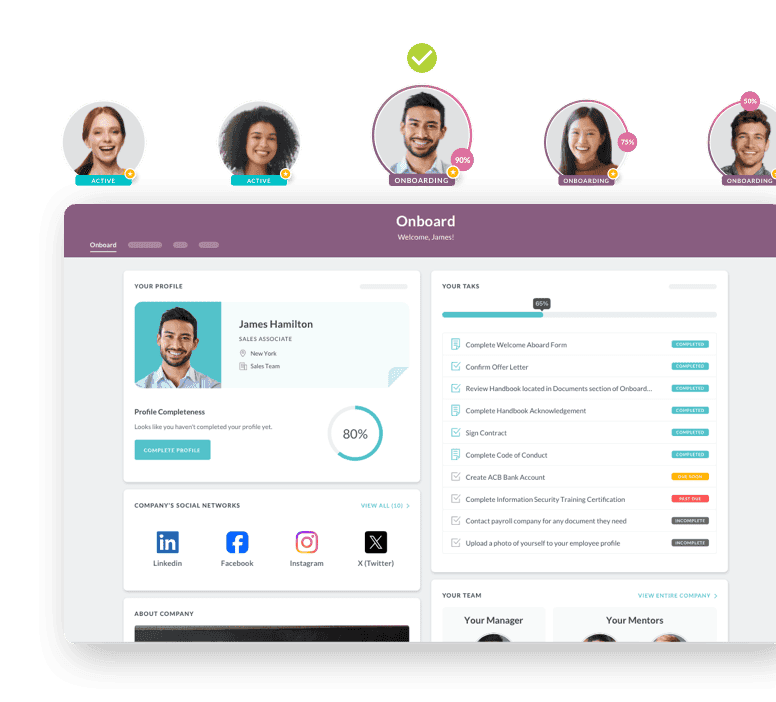
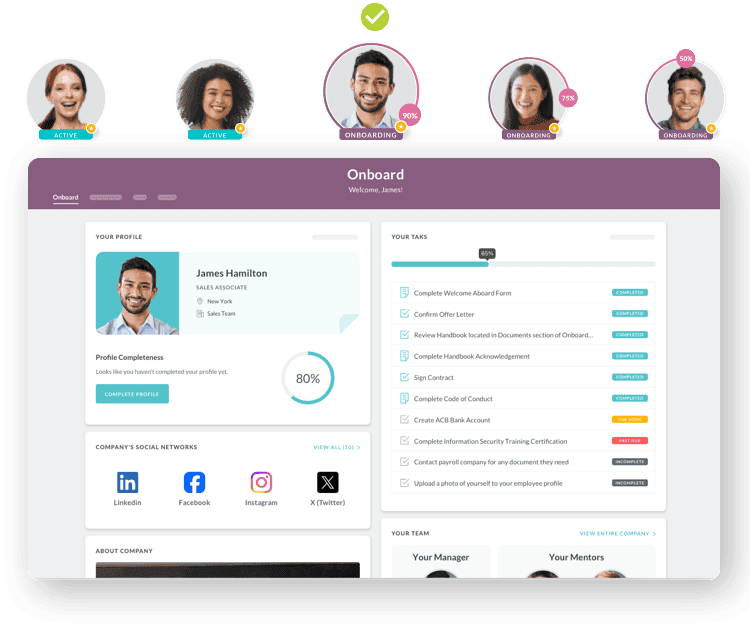
Onboarding software earns its place when the work repeats and many people touch it. The HR Cloud onboarding page names digital forms and e-signatures with completion tracking, a branded new-hire portal that does not require a company email address, a first-day checklist and manager handoffs. It also names role-based tasks with automated reminders and real-time status. For compliance, it names an I-9 workflow, E-Verify and audit-ready records. It describes the experience as mobile-first.
That last point matters more than it looks. Many frontline new hires do not have a desk or a company email address on day one. A process that assumes one fails them.
For a hypothetical 55-person company that opens a second site and hires 12 people in one month, the useful setup is plain. HR builds one checklist per role, the system assigns tasks to HR, the manager and IT by role, and a single view shows which of the 12 still have open tasks. The question to answer is whether anyone is stuck, and the answer should take seconds, not twelve inbox searches.
If you are still shaping your process, our small business onboarding process guide walks through eight onboarding best practices before you automate anything. Software speeds up a good process. It does not fix a vague one.
Where onboarding slips: forms get signed, but nobody checks they were signed before day one, and I-9 deadlines turn into a scramble. Ask any vendor how it flags incomplete paperwork before the start date, and who gets the alert.
What Does Time Off and Leave Tracking Need at 50?
Time off is often the first HR process teams automate, and one of the first they outgrow. At 12 people, a shared calendar works. At 50, you need policies that differ by group, approvals that follow the reporting line and balances employees can read themselves.
The Time Off help center covers the basics in detail. Time Off settings let you create types and policies, auto-assign a policy, and lock requests after a set delay. Managers approve or deny requests, and a balance grid shows accrued, used, approved, pending and available time. A Time Off overview gives a calendar view of requests. For companies on ADP Workforce Now, a Time Off article describes custom policies with automatic accruals and approved time off synced to ADP Workforce Now or TotalSource.
Now the honest part. Tracking vacation is not the same as tracking protected leave. The Time Off help articles we reviewed describe time-off types, policies, accruals and approvals. They do not describe FMLA-specific workflows such as eligibility checks or designation notices. If you are near 50, ask any vendor, including us, exactly how protected leave is recorded and reported.
Hours are the second question. The ACA test depends on hours of service, so an employer with hourly staff needs reliable hours data. Time Clock is an optional add-on on the HR Cloud pricing page, and the help center documents timesheet approval. Whether its data supports ACA full-time calculations is not stated in what we reviewed, so confirm it with your tax or benefits advisor and the vendor before you rely on it.
One plan detail to confirm in your quote: the pricing page lists time off and PTO management in the Growth plan, while the People HRIS page mentions time-off management in its feature list. Ask which plan includes the Time Off app you saw in the demo.
What to watch: a time-off module that looks complete in a demo can still fail the first leave request that is not vacation. Ask the vendor to walk through one protected-leave scenario from request to return date.
When Does Performance Management Need Software?
Under 20 people, the owner knows how everyone is doing. Past 50, three or four managers sit between the owner and the work, and each one has a private idea of what a good quarter looks like. That is when a performance cycle stops being optional paperwork and becomes the way a company says the same thing to everyone.
You do not need a heavy process. You need a repeatable one: goals that people can see, a review that follows the same shape each time, and reminders so it actually happens. The HR Cloud performance management page describes goal tracking, quarterly, annual or continuous review cycles, ongoing check-ins, review templates and reminders, and feedback from managers and peers. Its pricing page places performance management in the Growth plan and above.
The help center shows what that looks like in daily use. Admins can create goals and subgoals, choose between an individual goal assigned to several people and a group goal they complete together, and create a performance cycle with start and end dates. Employees check in on goal progress. Admins or managers can manually assign an active review to someone outside the original group, which helps when someone joins mid-cycle. Incomplete reviews can be reassigned to a new manager in bulk, up to 100 at a time. An AI Performance Review Assistant, once an admin accepts AI usage consent and turns the feature on, helps create review cycles and refine feedback.
For a hypothetical 60-person company with four managers, the first cycle is a test of discipline more than software. HR sets one set of review questions and assigns the cycle to all employees or a defined group. When one manager is promoted in week three, HR reassigns that manager's incomplete reviews rather than restarting the cycle. The outcome to look for is that every employee gets a review in the same format, and HR knows which ones are late without asking.
Two cautions keep this honest. First, software does not make a review fair. A form with weak standards produces weak reviews on a schedule. Second, the performance page does not give employee-count guidance or say how calibration works across managers, so ask how the vendor handles it if your managers rate differently.
Why HR owns this: performance records are also the records you reach for when a hard conversation comes up. Consistent reviews are easier to rely on than a folder of one-off notes, and they are easier to review with counsel when needed.
How Should HR Software Connect to the Payroll You Already Run?
Many companies past 50 already have a payroll provider, and changing it is a separate project from buying HR software. HR Cloud does not process payroll. It connects to the payroll you already run, and the useful work is deciding what crosses that connection.
The integrations page lists payroll and tax connections including ADP, UKG Pro, UKG Ready, Workday, SAP SuccessFactors, Paycor, Paylocity, Dayforce and Intuit QuickBooks Online. It gives no total count, so treat any number you see elsewhere with caution. The onboarding page lists payroll and data connection as part of implementation, and the ADP Time Off article describes approved time off syncing to ADP Workforce Now and TotalSource, with daily exports so leave can be deducted from payroll where that applies.
Integration is not a side issue. Capterra's 2026 LMS and HR Software Trends Survey of 1,000 US HR decision-makers found improving system integrations the single most common trigger for switching HR software, cited by 32% of HR leaders, according to Capterra's small business HR software guide. A connection that looks fine in a brochure and breaks in month three is how companies end up shopping again.
Ask four questions about any payroll connection:
- Which way does data move: HR to payroll, payroll to HR, or both?
- Which fields move, such as new hires, pay changes, terminations or time off?
- How often does it run, and what happens when a record fails?
- Who fixes it, and is that support included in the license?
The pricing page adds one more caution. It says certain third-party integrations may cost extra, so check the quote line by line for the connection you need.
Worth knowing before you sign: a payroll connection is not a payroll feature. If you want HR and payroll in a single system from a single vendor, that is a different product category, and we say so in the fit section below.
How Do Pricing Models Change the Cost of Growing?
Growth changes your bill in ways a monthly price tag hides. A per-employee price rises with every hire. A tiered price jumps when you cross a band. A flat price hides what is left out. Before comparing numbers, compare models.
HR Cloud prices on an annual company license tied to headcount bands, with no per-seat fees. Quotes depend on headcount, plan and add-ons. There are three plans. Onboard covers onboarding, offboarding, People HRIS, e-forms and signatures, workflows and checklists, branded portals and mobile access. Growth adds Recruit ATS, performance management, time off and PTO management, and AI for hiring and performance. Full Suite adds the Workmates employee engagement tools. Time Clock and Assets are optional add-ons. The main pricing page says setup, configuration, data import, training and in-house support are included; confirm that in your quote. The page links companies with fewer than 250 employees to a separate small-business pricing page with its own bands, and it describes a personalized demo rather than a self-serve free trial.
We do not quote a price here, because quotes depend on headcount, plan and add-ons, and the main pricing page points to a quote. Confirm every figure against your own quote. What helps is knowing which questions turn a quote into a plan. Table 3 lists them:
| Question | Why it matters at 50 |
|---|---|
| Where are the headcount band edges? | Crossing a band edge may change your price; ask whether it applies at renewal or mid-term |
| What is included in the plan I need today, and what is an add-on? | Time off, performance and hours tracking can sit in different tiers |
| What happens to price if I add 10 people mid-term? | Seasonal and project hiring breaks annual estimates |
| Which integrations cost extra? | A connection you need may sit outside the base license |
| What does implementation cost, and who does it? | Setup, import and training should be line items you can see |
Table 3. Pricing questions that matter more as headcount grows.
For a hypothetical company at 47 employees planning to hire 8 over the year, the useful comparison is not today's price. It is the price at 55, which is the headcount you will carry for most of the term. Ask each vendor to quote at 55 and write the answer down.
Why this matters for the budget: an annual license by headcount band can be easier to forecast than a per-seat price when you hire often, as long as you know where the bands end. The risk moves from every new hire to the renewal, so plan that conversation early.

Ready to pass your next audit—without the stress?
See how you can simplify compliance and eliminate gaps before they become problems.
Book Your Free Demo
What Does a Realistic Rollout Look Like for a Small Team?
Small teams often assume a short setup because the company is small. The work is not about headcount. It is about how clean your data is and how many decisions you have not made yet.
HR Cloud's onboarding page describes a go-live in six weeks, in three phases. Connect covers weeks 1 and 2, Configure weeks 3 and 4, and Pilot and launch weeks 4 to 6. The page lists a dedicated implementation lead, payroll and data connection, and role-based launch support, and it describes an HR-led rollout. The phase boundaries overlap at week 4, and the page's FAQ places pilot and launch in weeks 5 to 6, so ask your implementation lead for the dates that apply to your company and which tasks fall to you.
Your own work before kickoff shortens the schedule more than anything the vendor does:
- Clean the employee spreadsheet: one row per person, one format for dates and job titles.
- Decide who approves time off, and write down the policies you actually follow.
- List your payroll provider and what you need it to exchange.
- Choose one pilot group, such as one location or department.
- Name one owner inside the company who can make decisions without a committee.
A real example of an organization moving off folders and paper is Bracken Christian School, a private K-12 school with 100 or more staff. According to its customer story, HR had been managed through Google folders, paper files and manual coordination, which made recruiting, onboarding and employee documentation hard to keep consistent. The school uses Recruit, Onboard and Performance, including e-signatures for onboarding documents and digital sign-offs for evaluations. The story reports qualitative results such as cleaner processes and less filing, and it gives no time-saved figure, so we do not offer one.
The lesson is the starting point, not a promise of results. The story's starting point was folders, paper and manual coordination that made records hard to keep consistent. Many teams reach that limit as headcount grows, and it is better to find it before a leave request or a missing signature finds it for you.
What good looks like: at the end of the pilot, HR can answer three questions without opening a spreadsheet: who is on leave this week, who has incomplete onboarding tasks, and whose review is overdue. If you cannot, the rollout is not finished, however many records are loaded.
When Is HR Cloud Not the Right Fit?
A guide that only says yes is a sales page. Here is where we would tell you to look elsewhere, or at least to push hard in the demo.
- You want payroll processing in the same system. HR Cloud does not process payroll. It connects to the payroll you already run. If one vendor for HR and payroll is a requirement, you want a different category of product.
- Your HR needs are simple and payroll is the main job. Our own small business fit guide says HR Cloud suits onboarding-heavy, frontline and multi-location businesses, and is a weaker fit for businesses whose HR needs stay genuinely simple. It adds that a company focused on running payroll, with limited onboarding volume and a single location, may be better served starting with a simpler payroll-first tool.
- You need to buy with a card today. HR Cloud sells through a personalized demo and a quote, not a self-serve free trial or checkout.
- You need protected-leave workflows that are documented end to end. As noted above, the Time Off help articles we reviewed describe policies, accruals and approvals, and do not describe FMLA-specific steps.
- You need a fixed price list to budget from. The main pricing page describes the model and points to a quote, so confirm figures in writing.
If two or more of those are true for you, shop on those points first. If few of them are, the sections above should help you decide whether our product matches your next 18 months. For a wider field of vendors, our best HR software for small businesses roundup is the place to compare.
Honest limits: no HR system fixes unclear policies or inconsistent managers. Software makes a process visible. It rarely makes a poor process better, so write down how you want leave, reviews and onboarding to work before you configure anything.
What Should You Ask in an HR Software Demo?
Demos favor the vendor because the vendor chooses the path. Your job is to bring a different path. The ten questions below turn the thresholds and features in this guide into things you can ask to see, and each has a note on what a good answer sounds like.
| # | Ask the vendor to show you | A good answer sounds like |
|---|---|---|
| 1 | Three messy records: a rehire, a person with two managers, a part-time employee | Each displays correctly without a workaround |
| 2 | What an employee, a manager and HR each see for the same person | Role-specific views live in the product, not just described |
| 3 | A protected-leave request from submission to return date | A clear record with dates and approvals, or an honest statement of what stays manual |
| 4 | Where hours of service live and how you export them for a full-time status review | A specific report or export, plus a pointer to your advisor for the calculation |
| 5 | Which fields move to and from your payroll provider, how often, and what happens when one fails | A named list, a schedule and an owner for fixes |
| 6 | Onboarding for ten hires starting the same week | One view of open tasks by person and by role |
| 7 | Running a review cycle and reassigning reviews when a manager leaves | A short, repeatable path with reminders |
| 8 | Where the headcount band edges are and what changes when you cross one | A direct answer, in writing |
| 9 | What is not in the quote: add-ons, integrations and fees | A line-by-line quote with no surprises |
| 10 | Who implements, the week-by-week schedule and what the vendor needs from you | A named lead, dates and a short task list for your side |
Table 4. Ten demo requests and what a good answer sounds like.
Bring your own data. A scripted tour shows you the vendor's best day. Your spreadsheet shows you yours.
Why these questions work: each one asks to see something, not to hear a promise. A vendor that cannot show a feature will usually tell you so, and that answer is useful to you.
How Do You Choose Human Resources Software for Small Companies That Lasts Past 50?
Pick for the company you will be in 18 months. Before 50 employees, make sure the software gives you clean records, controlled access, digital onboarding and a time-off process. At 50 and beyond, test leave tracking, hours data, a repeatable performance cycle and the payroll connection, and learn where the pricing bands end. Then run a six-week rollout with one pilot group and one internal owner.
That is four thresholds, at 15, 20, 50 and 100 employees, across seven feature areas: records, onboarding, time off and leave, performance, payroll connection, pricing and rollout. Human resources software for small companies has to cover the first set today and survive the second set later, and the cheapest way to find out whether it does is to ask to see it.
If you want to see HR Cloud against this list, a demo is the right next step. Bring your messy spreadsheet and your payroll provider's name, and use Table 4 as the agenda.
The one to start with: if you only ask one question from this guide, make it number 3. Protected leave, hours and approvals test the parts of an HR system that matter once you cross 50, and a clear answer tells you a lot about the rest.
Discover how our HR solutions streamline onboarding, boost employee engagement, and simplify HR management
Book a DemoFrequently Asked Questions
When does a small company need human resources software?
Human resources software for small companies often becomes worth considering as headcount grows and spreadsheets and email stop keeping up. Watch for missed signatures, time-off disputes and one person holding every record. A harder signal is 50 employees, where FMLA coverage for private employers and the ACA employer mandate begin to apply. Buy before the first problem, not after.
Are there user-friendly onboarding tools made for small companies?
Yes. Look for digital forms with e-signatures, a checklist for each role and a new-hire portal that works on a phone. The HR Cloud onboarding page lists these, along with an I-9 workflow and E-Verify. Judge ease of use in a demo by asking to see a new hire finish paperwork on a phone.
How much does HR software cost for a small company?
It depends on the pricing model and your headcount. HR Cloud prices on an annual company license by headcount band, with no per-seat fees, and quotes depend on headcount, plan and add-ons. Small-business options exist for companies under 250 employees. Ask any vendor to quote at the headcount you expect next year.
Does HR Cloud include payroll?
No. HR Cloud does not process payroll. It connects to the payroll you already run, and its integrations page lists ADP, UKG, Paycor, Paylocity and Dayforce among others. If you want HR and payroll processing in one system from one vendor, that is a different kind of product, and you should shop for it separately.
How long does it take to implement HR software?
HR Cloud's onboarding page describes a six-week go-live in three phases: connect, configure, then pilot and launch. Your data readiness shapes the schedule more than company size does. Clean employee records, written time-off policies and a named internal owner help. Ask your implementation lead for dates that apply to your company.
Is there a free trial of HR Cloud?
HR Cloud offers a personalized demo rather than a self-serve free trial. Use the demo like a trial. Bring your real spreadsheet, a messy record or two and your payroll provider's name, and ask the team to show each one in the product. A scripted tour tells you less than your own data does.
About the author

Keep Reading


Like What You Hear?
We’d love to chat with you more about how HR Cloud® can support your business’s HR needs.
Book Your Free Demo