

- 1. Set and Track Attainable Goals for Maximum Team Performance
- 2. Clarify Roles and Tasks to Eliminate Confusion
- 3. Give and Receive Feedback Regularly
- 4. Don't Let Meetings Ruin Your Productivity
- 5. Design Workspace for Performance, Not Just Presence
- 6. Enhance Productivity Through Effective Communication
- 7. Centralize Project Management Under One Roof
- 8. Measure Everything That Matters
- 9. Don't Overdo It: Avoid Productivity Tool Overload
- 10. Never Stop Improving: Build a Continuous Improvement Culture

Team efficiency isn't about working longer hours—it's about removing barriers that prevent your team from doing their best work. According to a CareerBuilder survey, 75% of employers report losing more than two hours of productive work daily to inefficiency. The cost? For a 100-person company at an average salary of $50,000, that's approximately $1.3 million in lost productivity annually.
The connection between effective teamwork and communication cannot be overstated—teams with strong communication practices are 25% more productive than those without. In this guide, we'll explore ten evidence-based strategies to improve team efficiency and boost workplace productivity. These approaches work whether your team is in-office, remote, or hybrid.
"Work is a process, and any process needs to be controlled. To make work productive, therefore, requires building the appropriate controls into the process of work."
― Peter F. Drucker, Management: Tasks, Responsibilities, Practices
What Is Team Efficiency?
Team efficiency measures how well your team uses available resources—time, talent, budget, and tools—to achieve desired outcomes. It's distinct from productivity: productivity focuses on output volume, while efficiency emphasizes resource optimization.
An efficient team accomplishes more with less waste, fewer delays, and minimal friction. According to research from Gallup, organizations with highly efficient teams report 21% higher profitability and 17% higher productivity compared to those with inefficient workflows.
Why efficiency matters more than ever: Distributed teams, hybrid work models, and rapid market changes demand organizations do more with existing resources. Teams that optimize efficiency report 25% higher productivity, 31% lower turnover, and stronger employee engagement.
The goal isn't working longer hours—it's removing barriers that prevent your team from doing their best work. When you learn how to manage your team effectively, productivity improvements follow naturally.1. Set and Track Attainable Goals for Maximum Team Performance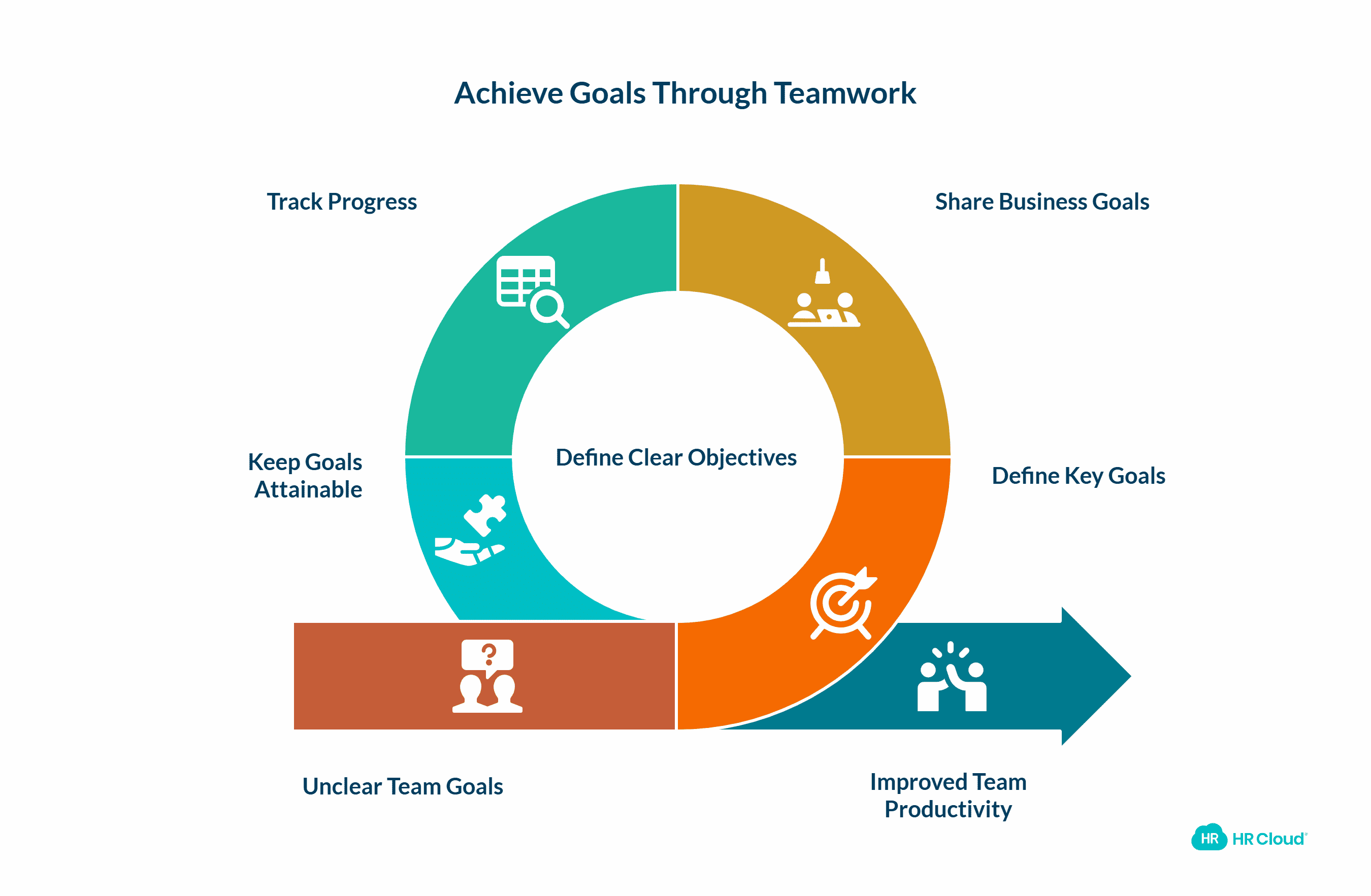
Before improving team efficiency, you need clarity on what you're working toward. Define specific, measurable goals that align with your organization's strategic objectives while considering your team's realistic capacity.
Why Goal-Setting Drives Productivity
Research from the American Psychological Association shows that specific, challenging goals lead to higher performance 90% of the time compared to vague objectives like "do your best." Goals provide direction, focus attention on priorities, and create accountability for results.
Sharing business goals transparently increases employee engagement by 73%, according to SHRM research. When your team understands how their work contributes to company success, productivity naturally increases.
How to Implement Effective Goal Tracking
Practical implementation steps:
-
Break large projects into smaller milestones that show clear progress
-
Use SMART criteria (Specific, Measurable, Achievable, Relevant, Time-bound)
-
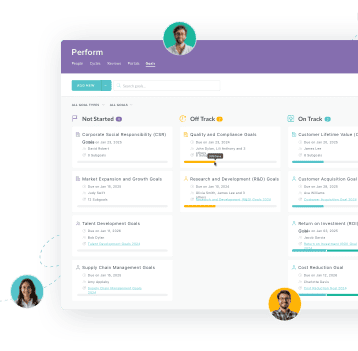
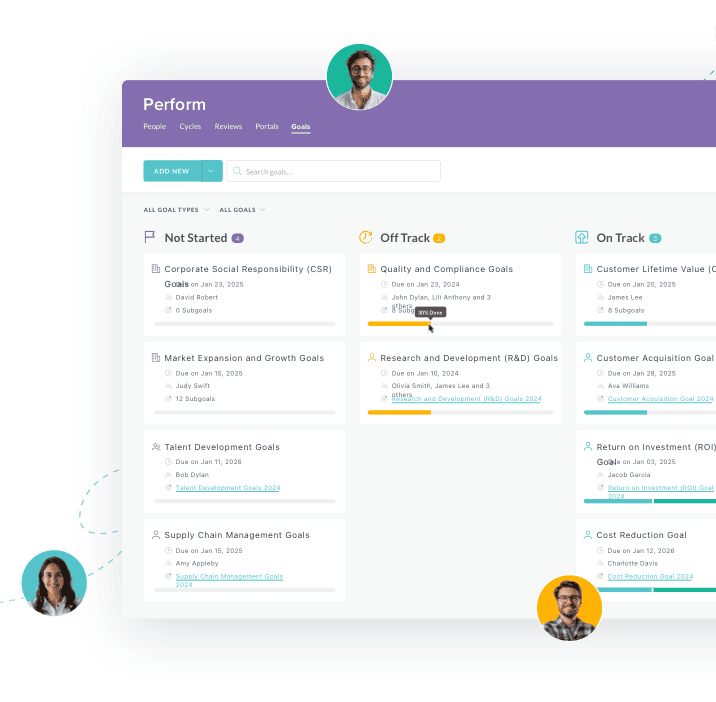
Implement HR workflow software to track progress in real-time
-
Review and adjust goals quarterly based on team capacity and market changes
Assigning one large project, even with a reasonable deadline, can feel overwhelming. Alternatively, breaking large projects into smaller iterations shows clear progress and is a proven hack for motivating teammates as they move toward the final product.
HR Cloud's Workmates enables goal tracking through customizable channels and company announcements, ensuring everyone stays aligned on priorities.
2. Clarify Roles and Tasks to Eliminate Confusion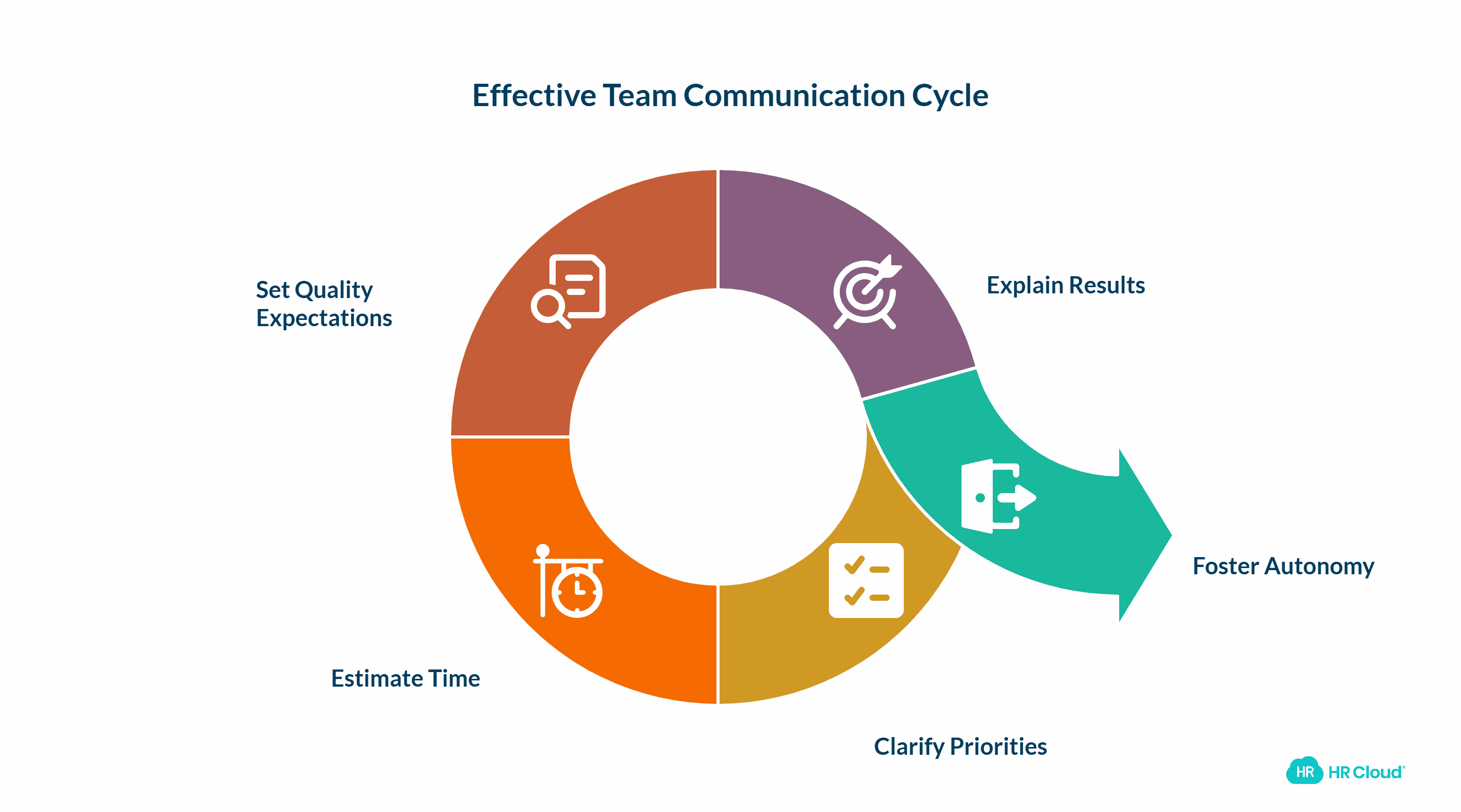
Role ambiguity is a silent productivity killer. When team members are unclear about their responsibilities or priorities, they waste time on low-value tasks or duplicate efforts.
The Productivity Cost of Unclear Roles
According to experts at Gallup, only 50% of employees strongly agree they know what's expected of them at work. This ambiguity costs organizations an estimated 7% of annual revenue through duplicated work, missed deadlines, and employee frustration.
The next step is meeting with your team members one-on-one to communicate the priorities and expectations for their roles. First, describe the top two or three high-priority tasks you want them to focus on. Then estimate the time your employees should devote to these tasks.
Strategies for Role Clarity
Create role definition clarity:
-
Conduct one-on-one meetings to communicate the top 2-3 high-priority responsibilities
-
Document role descriptions that include key outcomes, not just task lists
-
Estimate time allocation for major responsibilities (e.g., "spend 60% of time on customer projects")
-
Define quality standards and success metrics for each role
-
Explain the result you are trying to achieve
Then make sure to help them understand the quality of the work you are expecting. Finally, get out of their way—give your employees the freedom to work in the best manner possible, fostering transparency and trust. This approach can significantly enhance leadership effectiveness and improve overall team performance.
Research published in the Journal of Applied Psychology found that autonomy increases job satisfaction by 38% and productivity by 22% when roles are clearly defined.
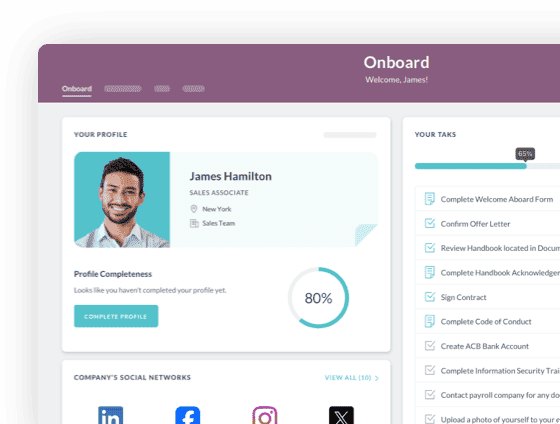
HR Cloud's People HRIS provides digital org charts and role documentation that keeps everyone informed about team structure and responsibilities.

3. Give and Receive Feedback Regularly
According to experts from US Essay Writers, you need to develop a culture of trust in your team, providing constructive, meaningful feedback on a regular basis. Without regular feedback loops, small problems compound into major productivity drains.
The Feedback Frequency That Matters
High-performing teams receive feedback at least weekly, compared to monthly or quarterly in average-performing organizations, according to MIT research. This creates ongoing dialogue rather than infrequent performance discussions.
For instance, ask about the challenges your employees face, how you can help them slice their time more effectively, and whether they need more resources. Don't hesitate to use the following questions to make the feedback more constructive and actionable:
Build a Constructive Feedback Culture
Implementation strategies:
-
Schedule weekly 15-minute check-ins rather than waiting for quarterly reviews
-
Use the SBI model: Situation, Behavior, Impact (specific, observable, outcome-focused)
-
Create psychological safety where team members feel comfortable sharing challenges
-
Balance constructive feedback with recognition of strengths
Key questions to guide productive feedback conversations:
-
Are the established objectives still relevant given current priorities?
-
Is there any progress on the work? If not, why? Do some digging to uncover the root of the problem
-
Is the workload achievable and manageable?
-
What obstacles are preventing your best work?
-
Do you have the resources needed for your current projects?
Performance management software like HR Cloud Perform helps make sure the process is effective and all employees are performing to the best of their ability.
4. Don’t Let Meetings Ruin Your Productivity
Meetings are productivity paradoxes—necessary for alignment but destructive when poorly managed. The average employee spends 31 hours per month in unproductive meetings, costing organizations $37 billion annually, according to Atlassian research.
Improve the way you run meetings. Although meetings have a bad reputation in terms of performance, you definitely need them to share information and make decisions. Invite only those people who need to be involved, create a goal-oriented agenda, and sum up every meeting with clear resolutions.
Meeting Reduction Drives Results
Studies show that reducing meetings by 40% increases productivity by 71%. Companies like Asana and Shopify have implemented "No Meeting Wednesdays" with measurable improvements in deep work time.
Don't be afraid to experiment. As an illustration, hold a stand-up or walking meeting. Even if a positive shift in team productivity is not quite obvious, you will definitely benefit your health.
Transform Meeting Culture
Optimize your meeting structure:
-
Apply the "meeting audit test": Could this be an email, Slack message, or project update instead?
-
Require agendas 24 hours in advance with clear objectives and desired outcomes
-
Limit meeting length (default to 25 or 50 minutes instead of 30 or 60)
-
Try stand-up or walking meetings for increased energy and faster decision-making
-
End every meeting with documented action items and owners
As a consequence, the number of excessive meetings will gradually decrease. Before scheduling your next meeting, ask: "Will synchronous discussion create better outcomes than documented communication?"
Alternative: Use HR Cloud's communication channels for asynchronous updates that don't require real-time attendance.
5. Design Workspace for Performance, Not Just Presence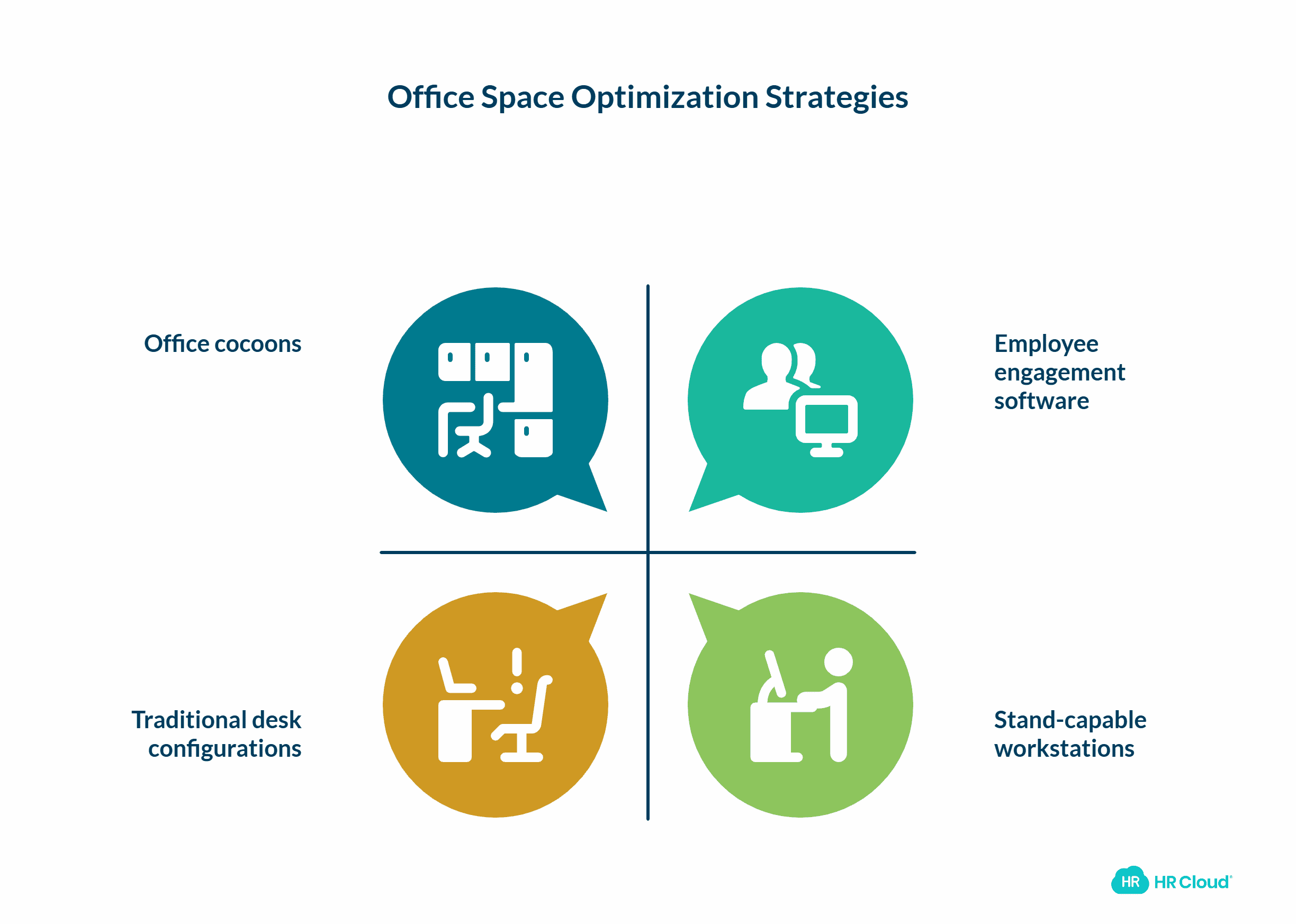
Reorganize the office space if employees are uncomfortable with the present layout. Your physical and digital workspace directly impacts cognitive performance, focus, and team collaboration. How exactly should you do it? Well… Only your team and your type of workflow know the answer.
The Workspace-Productivity Connection
A study from the Texas A&M Health Science Center School of Public Health found that workers with height-adjustable desks were about 46% more productive than those with traditional, seated desk configurations. Harvard Business Review reports that improved office design can increase productivity by up to 25%.
Environment shapes behavior—which means workspace design is a productivity strategy, not just an aesthetic choice.
Optimize Workspace for Efficiency
Create performance-enhancing environments:
-
Create focus zones with minimal distractions for deep work
-
Designate collaboration spaces for teamwork and creative sessions
-
Invest in ergonomic furniture to reduce physical discomfort and fatigue
-
Implement acoustic solutions in open offices (sound-masking, quiet pods)
-
Ensure adequate natural light—studies show it improves productivity by 18%
For example, you can invest in office cocoons. Distractions are one of the biggest productivity killers. Creating comfortable spaces for people to take shelter in helps them stay focused in the office.
It is your workspace at the end of the day. So arrange it however you believe will keep your creativity flowing and foster solid teamwork.
The more aware and engaged your employees are, the more productive! Consider employee engagement software to optimize that connection with those who work for you and boost employee morale.
For distributed teams: Digital workspace matters equally. Employee engagement platforms like Workmates create virtual "spaces" for connection, recognition, and information sharing that remote workers need.
 — Daniella Nickerson, Human resources

6. Enhance Productivity Through Effective Communication
One of the keys to working more efficiently is to get a single communication system. Communication inefficiency is expensive. McKinsey research shows that employees spend 28% of their workweek managing email and nearly 20% searching for internal information. That's nearly half the work week lost to communication friction.
Unified Communication Drives Efficiency
This idea is supported by communication in the workplace statistics, which show that almost half of US workers prefer to communicate with colleagues online, saving on productivity, according to Pew Research. Organizations with integrated communication systems report 20-25% productivity improvements compared to those using fragmented tools.
The importance of communication in improving teamwork and productivity cannot be overstated. The ideal communication system for your company is a team messenger.
Strategies for Communication Efficiency
Build communication excellence:
-
Consolidate to a single primary communication platform for team collaboration
-
Establish communication protocols: When to use email vs. chat vs. video
-
Create a centralized knowledge base to reduce repetitive questions
-
Use asynchronous communication as the default, reserving synchronous for complex issues
-
Implement channel organization by project, department, or topic
Every team can find the best solution depending on its needs. It will be the universe of your team where you won't get distracted by chatting with relatives or friends. The most productive teams don't just communicate frequently—they communicate with intentionality and the right tools.
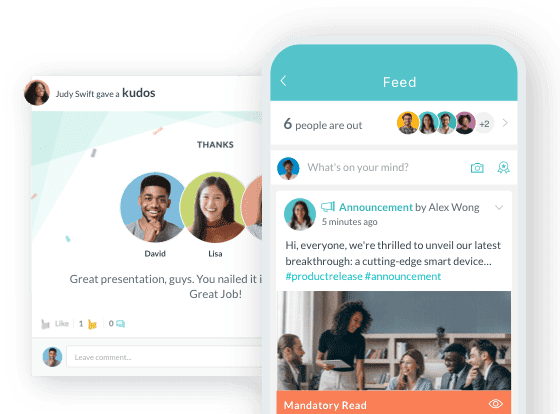
HR Cloud's internal communication software unifies announcements, team channels, recognition, and document sharing in one platform, reducing tool-switching and information silos.
7. Centralize Project Management Under One Roof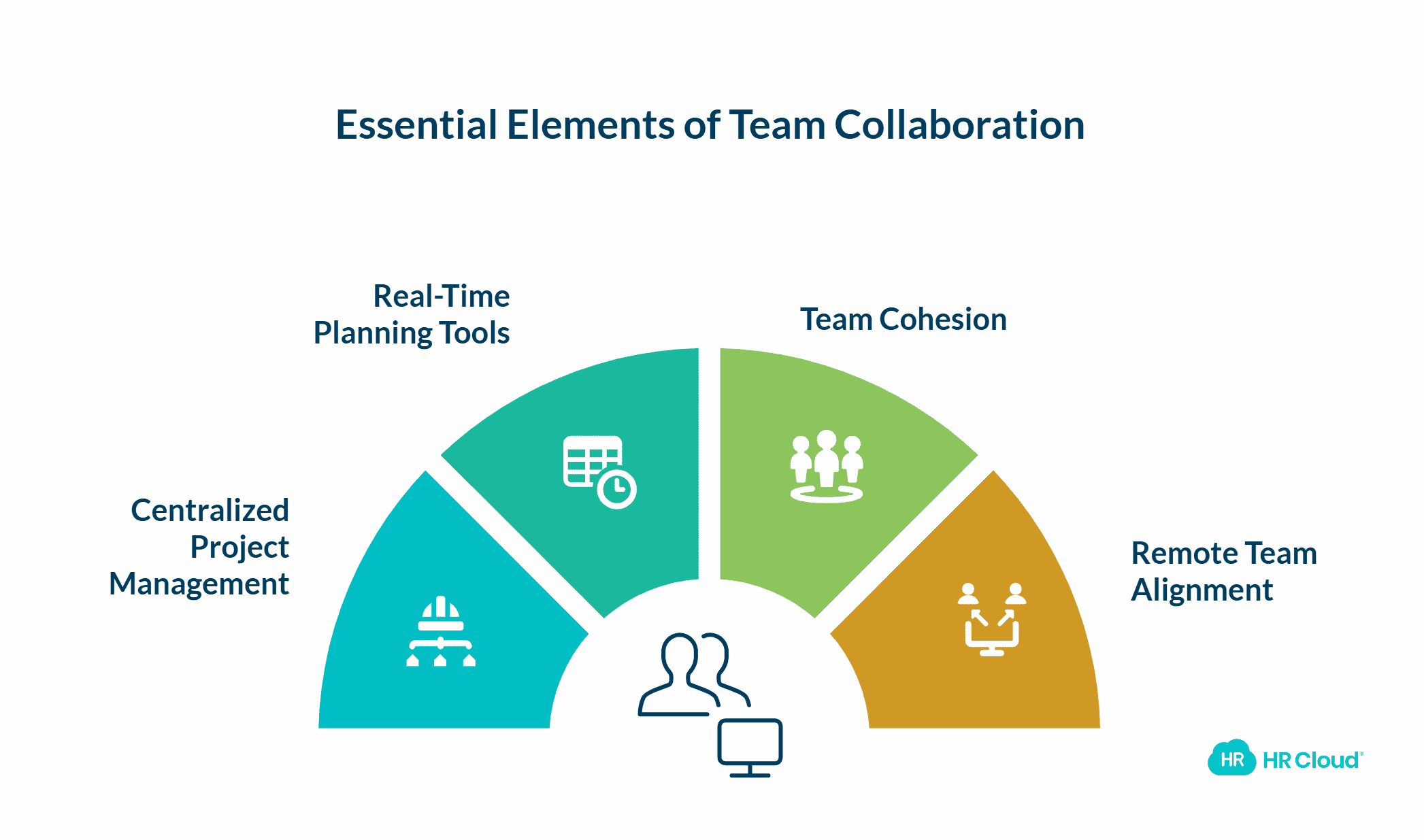
Teamwork may become messy and mixed up without a centralized space to manage projects. Project fragmentation destroys team efficiency. In the same way, collaboration software is especially important if your coworkers are located in different offices and work remotely.
The Cost of Scattered Workflows
The problem is that it can be easy to become confused about where all project data is located, who is doing the tasks, how far along they are in the process and how much work is left. Wrike research found that 69% of employees waste up to 60 minutes daily navigating between apps, totaling 32 hours per month.
Having a real-time planning tool that is accessible from everywhere, your team won't get sucked into hours of meetings and email correspondence.
Benefits of Centralized Project Management
Why consolidation matters:
-
Single source of truth for project status, deadlines, and deliverables
-
Reduced email volume and status meeting needs
-
Clearer accountability with visible task ownership
-
Better resource planning and workload balancing
Project management software such as Basecamp or droptask can help you coordinate all the activity in one easy-to-manage, web-based tool, promoting team cohesion and effective collaboration.
Choose project management solutions that:
-
Integrate with your existing communication and HR systems
-
Provide mobile access for distributed teams
-
Offer customizable workflows that match your processes
-
Include reporting for tracking efficiency improvements over time
For organizations already using HR Cloud, workflow automation and custom forms integrate project tracking with onboarding, performance management, and time-off systems—eliminating the need for separate tools.
Centralization isn't about control—it's about removing friction so your team can focus on execution rather than coordination.
8. Measure Everything That Matters
If you can't measure it, you can't improve it. So keep an eye on the metrics that matter for your team. Peter Drucker famously said this, yet most organizations track productivity through lagging indicators like revenue—missing the leading indicators that predict future performance.
What to Measure for Team Efficiency
For instance, analyze recent changes in productivity, sales and income, or inspect the latest staff retention rates. It's crucial to analyze the effects of effective communication on overall team performance.
Key efficiency metrics:
-
Task completion rate: Percentage of planned work completed on schedule
-
Cycle time: Average time from task start to completion
-
Quality metrics: Error rates, revision requests, customer satisfaction scores
-
Capacity utilization: Percentage of available work hours spent on planned vs. reactive work
-
Employee engagement scores: Predictive of productivity and retention
The Measurement Paradox
Balance quantitative metrics with qualitative insights. Numbers show what is happening; conversations reveal why. What you should remember is that improving internal communication brings long-term returns.
Implementation approach:
-
Start with 3-5 core metrics rather than tracking everything
-
Review metrics weekly with team leads, monthly with leadership
-
Compare trends over time rather than absolute numbers
-
Connect metrics to specific improvement initiatives
But as a manager, you should understand the halfway results. If you are not satisfied with them, try to utilize other tactics to improve communication, like Team Collaboration Software. Otherwise, if you notice a positive trend, scale your efforts.
HR Cloud's analytics dashboards provide real-time visibility into engagement, recognition patterns, and workflow completion—helping you identify efficiency bottlenecks before they impact results.
Remember: The goal of measurement is insight, not judgment. Use data to guide conversations about improvement, not to punish performance.
9. Don't Overdo It: Avoid Productivity Tool Overload
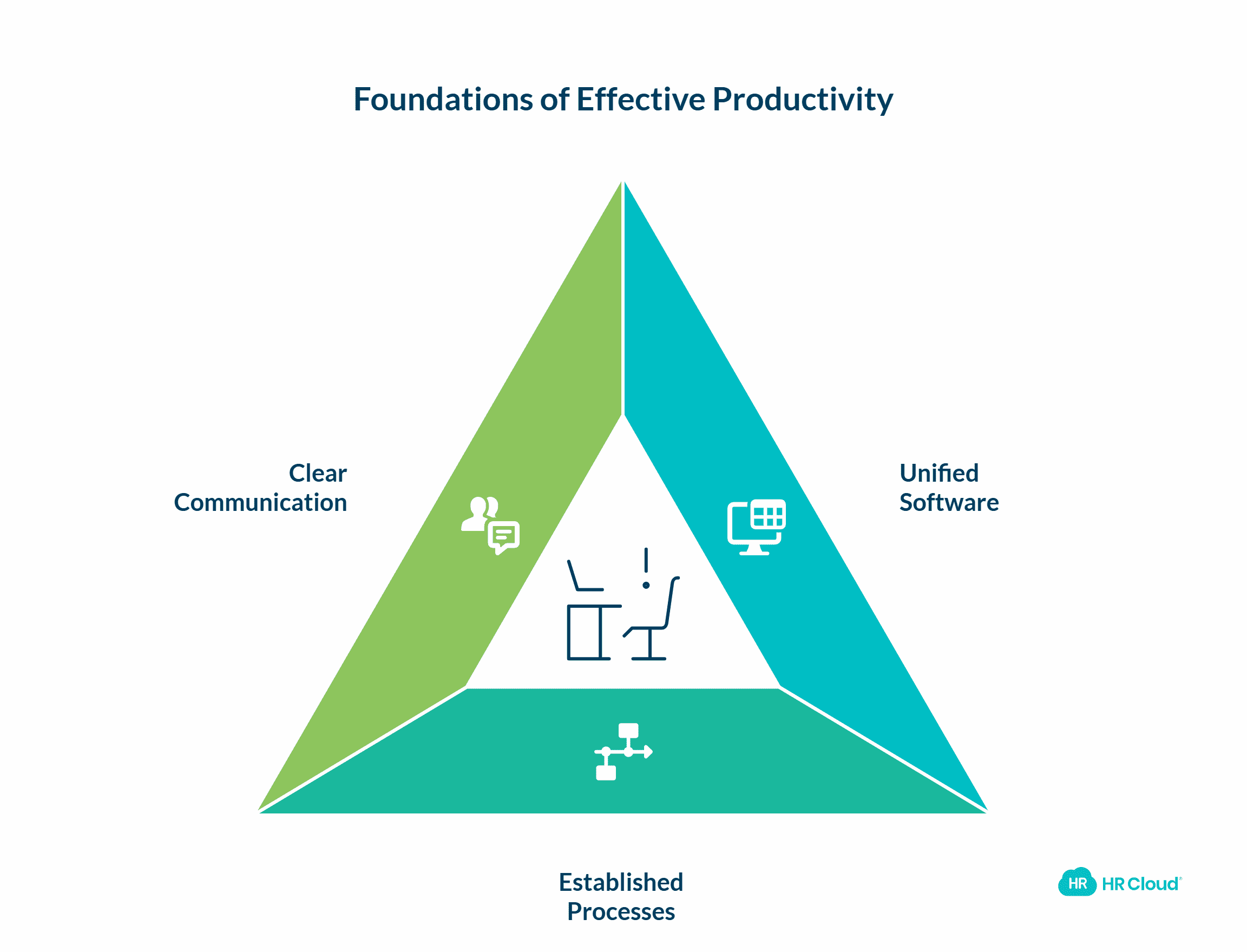
Less is more. Productivity initiatives can paradoxically reduce efficiency when you implement too many tools, policies, or programs simultaneously. There can be too many tools, tips, or tactics the company utilizes at the same time.
The Cost of Complexity
Research from Siegel+Gale shows that 66% of consumers are willing to pay more for simpler experiences, and the same principle applies internally. Eventually, every company should unify the software its workers use and the productive pattern of workflow.
Tool proliferation creates hidden costs:
-
Time spent switching between applications
-
Learning curves that temporarily reduce output
-
Duplicate data entry across systems
-
Integration failures and data sync issues
Simplification Strategies
Without pre-established business processes at the office, productivity becomes hindered instead of being improved. It's important to focus on others' needs when communicating online and establish clear communication guidelines.
Reduce complexity:
-
Audit existing tools quarterly: What's actually being used?
-
Consolidate overlapping functionality into single platforms
-
Standardize processes before adding technology
-
Implement change gradually rather than simultaneously
-
Get team input before adopting new systems
When evaluating new solutions, ask: "Does this replace multiple existing tools, or does it add to our technology stack?"
Fewer, better-integrated tools typically outperform a sprawling ecosystem of point solutions. HR Cloud's unified platform approach combines onboarding, engagement, performance, and HRIS in one system—reducing complexity while improving functionality.
10. Never Stop Improving: Build a Continuous Improvement Culture-1.png?width=2520&height=2004&name=Measurement%2c%20Analytics%2c%20and%20ROI%20-%20visual%20selection%20(1)-1.png)
HR Productivity is never an accident. Team efficiency isn't a destination—it's a continuous improvement process. If you swing like a pendulum while trying to improve your team productivity, the only goal you'll reach is wasted time.
The Compound Effect of Continuous Improvement
Organizations that treat productivity as a one-time initiative see temporary gains, while those embedding improvement into their culture create sustained competitive advantage. MIT research shows that organizations practicing continuous improvement achieve 2-3% annual productivity gains, compounding to 30-40% improvements over a decade.
In order to grow and build productivity at the workplace, you need to constantly monitor your company's workflow and never stop.
Common Continuous Improvement Frameworks
Building a continuous improvement culture:
-
Conduct quarterly efficiency retrospectives: What's working? What's not?
-
Empower team members to suggest process improvements
-
Allocate time for optimization work (typically 10% of team capacity)
-
Celebrate efficiency gains, not just output increases
-
Document lessons learned and share across teams
Proven frameworks:
-
Kaizen: Small, incremental changes implemented consistently
-
PDCA (Plan-Do-Check-Act): Structured four-step improvement cycles
-
Retrospectives: Regular team reflections on processes and outcomes
Remember, communication is key in maintaining and improving teamwork and productivity. Teams are most productive during periods of clear, consistent communication and when they understand the importance of interpersonal skills.
The key is consistency over intensity. Small, sustained improvements outperform sporadic, dramatic changes.
HR Cloud's performance management tools support continuous feedback cycles that identify improvement opportunities in real-time rather than waiting for annual reviews.
The Path Forward: From Strategy to Results
Productivity is not just about focusing on remarkable proficiency. It is not all about perfectly managing every minute of the day either. Productivity is a complex process, involving multiple corporate disciplines.
Improving team efficiency and productivity isn't about working harder—it's about removing the barriers that prevent your team from doing their best work. But as long as you take into account the aforementioned tips, you will be able to change your team performance for the better.
The strategies outlined above work synergistically:
-
Clear goals provide direction
-
Defined roles eliminate confusion
-
Regular feedback enables course correction
-
Efficient communication reduces friction
-
Measurement provides visibility
-
Continuous improvement compounds gains
Understanding the connection between effective teamwork and communication is crucial for success in today's workplace. By implementing these strategies, you can improve team building communication, enhance workplace communication, and create a more productive and harmonious work environment.
Start with the areas causing the most friction in your organization. You don't need to implement everything at once. Choose 2-3 strategies, measure their impact, and expand from there.
Remember that effective communication and strong teamwork are the foundations of any successful organization, and focusing on others' needs when communicating online is essential in our digital age.
Ready to transform team efficiency? HR Cloud's platform integrates the tools you need—from goal tracking and communication to performance management and engagement—in one unified system designed for modern, distributed teams.
Book a free demo to see how organizations like yours are achieving measurable productivity improvements.
 Discover how our HR solutions streamline onboarding, boost employee engagement, and simplify HR management
Frequently Asked Questions About Team Efficiency
1. Why is effective communication essential for team productivity?
Real-time communication builds trust, prevents confusion, aligns goals, and can boost productivity by up to 25%. Effective communication eliminates misunderstandings, aligns team members on priorities, and reduces time spent searching for information.
Organizations with strong communication practices see 25% higher productivity and 47% higher returns to shareholders, according to Towers Watson research. Real-time, transparent communication builds trust and enables faster decision-making. Clear communication improves engagement, decision-making, and teamwork, directly impacting output.
2. What common barriers hinder communication in teams?
Users often wonder what holds teams back. The most significant communication barriers include:
-
Physical separation (remote/hybrid work arrangements)
-
Tool fragmentation across email, chat, video, and project systems
-
Unclear communication protocols about when to use which channel
-
Information silos where knowledge stays trapped in departments
-
Cultural differences in communication styles
-
Meeting overload that leaves no time for deep work
Common barriers include physical layout, language/cultural differences, emotional filters, unclear roles, and poor listening habits. Identifying these blockers is the first step to improvement.
3. What tools and platforms enhance team communication?
People search for recommendations. The most effective communication solutions include:
-
Unified team collaboration platforms: Slack, Microsoft Teams, HR Cloud Workmates
-
Project management systems with built-in communication: Asana, Monday, Basecamp
-
Video conferencing tools for synchronous collaboration: Zoom, Google Meet
-
Knowledge management platforms for asynchronous information sharing
These help centralize conversations, reduce email overload, and support hybrid/remote work. Choose platforms that integrate with your existing HR and productivity systems to avoid creating new silos.
4. How can managers give effective feedback to boost team output?
Another frequent query centers on feedback strategies. Effective feedback is specific, timely, and actionable. Best practices include:
-
Schedule brief weekly check-ins rather than waiting for quarterly reviews
-
Use the SBI model: Situation, Behavior, Impact
-
Ask open-ended questions like "Is the workload achievable?" and "What's blocking progress?"
-
Balance constructive feedback with recognition of strengths
-
Document feedback in performance management systems for continuity
-
Using performance tools to refine feedback loops
These help managers stay aligned with team challenges and proactively remove roadblocks. Managers who provide weekly feedback report 32% higher team productivity than those who provide monthly feedback, according to Gallup.
5. What meeting structures maximize efficiency and communication?
Meetings are often perceived as time-wasters, prompting searches on how to make them more productive. Productive meetings share common elements:
-
Clear agendas distributed 24 hours in advance
-
Defined objectives and desired outcomes
-
Minimal attendance (only essential participants)
-
Time limits (25 or 50 minutes instead of 30 or 60)
-
Documented action items with owners
-
Alternative formats: stand-ups, walking meetings, async updates
All of which improve engagement and reduce unproductive time. Consider implementing "No Meeting" days weekly to preserve time for deep, focused work. Research shows this can increase productivity by 71%.

Keep Reading
What Is Agentic AI in HR? A Plain-English Guide for HR Leaders
SHRM's 2026 State of AI in HR report found that 39% of HR functions have already adopted
75+ Questions to Ask a CEO That Actually Lead to Better Workplaces
You just got 15 minutes on the CEO's calendar. Or maybe it's a town hall with 200 people
ADP Assist in 2026: 5 HR Tasks It Automates — and 5 It Leaves to You
According to SHRM's State of the Workplace research, 58% of HR executives say their