HR Software for Manufacturing Companies: A Scenario-Based Buyer's Guide

You didn't get into manufacturing HR to spend Mondays chasing paper I-9s, Tuesdays re-entering payroll data, and Wednesdays rebuilding onboarding packets for the 14 new hires starting Thursday. But that's where most manufacturing HR teams end up — trapped in administrative triage while the workforce problems that actually matter go unaddressed.
The numbers explain why. According to a 2024 study by Deloitte and The Manufacturing Institute, the U.S. manufacturing sector needs up to 3.8 million new employees by 2033, and roughly 1.9 million of those positions could go unfilled if companies don't fix how they attract, onboard, and retain workers. The same study found that 65% of manufacturers cite attracting and retaining talent as their single biggest business challenge — a figure that has held consistent since before the pandemic.
The right HR software does more than digitize paperwork. It helps prevent the operational failures that cost manufacturing HR teams hours every week: missing documents, incomplete training records, manual payroll reconciliation, and workers who can't access HR from the floor.
This guide walks through six manufacturing HR scenarios where generic software breaks — and what purpose-built platforms do differently in each.
Why Manufacturing HR Software Fails When It's Built for Office Work
Manufacturing HR has a different operating model than the one most HR software was designed for.
Employees may not have corporate email. Managers move between shifts and facilities. Safety requirements vary by role, not just by department. Payroll depends on shift rules, time data, and location-specific policies that change by state. New hires need to be ready before they touch the floor — not after they've completed a week of paper-chasing.
If the software assumes everyone is sitting at a desk with a laptop and a company login, the process breaks before HR even sees the problem. The worker who can't complete onboarding on their phone doesn't raise a ticket. They just show up on Day 1 with incomplete paperwork — or they don't show up at all.
This is the core failure most generic HR software creates in manufacturing environments: it was built for an employee that doesn't exist on your production floor.
Key Takeaways
- Manufacturing HR teams lose significant time to manual processes that purpose-built software eliminates — including I-9 tracking, shift scheduling, and safety certification management.
- The most useful frame for evaluating HR software isn't "which tools are available" — it's "which operational failures does this platform prevent." The six scenarios below are your diagnostic.
- See the Manufacturing HR Software Evaluation Matrix below — a framework table you can use to score any platform against your actual operational needs.
- 65% of manufacturers cite attracting and retaining talent as their primary business challenge (Deloitte & Manufacturing Institute, 2024). The onboarding and engagement experience is where that challenge gets won or lost.
- 47% of manufacturers say flexible shift arrangements are their most effective retention tool (Deloitte & Manufacturing Institute, 2024) — making schedule access a strategic HR function, not just an operations one.
- HR Cloud's Onboard module and People HRIS are built for practical workforce operations in frontline-heavy industries — where onboarding, document collection, mobile access, compliance visibility, and manager follow-up need to work across shifts and locations.
Scenario 1: You're Onboarding 30 People at Once, and the Process Is Collapsing
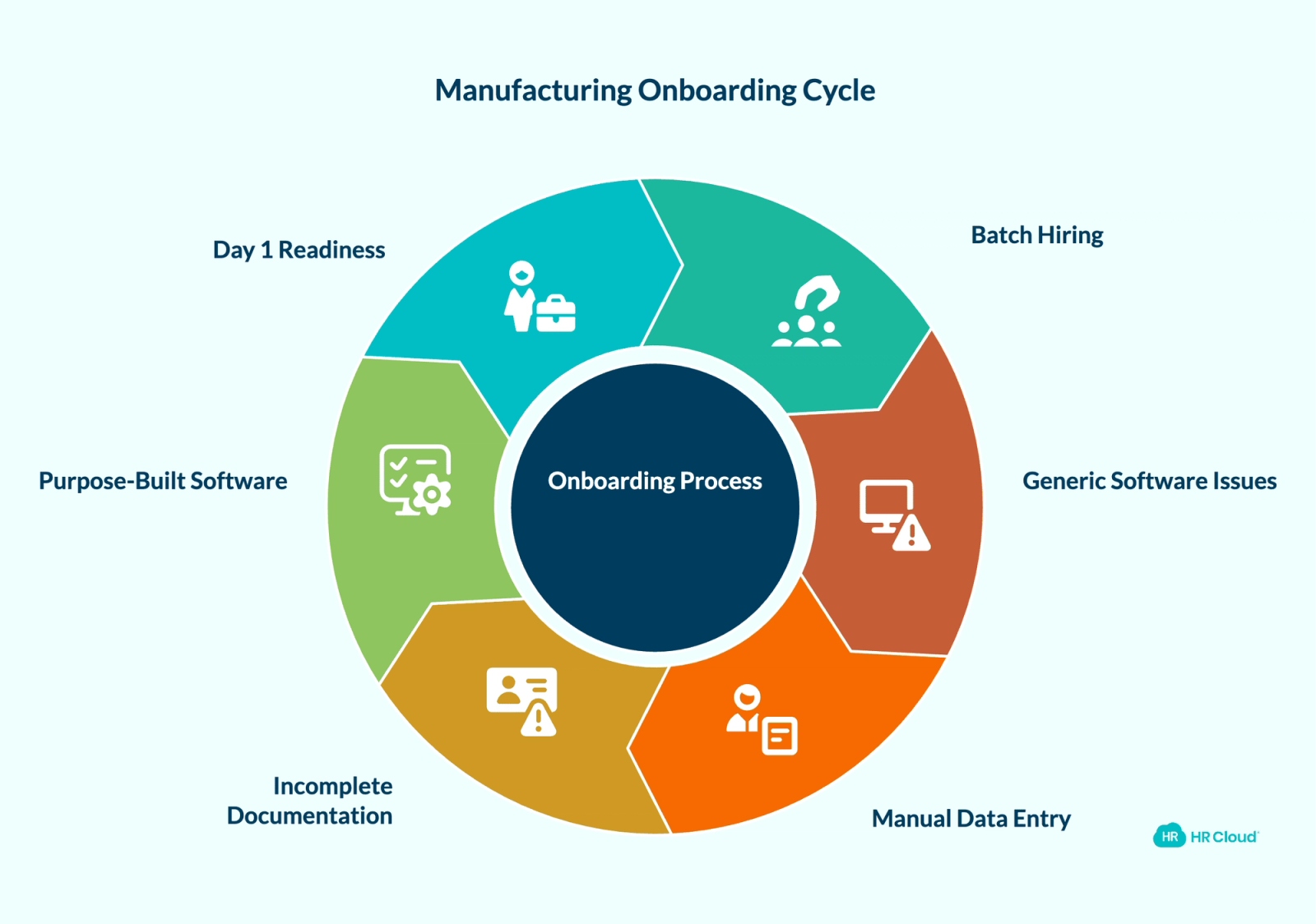
Manufacturing hiring doesn't come in ones and twos. A seasonal production ramp, a new facility opening, or a wave of summer turnover means your HR team may be onboarding 20–50 people simultaneously — with new hires spanning three different job codes, two shifts, and four compliance requirements.
Generic onboarding software treats each new hire as an individual workflow. That's fine when you're hiring one analyst a month. It breaks down when you're processing 30 press operators and 12 material handlers at once, each needing role-specific safety training acknowledgments, OSHA documentation, I-9 verification, and equipment certification records — all before they touch a production floor.
Here's what this looks like in practice: A mid-sized plastics manufacturer using a legacy HRIS ran their batch hiring through a combination of PDF packets, DocuSign, and manual data entry into payroll. For a 40-person production ramp, their HR coordinator spent 18 hours over three days chasing signatures, re-sending forms to workers who hadn't opened email, and troubleshooting a broken I-9 for a hire who couldn't complete the form on their phone. Three new hires started their first shift with incomplete safety training documentation.
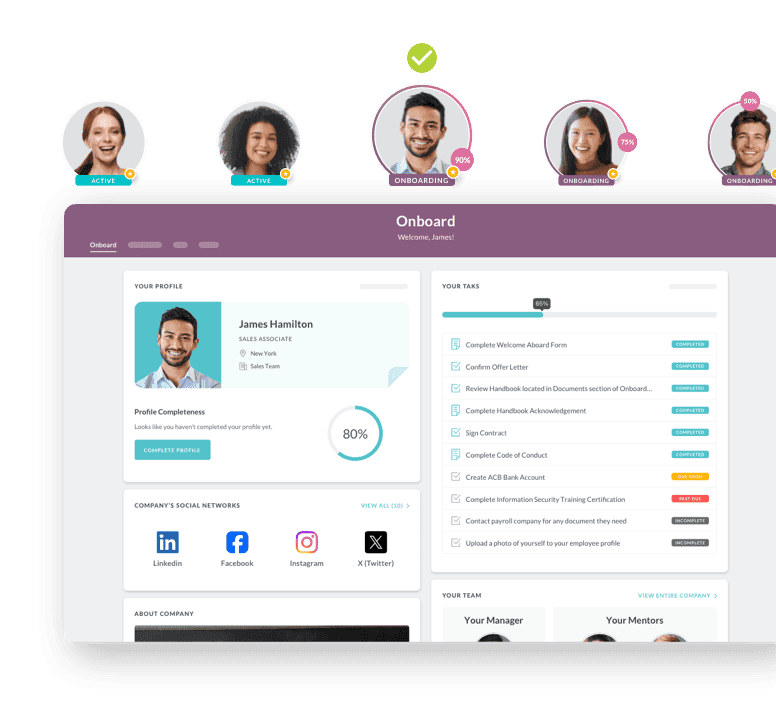
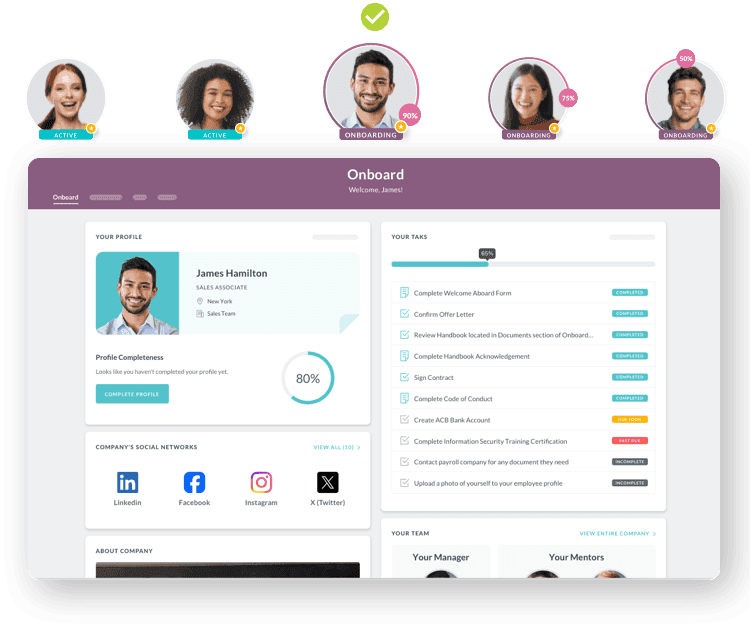
Purpose-built manufacturing HR software handles batch onboarding differently. HR Cloud Onboard supports role- and location-based onboarding workflows, employee document collection, automated task reminders, manager visibility dashboards, and mobile-friendly onboarding experiences — so workers can complete pre-boarding tasks from their phones without needing a corporate email address. Real-time dashboards show which new hires are complete, which have outstanding items, and which need a nudge — across all 30 people at once.
Pro tip: The benchmark for manufacturing onboarding isn't completion speed — it's Day 1 readiness. If a new hire reaches their first shift without required safety training documentation or I-9 workflow visibility, the onboarding process failed before the employee started.
Scenario 2: Your Compliance Documentation Is One Audit Away from a Problem
Manufacturing HR teams deal with compliance requirements that most office-based HR software wasn't designed for: federal I-9 verification, OSHA safety training records, equipment certification renewals, and state-specific labor documentation — all against a backdrop of high workforce turnover that means those requirements reset constantly.
Manual compliance tracking in high-turnover environments is a losing game. A certification that expires on a Friday goes unnoticed over the weekend. An I-9 document with a typo doesn't surface until someone pulls the file. A new hire completes safety orientation verbally but there's no digital record for the audit trail.
The exposure isn't theoretical. According to OSHA's 2025 penalty schedule, serious violations now carry a maximum penalty of $16,550 per violation, and willful or repeated violations can reach $165,514 per violation — figures that increased again on January 15, 2025. Those penalties make documentation visibility a business issue, not just an HR admin issue.
What purpose-built platforms do instead: automated certification tracking with expiration alerts before — not after — a deadline passes; digital I-9 workflows with built-in document verification steps; role-specific safety training assignment that fires automatically when a new hire is added with a specific job code; and reporting that helps HR retrieve training records, documents, and certification details more quickly during internal reviews or audit preparation.
Why this matters for HR: Compliance in manufacturing is not a once-per-year review. It's a daily operational function. Manual tracking increases the chance of missed deadlines, incomplete records, and last-minute audit preparation — especially in environments where new hires are constant and each one restarts the compliance clock.
Manufacturing HR Compliance Checklist
| Compliance Area | What Manual Systems Miss | What Purpose-Built Software Does |
|---|---|---|
| I-9 / E-Verify | Re-verification deadlines for temp-to-perm hires | Automated alerts before document expiration |
| OSHA Safety Training | No audit trail for verbal orientation | Digital completion with timestamped records |
| Equipment Certification | Expired certs not caught until an incident | Role-based cert tracking with renewal reminders |
| State Labor Law | Multi-state variations tracked manually | Location-based compliance rule sets |
| Records Retention | Paper storage with no retrieval system | Searchable digital archive with retention schedules |
Scenario 3: Your Hourly Workers Can't Access HR — and They're Leaving Because of It
One of the most consistent drivers of early turnover in manufacturing isn't pay. It's friction. According to Deloitte and The Manufacturing Institute's 2024 workforce report, 47% of manufacturers identify flexible work arrangements — including shift swapping and schedule visibility — as the most impactful retention lever they have.
The problem is that most HR platforms were built for employees who have a desk, a company laptop, and a corporate email address. Your press operators, assembly line workers, and material handlers have none of those things. When they need to request PTO, check a pay stub, or swap a shift, the experience is: find a computer somewhere, remember a login, navigate a system that doesn't work on mobile, give up, and ask a supervisor who then has to email HR.
That friction costs you employees you can't afford to lose.
Mobile-first HR platforms reduce that friction by making common employee actions easier to complete from a phone: requesting time off, completing onboarding tasks, receiving HR reminders without relying on company email, and accessing schedules or HR updates where supported. The difference for a manufacturing worker isn't a minor UX improvement — it's the difference between HR being accessible and HR being something that happens at a desk they don't have.
HR Cloud's mobile app is designed for deskless teams, supporting employee-facing HR workflows from personal devices without requiring a corporate email or IT-provisioned account. If offline access is a specific requirement for your facilities, confirm that capability during your evaluation — especially for plants with limited connectivity in certain areas.
What this means for retention: The Deloitte and MI data is clear — flexibility and accessibility aren't perks in manufacturing. They're retention tools. Workers who can manage their time off, complete onboarding tasks, and receive updates from their phone feel more connected to the organization than workers who have to find a supervisor for every HR interaction.
Scenario 4: Your Shift Data Lives in Three Systems and None of Them Talk to Payroll
Manufacturing payroll is not simple. Shift differentials, weekend premiums, daily overtime versus weekly overtime, department-specific rules, holiday pay — the calculations are complex enough that a single error can affect dozens of workers on the same pay cycle.
When time and attendance data lives in one system, scheduling in another, and payroll in a third, manual reconciliation is the only option. And manual reconciliation produces errors. Underpaid workers notice. Overpayments have to be clawed back. Both damage trust.
The integration question is where generic HR software most often fails manufacturing. A platform that handles time tracking well but exports a CSV to payroll once a week isn't a solution — it's a slightly faster version of the old problem.
Purpose-built manufacturing HR platforms maintain direct, bi-directional integrations with major payroll providers. HR Cloud integrates natively with ADP Workforce Now, ADP TotalSource, ADP RUN, UKG, and Paylocity — syncing time and attendance data automatically, eliminating manual data entry between systems, and maintaining a single source of truth across the employee record. You can see the full integration detail in HR Cloud's ADP integration guide.
For manufacturing facilities that already run ADP for payroll, HR Cloud functions as a workforce management and engagement layer that enhances ADP rather than replacing it — a meaningful distinction for HR teams who don't want to re-implement payroll.
Key integration requirement: Ask any HR software vendor to demonstrate live data flow between time and attendance and payroll during the demo — not just show you a diagram. The integration's reliability under real shift patterns is what determines whether it actually solves the problem.
Scenario 5: Safety Training Isn't Getting Done — and You Won't Know Until Something Goes Wrong
OSHA requires specific safety training before manufacturing workers operate equipment, handle hazardous materials, or perform work in restricted areas. The challenge isn't knowing what's required. It's tracking completion at scale, across multiple shifts, with a workforce that turns over frequently enough that those requirements reset constantly.
A forklift operator who started on the night shift three weeks ago needs to have completed powered industrial truck training before they operated that equipment. Did they? In a paper-based or spreadsheet-tracked system, that question takes minutes to answer and may surface an incomplete record. In a system where training assignment and completion are automated and tied to the employee record, the question is answered in seconds — and was never a real question in the first place, because the system wouldn't allow them to proceed without it.
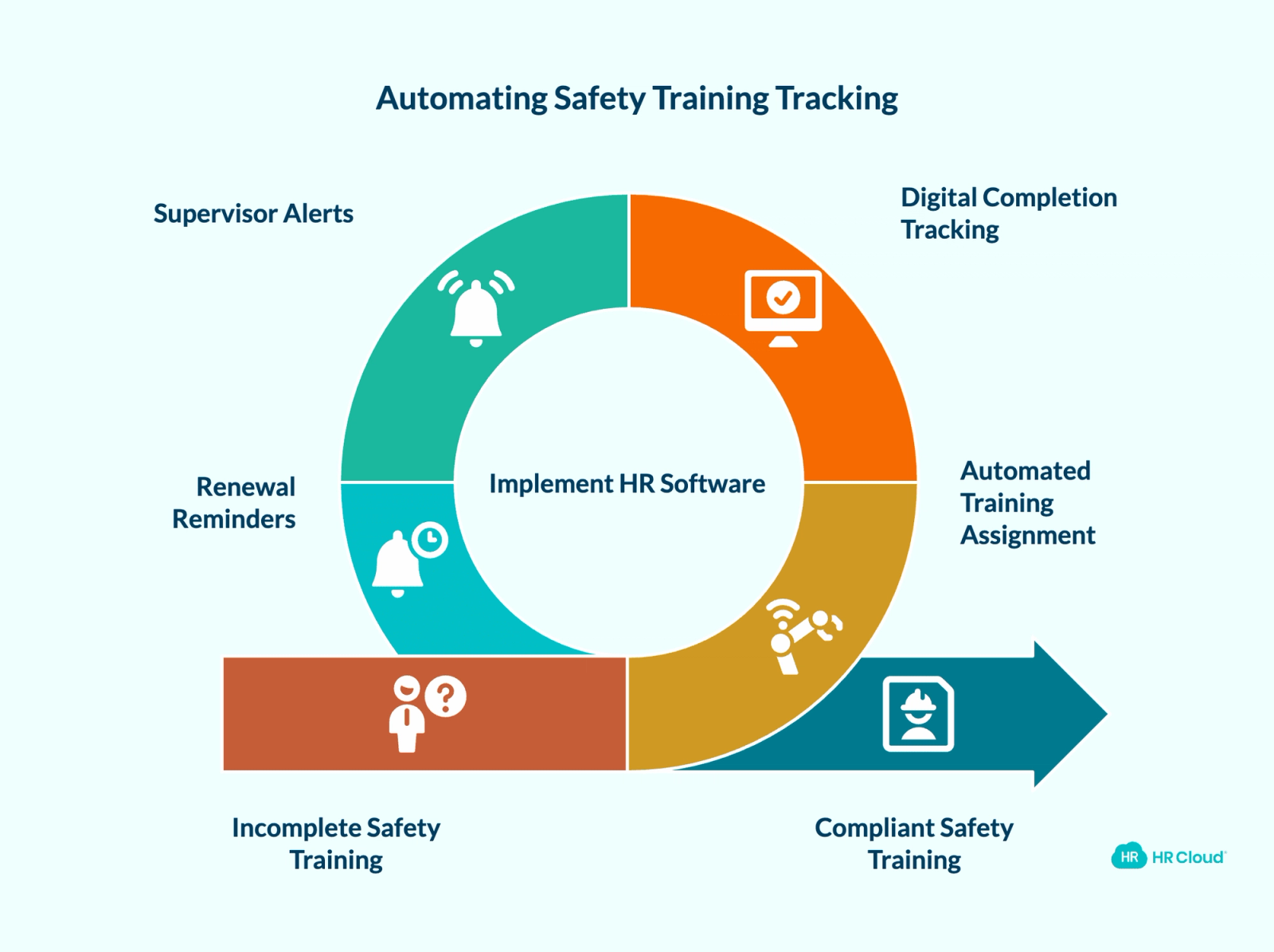
Manufacturing HR software should automate safety training assignment by job code, track completion with digital timestamps that hold up in an audit, alert supervisors when a new hire's required training is incomplete before their first shift, and send renewal reminders for certifications that expire on a rolling basis.
HR Cloud's Onboard module supports role-based training assignment — meaning the moment a new hire is created with a specific job code, the appropriate training modules are assigned automatically. Completion is tracked and visible from a central compliance dashboard.
Why safety training tracking matters beyond compliance: Workers who feel unprepared for their role leave faster. Inadequate training is consistently cited in manufacturing exit interviews alongside pay and advancement — and unlike pay, it's something HR software can directly address through structured, automated learning paths tied to each role.
Download Your Free Manufacturing Onboarding Checklist
Ensure your new hires are ready for success right from day one. This checklist covers all the essentials—safety compliance, training, and seamless integration for your frontline workers.
Download Now
Scenario 6: You Can't See What's Happening Until It's Already a Problem
The last scenario isn't a single failure point — it's the result of all the others. When HR data is fragmented across disconnected systems, manufacturing HR teams operate reactively. They find out about an overtime spike when payroll runs. They find out about a turnover trend when they're already three people short on second shift. They find out about a compliance gap when an auditor asks for documentation.
The strategic value of a unified HR platform isn't just efficiency. It's visibility. When onboarding, compliance, time and attendance, and employee records all live in one system, HR directors can see patterns before they become problems: a department where new hires consistently reach Day 30 with incomplete training, a shift with attendance variance that predicts higher turnover, a location where overtime is trending toward a labor cost overrun.
Workforce analytics in purpose-built manufacturing HR software translate HR data into operational decisions — not just periodic HR reporting.
Manufacturing HR Software Evaluation Matrix
Use this framework when evaluating platforms against your specific manufacturing environment.
| Capability | What to Ask the Vendor | Red Flag |
|---|---|---|
| Batch Onboarding | "Can I create 40 new hires at once with role-specific templates?" | Demo only shows individual new-hire flows |
| I-9 / Compliance | "How does the system track document expiration and re-verification?" | Requires manual date tracking or calendar reminders |
| Mobile Access | "Show me the employee experience on a personal Android phone" | Mobile is a web browser wrapper, not a native app |
| Payroll Integration | "Demonstrate live data sync with [our payroll provider]" | Integration is a CSV export or manual upload |
| Safety Training | "How does training assignment work by job code?" | Training is a separate module with no auto-assignment |
| Reporting | "Pull me a compliance report for all employees hired in the last 90 days" | Report generation takes more than 60 seconds |
Five Demo Tests Manufacturing HR Teams Should Run
Generic demos show you the software working perfectly with clean sample data and a cooperative new hire. That's not your environment. Before committing to any HR platform, run these five tests with your actual conditions.
Test 1: Onboard 20 hourly hires with three job codes Ask the vendor to create a batch of new hires simultaneously — not one at a time — with different roles assigned at creation. Watch whether the correct document packets and training assignments populate automatically by job code, or whether someone has to configure each hire manually.
Test 2: Show the mobile onboarding flow on a personal Android phone Not a demo device. Not a company phone. A personal Android, without a corporate email address pre-configured. This is how your production workers will access the system. If the experience breaks, times out, or requires an IT setup step, it will break for your new hires too.
Test 3: Pull safety training records for hires from the last 90 days Ask for a report showing every employee hired in the last 90 days, their assigned training modules, and completion status. If retrieving this takes more than a few clicks or requires an export and manual analysis, the system won't give you the audit visibility you need.
Test 4: Show how renewal reminders work for expiring certifications Ask the vendor to demonstrate what happens 30 days before a forklift certification expires. Does the system automatically alert the employee and their supervisor? Does it flag incomplete re-certification on a dashboard? Or does someone have to remember to check?
Test 5: Demonstrate payroll-connected data flow with your actual provider Name your payroll system — ADP, UKG, Paylocity, or otherwise — and ask to see live data flowing between time and attendance and that specific provider. A diagram is not a demonstration. Watch the data move.
The Bottom Line
Manufacturing HR teams don't need more features. They need software that was actually built for their operational reality — shift work, compliance at scale, mobile-first workers, and payroll complexity that breaks generic systems by design.
The six scenarios in this guide aren't edge cases. They're the daily work of every manufacturing HR team still running on disconnected systems. Each one can be reduced when the workflow is visible, mobile-friendly, and connected to the systems HR already uses.
HR Cloud's platform — including Onboard, People HRIS, and the ADP integration — is built for practical workforce operations in frontline-heavy industries like manufacturing. Customers including Duro-Last, Professional Plastics, and Prestage Farms work with HR Cloud to manage the onboarding, compliance, and workforce visibility challenges covered in this guide.
Ready to see how it handles your specific environment? Book a free demo

Discover how our HR solutions streamline onboarding, boost employee engagement, and simplify HR management
Book Your Free DemoFrequently Asked Questions
What HR software features do manufacturing companies need most?
Manufacturing HR software must handle three things generic platforms can't: batch onboarding for high-volume hiring waves, compliance tracking for OSHA safety training and I-9 verification at scale, and mobile-first design that works on personal smartphones for deskless workers who never access a company computer. Without all three, you're solving part of the problem.
How does HR software help reduce turnover in manufacturing?
It works at two stages: onboarding and ongoing access. Structured digital onboarding reduces early-tenure turnover — workers who feel prepared and connected in their first 30 days are significantly more likely to stay past 90. Ongoing mobile self-service for schedule visibility, PTO requests, and shift swaps addresses the friction that drives mid-tenure exits. HR analytics also help identify which departments or shifts show abnormal turnover patterns before the problem compounds.
What integrations should manufacturing HR software have?
At minimum: bi-directional integration with your payroll provider (ADP, UKG, Paylocity), integration with existing time clocks or time-tracking hardware, and ERP connectivity for labor cost visibility. Single sign-on (SSO) via Microsoft or Google reduces access management overhead. Ask vendors to demonstrate these integrations live during a demo — not just list them on a features page.
How long does HR software implementation take for a manufacturing company?
A well-scoped implementation for a manufacturing company should go live in six to eight weeks, not six months. The timeline depends on integration complexity, the number of locations, and how much data needs migration. Platforms with pre-built manufacturing configurations and dedicated implementation teams move significantly faster than general-purpose HR software that requires custom configuration from scratch.
Can HR software handle compliance for multi-location manufacturing operations?
Yes, but only if it's built for it. Effective multi-location compliance requires location-based onboarding templates with state-specific document requirements, department-level training assignment, and reporting that filters by facility. Platforms built for single-site, office-based HR teams typically require manual workarounds that create compliance gaps at scale. Ask specifically how the vendor handles location-level configuration before committing.
What's the cost of not having the right HR software in manufacturing?
The direct costs include OSHA violations — serious violations carry a maximum of $16,550 per violation, and willful or repeated violations reach $165,514 each per OSHA's 2025 penalty schedule — plus payroll errors from manual reconciliation across disconnected systems. The indirect cost is often larger: SHRM cites replacement costs ranging from 50% to 200% of annual salary, depending on employee level. For production workers, that is a meaningful line item per departure — and with the National Association of Manufacturers reporting that 65% of manufacturers are already strained by talent challenges, preventable turnover is a cost manufacturing HR can't keep absorbing.
About the author

Keep Reading


Like What You Hear?
We’d love to chat with you more about how HR Cloud® can support your business’s HR needs.
Book Your Free Demo