Top 9 Manufacturing Onboarding Software Features: Safety, Mobile-first, and More

Manufacturing onboarding software requires features generic HR platforms can't deliver. Essential capabilities include mobile-first accessibility for deskless workers completing tasks on personal phones, robust safety and OSHA compliance tracking with automated training assignment, paperless workflows with mobile e-signatures, integrated certification management with expiration alerts, multi-location customization for different compliance requirements, and seamless HRIS/payroll integration. Nice-to-have features boosting retention include employee engagement tools, 30-60-90 day goal setting, and union workforce support. When evaluating vendors, create weighted scorecards prioritizing safety compliance and mobile accessibility—the features that separate manufacturing-ready platforms from adapted office software.
Tell me the truth: that onboarding software your company has been using to onboard your manufacturing unit employees, is it working the way you need it to?
If not, that’s most likely because It was designed for someone sitting at a desk with a laptop and a company email address.
But that's not your workforce.
Your workforce operates forklifts at 5 AM. Runs production lines across three shifts. Handles hazardous materials requiring OSHA-mandated training before they touch anything. And most of them don't have or want or need a desktop computer.
If you're an HR leader, HR Ops manager, or operations head in manufacturing, you already know the gap between what generic HR software promises and what your shop floor actually needs. A gap that results in paper workarounds, compliance gaps, frustrated supervisors, and new hires who feel forgotten before their first shift ends.
This guide is your checklist for employee onboarding in manufacturing, listing the specific features that separate platforms built for your reality from those designed for corporate offices.
Why Generic Onboarding Software Fails on the Factory Floor
Let’s first discuss what happens you try to force office-centric software onto a manufacturing environment, because therein lies the root of the problems you are facing.
If you are sending welcome email to your new machine operator, she'll never see it because she doesn't use emails. Hasn’t needed till now and she is not about to change her set ways for you. At least not right away.
The safety training module requires Flash Player and a desktop browser.
The I-9 completion process times out on mobile. And the "digital onboarding experience" becomes a supervisor printing forms, chasing signatures, and manually entering data into three different systems.
Onboarding software for blue-collar workers needs to account for realities that generic platforms ignore: shift-based schedules that don't align with HR's business hours, workers completing tasks on personal phones during off-hours, complex safety protocols that vary by role and work area, and multi-location operations with different compliance requirements.
The manufacturing onboarding process isn't just different in degree from office onboarding, it's a different beast altogether.
Core "Must-Have" Features for Manufacturing Onboarding Software
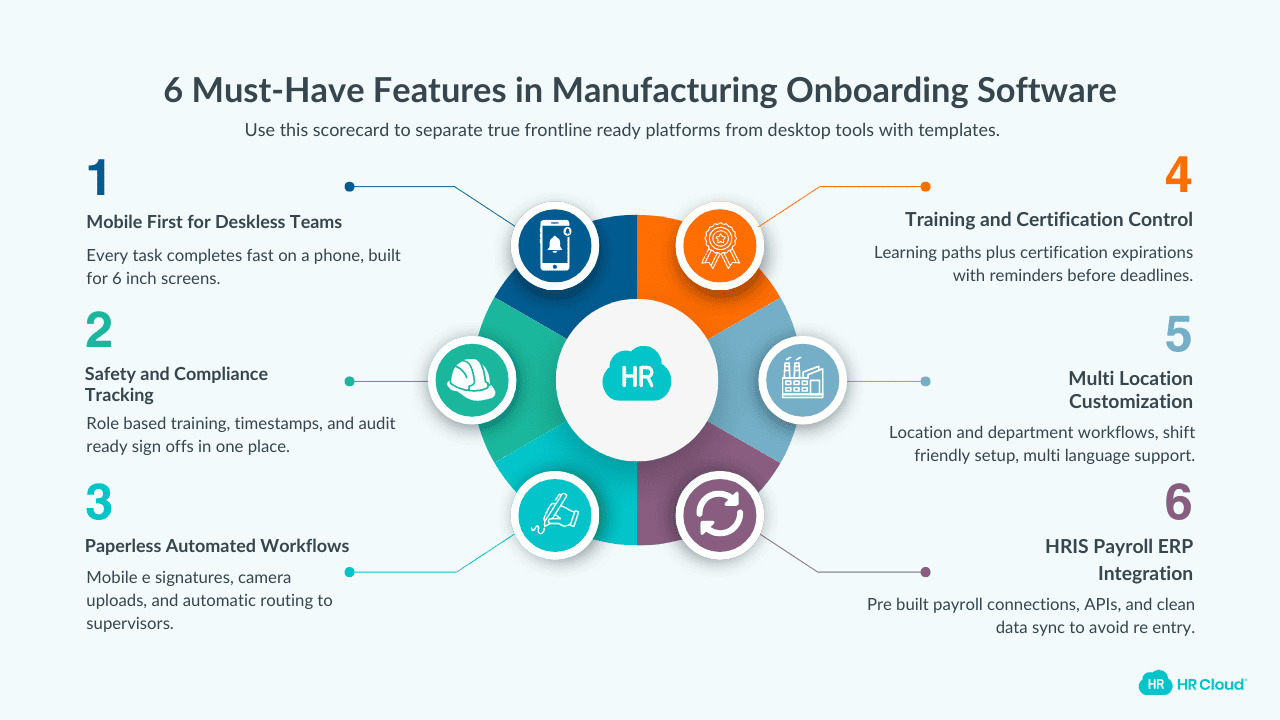
Think of this section as your evaluation scorecard.
When you're comparing vendors or building internal requirements, these are the features that separate platforms built for manufacturing from those with manufacturing templates bolted on.
Core Feature #1. Mobile-First Accessibility for a Deskless Workforce
I cannot emphasize enough how much of a must-have this is for smooth onboarding experience for your shop floor employees.
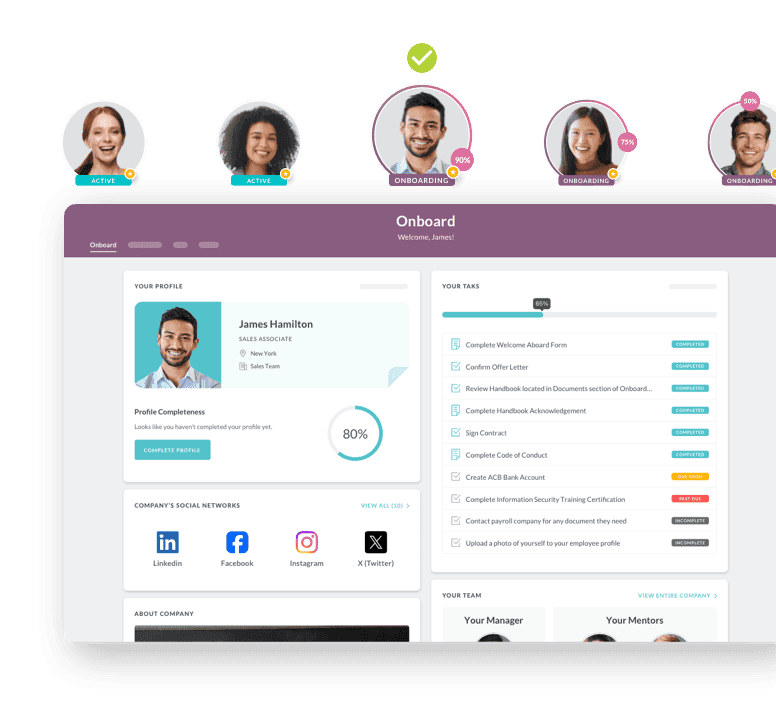
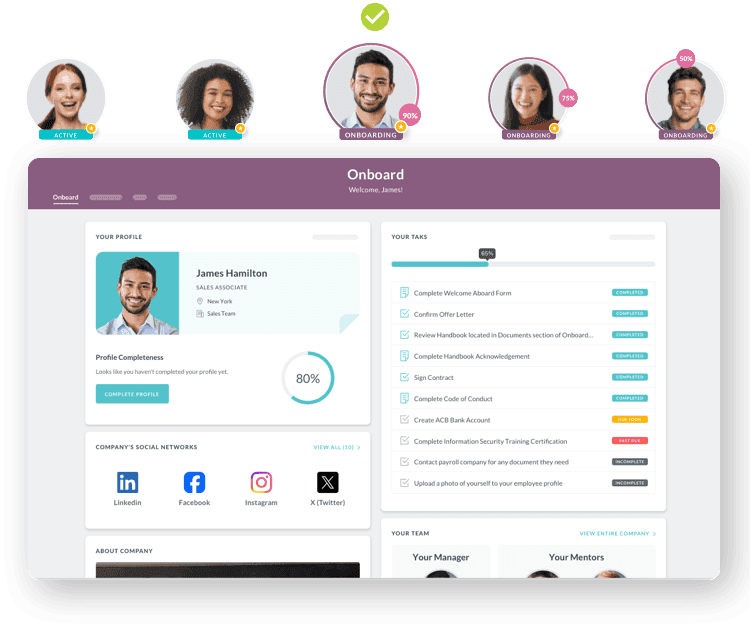
A true mobile onboarding app means every task—I-9 completion, safety acknowledgments, direct deposit setup, policy signatures—works flawlessly on a smartphone. Not just a responsive website that technically loads on mobile. An interface actually designed for 6-inch screens and completion in short bursts.
Here is what your manufacturing onboarding software must have:
- intuitive interfaces that work for workers with varying technical comfort levels
- native mobile apps (not just responsive web design)
- offline capability for areas with poor connectivity
- push notifications via SMS rather than email
Because shift worker onboarding is not a 9-5 phenomenon; it occurs at 10 PM or during lunch breaks or in-between shifts. Your software needs to meet the new hires where they are.
Core Feature #2. Robust Safety and Compliance Management
Manufacturing workers face real physical danger. OSHA data shows the industry accounts for 17% of all work-related injuries and illnesses. New employees face elevated risk because they don't yet know equipment, hazards, or protocols.
Safety onboarding software must handle:
- automatic assignment of role-specific safety training
- tracking of OSHA onboarding requirements with completion timestamps
- digital sign-offs on safety policies and procedures
- certification management for equipment operation (forklift, overhead crane, lockout/tagout)
- audit-ready documentation for compliance verification.
This isn't just about checking boxes; it’s about keeping your employees safe. Research indicates companies with comprehensive safety training see 50% fewer workplace injuries.
Core Feature #3. Automated Workflows and Paperless Onboarding
Paper-based onboarding requires frontline workers to print, fill out, scan, and email forms. That process assumes access to printers, scanners, and comfort with multi-step digital workflows—assumptions that don't hold good for most manufacturing hires.
Paperless onboarding for manufacturing means: digital I-9, W-4, and direct deposit with mobile-optimized e-signatures, new hire paperwork automation that triggers tasks based on role and location, document upload via phone camera, and automatic routing to supervisors for approvals.
The efficiency gains compound over time as:
- HR stops chasing signatures
- supervisors get automatic updates about clearances
- no more data entry errors rising out off illegible handwriting
- new hires spend day one learning their jobs instead of filling out forms
Core Feature #4. Integrated Training and Certification Tracking
We have talked about how critical safety training is for manufacturing workers. But that’s not the first and last certification they need. That’s why manufacturing roles require ongoing certification management—equipment qualifications, recertification deadlines, skills progression tracking.
Digital safety training for manufacturing should include:
- role-specific learning paths (a forklift operator needs different training than an assembler)
- equipment certification tracking with expiration alerts
- automated reminders for recertification before deadlines
- completion documentation that feeds into compliance reporting.
So that, when an OSHA inspector arrives or when an incident requires investigation, you have the proof that every worker completed required training. Paper systems can't deliver that 100% assurance.
Core Feature #5. Multi-Location and Departmental Customization
A single unit is complex enough. Multiple facilities across states or countries? That's where generic software completely breaks down.
Manufacturing onboarding software must support:
- location-specific workflows (different states have different compliance requirements)
- department-specific training paths (paint department hazmat handling differs from assembly line safety)
- shift-based scheduling that doesn't require HR presence 24/7
- multi-language support for linguistically diverse workforces.
Standardization matters but so does flexibility. The right platform creates a core that is consistent across the units while allowing for without forcing identical processes where variation is necessary.
Core Feature #6. Seamless HRIS, Payroll, and ERP Integration
Onboarding data doesn't live in isolation. It feeds into payroll, benefits administration, time tracking, and production systems.
Manufacturing HR software that doesn't integrate creates manual data entry, duplicate records, and inconsistencies that compound over time.
Look for:
- pre-built integrations with major payroll providers (ADP, Paychex, UKG)
- API access for custom connections to ERP and production systems
- single sign-on capability
- bidirectional data sync that eliminates duplicate entry
HR technology for manufacturing should be part of your tech stack, not a silo requiring manual bridges.
"Nice-to-Have" Features That Boost Employee Retention
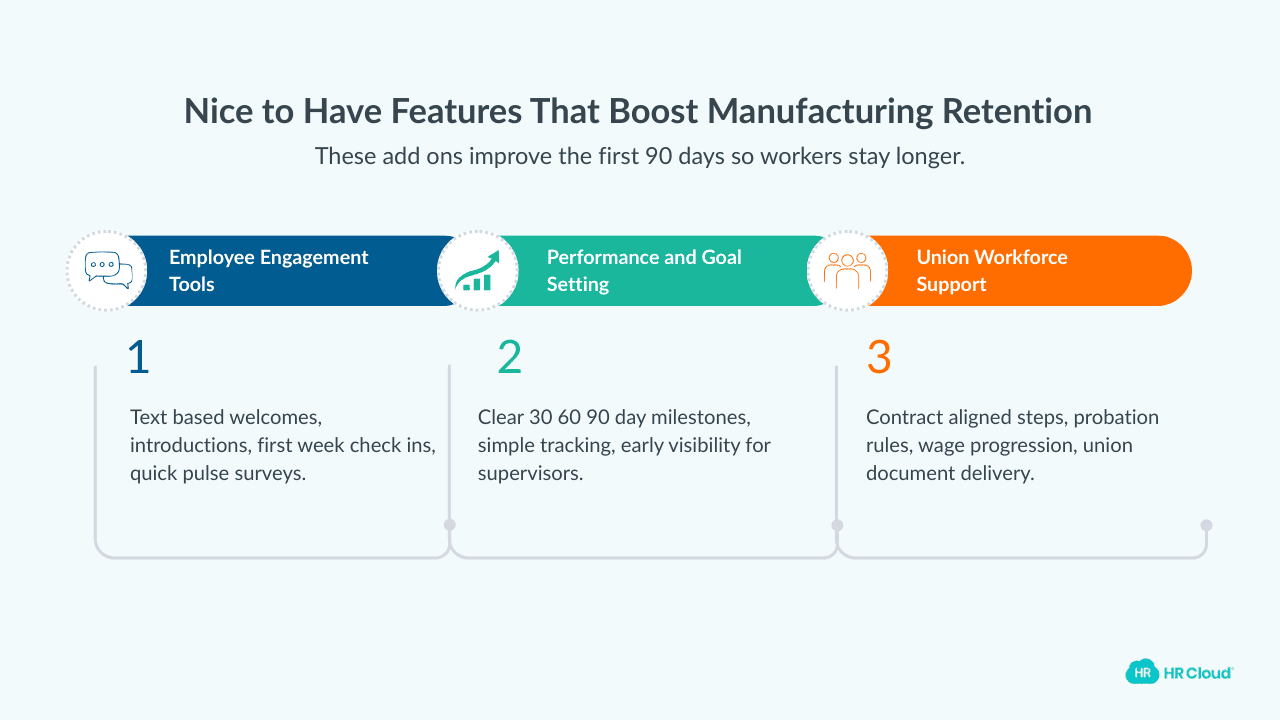
Beyond compliance and efficiency, the best platforms actively improve the new hire experience, which directly impacts whether workers stay past 90 days.
Add-on Feature #1. Employee engagement tools
Make frontline workers feel welcomed through automated welcome messages from supervisors delivered via text, introduction to teammates and mentors, first-week check-ins, and pulse surveys capturing early feedback.
Add-on Feature #2. Performance and goal setting
Provide structure to their onboarding experience with clear 30-60-90 day expectations, milestone tracking, and early performance visibility. This also helps supervisors intervene before problems arise or compound.
Add-on Feature #3. Union workforce support
Employee retention in manufacturing starts with onboarding. Workers who feel forgotten during their first week are already mentally checking out. Union workforce onboarding that respects contractual requirements builds trust from day one.
Because it addresses specialized needs: accommodation for collective bargaining agreement requirements, different probation periods, specific wage progressions, and union-related document distribution.
How to Build Your Internal Requirements Checklist
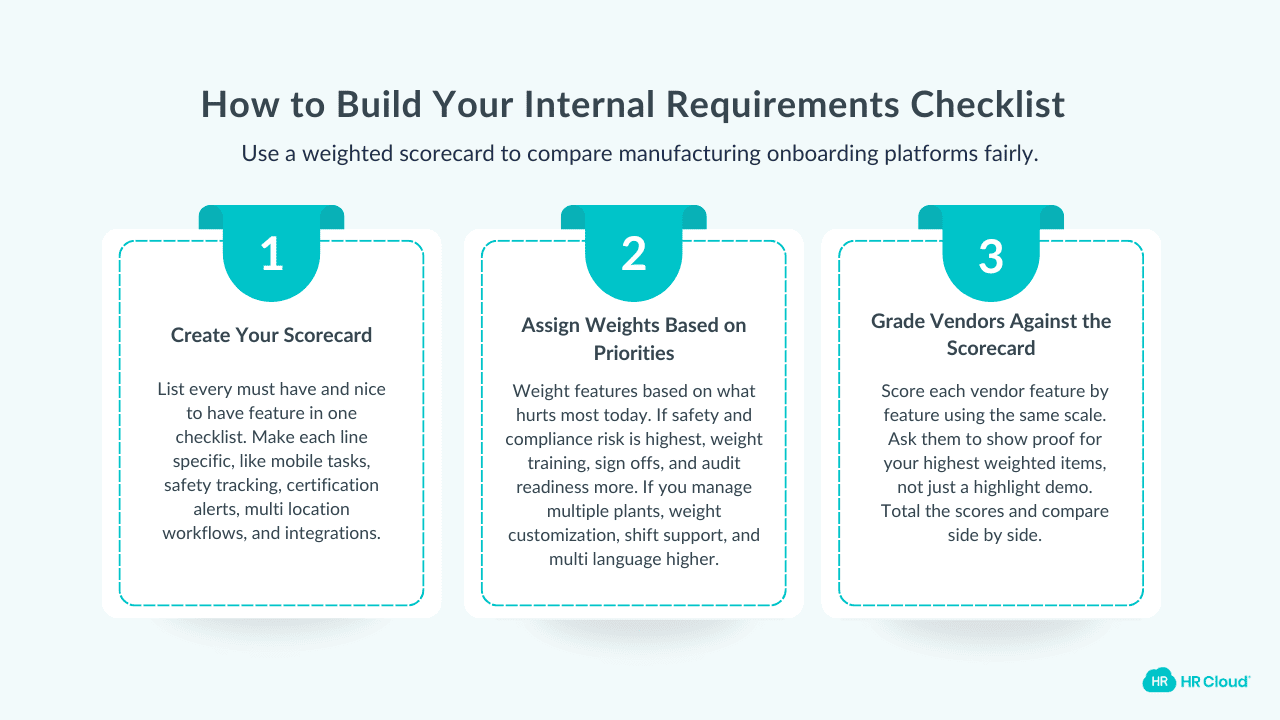
You now have the features. Here's how to use them to build your internal requirements checklist and compare possible solutions.
- Create a scorecard with every feature listed in this article.
- Assign weights based on your company's priorities. If safety compliance keeps you up at night, weigh those features highest. If you're struggling with multi-location consistency, prioritize customization capabilities.
- When you're doing onboarding software comparison, grade each vendor against your weighted scorecard.
Don't just accept demos that showcase strengths; ask specifically about features you've weighted highest.
Download Your Free Manufacturing Onboarding Checklist
Ensure your new hires are ready for success right from day one. This checklist covers all the essentials—safety compliance, training, and seamless integration for your frontline workers.
Download Now
Choosing the Right Onboarding Software for Your Manufacturing Needs
Mobile-first design, robust safety compliance, automation, and integration are the baseline for software that actually works on the factory floor.
In 2026, the best onboarding software for manufacturing isn't the platform with the longest feature list. It's the one built around how your frontline workers actually live and work.
Your machine operators, production workers, and warehouse staff deserve onboarding designed for their reality. And when they get it, the downstream benefits—reduced turnover, fewer safety incidents, faster time-to-productivity—more than justify the investment.
Ready to see these features in action?
Explore HR Cloud's manufacturing onboarding solution built with frontline workers in mind.

Discover how our HR solutions streamline onboarding, boost employee engagement, and simplify HR management
Book Your Free DemoFAQs
What are the key features of an onboarding system for manufacturing?
The most critical features for manufacturing onboarding are mobile-first design for deskless workers, robust safety and compliance management including OSHA training tracking, automated workflows for paperless paperwork, certification tracking with expiration alerts, multi-location support for different plant requirements, and seamless integration with existing HRIS and payroll systems.
Why is a mobile-first approach crucial for manufacturing onboarding?
Most manufacturing workers don't have regular desktop access or use emails. A mobile-first approach lets new hires complete paperwork, access safety training, and receive communications from personal devices anytime anywhere. This is essential to ensure shift workers complete onboarding in time.
How does onboarding software improve safety in a manufacturing plant?
Onboarding software improves safety by standardizing and tracking mandatory training, ensuring every new hire completes required modules before starting on the floor. Digital sign-offs, certification tracking, and automated recertification reminders create verifiable audit trails for compliance while reducing the incidents that occur when training falls through the cracks.
Can onboarding software handle union-specific requirements?
Yes, modern onboarding software can accommodate union-specific requirements including different probation periods, specific wage progressions, and distribution of union-related documents and collective bargaining agreements as part of the digital onboarding packet.
About the author

Keep Reading


Like What You Hear?
We’d love to chat with you more about how HR Cloud® can support your business’s HR needs.
Book Your Free Demo