Home Care Onboarding Workflow: From Offer to First Shift

Home care agencies that streamline their onboarding process see faster time-to-productivity, fewer compliance errors, and better retention rates. A structured workflow automating documentation, compliance tasks, and scheduling can cut onboarding time from weeks to days while ensuring every caregiver is properly trained and legal.
Key Takeaways
- Home care onboarding typically takes 10-14 days from offer to first shift; poorly structured processes can extend to 3+ weeks
- I-9 compliance has strict federal timelines: Section 1 by day 1, Section 2 by day 3; violations carry $100-$1,000+ penalties
- Home care turnover exceeds 79% industry-wide; better onboarding reduces second-day quits and improves 30-day retention
- Automated task management ensures compliance deadlines don't slip and documents aren't lost in email
- Role-specific onboarding (RNs vs. aides vs. coordinators) prevents wasted time on irrelevant training
- Digital onboarding portals allow remote caregivers to complete paperwork without in-person visits
- Chained tasks enforce sequential workflow steps (e.g., HR must complete I-9 Section 2 before caregiver can start training)
- Task reminders and notifications reduce administrative follow-up and missed deadlines
- Document request tasks auto-store uploads, creating audit trails for compliance verification
- Structured workflows reduce onboarding costs and accelerate time-to-revenue for new hires
Why Home Care Onboarding Matters More Than You Think
What is Onboarding? In home care, onboarding is the structured process from job offer acceptance through the first shift—typically 10-14 days. It includes compliance verification (I-9, background checks), role-specific training, document collection, and client assignment. Poor onboarding drives turnover; strong onboarding improves retention and compliance.
Sarah was excited. She'd just accepted a position as a home health aide with a mid-sized agency in Pennsylvania, and her start date was two weeks away. But those two weeks turned chaotic. She received forms via email, text messages asking for documents, and conflicting information about orientation dates. When she finally showed up for her first shift, no one had processed her I-9, her background check was incomplete, and she spent three hours on paperwork instead of meeting the client she'd be caring for.
This isn't an outlier in home care. It's the default experience for many agencies.
The home care industry is booming. According to the Bureau of Labor Statistics, home health aide positions are projected to grow 17% from 2024 to 2034—much faster than the 3.1% average for all occupations. As of May 2024, home health and personal care aides represent the largest single occupation in the U.S. with 4 million workers. But as agencies scale, onboarding becomes a bottleneck. You're managing caregivers across multiple locations, each one needing compliance documentation, training records, and schedule coordination. One missed document can delay a caregiver's first shift. One confused deadline can tank a new hire's first impression.
The stakes matter here. Home care is relationships. You're placing caregivers into intimate settings—elderly clients' homes, disabled children's households, complex medical situations. The first shift sets the tone. A caregiver who feels disorganized and unprepared doesn't just have a bad day; they show up stressed to a client who's also nervous about a new face. That stress carries forward.
A structured onboarding workflow transforms this. Instead of scattered emails and phone calls, you create a system. Tasks get assigned automatically. Compliance deadlines get flagged. Caregivers see exactly what's expected, when it's due, and what comes next. The result: faster time-to-first-shift, fewer compliance mistakes, and new hires who feel confident and welcomed.
In an industry where turnover rates exceed 79%, the first few days matter enormously. A caregiver who experiences a chaotic, disorganized onboarding is more likely to quit before they ever start their first shift.
The Home Care Onboarding Problem
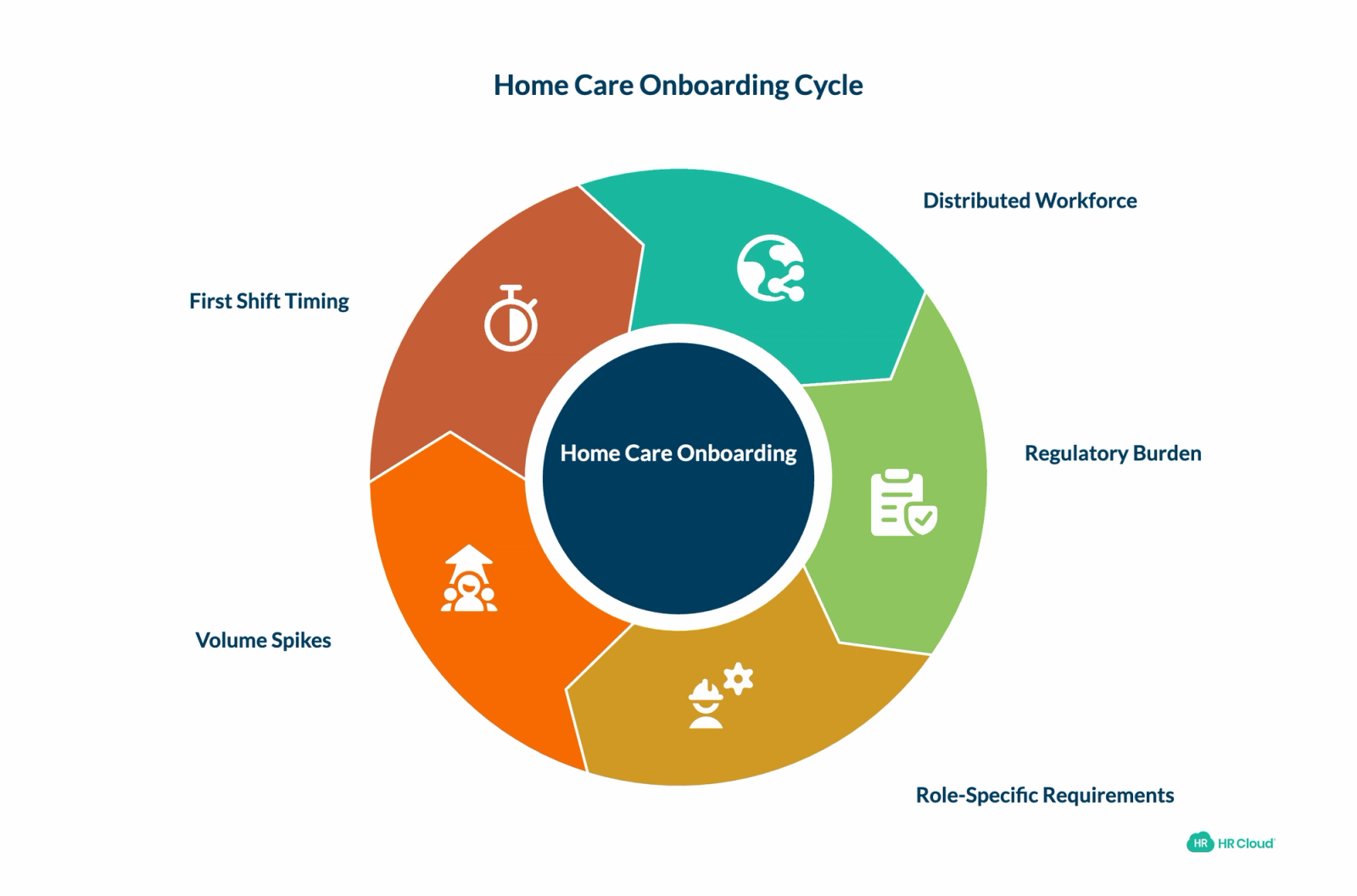
Home care agencies deal with layered complexity that most other employers don't:
Distributed Workforce Your team isn't in one office. New caregivers might live across multiple counties. You can't hand someone a packet and say "here, complete this." You're coordinating documents across distances, managing time zones, and tracking what's been returned.
Regulatory Burden Home care carries compliance weight. I-9 verification, background checks, health screenings, and role-specific certifications all have tight timelines. Miss an I-9 deadline and you face penalties. A background check that stalls delays the first shift and frustrates the client waiting for care.
Role-Specific Requirements A registered nurse needs different training than a personal care aide. A coordinator needs different onboarding than a caregiver. Your current system probably treats everyone the same. That's wasted time for people who don't need certain training and gaps for people who do.
Volume Spikes Home care has seasonal hiring surges—summer vacations, winter illness peaks, disaster response. You can't afford to lose days because your onboarding process can't scale. When you hire 20 caregivers in a month, manual coordination becomes impossible.
First Shift Timing In most industries, you onboard over a week or two. In home care, clients are waiting. Sometimes you need a caregiver ready in days. Every day of delay is revenue lost and a frustrated client.
The traditional approach—scattered emails, phone calls, printed forms mailed back and forth, manual tracking in spreadsheets—buckles under this pressure.
| Challenge | Manual Approach | Automated Workflow |
|---|---|---|
| I-9 Deadlines | Email forms, track manually, chase down overdue items | Auto-assigned with deadline reminders, locks at day 3, audit trail |
| Background Check Status | Spreadsheet, manual vendor follow-up | System flags delays, tracks status, integrates with vendors |
| Document Collection | Scattered emails, lost attachments, manual filing | Centralized storage, automatic organization, audit trail |
| Compliance Tracking | Prone to human error, time-consuming audits | Real-time dashboard, complete audit history, compliance reports |
| Training Progress | Manual reminders, variable completion rates | Automated tasks, progress visibility, completion tracking |
| First Shift Readiness | Last-minute scramble, surprises on day 1 | Planned timeline, all contingencies known in advance |
| Time to First Shift | 2-3+ weeks, with delays common | 1-2 weeks, on schedule |
| Scaling Capacity | Breaks down with more hires | Scales linearly without added overhead |
How HR Cloud Specifically Solves Home Care Onboarding Challenges
Understanding the workflow is important, but knowing how to actually implement it matters more. Here's how HR Cloud's platform handles the specific challenges home care agencies face:
Example 1: Automating I-9 Compliance (The Most Common Mistake)
The Manual Problem: An agency sends an I-9 form via email. The caregiver doesn't open it for 2 days. By day 3, the employer section deadline passes. No one notices until the compliance audit 6 months later. Penalty: $500+ per violation.
How HR Cloud Prevents It:
1. When you hire an employee, you assign them the "I-9 Completion" checklist
2. The system immediately sends them an email: "Complete your I-9 Section 1 by [date]"
3. On day 2, if they haven't completed it, an automated reminder goes out
4. On day 3, the form locks for the employee based on the deadline you've configured in the system.
5. An alert pops up in your Compliance Manager's dashboard: "I-9 deadline approaching for [Name]"
6. Your manager opens the I-9, completes Section 2, and marks it verified
7. Once the I-9 is complete, HR can launch the background check directly from HR Cloud via the Checkr integration — no switching systems.
8. The entire audit trail (who did what, when) is documented in the system
Result: Automated reminders and configurable form-locking significantly reduce missed I-9 deadlines. Every action is logged with a timestamped audit trail, so you're ready if an audit lands on your desk.
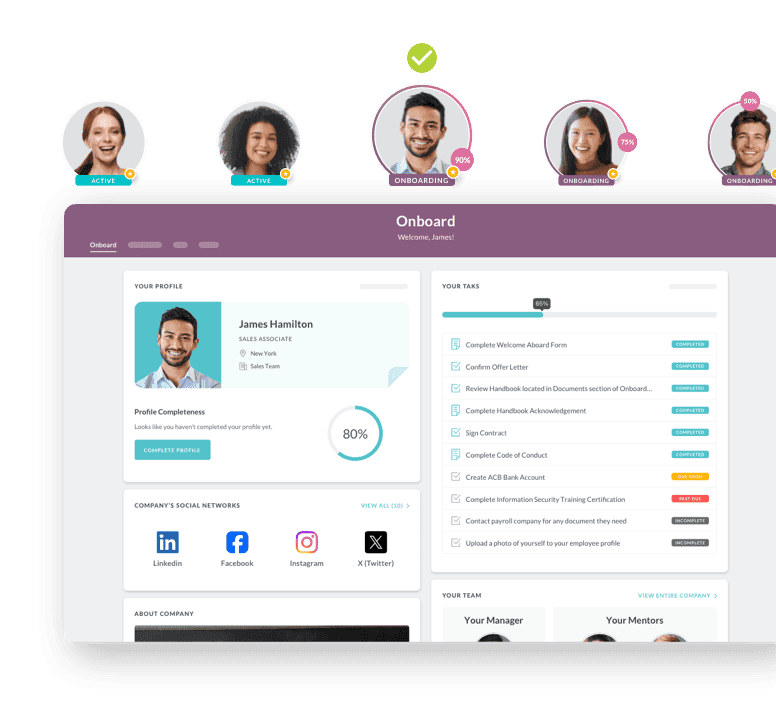
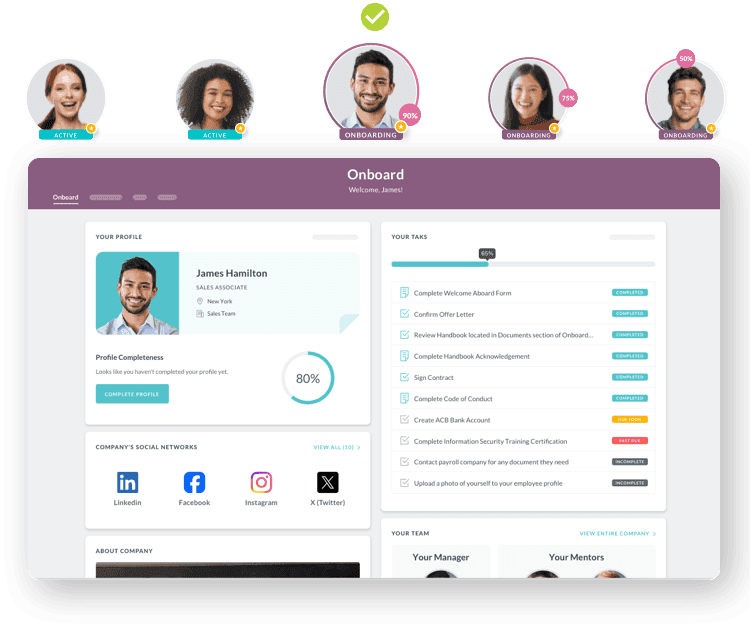
Example 2: Role-Specific Training Without Redundancy
The Manual Problem: You send all caregivers the same 15-module training even though personal care aides don't need advanced clinical protocols. Aides waste 6 hours on irrelevant content. RNs skip modules because they're too basic. Result: variable training quality and low completion rates.
How HR Cloud Prevents It: When you add a new employee, you select their role. The system automatically assigns the right training:
Personal Care Aide Portal shows:
- Policy & Procedures (plain task with employee handbook download)
- Infection Control & Safety (video task—15-minute training video)
- Client Confidentiality (form task—quiz to verify comprehension)
- Client Care Plan Review (document download—specific to their assigned client)
- Training: ~3-4 hours total
Registered Nurse Portal shows:
- Policy & Procedures (same as aide)
- Advanced Clinical Protocols (video task—detailed, clinically-focused)
- Medication Management Systems (form task—medication authorization)
- EHR & Documentation (video task—system-specific training)
- Supervision Requirements (document task—liability and protocol)
- Training: ~6-8 hours total, clinically appropriate
Result: Each role gets exactly what they need. No wasted time. Higher completion rates. Better compliance with role-specific requirements.
Example 3: Scaling from 5 Hires to 50 Hires Without Adding Staff
The Manual Problem: You normally hire 5 caregivers a month, onboard them individually via email. In March, a new hospital contract means you need 50 caregivers. Your one HR person is completely overwhelmed. Onboarding falls apart. Some caregivers miss deadlines. Some never get trained. First shifts get delayed.
How HR Cloud Handles It:
1. You create a "Spring 2025 Bulk Hire" checklist with all 50 caregivers
2. You apply the onboarding checklist to all 50 hires at once
3. All 50 caregivers receive their customized portal links, assigned to their role
4. All 50 receive automated emails, reminders, and task assignments
5. Background checks are initiated directly from HR Cloud via the Checkr integration — no separate logins or manual data re-entry
6. Training videos play for all 50 simultaneously
7. I-9s auto-lock on deadline for all 50
8. Your HR dashboard shows: "45 of 50 compliant, 3 pending background check, 2 missing documents"
9. You send a reminder to those 5, and they complete within 2 days
10. All 50 start on schedule, fully trained and compliant
Result: Your one HR person manages 50 hires with the same effort as 5. Zero administrative overhead. Zero missed deadlines. 100% compliance rate.
Example 4: Chained Tasks Prevent Workflow Bottlenecks
The Manual Problem: Your process requires HR to verify the I-9 before the caregiver starts training. But because tasks are unconnected, the caregiver starts training before you've verified the I-9. Then you discover a document is missing. You have to stop everything. The caregiver misses their first shift.
How HR Cloud Prevents It: You set up a workflow chain:
- Task 1 (assigned to caregiver): "Complete I-9 Section 1"
- Task 2 (assigned to HR): "Verify I-9 Section 2" — This task is PENDING until Task 1 completes
- Task 3 (assigned to caregiver): "Upload supporting documents" — This is PENDING until Task 2 completes
- Task 4 (assigned to caregiver): "Begin training modules" — This is PENDING until Task 3 completes
The caregiver cannot skip ahead. HR cannot miss a step. The workflow enforces the right order. If Step 1 isn't done, Steps 2-4 show as "Pending" and aren't accessible.
Result: Impossible to skip compliance steps. Impossible to miss deadlines. Workflow integrity is guaranteed by the system.
Example 5: Integration Eliminates Manual Data Entry
The Manual Problem: Background check provider sends you an email: "Sarah's background check is approved." You manually log into your spreadsheet, find Sarah's row, type "Approved," send her an email that she can start training. Meanwhile, she's waiting, refreshing her email. Delay = one day of wasted time × 50 hires = 50 lost days of productivity.
How HR Cloud Integration Works:
1. You set up your background check provider in HR Cloud settings (one-time setup)
2. When you submit Sarah's background check to the vendor, it's linked in the system
3. Vendor marks it "Approved" in their system
4. HR Cloud integration automatically:
- Marks Sarah's "Background Check" task as complete
- Sends her a notification: "Your background check is approved. Training modules are now available."
- Triggers the next task: "Begin Training Modules" is assigned and becomes visible
- Notifies her supervisor: "Sarah approved for starting"
5. No manual data re-entry. No email delays. The workflow moves forward without someone having to chase it.
Result: Real-time workflow progression. No manual handoffs. Faster time-to-first-shift.
Competitive Advantage: Why HR Cloud vs. Other Solutions
| Aspect | Spreadsheets | Email + Manual | Generic HRIS | HR Cloud |
|---|---|---|---|---|
| I-9 Compliance | Prone to human error | Deadlines missed | One-size-fits-all | Automatic form locking, deadline reminders |
| Role-Specific Training | Same training for all | Manual customization | Generic modules | Customized portal by role |
| Bulk Hiring | Manual for each person | Hours of email management | No bulk workflow | Bulk onboarding in seconds |
| Task Sequencing | No enforcement | Random order, missed steps | Limited chaining | Full workflow chaining |
| Integration | No data sync | Manual re-entry | Limited integrations | E-Verify, Background Check, Zapier integration |
| Mobile Access | Spreadsheet not mobile | Email on phone | Variable UX | Mobile app for caregivers |
| Compliance Audit Trail | Incomplete history | Email chain is proof | Limited logging | Complete timestamped audit log |
| Scalability | Breaks at 10+ hires | Unsustainable | Possible but cumbersome | Scales to 50+ hires seamlessly |
Handling Compliance at Scale: The Role of Automation
Home care agencies juggle multiple compliance deadlines simultaneously. I-9 section 2 must close by day 3. Background checks take 5-7 business days. Certifications require verification. Manual tracking across these timelines creates errors and delays.
With HR Cloud's onboarding automation through workflows, task management, and bulk onboarding, these workflows run in parallel:
- Assigns tasks with automatic reminders
- Locks forms at the right times (like I-9s after day 3)
- Sends task completion notifications to managers
- Flags overdue items immediately
- Creates audit trails (critical for compliance)
When you're hiring 50 caregivers a year (or more), this saves hundreds of hours. More importantly, it eliminates human errors—missed deadlines, incomplete I-9s, licensing issues that surface after hire date.
According to federal I-9 compliance standards (Form I-9, U.S. Citizenship and Immigration Services), employers must complete the form by the employee's first day of work. Section 2 must be completed within 3 days. Violations can result in civil penalties ranging from $100 to $1,000+ per violation, plus potential criminal charges. The system's automated reminders and form locking ensures federal compliance without exception.
Building a Home Care Onboarding Workflow: The Five Phases
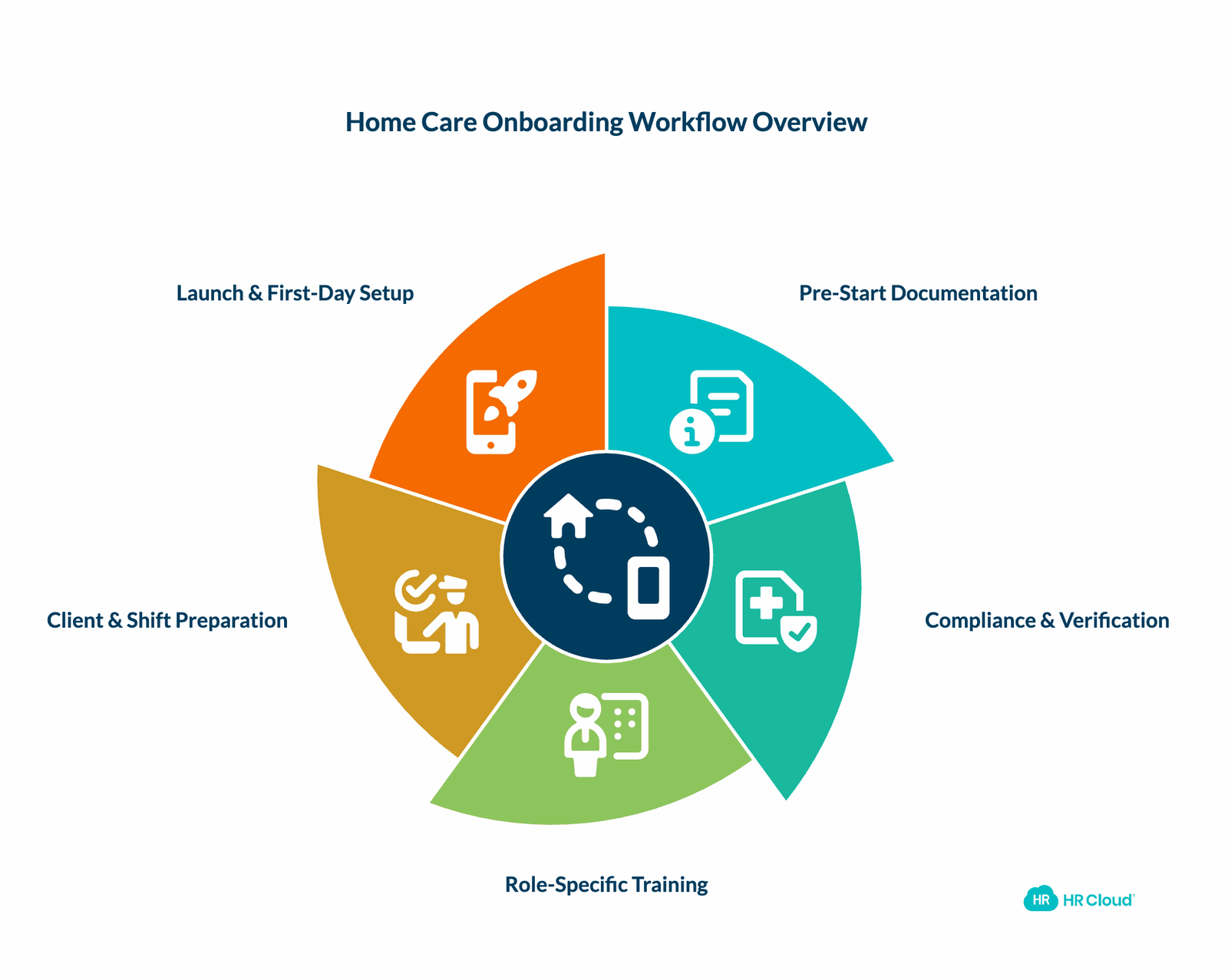
A structured onboarding workflow moves a caregiver from an accepted offer to the first shift in predictable, trackable phases. Here's how it works:
Phase 1: Pre-Start Documentation (Days 1-3 After Offer Acceptance)
From the moment an offer is accepted, the clock starts. This phase launches immediately with:
- Sending the digital onboarding portal access to the new hire
- Collecting personal information and emergency contacts
- Initiating the I-9 form (employee section) with a clear deadline
- Requesting required documents (licenses, certifications, passport/ID)
- Collecting background check authorization
The key here is automation. Instead of having someone manually email forms, a workflow sends the new hire a link to their personalized onboarding portal. They see exactly what's due and when. For agencies using HR Cloud, this happens instantly—the moment you add someone to the system, they can access their onboarding tasks.
The I-9 process deserves special attention. Federal law says it must be completed by the hire date—but section 2 (employer verification) has specific timing. HR Cloud includes I-9 task workflows that lock forms at the right times and send reminders before deadlines. This eliminates the most common mistake: missing the form entirely.
Phase 2: Compliance & Verification (Days 1-7)
While the caregiver completes documentation, the compliance machinery runs in parallel. This phase includes:
- Background check submission and monitoring
- I-9 verification and locking
- Health screening or required vaccinations
- License/certification verification (checking state databases)
- Drug screening (if required)
HR Cloud supports this through video tasks (where you can embed training videos from YouTube or Vimeo), document download tasks (where caregivers acknowledge they've read policies), and form tasks (where they complete certifications or quizzes).
The portal shows each new hire what's expected. Tasks can be chained—meaning step 2 doesn't unlock until step 1 is complete. This ensures a logical progression.
Phase 3: Role-Specific Training (Days 4-10)
By day 4, the caregiver should be diving into role-specific training. A personal care aide watches videos on infection control and client communication. A nurse completes modules on clinical protocols and EHR documentation.
This phase is where role-specific onboarding shines. You're not making everyone sit through the same 15-hour training. Instead, each role sees customized content. A coordinator completing administrative orientation doesn't need advanced clinical training. An RN doesn't need to sit through basic patient hygiene basics.
Phase 4: Client & Shift Preparation (Days 8-12)
Now it's getting real. The caregiver is assigned a specific client. They:
- Review the client's care plan and medical history
- Meet (virtually or in-person) with their supervisor
- Understand the specific shift: time, location, parking, emergency procedures
- Confirm any special requirements (equipment, supplies, access codes)
This phase creates clarity. No surprises on day 1. The caregiver knows exactly where they're going, what to expect, and who to call if something goes wrong.
Phase 5: Launch & First-Day Setup (Days 12-14)
The final push. Everything should be done. You're confirming logistics and making sure nothing surprises the caregiver on day one.
Final tasks:
- Confirm shift time, location, and parking/entry details
- Review emergency contact procedures
- Submit final paperwork or signatures
- Receive welcome message from supervisor
- Confirm readiness with the new hire
The onboarding process marks are complete once all tasks are done. You get a report: onboarding finished on schedule, all docs collected, new hire marked ready.
Sample Timeline: A Personal Care Aide's First Two Weeks
| Day | Caregiver Action | System Action | HR/Manager Action | Status |
|---|---|---|---|---|
| 1 (Mon) | Accepts offer | Portal access sent, tasks assigned | Supervisor notified | Pre-Start Docs Kick Off |
| 2 (Tue) | Completes info form & I-9 Sec 1 | I-9 Sec 2 generated, background check triggered | Compliance manager reviews | I-9 In Progress |
| 3 (Wed) | Completes I-9 Sec 2 | Training video unlocks | Employer I-9 verification | Compliance Phase |
| 4 (Thu) | Watches training video, completes quiz | Next training module ready | Supervisor tracks progress | Training Underway |
| 5 (Fri) | Completes second training module | Third module unlocks | Background check monitored | Training Phase |
| 8-10 | Finishes all training | Client assignment confirmed, schedule locked | Supervisor reviews readiness | Client Prep Phase |
| 11-13 | Reviews client care plan, meets supervisor | All docs collected, final confirmations sent | Final approvals | Ready for Launch |
| 14 (First Shift) | First shift begins | Onboarding marked complete | Caregiver tracked for first 30 days | LIVE |
Why This Matters: This timeline compresses what typically takes 2-3 weeks with scattered emails into a predictable 14-day process with no surprises.
Home care agencies that implement structured onboarding workflows report faster time-to-first-shift and improved compliance. If your agency is managing onboarding across spreadsheets and emails, a modern system designed for home care can eliminate scheduling conflicts and compliance errors. See how an automated onboarding platform designed for home care workflows can streamline your hiring process.
Let's walk through what this looks like in practice:
Monday (Day 1)
- Offer accepted
- New hire receives email with onboarding portal link
- Sees tasks: complete personal info form, start I-9 section 1, review policies
- Supervisor receives notification: new hire started onboarding
Tuesday (Day 2)
- Caregiver completes personal info and I-9 section 1
- Scheduler receives notification: move forward with background check
- Compliance manager receives notification: I-9 section 1 complete, send section 2 form
I-9 Audit Checklist for Healthcare Teams
Stay compliant and audit-ready with an easy-to-follow checklist that streamlines onboarding and safeguards patient care.
Download Now
Wednesday (Day 3)
- Caregiver receives I-9 section 2 link and completes it
- Video training task unlocks: "Infection Control & Safety"
- Background check submitted by agency
Thursday (Day 4)
- Caregiver watches training video, completes quiz
- Second training module unlocks: "Client Communication"
- Background check status monitored
Friday (Day 5)
- Caregiver completes second module
- Third module unlocks: "Documentation"
- Supervisor checks progress (automatic report)
Following Week (Days 8-10)
- Caregiver finishes all modules
- Client assigned: "Mrs. Garcia, afternoons, Monday-Friday"
- Schedule locked into system
- Supervisor confirms readiness
Week Two (Days 11-13)
- Caregiver reviews Mrs. Garcia's care plan
- Supervisor meets with caregiver (via Zoom or in-person)
- Final confirmations sent and received
- All documentation collected and verified
Day 14: First Shift
- Caregiver shows up ready, confident, fully trained
- No surprises
- No paperwork scramble
- Client gets the care they've been waiting for
Tailoring Onboarding to Your Home Care Roles
Not every caregiver role is the same. A personal care aide needs different training than a registered nurse. An intake coordinator doesn't need the same compliance checklist as a caregiver.
HR Cloud allows you to create role-specific checklists. When you add someone as a "Personal Care Aide," the system automatically assigns the right checklist. Each role gets tailored requirements:
| Role | Compliance Focus | Core Training | Timeline |
|---|---|---|---|
| Personal Care Aide | I-9, background check, CPR cert | Client care, safety, infection control, communication | 10-12 days |
| Home Health Aide | I-9, background, health screening | Advanced care techniques, HIPAA, documentation | 12-14 days |
| CNA | I-9, background, state certification verification | Vital signs, patient hygiene, medical protocols | 10-12 days |
| Licensed Practical Nurse | I-9, background, license verification, liability | Clinical protocols, medication management, supervision | 12-14 days |
| Registered Nurse | I-9, background, license, malpractice insurance | Complex medical management, advanced assessment, EHR | 14-16 days |
| Care Coordinator | I-9, background, degree verification | Case management, scheduling, communication, compliance | 8-10 days |
For each role, you define what compliance tasks, training, and forms are required. New hires then see only what applies to them. This speeds up the process and ensures nothing is skipped.
Communication Layer: Keeping Everyone Aligned
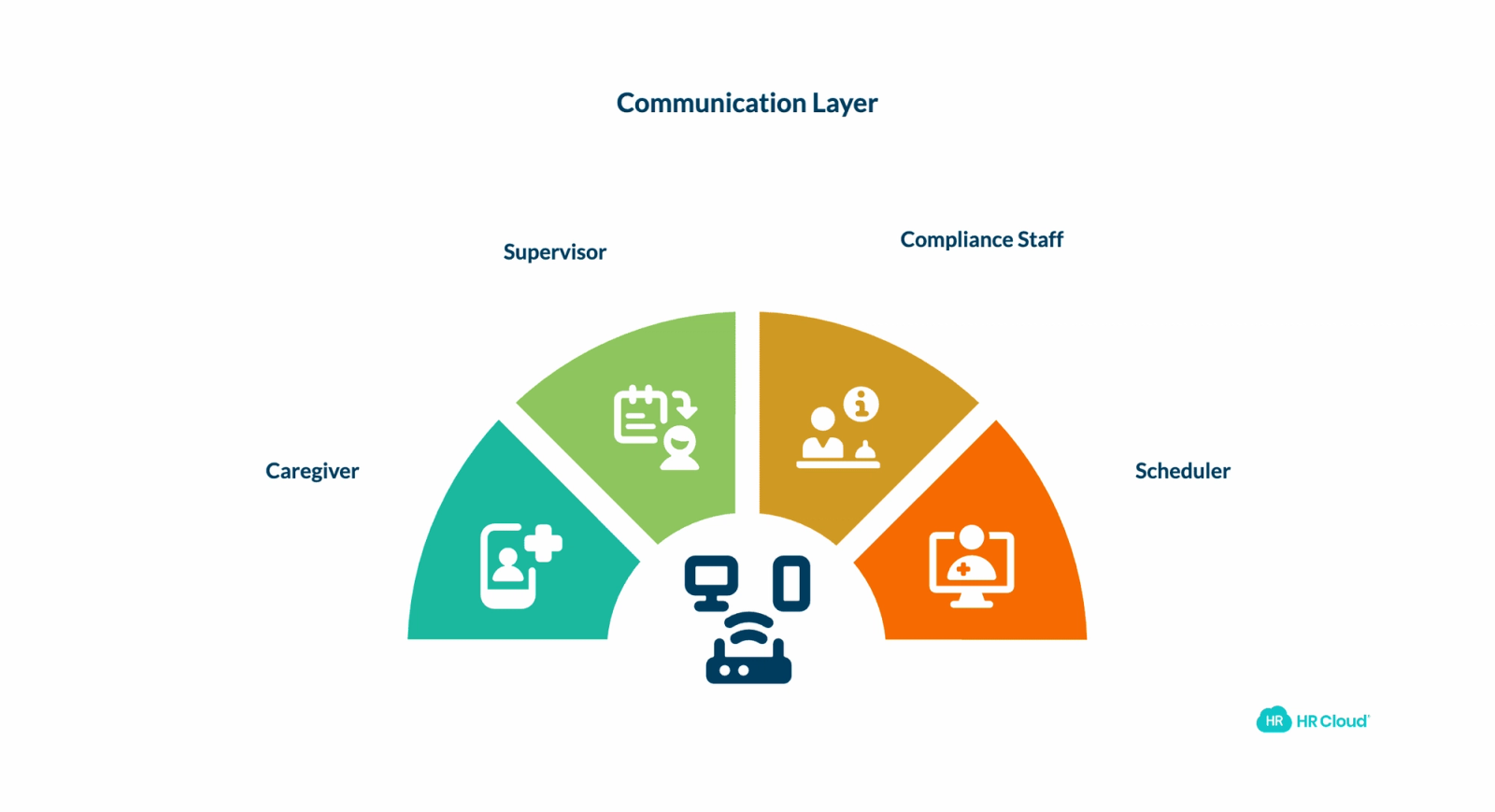
Onboarding isn't just about documents. It's communication. Four groups need to know what's happening: the caregiver, their supervisor, compliance staff, and schedulers.
Without a system, this communication gets fragmented. The caregiver doesn't know if the background check is done. The supervisor doesn't know when to expect someone on their first shift. The scheduler doesn't know if training was actually completed.
HR Cloud sends automatic notifications:
- Caregiver receives task reminders and acknowledgements
- Supervisor gets weekly progress reports
- Compliance manager gets alerts for any overdue items
- Scheduler gets confirmation when the caregiver is ready
This creates transparency. Everyone knows where things stand.
Addressing Common Roadblocks
Roadblock: Caregivers Skip Steps
Chained tasks prevent this. If step 2 is locked until step 1 completes, skipping isn't an option.
Roadblock: Missing Documents Show Up Later
All document uploads go to the employee's record automatically. You can set specific folders for specific documents (like "I-9 Documents" or "Licensing"). Nothing gets lost in email.
Roadblock: Compliance Issues Right Before First Shift
Regular check-ins and automated alerts mean you catch issues early. Instead of discovering on day 14 that the caregiver hasn't completed required training, you know on day 8 and can adjust.
Measuring Success: What Good Onboarding Looks Like
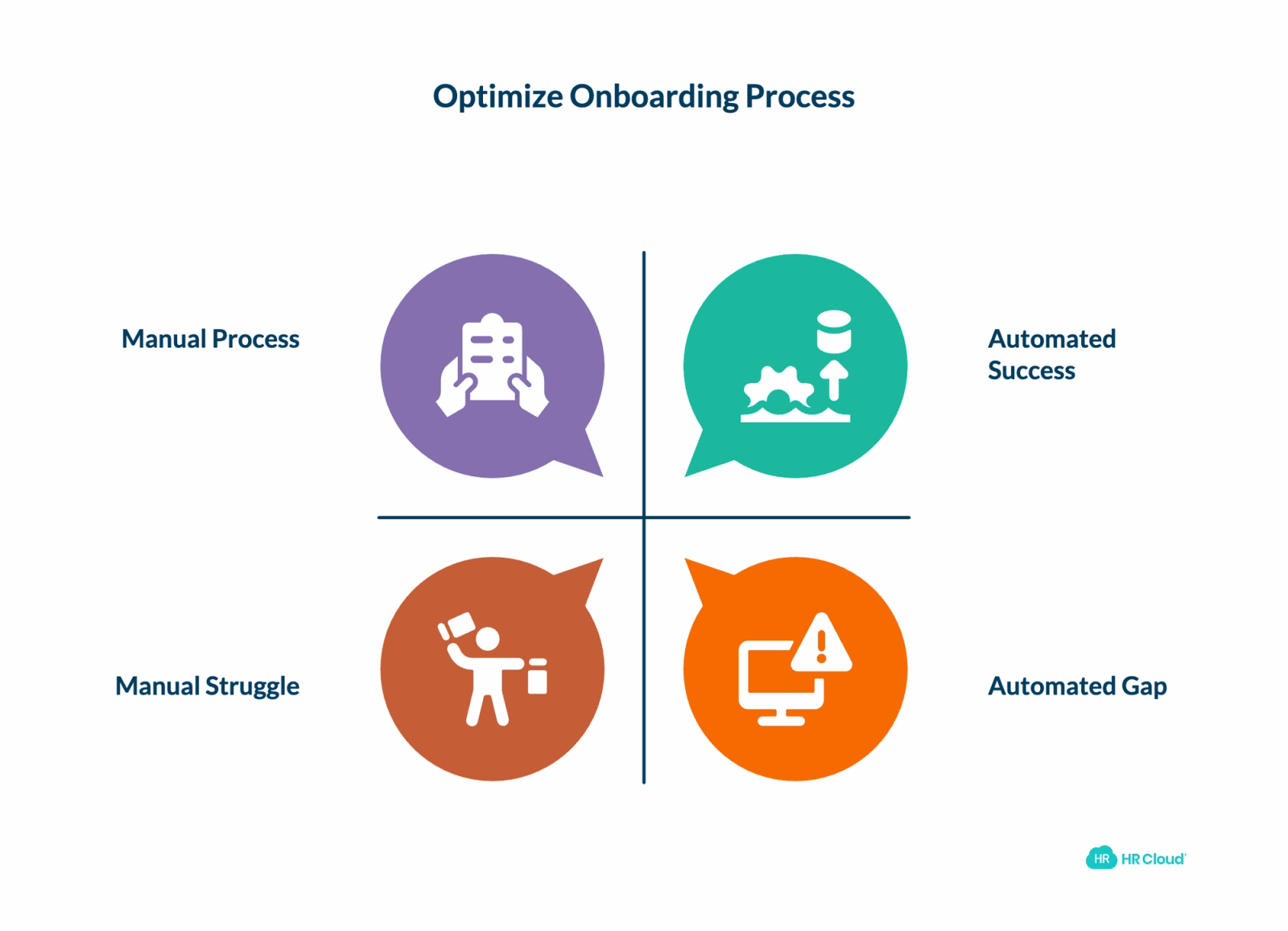
How do you know your onboarding workflow is working?
Track these metrics:
- Time to first shift: Average days from offer acceptance to first shift
- Compliance rate: Percentage of hires fully compliant (I-9, background check, etc.) on start date
- First-month r: Percentage of new hires still employed after 30 days
- Training completion: Percentage of new hires completing required training before first shift
- Cost per hire: Total onboarding cost divided by number of hires
Most home care agencies see improvement in 2-3 categories once they implement a structured workflow:
- Faster time to first shift (from 2-3 weeks to 1-2 weeks)
- Higher compliance rate (from 60-70% compliant on day 1 to 95%+)
- Better retention (fewer "second-day quits" because of poor onboarding experience)
If your agency is still managing onboarding manually, the gaps are costing you. Home care agencies using automated onboarding systems report fewer I-9 violations, faster hiring cycles, and better first-month retention. The right platform—designed specifically for home care's compliance requirements—can transform your onboarding process.
The Bottom Line
Home care is a relationship business. Your caregivers are the face of your organization. Clients' families remember if a caregiver shows up stressed and unprepared. They also remember if a caregiver shows up confident and ready.
A structured onboarding workflow—one that automates compliance, ensures no documents get lost, communicates clearly with everyone involved, and adapts to different roles—is a competitive advantage.
You're not just processing paperwork faster. You're showing new hires they work for a professional organization that has its act together. That matters when you're trying to retain caregivers in an industry with historically high turnover.
The best time to start building this workflow was six months ago. The second-best time is today.
Home care agencies that implement structured onboarding systems designed for compliance-heavy hiring reduce time-to-first-shift, prevent costly I-9 violations, and improve caregiver retention. If your agency is still managing onboarding through email, spreadsheets, and checklists, the gaps are hurting both your compliance posture and your ability to scale. Explore how a dedicated onboarding platform can transform your hiring process—from offer acceptance to first shift—and give your caregivers the professional onboarding experience they deserve.

Discover how our HR solutions streamline onboarding, boost employee engagement, and simplify HR management
Book Your Free DemoFAQ: Home Care Onboarding
Q: What if a caregiver doesn't have email access?
A: Onboarding systems support multiple communication channels—email, SMS text reminders, and phone calls. You can also print key documents for manual completion and upload them through the system. Accessibility ensures no one falls through the cracks regardless of their technology access.
Q: How do we handle I-9 verification if we have remote locations?
A: Digital I-9 forms can be completed remotely by the employee. The employer section can be completed by an authorized representative at your main office or a local location. Systems integrated with E-Verify allow automated verification without requiring in-person meetings, following federal guidelines.
Q: Can we customize checklists for different client types?
A: Yes. Create separate checklists for pediatric care, dementia care, post-surgical recovery, or other specialties. Assign the appropriate checklist based on the client assignment. This ensures caregivers get role and setting-specific training without wasting time on irrelevant modules.
Q: What happens if someone needs to be re-onboarded?
A: Systems allow you to reinitiate onboarding for employees returning from leave without affecting other workers. You can rerun the full process or restart only specific modules. This maintains consistency while acknowledging refresher needs for extended time away.
Q: How do we handle certifications that expire?
A: Set system reminders for upcoming expiration dates. When a certification approaches expiration, trigger an automated task assigning the employee to complete renewal training. Track completion and update records automatically. Many systems alert you before expirations occur, preventing compliance gaps.
Q: Can we use this system for offboarding too?
A: Yes. Most modern onboarding systems include offboarding workflows. When someone leaves, trigger an offboarding checklist—collect keys, deactivate system access, retrieve equipment, process final documentation. This ensures consistent exit procedures and protects your organization.
Q: What about state-specific training requirements?
A: Build state-specific checklists capturing your operating states' requirements. If you operate in multiple states, create a checklist for each state's compliance and training mandates. Assign the correct one based on where the caregiver will be working. This ensures legal compliance in every jurisdiction.
Q: How many steps should each task take?
A: Keep individual tasks simple—ideally completable in 10-15 minutes. If a task takes longer, break it into smaller steps. Caregivers complete short, clear tasks more reliably than vague, time-consuming ones. Shorter tasks also provide better progress visibility and maintain engagement.
Q: What's the typical cost of a bad onboarding experience?
A: High turnover in home care costs agencies approximately $171,600 per year in direct expenses (recruitment, training, lost productivity, client churn). Additionally, a single I-9 violation can result in penalties of $100 to $1,000+ per violation. Structured onboarding reduces both compliance risk and turnover costs.
Q: How do we measure onboarding success?
A: Track four key metrics: (1) Time-to-first-shift (days from offer to first assignment), (2) Compliance rate (% fully compliant on start date), (3) First-month retention (% still employed after 30 days), and (4) Training completion (% completing all required training before first shift). Agencies typically see improvements of 30-50% across these metrics after implementing structured workflows.
About the author

Keep Reading


Like What You Hear?
We’d love to chat with you more about how HR Cloud® can support your business’s HR needs.
Book Your Free Demo