Credential Tracking Software for Healthcare: How to Stop Chasing Renewals and Start Passing Audits

Healthcare organizations managing credentials manually are one missed renewal away from a Joint Commission finding or a payer audit. Credential tracking software automates license renewals, certification expiration alerts, and audit documentation — so HR teams can stop scrambling and start staying ahead. This guide breaks down what the software actually does, why spreadsheets keep failing, and what to look for when evaluating your options.
Key Takeaways
- The U.S. healthcare credentialing software market reached $267.72 million in 2024, growing at nearly 7% annually — and the shift from manual to automated tracking is the core driver
- One expired license isn't a clerical error in healthcare. It's a patient safety risk, a compliance gap, and potentially a billing suspension.
- Credential tracking software automates expiry alerts, document storage, and audit trails — reducing manual administrative work significantly compared to spreadsheet-based tracking
- HR Cloud's Onboard platform supports healthcare credential workflows through document request tasks, I-9/E-Verify integration, Checkr background check workflows, chained tasks, and role-based document access controls
- Organizations should evaluate software on alert logic, role-based permissions, mobile access, and integration capability with existing HR and payroll systems. See the dedicated credential tracking for healthcare page for a feature overview.
The Spreadsheet Is Not a Credentialing Strategy
Picture this: It's a Tuesday afternoon. Your compliance officer gets a call from the nursing supervisor. One of your RNs has been working for three weeks on an expired license. Nobody caught it. Automated reminders? Non-existent. The license expiration date was buried in a spreadsheet that someone last updated in January.
That's not a hypothetical. It's the kind of situation that leads to Joint Commission findings, CMS audit flags, and (in serious cases) payer billing suspensions that take months to resolve.
The U.S. credentialing software and services in healthcare market was estimated at $267.72 million in 2024, with growth projected at a 6.95% CAGR through 2033, driven largely by the growing demand for automated verification of healthcare provider qualifications and increasingly complex accreditation requirements from bodies like NCQA and The Joint Commission.
That growth has a straightforward explanation. It's happening because thousands of healthcare organizations have run out of patience with manual credentialing and are replacing spreadsheets with systems that actually scale.
Which Healthcare Organizations Need Credential Tracking Software
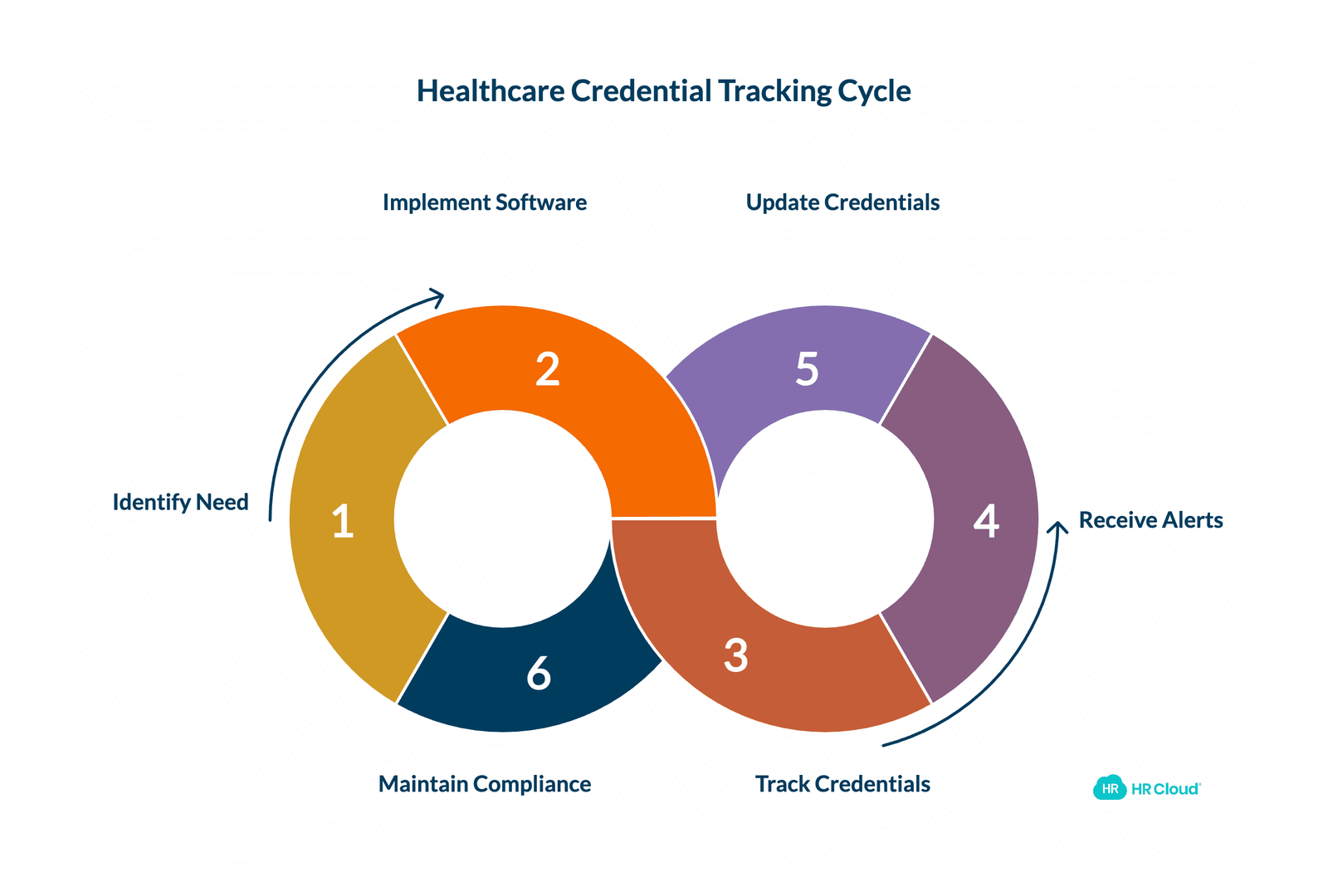
Short answer: any organization where staff hold professional licenses, and where those licenses have to be current before anyone can work a shift.
That covers hospitals and health systems, of course. But the need is just as real, sometimes more acute, for home health agencies, hospice providers, outpatient clinics, behavioral health practices, and healthcare staffing agencies managing large pools of per diem and contract workers.
Healthcare staffing agencies face a particular version of this challenge. When you're placing nurses, CNAs, and therapists across multiple client sites, credential currency isn't just your internal compliance problem. It's a contractual obligation to every facility you staff. One expired license among your placed workforce can create liability exposure at the client, damage the relationship, and trigger your own internal audit. Manual tracking at that volume is simply not a realistic strategy.
For home health organizations managing field-based clinical staff who operate across counties and time zones, centralized credential visibility is the only way to know, at any given moment, who is authorized to see patients. Your aides and nurses are rarely in a central office. They're not going to hand-deliver license renewals to an HR inbox. A system that surfaces expiry alerts automatically, and lets staff upload documents from a phone, closes that gap without adding administrative overhead.
Smaller organizations sometimes assume this is an enterprise problem. It isn't. A 50-person outpatient clinic where every clinical staff member carries multiple licenses has the same structural credential tracking challenge as a hospital with 2,000 employees, just at a smaller scale that still can't be managed with a shared spreadsheet.
What "Credential Tracking" Actually Means in Healthcare
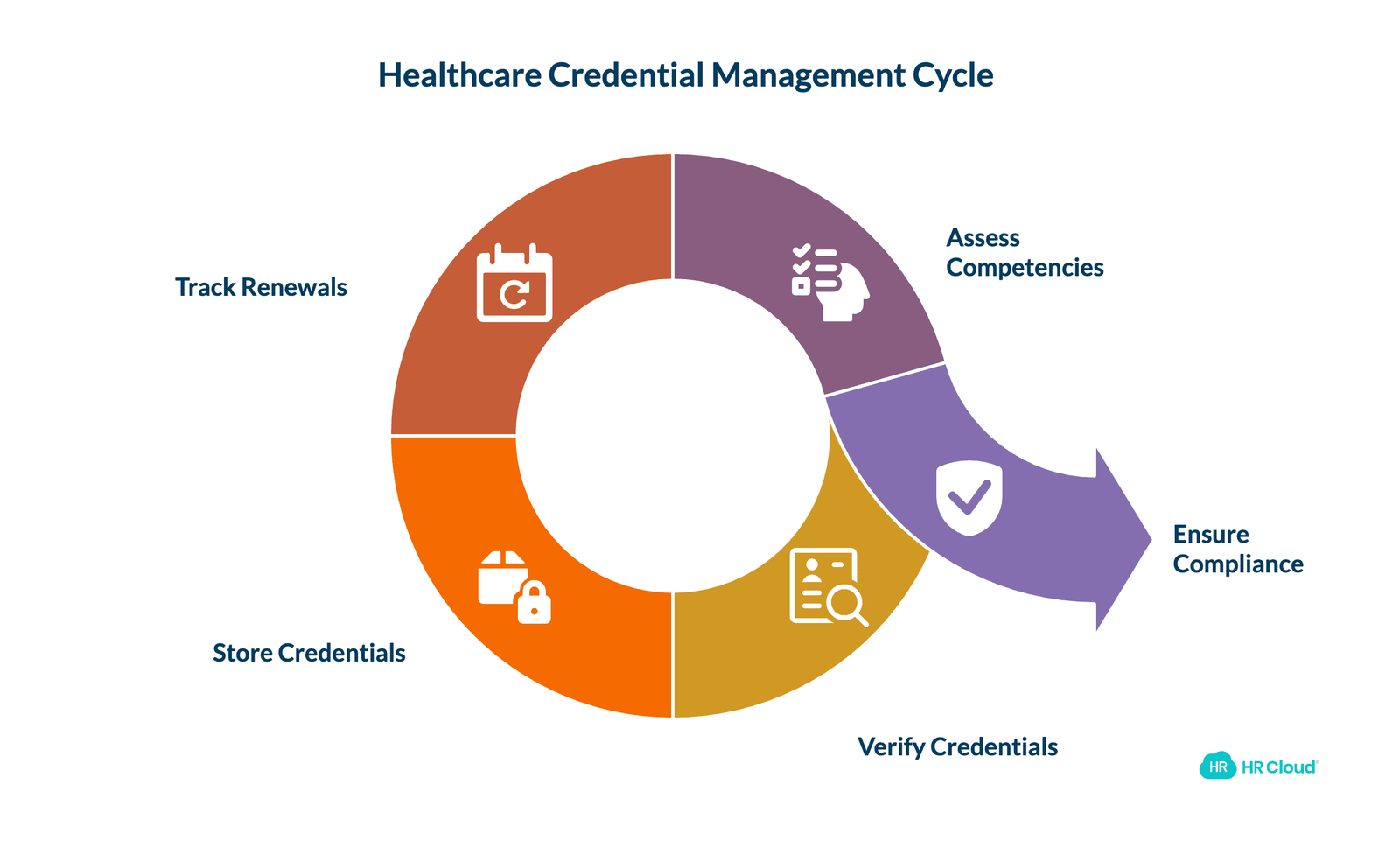
The term sounds narrow. It isn't. In a hospital or clinic environment, "credentials" covers a wide category of documentation that healthcare organizations are required to verify, store, and maintain on an ongoing basis:
- State nursing, physician, and therapy licenses
- Board certifications
- CPR and BLS/ACLS certifications
- DEA registration numbers
- Immunization records (TB tests, flu, Hep B, COVID documentation)
- HIPAA training completions
- Background check records
- I-9 verification
- OIG exclusion check results
- Role-specific competency assessments
The global credentialing software and services market in healthcare was estimated at $807.8 million in 2023 and is on track to reach $1.42 billion by 2030, growing at 8.3% CAGR — driven by adoption of cloud-based solutions, rising technology investment in healthcare IT, and increasing complexity in provider network management.
Every one of those items has a renewal cycle. Some expire annually, some every two years. Some are one-time but must stay on file permanently. And they don't expire on the same schedule for any two employees.
Healthcare organizations spend over $2.1 billion annually on credentialing activities, with the average provider taking 90 to 120 days to complete the full credentialing process. When that process is manual, the time and cost compounds at every step.
See how HR Cloud handles healthcare credential workflows — request a demo to walk through a real configuration.
Why Manual Tracking Keeps Failing
There's a persistent belief in healthcare HR that "we just need a better spreadsheet." A more organized folder structure. A shared calendar with color coding. Another layer of process on top of the same broken foundation.
Manual tracking systems fail for structural reasons, not organizational ones. Better folder labeling won't fix a process that depends entirely on someone remembering to check.
Volume and variance. A single hospital department might have nurses, CNAs, LPNs, physical therapists, respiratory therapists, and per diem contractors, each with different license types, different expiration cadences, and different documentation requirements. There's no spreadsheet design that handles that gracefully at scale.
Human dependency. Someone has to remember to check it. Someone has to update it when a renewal happens. Someone has to send the reminder email. That "someone" is typically an HR coordinator who also manages onboarding, benefits inquiries, and compliance documentation. The credential tracking always gets deprioritized until something slips.
No audit trail. When The Joint Commission or CMS shows up, they want documentation. Not a spreadsheet — actual records, with timestamps, version history, and evidence that credentials were verified, not just noted. A spreadsheet can't provide that.
Credentialing automation can save physician practices at least $29,000 per year and approximately 3 hours in administrative time spent manually entering information to complete the credentialing process.
That's not a small number for a single practice. Scale it across a hospital system managing hundreds of credentialed employees and the math becomes compelling fast.
The Connection Between Credential Gaps and Staff Turnover
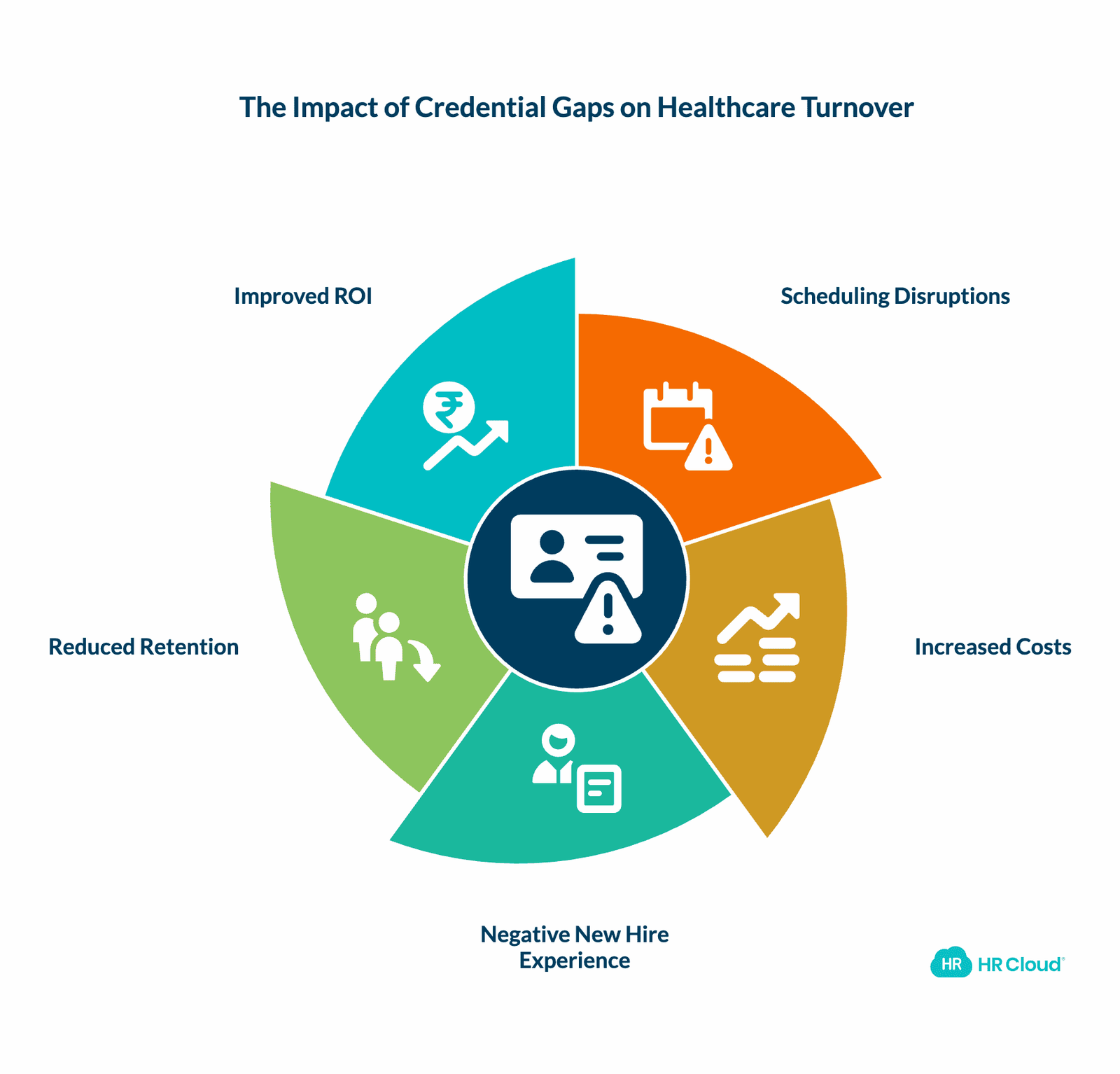
There's a dimension to this that gets less attention than the compliance angle, and it matters. When credential gaps surface, they typically create scheduling disruptions. A nurse pulled from a shift because of a last-minute credential issue creates overtime costs, coverage stress, and resentment among the colleagues who fill the gap. Do that repeatedly and you have a retention problem that doesn't obviously trace back to credentialing — but does.
Healthcare turnover is already expensive. Research cited by HR Cloud puts replacement costs for nursing staff upward of $61,000 per departure, factoring in recruitment, onboarding, and productivity losses. Organizations where credentialing creates recurring scheduling chaos are accelerating their own turnover cycle without realizing it.
There's also the new hire experience to consider. When an onboarding process is disorganized — credentialing documents requested twice, unclear task sequences, missed background check steps — new clinical staff form their first impression of how the organization actually operates. That impression sticks. Employee engagement in the first 90 days is strongly correlated with whether someone stays past the one-year mark.
Credential tracking done well reduces scheduling disruptions, protects the onboarding experience, and keeps staff who might otherwise leave over things that feel avoidable. That's retention ROI most organizations don't measure — but should.
See how HR Cloud's onboarding software connects credential workflows to the full new hire experience — request a demo to walk through a healthcare-specific configuration.
Core Features of Healthcare Credential Tracking Software
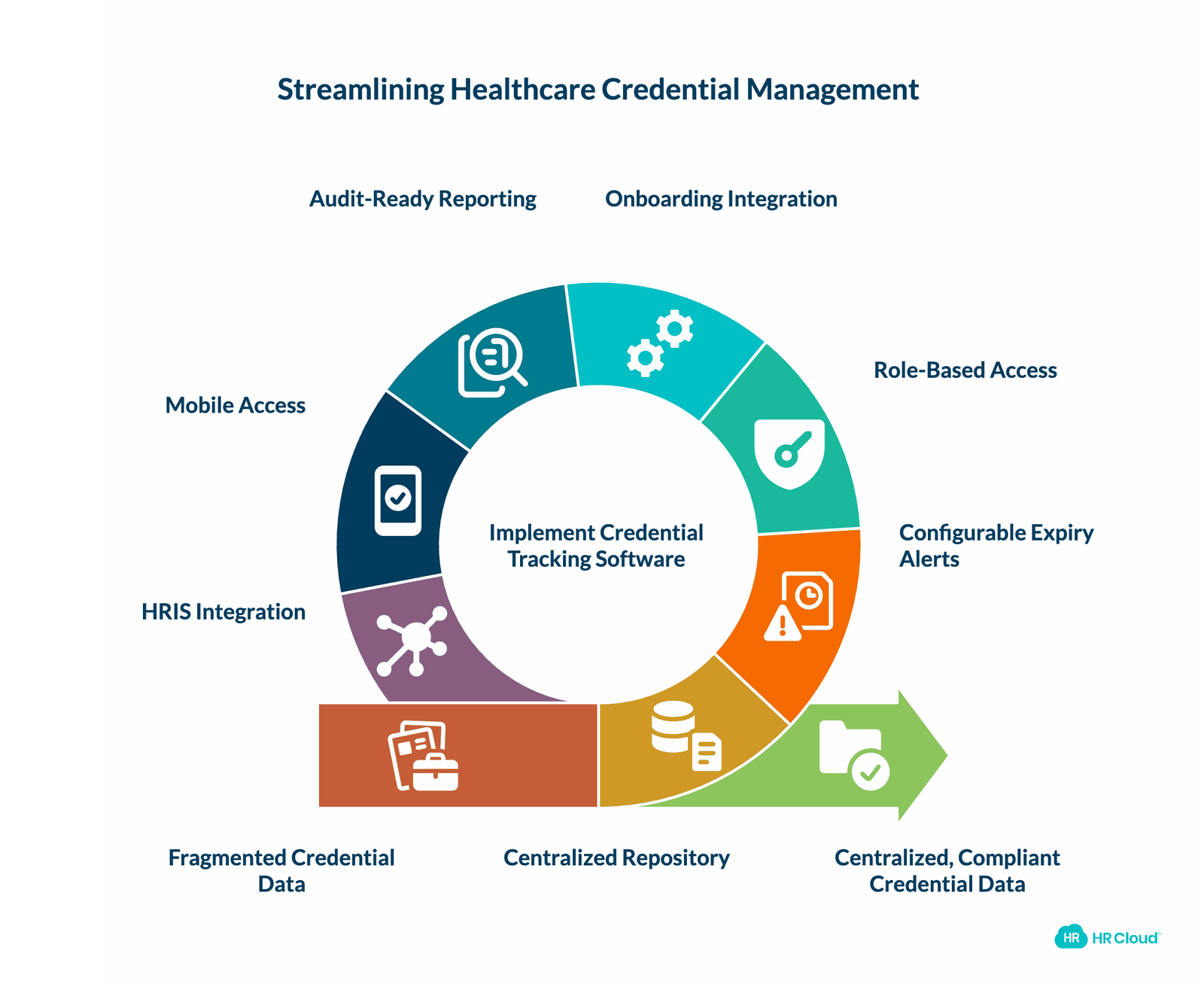
Not every product that calls itself "credential tracking software" is built for healthcare. The compliance stakes are different here. Here's what the category should actually deliver:
Centralized Credential Repository
Every employee's credentials — licenses, certifications, immunizations, training completions — should live in one place. Not split across a shared drive, an email folder, and a spreadsheet. The repository should support document upload, storage, and retrieval, with clear metadata on credential type, issue date, and expiration date.
Configurable Expiry Alerts
This is where most systems either earn their keep or fall apart. You need alerts that fire before expiry — not on expiry — and that escalate appropriately. A license expiring in 90 days needs a different level of urgency than one expiring in 7 days. The system should send reminders to both the employee and the responsible HR or operations contact.
Role-Based Document Access
Not everyone in an organization should be able to see every credential. A department manager may need to confirm that a nurse's license is current. They don't need access to that nurse's background check results or immunization records. Granular, role-based permissions aren't a nice feature. For organizations handling sensitive employee health data, they're a HIPAA-adjacent requirement.
Integration with Onboarding Workflows
Credential tracking doesn't start when an employee is credentialed. It starts at hire. Background checks, I-9 verification, initial license collection — all of that happens in onboarding. If your credential tracking system is disconnected from your onboarding system, you're creating a gap right at the beginning of the employee lifecycle.
Audit-Ready Reporting
When an auditor asks for documentation, you need to produce it in minutes, not hours. The system should generate reports showing credential status by employee, by department, or by credential type — with timestamps showing when each document was received and verified.
Mobile Access
Deskless workers — nurses, home health aides, traveling clinicians, PRN staff — represent 70 to 80% of the global workforce, concentrated heavily in healthcare, yet most HR systems were designed for people sitting at desks with dual monitors and uninterrupted time. A credential tracking system that requires a desktop login to upload a document or acknowledge a renewal is going to have compliance gaps by design. HR Cloud's mobile-accessible platform is built specifically for this reality.
Integration with Payroll and HRIS Systems
A credential tracking system that lives in isolation from your other HR tools creates its own data problems. When a nurse's license information is updated in the credential tracker but not reflected in the HRIS or scheduling system, you're back to data fragmentation — just in a more expensive system.
Look for platforms that integrate with ADP, UKG, Paylocity, and the other payroll and scheduling tools your organization already uses. Credential data that can't sync with the rest of your HRIS infrastructure just creates a new silo in a more expensive system.
How HR Cloud Supports Healthcare Credential Tracking
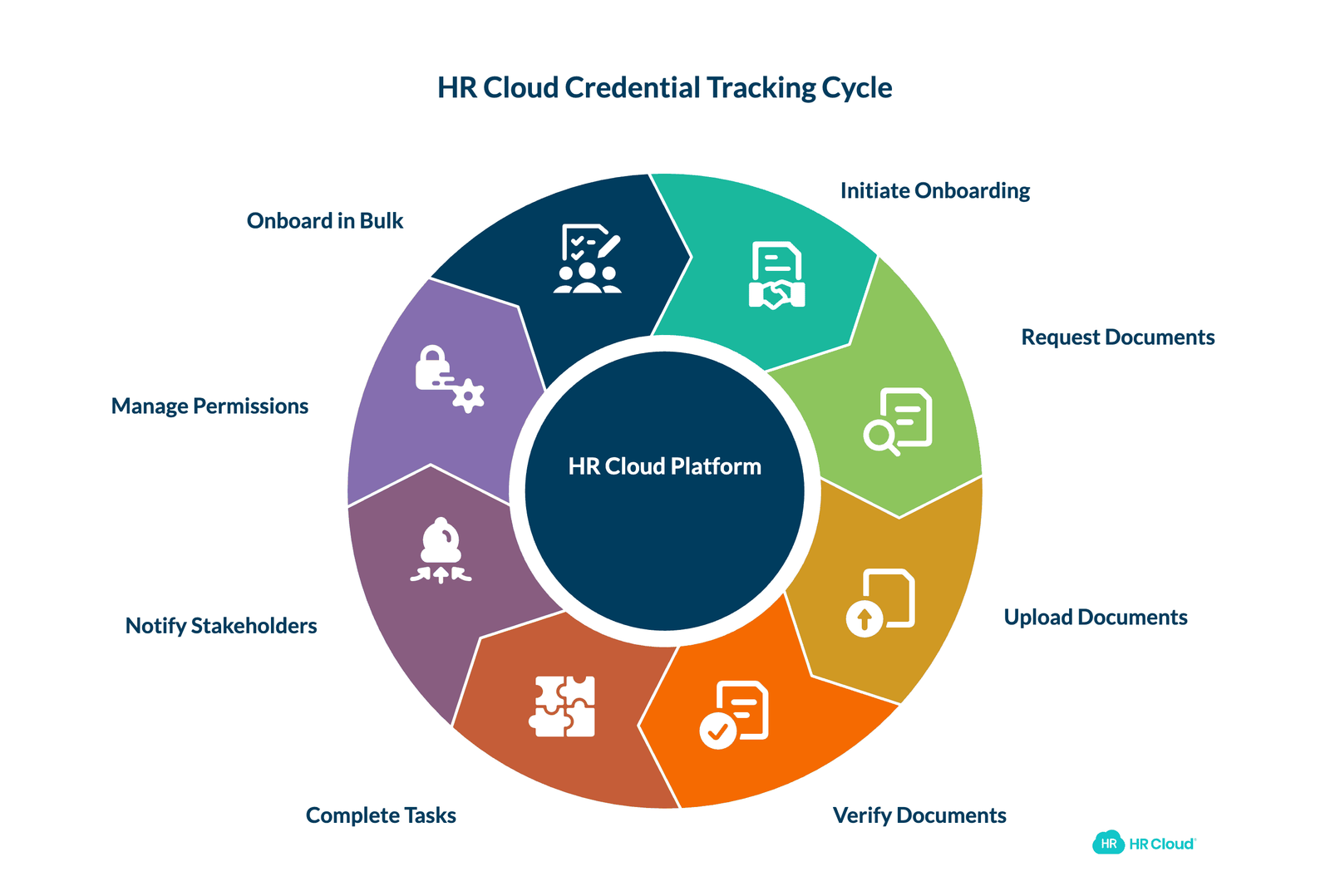
HR Cloud's Onboard platform is built around the reality that healthcare onboarding and credential management aren't separate processes — they're the same workflow at different stages of the employee lifecycle. According to HR Cloud's healthcare HR overview, organizations using the platform typically save four hours per new hire through automated onboarding, and reduce compliance penalties and audit preparation costs significantly through automated I-9 management and credential tracking.
Here's what the platform supports, based on documented functionality:
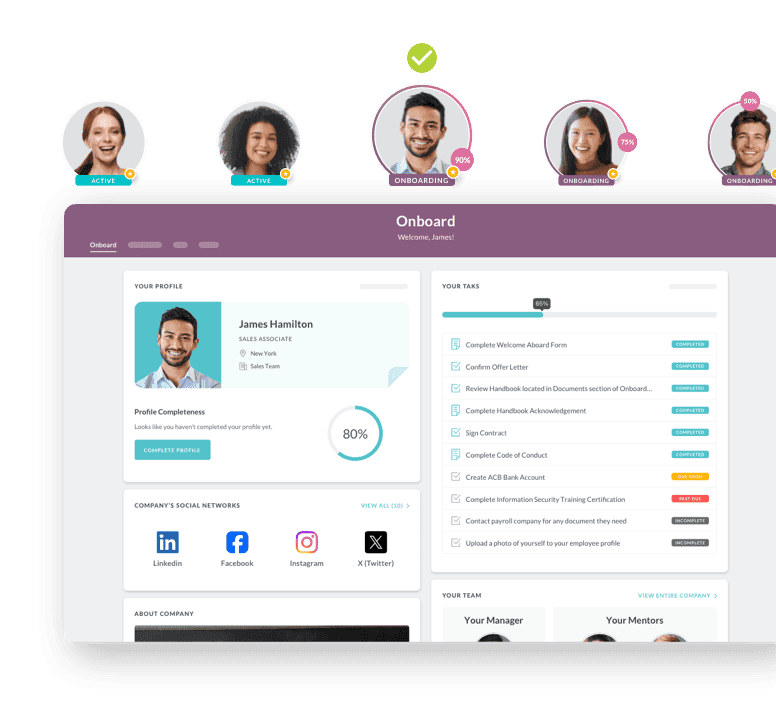
Document Request Tasks with custom file naming and folder routing. HR admins can configure document request tasks within onboarding checklists, assign those tasks to specific employees or roles, and preselect the destination folder where uploaded documents are stored. Custom file name formats ensure that a nursing license uploaded by Employee A doesn't create confusion with a similar document from Employee B. This is part of HR Cloud's broader digital forms and e-signature infrastructure, which handles W-4s, I-9s, NDAs, and custom compliance documents in the same workflow.
Chained task workflows. This is particularly useful for multi-step credentialing sequences. Chained tasks set a predefined completion order — so an employee can't complete step 3 before step 2 is signed off, and a manager can't approve a credential until the employee has uploaded the supporting document. There's no workaround. The system enforces the sequence. This matters when you're tracking workflows like background check initiation, review, and sign-off — where sequence and accountability are non-negotiable. You can learn more about how this supports healthcare onboarding automation.
I-9 and E-Verify integration. HR Cloud's onboarding compliance tools include a built-in I-9 task that connects directly to E-Verify. Once the employee completes their portion of the I-9 and the employer completes the employer section, the system enables submission to E-Verify. All past and pending cases are tracked in the E-Verify tab within the Onboard application — creating a complete audit trail without manual documentation.
Checkr background check integration. Background screening is embedded directly in the onboarding checklist as a multi-step task. An HR admin selects the appropriate screening package, the employee receives an automated invitation to complete the process, and the results come back to HR for review. No external system switching, no lost email chains. You can read more about how this integration was built and what it covers in the HR Cloud and Checkr integration overview.
Task completion notifications. Email notifications can be configured to fire when any credentialing task is completed — sent to security roles, specific employees, or HR contacts. This keeps supervisors and compliance officers informed without requiring them to log in and check manually.
Role-based document permissions. Document privacy in HR Cloud supports four visibility levels: Only You, Everyone (with appropriate employee access), Custom (by security role), and Everyone Except the Related Employee. This makes it possible to store sensitive credential documentation — background check results, immunization records — with precisely calibrated access rather than blanket visibility.
Bulk onboarding. For healthcare organizations hiring in cohorts — seasonal staff, per diem nurses, new class of CNAs — bulk onboarding initiates the full credentialing and onboarding workflow for multiple employees simultaneously. That's a meaningful time savings during high-volume hiring periods. The credential tracking workflow overview explains how these cohort-based processes connect to ongoing license renewal management post-hire.
See how these workflows translate to your specific compliance environment — explore HR Cloud for healthcare teams.
Credential Tracking Software: What to Look For
| Capability | Why It Matters | Questions to Ask |
|---|---|---|
| Expiry alert logic | Catches renewals before they lapse | Can alerts escalate by urgency? Who receives them? |
| Role-based permissions | Protects sensitive credential data | Can access be set at the field or document level? |
| Onboarding integration | Starts credential tracking at hire | Does credentialing connect to the onboarding workflow? |
| I-9/E-Verify support | Mandatory for healthcare employers | Is the I-9 embedded in onboarding or external? |
| Background check integration | Required for most clinical roles | Which screening providers are supported natively? |
| Audit reporting | Required for Joint Commission, CMS | What reports are exportable? Do they include timestamps? |
| Mobile access | Healthcare workforce is deskless | Can employees upload and acknowledge from a phone? |
| Bulk processing | High-volume hiring cycles | Can credentialing be initiated for groups, not just individuals? |
| HRIS integration | Prevents data fragmentation | Does credential data sync with payroll and scheduling? |
The Compliance Cost of Getting This Wrong
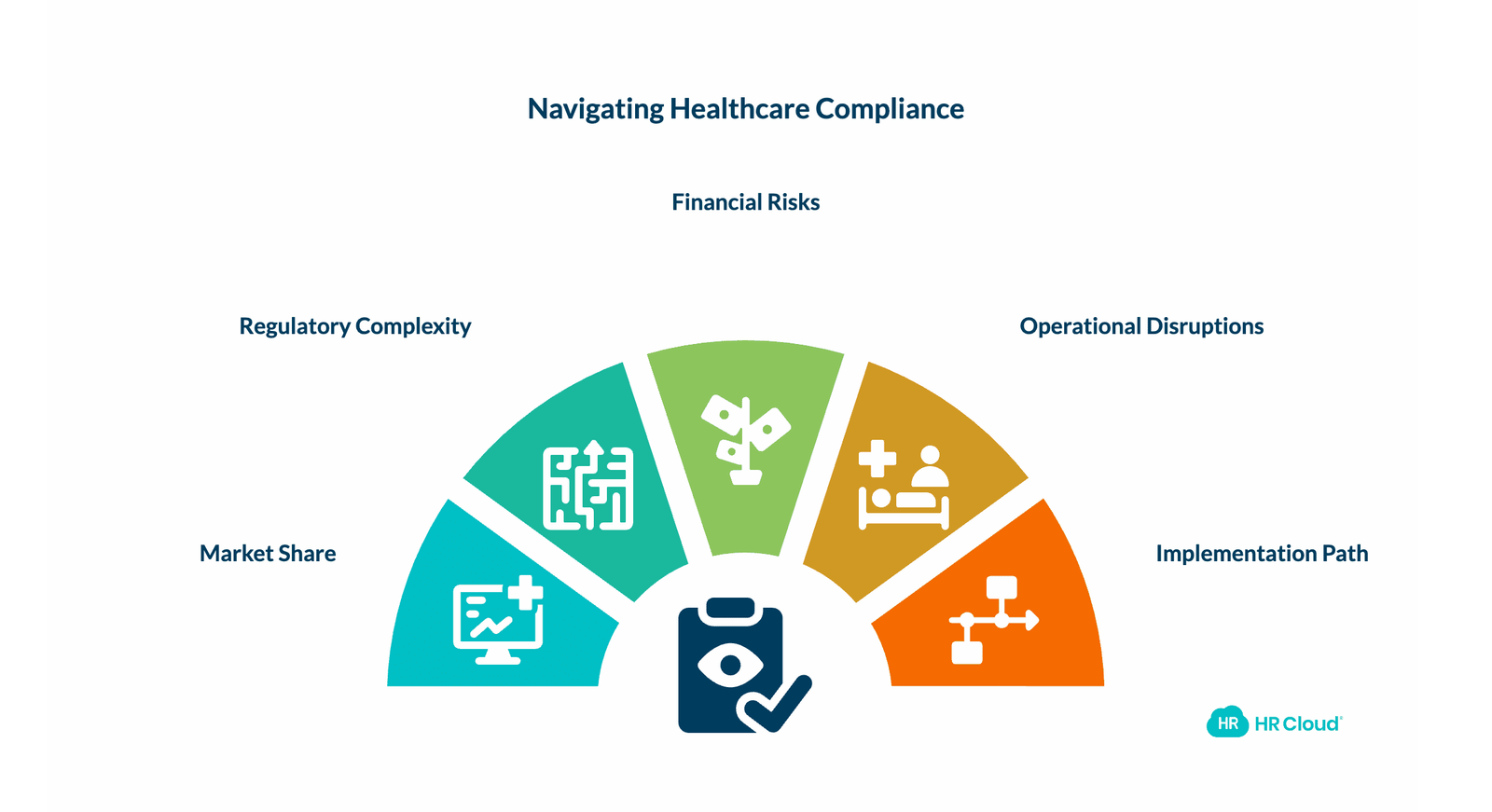
Hospitals dominated the healthcare compliance software market with 68.46% of market share in 2024, driven by complex operating environments that include inpatient, outpatient, and ancillary services. Specialty and outpatient clinics are growing at a 16.13% CAGR as telehealth intensifies data-privacy exposures.
The growth across every segment of the market reflects the same underlying pressure: regulatory requirements are getting more complex, not less. CMS, The Joint Commission, state licensing boards, and payers all have their own documentation requirements, their own audit timelines, and their own consequences for non-compliance.
A single credentialing gap, like a nurse who continued working on an expired license because nobody caught the expiration, can trigger an audit that takes months to resolve. In a billing context, it can result in payer clawbacks on claims submitted during the period when the provider's credentials weren't current. Real money, not theoretical risk.
And the operational exposure is just as real. When a clinical staff member can't work because their credential issue surfaced at the last minute, someone else covers the shift. Or the shift goes understaffed. Neither outcome is free.
How to Start: A Practical Implementation Path
Healthcare organizations evaluating credential tracking software don't need to overhaul everything at once. A practical starting point:
1. Audit what you're tracking now. List every credential type your organization requires across all roles. Most organizations discover more credential types than they realized once they go through this exercise.
2. Identify your highest-risk gaps. Which credential types have the most expirations coming up in the next 90 days? Start with those.
3. Choose a platform that connects to onboarding. Standalone credentialing tools create a gap between initial hire and ongoing tracking. Integrated platforms like HR Cloud handle both in the same system.
4. Configure alerts before you need them. Set 90, 60, and 30-day expiry alerts from day one. Don't wait until renewals are already overdue to realize the default settings aren't working for your workflows.
5. Run a test cohort. Pilot the system with one department or role type. Confirm the workflows, permissions, and notifications behave as expected before rolling out organization-wide.
For healthcare organizations with complex multi-state or multi-site needs, the healthcare staffing HR software overview covers additional configuration considerations for larger deployments.
Learn how HR Cloud's healthcare compliance tools can reduce the administrative burden of staying audit-ready.

Discover how our HR solutions streamline onboarding, boost employee engagement, and simplify HR management
Book Your Free DemoFAQ: Credential Tracking Software for Healthcare
What is credential tracking software for healthcare?
Credential tracking software for healthcare is a system that stores, monitors, and manages employee licenses, certifications, and compliance documents — automating expiry alerts, audit documentation, and renewal workflows for clinical and administrative staff. Learn more about what credential tracking in healthcare involves.
What credentials does healthcare HR software typically track?
Healthcare credential tracking systems typically cover state licenses, board certifications, CPR/BLS/ACLS cards, immunization records, DEA registrations, HIPAA training completions, background check results, I-9 documentation, and role-specific competency assessments.
How does credential tracking software help with Joint Commission audits?
The software maintains timestamped records of when each credential was received, verified, and when renewals were completed. When auditors request documentation, the system generates reports by employee or credential type without requiring manual file searches. HR Cloud's healthcare compliance tools maintain full audit trails for Joint Commission and CMS reviews.
What is the difference between credentialing software and HR software with credential tracking?
Standalone credentialing software is typically designed for physician privileging and payer enrollment — focused on provider-level credentialing in clinical contexts. HR software with credential tracking (like HR Cloud) manages the full employee lifecycle, integrating credential management with onboarding workflows, document storage, background checks, and compliance tracking for all staff roles, not just providers.
Can credential tracking software handle multi-location healthcare organizations?
Yes — cloud-based platforms support multi-location tracking, allowing different credential requirements per role or location while maintaining centralized visibility for HR and compliance teams. HR Cloud's multi-site healthcare HR capabilities are designed specifically for organizations managing staff across multiple facilities or states.
How does credential tracking software connect to onboarding?
Integrated platforms — like HR Cloud's Onboard — build credential collection directly into the onboarding checklist. Background checks, I-9 verification, license uploads, and training completions are assigned as tasks during onboarding, creating an unbroken compliance record from day one.
What should healthcare HR teams look for in credential tracking software?
Configurable expiry alerts, role-based document permissions, integration with background check and E-Verify providers, mobile access for deskless staff, bulk processing for high-volume hiring, and exportable audit reports with timestamp documentation. The best healthcare HR software guide covers a detailed feature comparison for healthcare-specific platforms.
Does HR Cloud support E-Verify for healthcare onboarding?
Yes. HR Cloud integrates with E-Verify through the I-9 task in the onboarding workflow. Once the I-9 is completed, HR admins can submit directly to E-Verify and track all cases in the Onboard application. Learn more on the HR Cloud healthcare HR software page.
Is there healthcare-specific onboarding software that handles credentials for home health agencies?
Yes. HR Cloud's home health and field-based clinical staff onboarding capabilities are purpose-built for deskless healthcare workers, with mobile-first workflows for document upload and credential submission from the field. The platform handles role-specific onboarding for home health aides, hospice workers, and traveling clinicians with different compliance requirements per role.
Ready to move credential tracking off spreadsheets and into a system built for healthcare compliance? Request a demo of HR Cloud and see how the onboarding and credential workflows work in a real healthcare environment.
About the author

Keep Reading


Like What You Hear?
We’d love to chat with you more about how HR Cloud® can support your business’s HR needs.
Book Your Free Demo