How to Choose Employee Onboarding Software for Deskless Teams: A Buyer's Guide

It's 10:47 PM. Your newest warehouse hire is sitting in his truck trying to complete his I-9 on a phone screen. The form times out. The e-signature field doesn't load. He gives up and drives home wondering if he picked the right job.
This is what deskless onboarding looks like when your employee onboarding software was built for someone at a desk. Deskless workers make up 80% of the global workforce — nurses, warehouse staff, construction crews, retail associates — and most onboarding platforms weren't built for any of them.
If you're evaluating deskless employee onboarding software right now, this guide covers what actually matters, what to ask vendors, and what red flags to watch for. If you need a broader overview first, start with our frontline onboarding guide.
Key Takeaways
- Most employee onboarding software breaks for deskless workers because it was designed for desk workers. The problems are structural, not cosmetic
- Four out of five frontline workers have no corporate email. If your platform relies on email, it never reaches them
- "Mobile-responsive" and "mobile-first" are not the same thing. For deskless onboarding, only one of them works
- Shift-aware task scheduling, role-based automation, and real-time compliance tracking are the features that separate purpose-built platforms from repurposed office tools
- Multi-language support has to extend to forms and training content, not just the interface
- Brandon Hall Group research shows strong onboarding improves new hire retention by 82%. In industries with 55-75% annual turnover, that number matters
- When evaluating vendors, test everything on your phone during the demo. Red flags show up fast on a 6-inch screen
Why Standard Onboarding Software Fails Deskless Teams
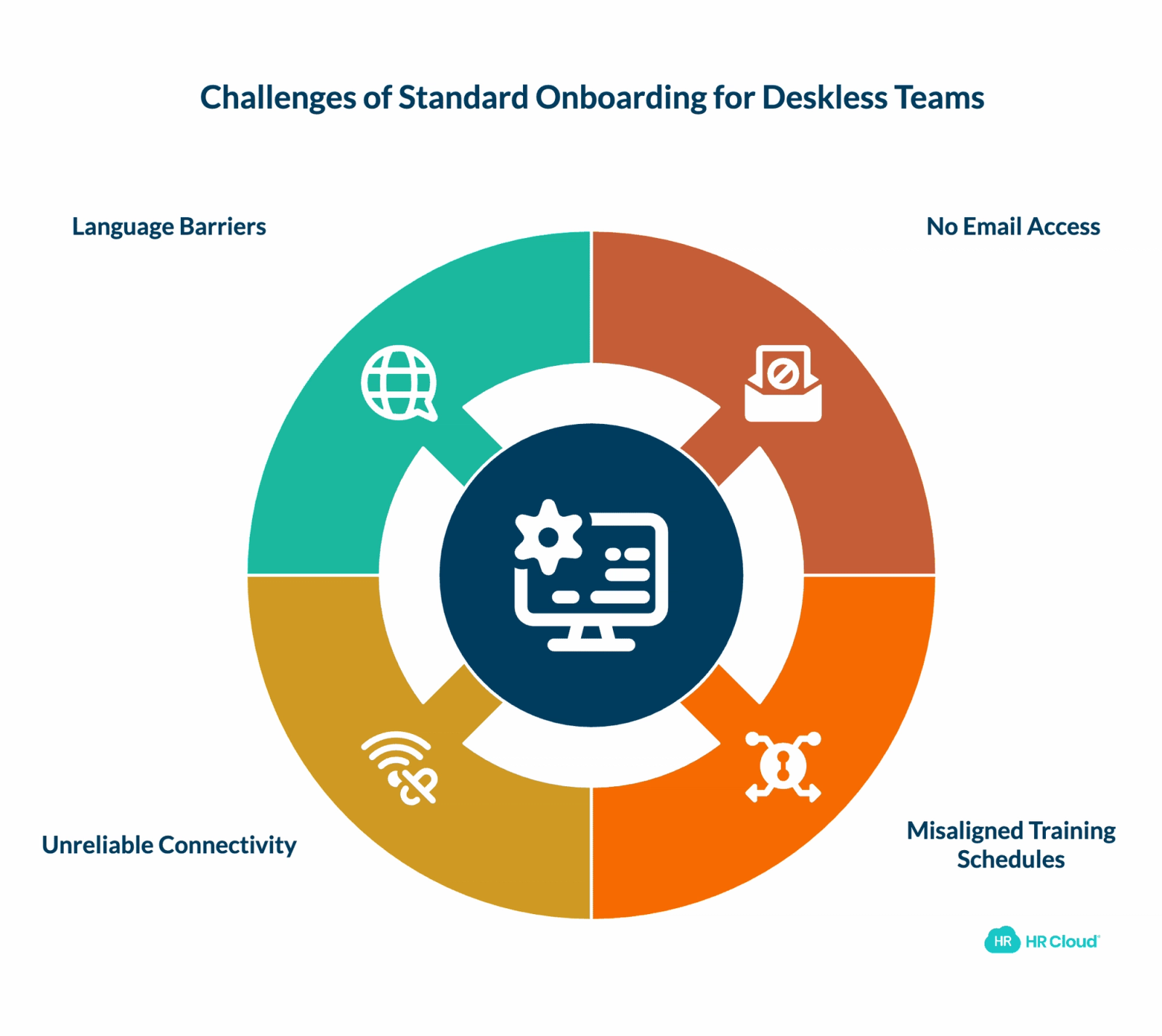
Before you evaluate vendors, you need to understand exactly where generic platforms break down. The problems are structural, not cosmetic. You can't fix them with a mobile app bolted onto a desktop system.
- No email, no entry point. Industry research consistently shows that four out of five frontline workers don't have a corporate email address. If your platform uses email as the primary communication channel, you've lost most of your deskless workforce before they even start. It needs to reach people through SMS, a mobile app, or both.
- Shift schedules don't align with training windows. A retail associate starting at 6 AM can't attend a 2 PM orientation webinar. A CNA working rotating 12-hour shifts doesn't have a "lunch break" that aligns with a desktop training module. Deskless onboarding needs to be asynchronous by design, not as an afterthought.
- Connectivity is unreliable. Break rooms with spotty Wi-Fi, warehouses with dead zones, rural healthcare facilities with limited signal. If your platform requires a stable broadband connection to function, it will fail in the environments where your deskless employees actually work. Offline capability or low-bandwidth design isn't a nice-to-have. It's a requirement.
- Multiple languages, one system. In manufacturing, construction, food service, and healthcare, a significant portion of the deskless workforce speaks a primary language other than English. If onboarding forms, training modules, and communications are English-only, you're creating a compliance gap and an experience gap simultaneously.
Key Benefits of Choosing the Right Platform
| Benefit | What It Means in Practice |
|---|---|
| Faster time-to-productivity | New hires complete paperwork before Day 1, so orientation focuses on the actual job |
| Higher early retention | Strong onboarding improves new hire retention by 82%, according to Brandon Hall Group research |
| Compliance at scale | Automated tracking by role and jurisdiction replaces manual spreadsheet checks |
| Reduced HR workload | Role-based workflows trigger automatically, so HR can onboard 50+ people in a week without individual configuration |
| Cleaner payroll data | Two-way HRIS integration eliminates re-entry errors on direct deposit and tax forms |
| Inclusive onboarding | Multi-language support across forms and training means every hire starts on equal footing |
The Seven Features That Actually Matter for Deskless Onboarding
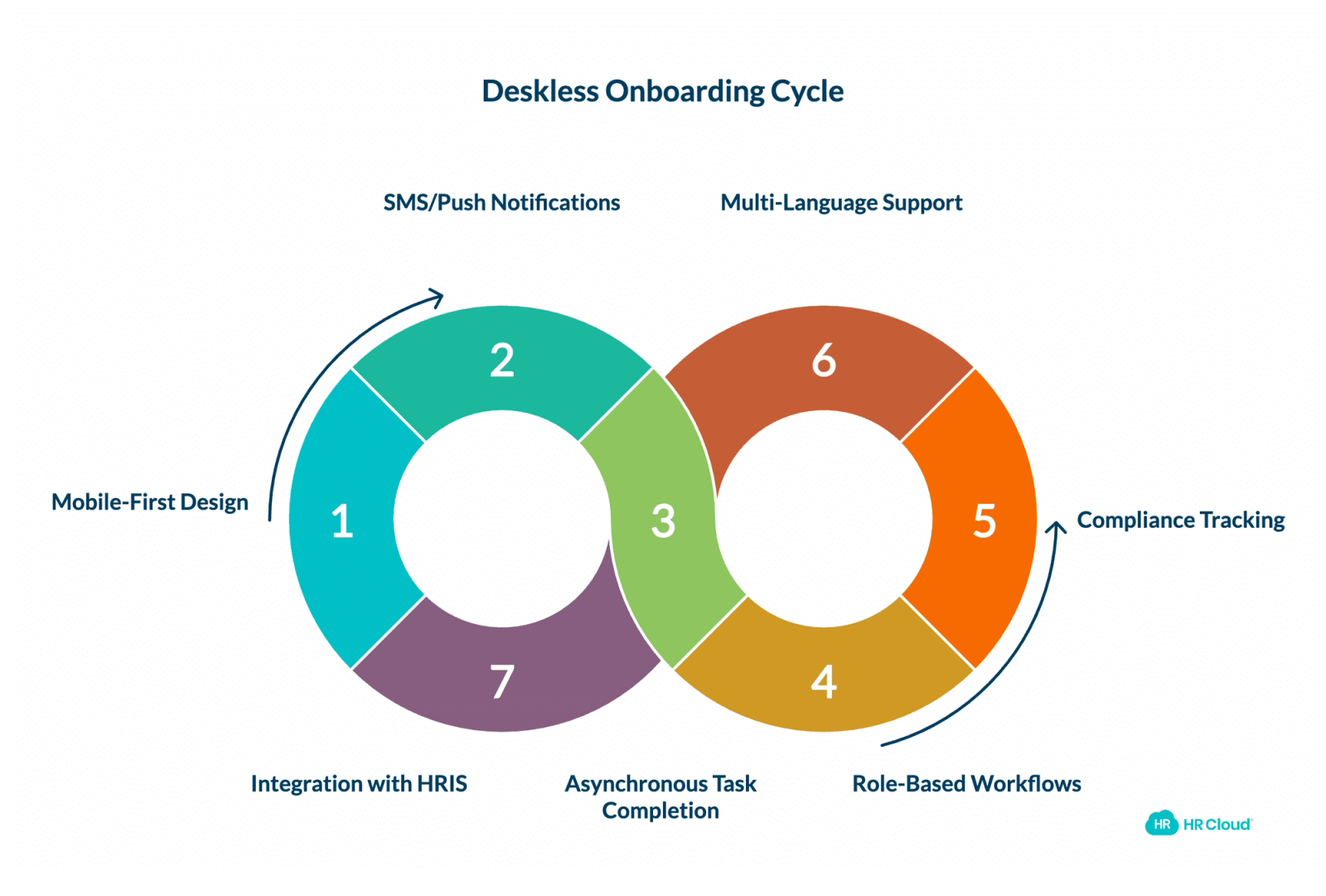
Most vendor feature lists are 40 items long. Not all of them matter equally when you're onboarding deskless employees. Here's where to focus your evaluation.
1. True Mobile-First Design (Not a Responsive Desktop Site)
This is the single most important differentiator. There's a meaningful difference between "mobile-friendly" and "mobile-first." Mobile-friendly means the desktop interface shrinks to fit a phone screen. Mobile-first means the entire experience was designed for a 6-inch screen with a thumb as the primary input device.
Test it yourself. Pull out your phone. Open the vendor's demo. Try to complete an I-9 form, upload a photo of your driver's license, and sign with your finger. If any step frustrates you, imagine how it feels for a first-day hire who's already nervous.
HR Cloud's employee mobile app was built for exactly this: task completion, document signing, and training access from any device, without requiring desktop access at any point in the new hire process.
2. SMS and Push Notification Delivery
Email is invisible to deskless workers. Your platform needs to reach people where they actually communicate: text messages and push notifications. Look for tools that can send reminders, deadline alerts, and task assignments via SMS without requiring the employee to download an app first. The app can come later. The first contact needs to work on a phone number alone.
3. Asynchronous, Shift-Aware Task Completion
Deskless onboarding can't assume everyone is available Monday through Friday, 9 to 5. The platform should allow new hires to complete tasks at any time, from any location, in whatever order makes sense for their schedule.
Better platforms go further: they're shift-aware. They know a night-shift worker shouldn't get a reminder notification at 2 PM. They know a weekend-only employee needs different deadlines than a weekday hire. This level of scheduling intelligence is rare, but it's what separates a purpose-built solution from a repurposed office tool.
4. Role-Based Workflow Customization
A forklift operator and a front desk receptionist at the same company need completely different onboarding paths. The platform should automatically assign the right documents, training modules, and compliance tasks based on role, department, and location without HR manually configuring each hire.
This matters even more when you're hiring at volume. A manufacturing facility bringing on 30 production workers in a week can't have someone manually adjusting workflows for each person. The system needs to handle that logic automatically. The next generation of deskless employee onboarding software is starting to use AI to go further: adapting the sequence and pacing of tasks based on how each individual hire progresses, not just their job title. For a detailed breakdown of what this looks like, see our guide to manufacturing onboarding software for frontline workers.
5. Compliance Tracking That Works Without Desktop Access
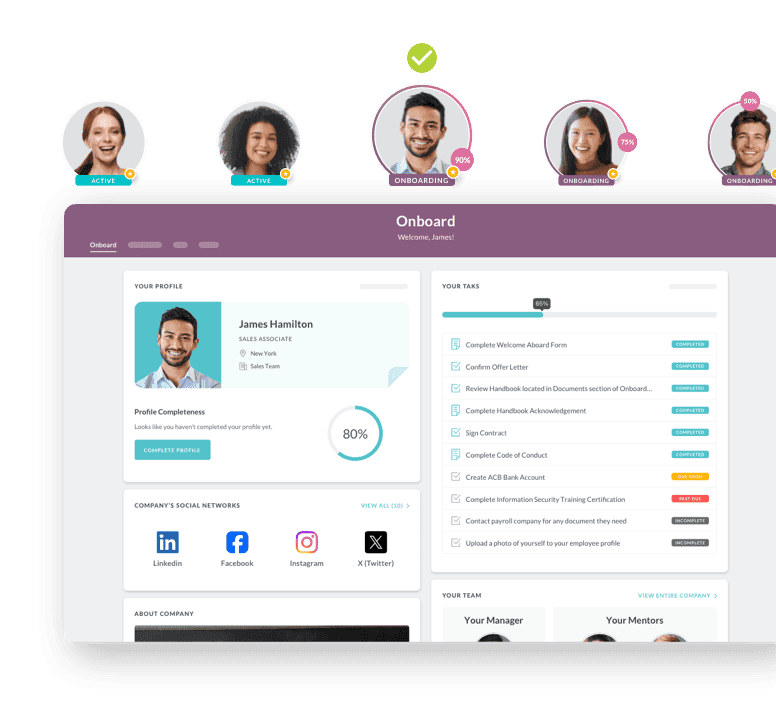
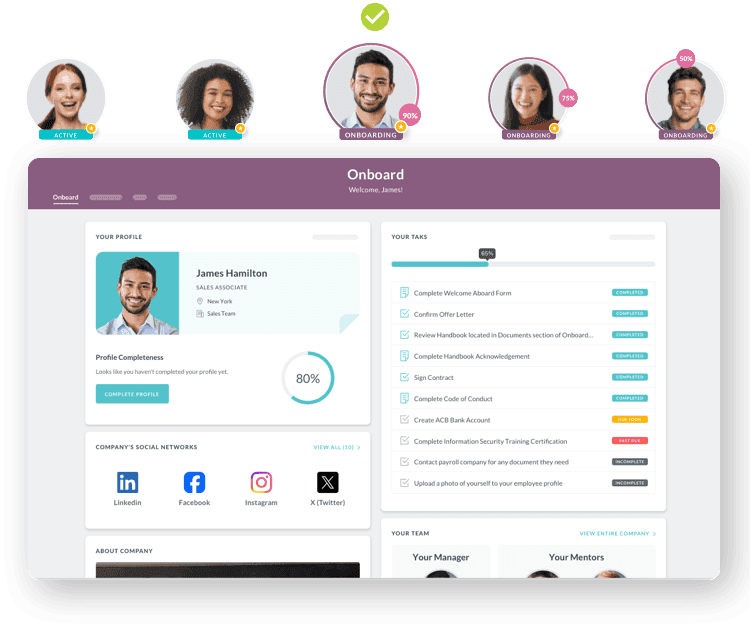
I-9 verification, safety training acknowledgments, background check status, credential tracking. For deskless employees in healthcare, construction, and manufacturing, compliance isn't a nice-to-have. It's a condition of being allowed to work.
Your platform should track every compliance item by role and jurisdiction, send escalating reminders as deadlines approach, and give HR real-time visibility into who's complete and who's at risk — all from a phone. The most advanced tools are adding AI-powered escalation on top of this, identifying which locations consistently run late or which roles have the highest incomplete rates, and flagging those patterns before they become audit findings.
Healthcare organizations face an especially complex version of this challenge. If that's your world, our mobile-first healthcare onboarding guide goes deeper into the credentialing and clinical compliance requirements.
6. Multi-Language Support Beyond the Interface
Most platforms offer a Spanish-language toggle for the user interface. That's a start, but it's not enough. Multilingual environments require translated forms, training content, and communications — not just translated buttons and menus.
Ask your vendor specifically: Can I create workflows where the same task is delivered in different languages to different employees, automatically based on their profile? If the answer requires a workaround or a manual override, the feature isn't really built for deskless teams.
7. Integration With Your Payroll and HRIS
Deskless employee onboarding software doesn't exist in a vacuum. The data collected during onboarding — tax forms, direct deposit, emergency contacts, certifications — needs to flow into your payroll system and HRIS without someone re-entering it. Look for two-way sync with the platforms you already use. If you're running ADP, UKG, Paylocity, or Workday, the platform needs to push data directly into those systems. HR Cloud integrates natively with all of them, eliminating the manual data entry that creates errors and slows down time-to-productivity.
Ten Questions to Ask Every Vendor During Your Evaluation
Vendor demos are designed to show you the best-case scenario. These questions cut through the polish and reveal how the platform actually performs for deskless onboarding.
1. Can a new hire complete 100% of onboarding from a smartphone without ever touching a desktop? If the answer is "mostly" or "for most tasks," ask which tasks still require a desktop. Those exceptions will become your biggest bottlenecks.
2. How does the system communicate with employees who don't have corporate email? You want to hear "SMS and push notifications from day zero." Not "we can configure that."
3. Show me the onboarding experience for a non-English-speaking employee. Don't accept a translated settings page. Ask to see the full flow: forms, training, reminders, everything.
4. What happens when a new hire starts the I-9 on their phone and loses connectivity mid-form? You want auto-save and resume capability. Anything less means lost data and frustrated employees.
5. Can I build different onboarding workflows by role, department, and location, and have them trigger automatically? If this requires a support ticket or admin intervention for each new role, it won't scale.
6. How does the system handle onboarding 50+ people in a single week? Ask for examples from existing clients with high-volume deskless hiring. If they can't provide one, they haven't solved this problem.
7. What compliance items can the system track automatically, and what requires manual oversight? The best platforms track I-9 status, training completion, certification expiration, and background check clearance in real time.
8. What does the reporting dashboard look like for multi-location organizations? Ask to see completion rates by location, by role, and by time period. If you can't slice the data this way, you'll struggle to identify where the process is breaking down.
9. Which payroll and HRIS systems do you integrate with natively, and which require middleware? Native integrations are faster, more reliable, and cheaper to maintain than middleware. Ask for a list.
10. Can I pilot with one location before rolling out company-wide? Any vendor confident in their product will support a pilot. If they push for a full rollout, ask why.
Red Flags That Tell You a Platform Wasn't Built for Deskless Workers
| Red Flag | What It Means |
|---|---|
| The demo happens entirely on a desktop | The mobile experience is probably an afterthought. Mobile onboarding for deskless workers should be the default demo, not a secondary screen they pull up when you ask |
| "Mobile-responsive" instead of "mobile-first" | Responsive means the desktop layout adapts to a smaller screen. Mobile-first means the phone is the primary design target. For deskless onboarding, this distinction is the difference between usable and unusable |
| No SMS capability without the app | You have a chicken-and-egg problem. The new hire needs to download the app to start onboarding, but they need to receive onboarding instructions to know the app exists. SMS bridges that gap |
| Compliance tracking is manual | If someone in HR has to check a spreadsheet to know whether a new hire completed their safety training, the system isn't designed for frontline hiring at scale |
| No client references in your industry | A vendor that works well for tech startups may not understand healthcare credentialing or construction safety certifications. Ask for references from companies with a similar frontline workforce |
What This Looks Like by Industry
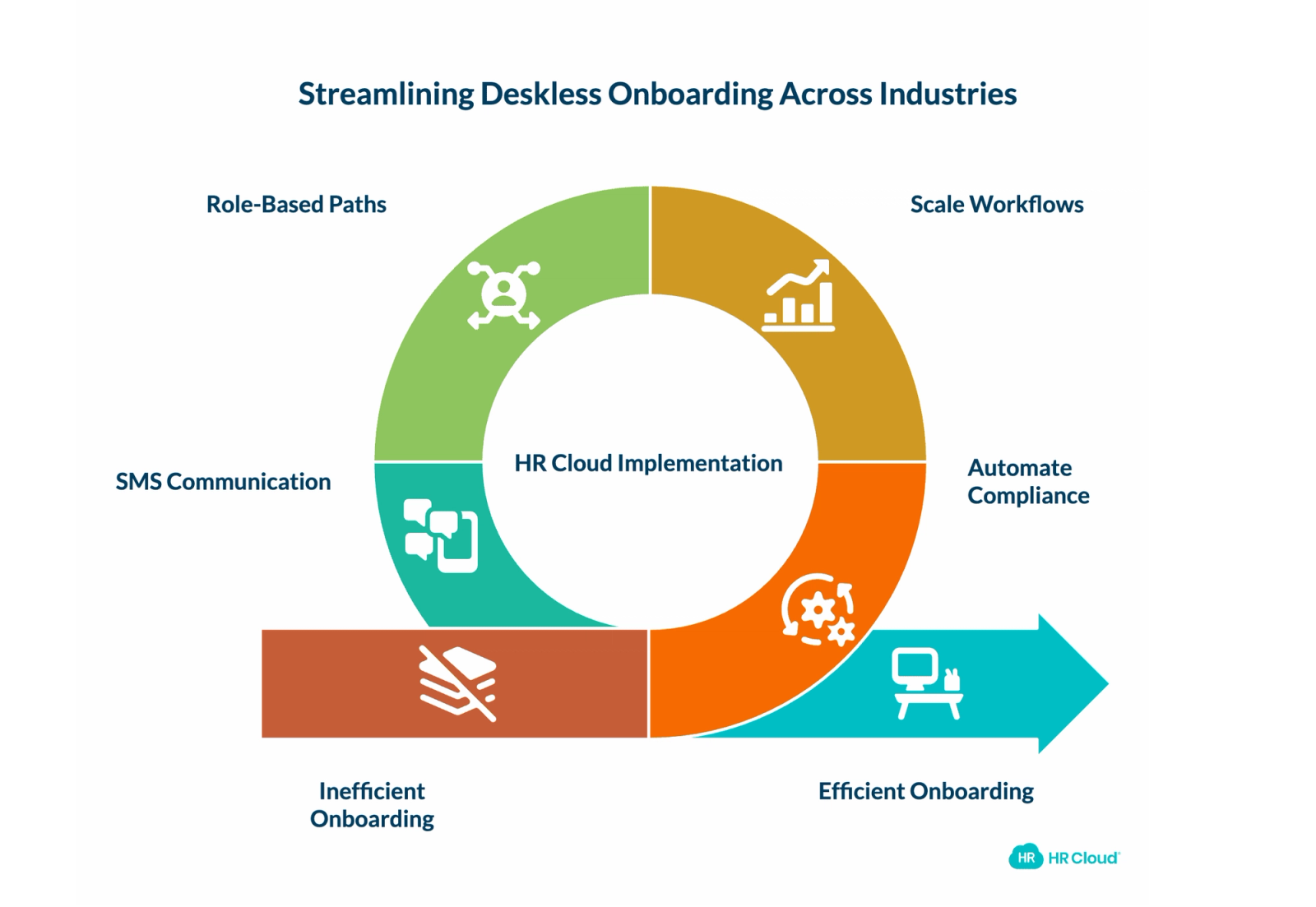
Requirements shift significantly based on the industry you're in.
Healthcare has the highest compliance burden of any deskless vertical. Credentialing workflows, training acknowledgment tracking, mobile document uploads, and multi-facility onboarding are all non-negotiable. A missed license expiration or incomplete I-9 can pull a nurse from the floor. Interim HealthCare uses HR Cloud to manage compliance-heavy new hire processes across distributed locations, keeping clinical staff audit-ready without adding administrative headcount.
Manufacturing and construction face a combination of safety compliance, high seasonal volume, and multilingual workforces that most platforms aren't equipped to handle simultaneously. Osmose Utilities and Comfort Systems USA Southwest have built their deskless programs around automated compliance workflows that scale across job sites, eliminating the manual tracking that breaks down during ramp periods.
Retail and hospitality run on volume. Frontline retail turnover has been at least 60% annually for years, with hospitality running 70-80% according to the Bureau of Labor Statistics. That means onboarding is never a one-time project — it's a permanent pipeline. Role-based paths for cashiers vs. floor managers vs. stockroom staff, shift-aware scheduling, and SMS-first communication aren't optional. If your system requires HR to manually configure each new hire, it won't keep pace.
Education brings its own timing problem: seasonal wave hiring for fall semester means bringing on hundreds of classified staff in a short window, most of whom don't have district email and need background check tracking at scale. Our K-12 classified staff onboarding framework covers this in detail.
Classified Staff 30-Day Onboarding Satisfaction Survey Template
This survey takes about 5 minutes and helps us improve the experience for future employees.
Download Now
How to Build Your Evaluation Scorecard
Don't rely on gut feeling after three vendor demos. Build a weighted scorecard before you start evaluating, so every vendor is measured against the same criteria. Score each vendor 1 to 5 on every item. Multiply by the weight. Total. The math will surface a clear winner faster than another round of demos.
| Criteria | Weight |
|---|---|
| Mobile-first design | 3x |
| SMS delivery (no app required) | 3x |
| Role-based automated workflows | 3x |
| Compliance tracking without desktop | 3x |
| Native payroll/HRIS integration | 3x |
| Multi-language support | 2x |
| Shift-aware notifications | 2x |
| Offline/low-bandwidth capability | 2x |
| Multi-location reporting | 2x |
| Batch onboarding for high-volume hiring | 2x |
| AI-powered conversational onboarding | 1x |
| Adaptive task sequencing | 1x |
| Manager coaching prompts | 1x |
| Onboarding satisfaction surveys | 1x |
| Engagement tools on the same platform | 1x |
Use HR Cloud's onboarding ROI calculator to attach dollar values to the efficiency gains each platform promises, and the Workmates ROI calculator to quantify what better new hire retention could save in reduced early attrition.
Where Deskless Onboarding Is Headed
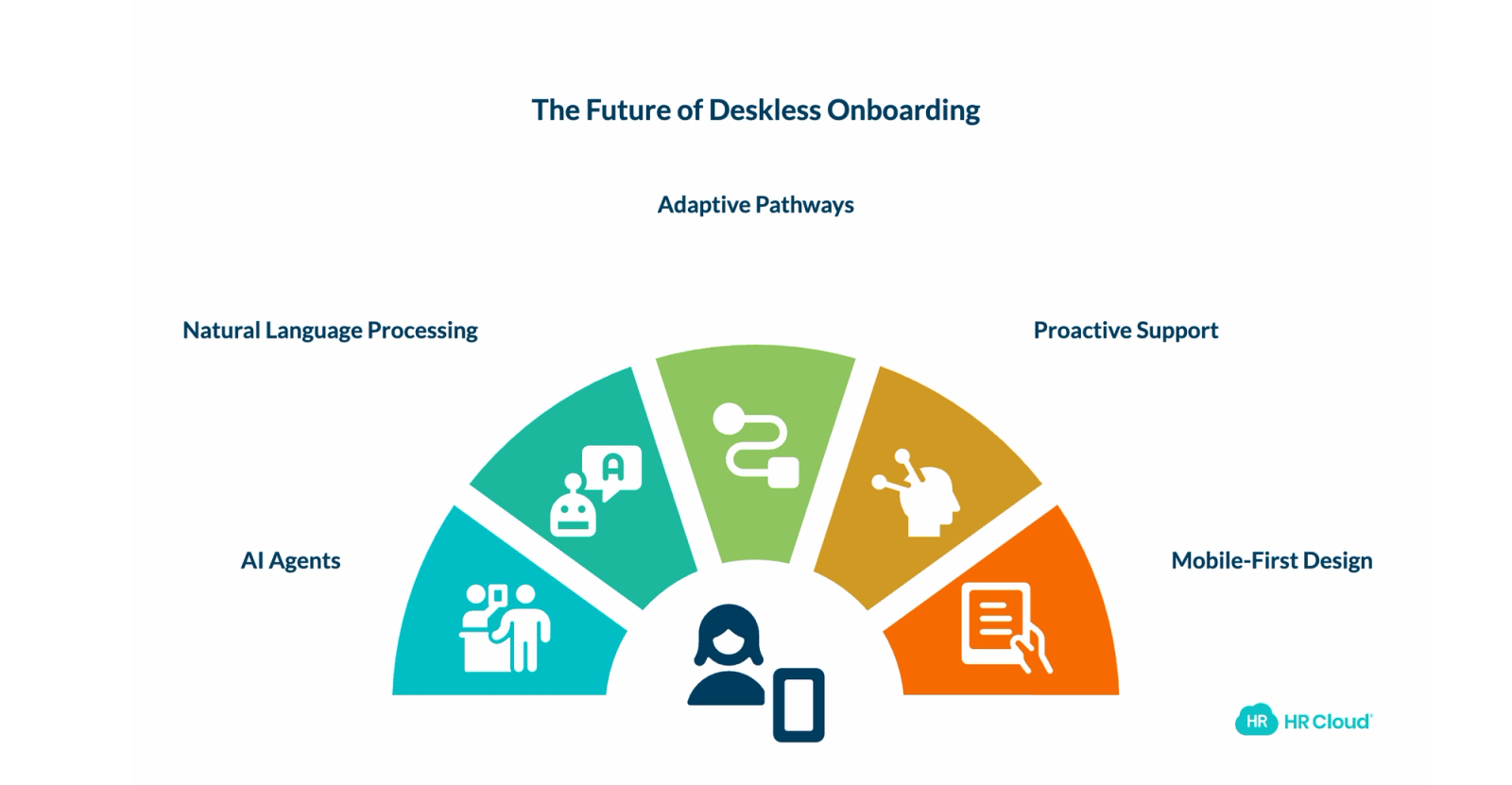
The employee onboarding software you choose today should serve you for the next three to five years. That means understanding where this category is moving, not just where it stands right now.
The biggest shift: AI agents are entering the space. Instead of static workflows that fire tasks in a pre-set sequence, AI-powered onboarding agents can answer a new hire's questions in natural language via text, adjust the path based on how the individual is progressing, and proactively flag at-risk hires before they ghost.
Think about what that means for a deskless workforce. Your new CNA doesn't need to call HR during business hours to ask about her scrub policy. She texts a question at 9 PM and gets an accurate, context-aware answer immediately. Your warehouse hire who's stuck on a form doesn't abandon it. The agent detects the stall and sends a simplified walkthrough via SMS.
This isn't theoretical. Several platforms, including HR Cloud, are actively building AI-powered onboarding agents designed specifically for deskless and frontline employees. For a deeper look at how this technology works, read our guide on what an AI onboarding agent is and why it matters.
When evaluating vendors today, ask one forward-looking question: What does your AI roadmap look like for frontline onboarding over the next 12 months? The answer will tell you whether you're buying a platform that's still evolving or one that peaked two years ago.
Your deskless workforce is 80% of your people. They deserve a new hire experience that was designed for how they actually work, not a desktop system they have to fight on a phone screen.
If your current employee onboarding software wasn't built for deskless workers, every new hire is starting at a disadvantage. Book a Free Demo to see how HR Cloud handles this for healthcare systems, manufacturers, school districts, and multi-location teams.

Discover how our HR solutions streamline onboarding, boost employee engagement, and simplify HR management
Book Your Free DemoFrequently Asked Questions
What is deskless onboarding?
Deskless onboarding is the process of integrating new hires who don't work at a desk into your organization using mobile-first tools. This includes healthcare workers, warehouse staff, construction crews, retail associates, and delivery drivers. It differs from traditional onboarding because these employees typically lack corporate email, work irregular shifts, and complete tasks from personal phones rather than company computers.
Why does standard onboarding software fail for deskless employees?
Standard employee onboarding software assumes the new hire has a desktop computer, a corporate email address, and availability during business hours. Deskless employees have none of these. Forms don't render properly on phones, communication channels don't reach them, and training windows don't align with their shifts. The result is incomplete onboarding, compliance gaps, and higher first-90-day turnover.
What should I look for in onboarding software for deskless teams?
Focus on seven capabilities: true mobile-first design (not just responsive), SMS and push notification delivery, asynchronous task completion, role-based workflow automation, compliance tracking without desktop access, multi-language support, and native integration with your payroll and HRIS. Test every feature on a phone during the demo. See how HR Cloud's onboarding software handles each of these for deskless teams.
How does deskless onboarding improve retention?
Frontline industries face turnover rates between 55% and 75% annually, and most employees decide whether to stay or leave within their first 90 days. A mobile, asynchronous, multilingual approach reduces the friction and frustration that drive early exits. Brandon Hall Group research shows strong onboarding improves new hire retention by 82%.
How long does it take to implement deskless onboarding software?
Implementation timelines vary, but most purpose-built platforms can go live in 4 to 8 weeks. HR Cloud's average go-live is 6 weeks. The key variable is how many role-based workflows you need to configure and how many integrations (payroll, HRIS, ATS) need to be connected. Start with a single-location pilot to validate the setup before scaling.
Can this type of platform handle high-volume hiring?
Yes, if it's designed for it. Look for batch onboarding capabilities, automated workflow triggers by role and location, and reporting that shows completion rates across large cohorts. Ask your vendor for specific examples of clients onboarding 50+ deskless employees in a single week. If they can't provide one, the platform likely wasn't built for high-volume frontline hiring.
About the author

Keep Reading


Like What You Hear?
We’d love to chat with you more about how HR Cloud® can support your business’s HR needs.
Book Your Free Demo