









Empower your workforce. Elevate your HR team. Scale with confidence.
From onboarding to recognition, create moments that matter across your entire workforce. One unified platform that makes 5,000 employees feel as connected as 50.

Powering the world’s best companies
What enterprises have achieved with HR Cloud
If you are asking – "What's the ROI?" – here's your answer.
AI-Powered HRIS for Smarter HR Workflows
AI chatbots can handle up to 60% of routine employee questions,
freeing your HR team to nurture talent and build better workplace experiences.
Why HR Cloud outperforms the competition
Discover how HR Cloud goes beyond traditional HR software by combining powerful automation, seamless integrations, and an employee-first experience—designed to help you do more with less and build a thriving workplace culture.
Case Studies
Real results from our customers using Onboard
See how businesses are streamlining onboarding, boosting engagement, and improving retention with Onboard. Real stories, real results.
See how leading organizations grow with HR Cloud
Discover how businesses across industries are using HR Cloud to streamline HR operations, boost employee engagement, and improve compliance and productivity. Learn how our clients are achieving measurable results, from faster onboarding to stronger retention.
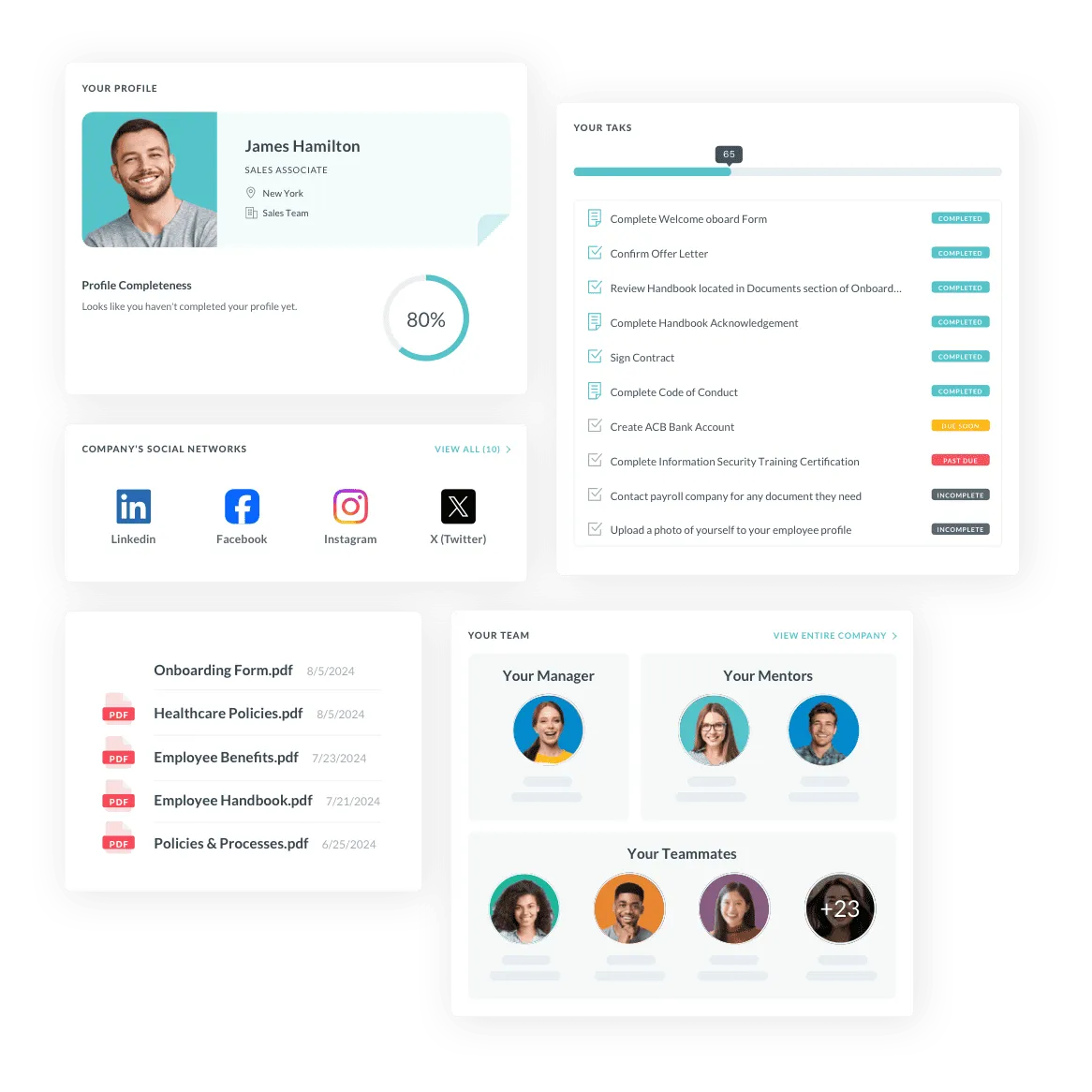
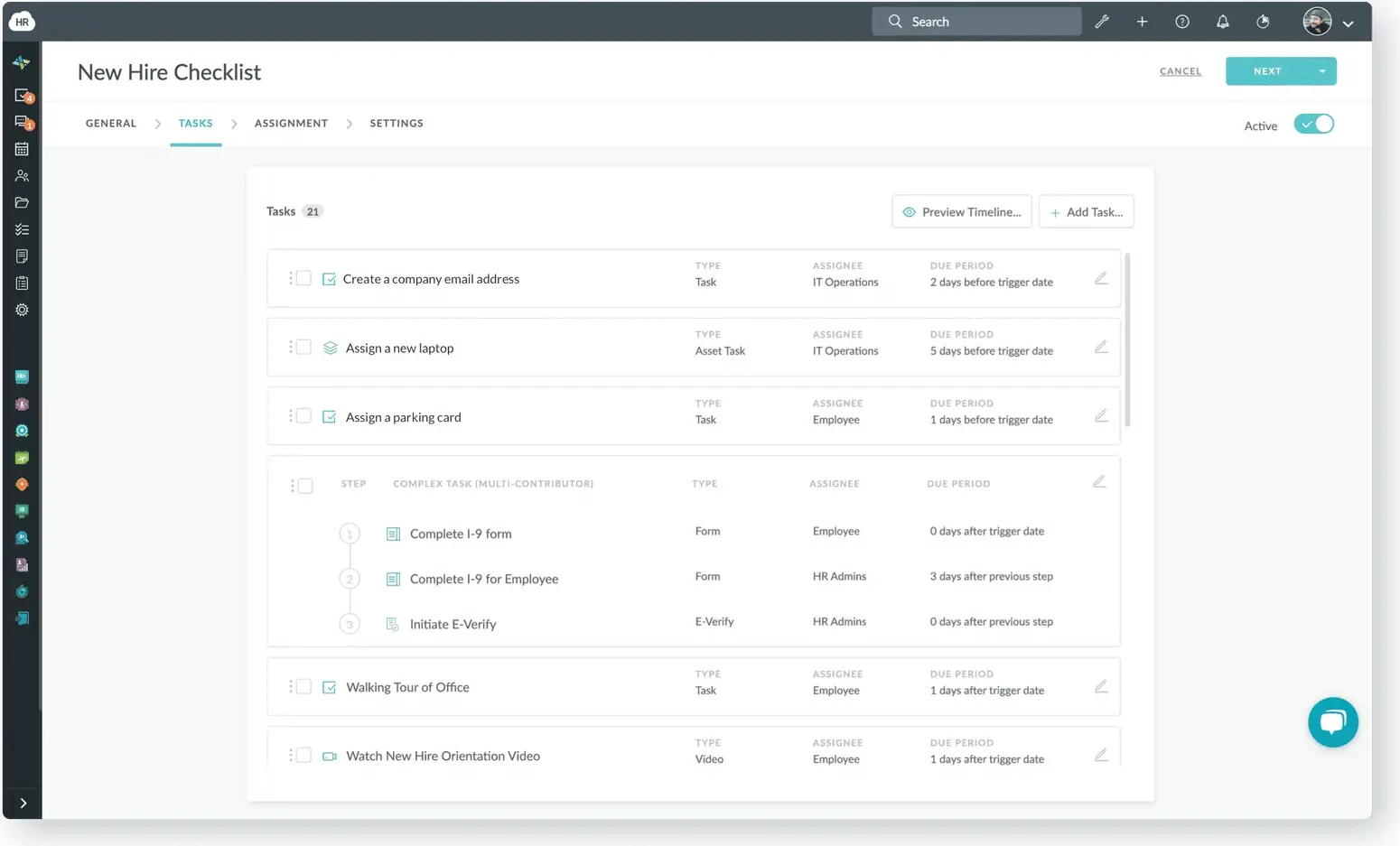
Seamlessly manage hiring, onboarding, and offboarding in one platform
Simplify your HR operations with a centralized solution for recruiting, employee onboarding, and automated offboarding workflows. HR Cloud helps you save time, ensure compliance, and deliver a personalized new hire experience, no matter your team’s size or structure.
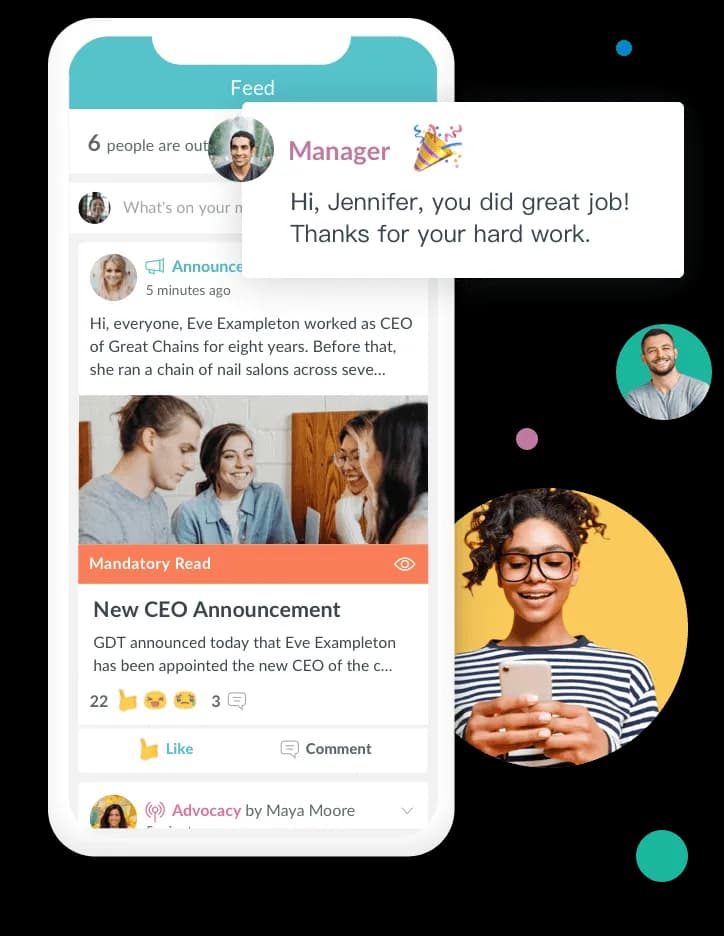
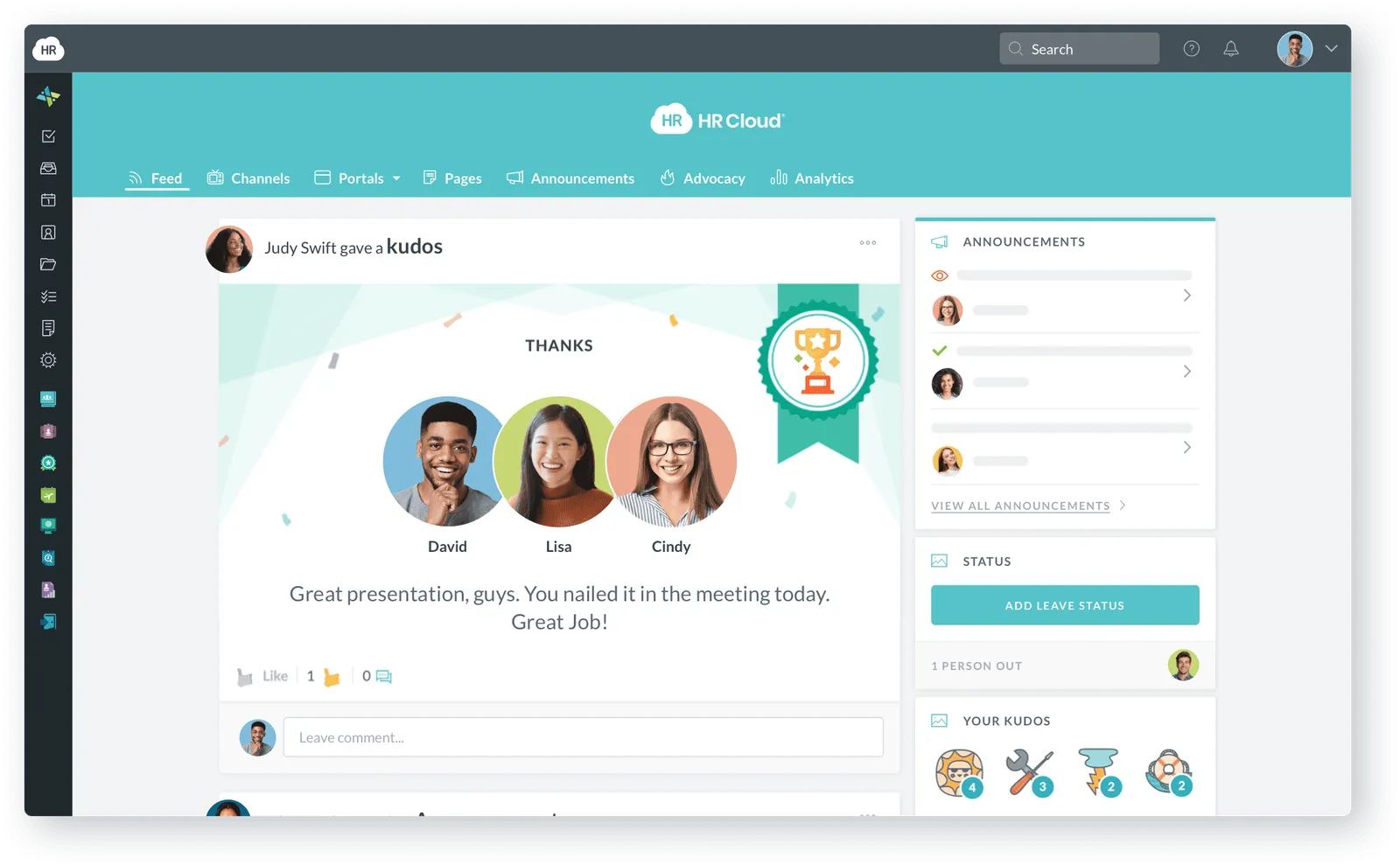
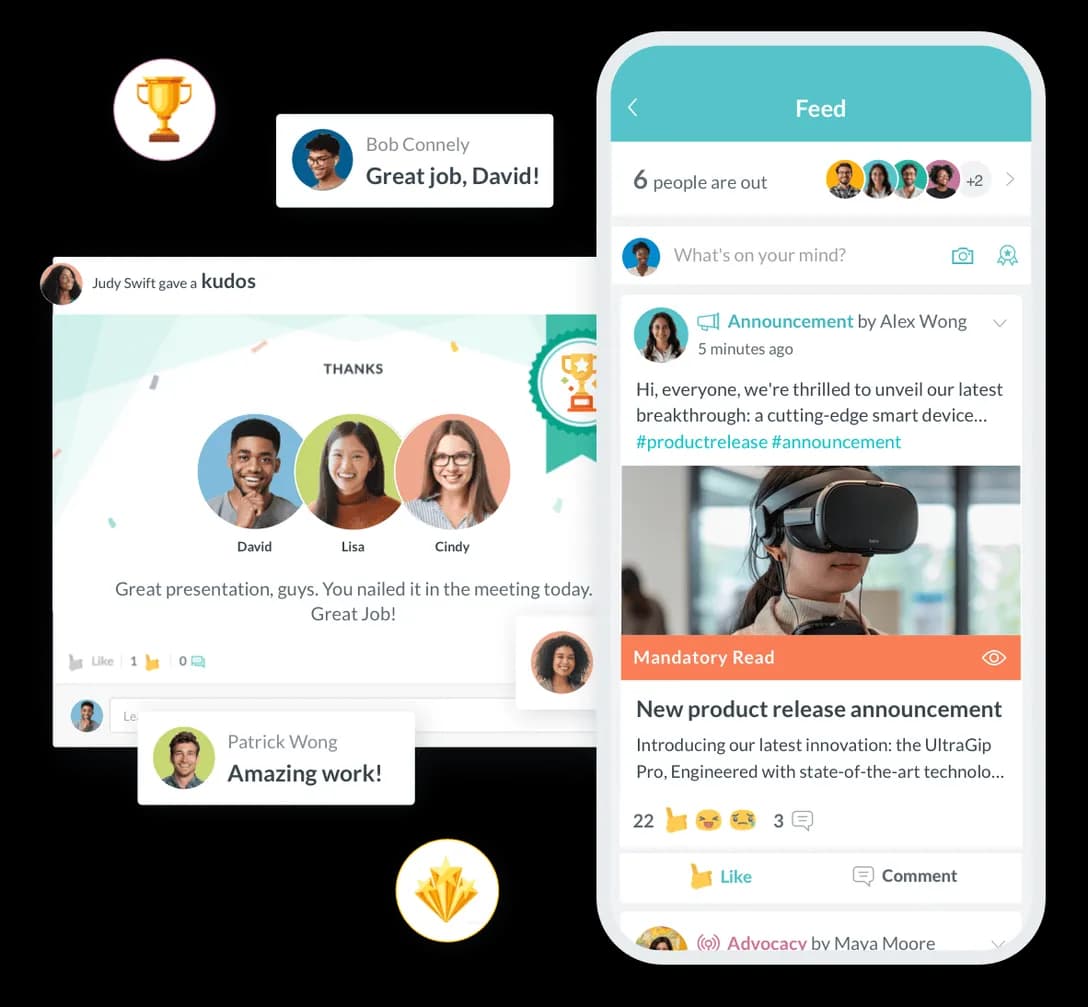
Drive employee engagement and productivity to new highs
Improve employee engagement for happier, more productive employees committed to helping your business succeed.
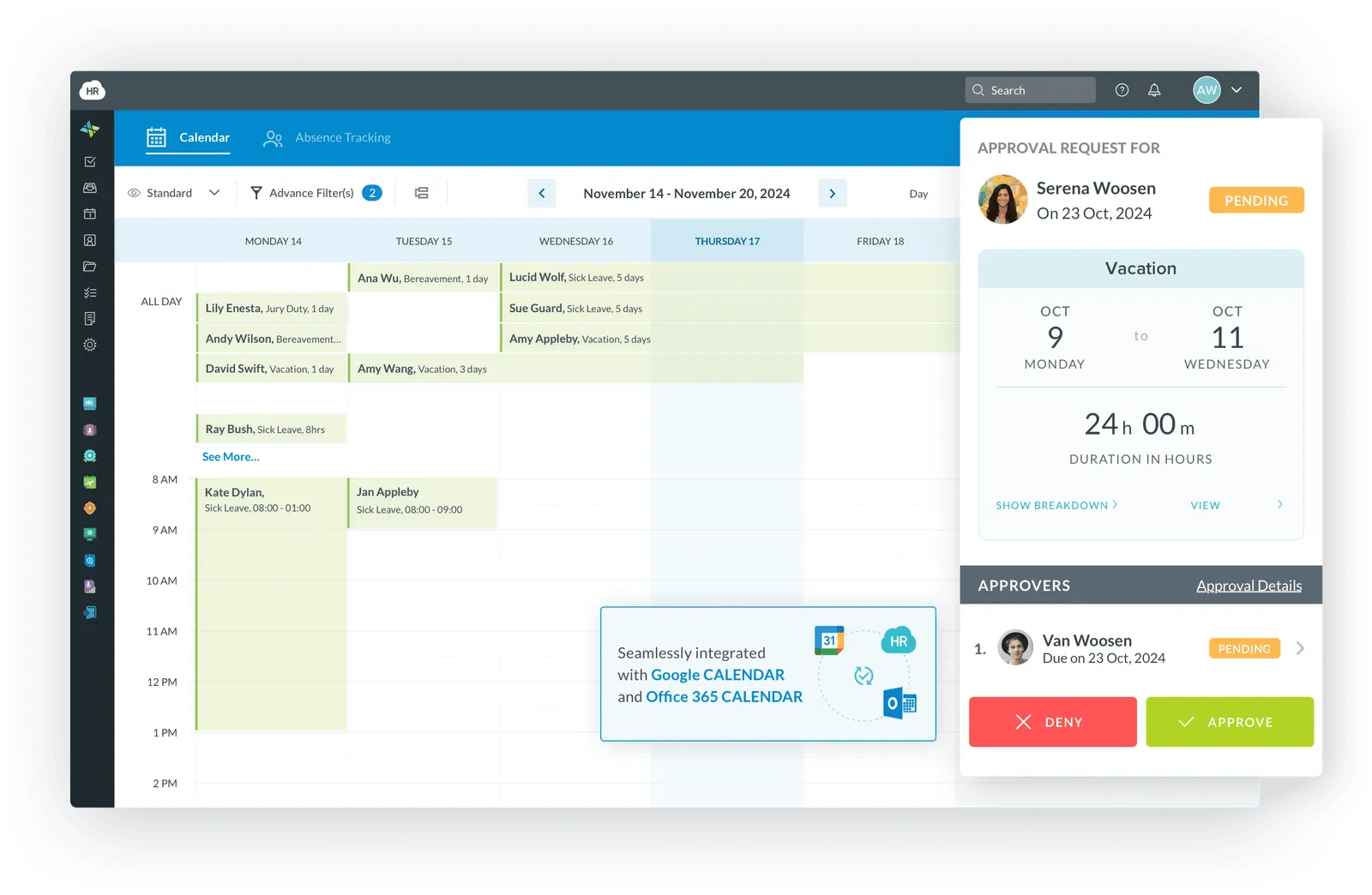
Effortless time tracking for better workforce insights
Easily track and manage all PTO, vacation, and leave requests with workforce management software, providing employees a powerful time-tracking solution.
A better way to collect, organize, and use employee information
Enhance employee data management with workflow automation, simplifying how information is collected, organized, and utilized within your people center.
HR software tailored for every industry
HR Cloud adapts to your unique industry requirements with specialized features.
Healthcare
License tracking, certification management, and healthcare compliance workflows with built-in audit trails and reminders.
Construction
Mobile-friendly tools for jobsite compliance, safety training, and field-based employee management.
Manufacturing
Incident reporting, safety management, and ADP integration for seamless operations.
Technology
Remote worker onboarding, equipment tracking, and project management for tech teams.
Oil & Energy
Safety compliance, drug test tracking, and mobile access for field operations.
Education
Certification tracking, policy sharing, and flexible staff management tools.
Retail & Hospitality
Kiosk-based onboarding, high-turnover management, and multi-location support for distributed teams.
Staffing
High-volume candidate management, automated referrals, and customizable reporting.
Turnkey integrations with all your favorite tools
Our HR solutions integrate with the third-party tools you already know and love. Recruiting, applicant tracking, payroll, background checks, and more – HR Cloud has you covered.
Frequently asked questions
HR Cloud’s employee onboarding software automates new hire workflows, e-signatures, tasks, and compliance—all in one platform. It ensures a smooth, paperless onboarding experience from preboarding to day one.
Effective employee onboarding typically extends 90 days to one year, though the initial preboarding and first-week experience are most critical for retention. The process should begin immediately after offer acceptance with preboarding activities—welcome emails, paperwork, and initial training. The first week focuses on administrative tasks, introductions, and role-specific training, while following months emphasize cultural integration, performance check-ins, and ongoing development. Automated onboarding software enables extended programs without increasing HR workload.
Automated onboarding reduces administrative burden by up to 60%, freeing HR teams to focus on relationship-building rather than paperwork tracking. It ensures compliance by automatically assigning required forms, training, and certifications based on role and location, creating audit trails for regulatory requirements. New hires experience faster time-to-productivity because they receive role-specific information exactly when needed. Automated workflows eliminate variability, ensuring every employee receives consistent, high-quality experiences regardless of department or location while providing visibility into onboarding effectiveness.
Modern onboarding software is specifically designed for remote employees through fully digital workflows that eliminate geographic barriers. Remote hires complete all paperwork, e-signatures, and compliance training from any location using secure web portals or mobile apps. The software coordinates equipment shipment tracking, virtual welcome meetings, and digital asset distribution. Engagement features like peer introductions, welcome videos, and company culture content help remote employees feel connected from day one, while managers receive the same visibility into remote employee progress as in-office hires.
Preboarding encompasses all activities between offer acceptance and an employee's official start date—a critical window that significantly impacts retention and engagement. This period allows new hires to complete administrative tasks like paperwork, benefits selection, and background checks before day one, so their first week focuses on meaningful work. Effective preboarding reduces first-day anxiety by familiarizing employees with company culture, team members, and role expectations. Organizations with strong preboarding programs see higher retention rates because engaged candidates remain committed during their notice period.
Employee onboarding software typically ranges from $4-$15 per employee per month for mid-market solutions, with costs varying based on features, company size, and platform type. Module-based systems allow you to start with core onboarding functionality and add features as needs grow. Enterprise organizations often negotiate custom pricing based on volume and integration requirements. Beyond subscription costs, consider implementation fees, training, and ongoing support when evaluating total cost of ownership. Most organizations see ROI within 6-12 months through time savings and improved retention.
Essential onboarding software features include customizable workflow automation that triggers tasks based on employee attributes like role, department, and location. Look for e-signature capabilities, document management, and form builders that enable paperless processing. The platform should offer task tracking with automated reminders, ensuring nothing falls through the cracks while providing visibility into completion status. Integration capabilities with existing HRIS, payroll, and ATS systems eliminate duplicate data entry. Advanced features like mobile access, self-service portals, preboarding modules, compliance training assignment, and robust reporting dashboards separate good solutions from great ones.
Measure onboarding success by tracking completion rates and time-to-completion for onboarding tasks to identify bottlenecks. Monitor time-to-productivity by measuring how quickly new hires reach performance benchmarks. Track retention rates at 30, 60, and 90 days to reveal whether onboarding creates lasting engagement. New hire satisfaction surveys provide qualitative insights into the employee experience, while manager satisfaction scores indicate whether onboarding equips new hires with necessary skills. Compliance completion rates ensure regulatory requirements are met consistently. Modern onboarding software consolidates these metrics in dashboards for data-driven improvements.
Modern onboarding platforms allow you to create multiple workflow templates that automatically assign based on employee attributes—so healthcare workers receive certification tracking while remote developers get equipment provisioning. You can customize every element including task sequences, form requirements, training modules, welcome messaging, and approval chains to match specific needs. Conditional logic enables sophisticated workflows where subsequent tasks depend on previous selections. This customization ensures executives, frontline workers, part-time staff, and contractors each receive appropriate onboarding while maintaining centralized oversight and consistent quality standards.
Self-onboarding empowers new hires to complete their onboarding process independently through a secure, guided digital portal without constant HR intervention. Employees receive a personalized checklist of tasks—paperwork, training videos, policy acknowledgments, benefits selection—that they complete at their own pace. The system guides them step-by-step with clear instructions, automatically saving progress and preventing completion without necessary information. This dramatically reduces HR administrative burden while giving employees ownership of their experience. HR maintains full visibility through dashboards showing completion status and receives alerts when intervention is needed.
HRIS (Human Resources Information System) is comprehensive software that centralizes employee data and automates core HR functions across the entire employee lifecycle. It serves as a single source of truth for workforce information including personal details, employment history, compensation, benefits, time off, performance records, and compliance documentation. Modern HRIS platforms automate workflows like onboarding, offboarding, time-off requests, performance reviews, and organizational changes. The system generates reports and analytics that inform strategic workforce decisions while ensuring compliance through audit trails and automated record-keeping.
HRIS (Human Resources Information System) traditionally focuses on administrative HR functions—employee records, payroll processing, benefits administration, and compliance tracking. HCM (Human Capital Management) encompasses broader strategic capabilities including talent acquisition, performance management, learning and development, succession planning, and workforce analytics. In practice, these terms have become increasingly interchangeable as modern HRIS platforms expanded to include HCM functionality. When evaluating solutions, focus on specific capabilities rather than terminology—does the system handle just administrative tasks or does it support strategic talent management across the employee lifecycle?
HRIS software pricing typically ranges from $5-$20 per employee per month for small to mid-sized businesses. Module-based platforms allow you to start with core functionality like employee records and onboarding at lower price points, then add capabilities as needs evolve. Enterprise solutions with 1,000+ employees often negotiate custom pricing based on volume and complexity. Beyond subscription fees, consider implementation costs (typically 15-30% of annual subscription), data migration, training, and ongoing support. Cloud-based SaaS solutions generally offer lower upfront costs and more predictable budgeting than on-premise systems.
Cloud-based HRIS solutions offer compelling advantages for most organizations, particularly around accessibility, scalability, and cost predictability. Cloud platforms enable employees and managers to access HR functions from anywhere using any device—essential for remote teams. Automatic updates ensure you always have the latest features, security patches, and compliance changes without IT intervention. Implementation is faster and less expensive because there's no hardware to purchase or infrastructure to maintain. Scalability is seamless—add or remove users instantly as your organization grows. However, on-premise solutions may suit organizations with strict data residency requirements or highly customized needs.
Critical HRIS integrations include your payroll system (ADP, Workday, UKG, Paylocity) to ensure accurate compensation processing without duplicate data entry. Applicant tracking system (ATS) integration streamlines the hiring-to-onboarding transition by automatically converting accepted candidates into employee records. Benefits administration integrations connect your HRIS to insurance carriers to synchronize enrollment changes and life events. Time and attendance systems integration ensures accurate tracking of hours worked and PTO balances. Background check providers, learning management systems, and performance management tools round out essential integrations that create a connected HR technology ecosystem.
Modern HRIS platforms employ enterprise-grade security measures that often exceed internal file storage systems. Data encryption both in transit and at rest ensures information remains secure during transmission and storage. SOC 2 Type II compliance demonstrates platforms meet rigorous security standards through independent third-party audits. Role-based access controls ensure employees only see information appropriate to their position. Regular security updates protect against emerging threats without requiring action from your team. Automatic backup and disaster recovery capabilities safeguard against data loss. GDPR, CCPA, and other privacy regulation compliance is built into reputable platforms.
HRIS software has evolved to serve small businesses with affordable, scalable solutions designed for organizations with 10-500 employees. Module-based pricing allows small businesses to start with essential features like employee records and onboarding, investing in additional capabilities as they grow. Modern cloud-based platforms require no IT infrastructure or dedicated staff. Implementation is faster and simpler than enterprise solutions, often taking weeks rather than months. Small businesses benefit disproportionately from HRIS automation because limited HR staff gain the most time savings. Organizations as small as 20-30 employees often find HRIS investment worthwhile.
Employee self-service empowers workers to access and update their personal information, request time off, view pay stubs, enroll in benefits, and complete HR tasks independently through a web portal or mobile app. This eliminates the need for employees to contact HR for routine inquiries or simple changes, reducing administrative burden while giving workers 24/7 access to their information. Common self-service capabilities include updating contact information, downloading tax documents and pay statements, viewing and requesting PTO, acknowledging policies, completing performance self-assessments, and updating direct deposit details. Mobile self-service particularly benefits frontline workers.
Successful HRIS implementation begins with defining clear objectives and securing executive buy-in to ensure adequate resources. Assemble a cross-functional implementation team including HR, IT, finance, and key department managers. Conduct thorough data cleanup before migration—outdated or inconsistent employee records create problems in your new system. Develop a phased rollout plan starting with core modules rather than implementing everything simultaneously. Plan extensive training for administrators, managers, and employees using role-specific sessions. Test thoroughly before launch using real scenarios. Communicate continuously with employees about changes, addressing concerns proactively. Establish success metrics and review progress regularly.
HRIS platforms generate comprehensive reports spanning all workforce management aspects. Headcount reports show current staffing levels broken down by department, location, or position with historical trending. Turnover and retention reports identify attrition patterns by segment. Time and attendance reports track hours worked, overtime, absenteeism, and PTO usage. Compensation reports analyze salary distributions, pay equity, and compensation trends. Compliance reports document training completion, certification status, and regulatory requirement fulfillment. Recruitment and onboarding reports measure time-to-fill and new hire completion rates. Custom report builders allow you to create unique views, export to Excel or PDF, and schedule automatic delivery.
Improving employee engagement requires establishing consistent recognition programs where managers and peers can acknowledge contributions publicly. Create transparent communication channels that keep employees informed about company direction and how their work contributes to organizational success. Provide clear career development paths with regular conversations about growth opportunities. Solicit and act on employee feedback through pulse surveys, demonstrating that leadership values input by implementing suggested improvements. Foster connections through team-building activities and cross-departmental collaboration. Ensure managers are equipped with skills and time for meaningful one-on-ones focused on employee wellbeing. Modern engagement platforms consolidate these activities with measurement capabilities.
Employee engagement software provides a centralized platform for fostering connections, communication, and recognition across your workforce, particularly valuable for distributed and remote teams. These platforms typically include social feeds where employees share updates and celebrate wins, peer-to-peer recognition systems with points or badges aligned to company values, and communication tools for announcements and direct messaging. Pulse surveys and engagement assessments measure sentiment and identify areas requiring attention. Many platforms incorporate employee directories, company resources, and knowledge bases. Mobile accessibility ensures frontline and remote workers remain engaged despite lacking desk access.
Engaging remote employees requires establishing regular communication rhythms including team meetings, one-on-ones, and informal virtual gatherings that create structure. Use video conferencing liberally to maintain face-to-face connection. Create digital spaces for both work and social interaction through dedicated channels for team updates and casual conversation. Recognize remote workers visibly through public channels that ensure their contributions don't go unnoticed. Provide clear expectations and regular feedback so remote employees understand performance standards. Ensure remote workers have equal access to development opportunities and interesting projects. Invest in engagement platforms designed for distributed teams with mobile access and social feeds.
Employee recognition programs are structured approaches to acknowledging and appreciating employee contributions, reinforcing desired behaviors and creating positive workplace culture. Effective programs include multiple recognition types—from manager-to-employee formal awards to peer-to-peer informal appreciation. Programs often align recognition to specific company values, helping employees understand what behaviors the organization rewards. Recognition can be monetary (gift cards, bonuses, points redeemable for rewards) or non-monetary (public acknowledgment, badges, extra PTO). Digital recognition platforms enable real-time acknowledgment visible across the organization, creating a culture where appreciation flows freely rather than being reserved for annual reviews.
Survey frequency depends on survey type and organizational capacity to act on feedback. Annual engagement surveys provide comprehensive baseline data about culture, leadership, and satisfaction, requiring significant time investment but generating deep insights. Quarterly pulse surveys with 5-10 questions track specific metrics like engagement and workload over time. Event-triggered surveys capture feedback at critical moments—after onboarding or when projects conclude—when experiences are fresh. Always-on feedback mechanisms enable continuous input without survey fatigue. The key is balancing frequency with your ability to implement changes; surveying without visible action erodes trust and participation.
Internal communication software provides dedicated platforms for organizational messaging, announcements, and information sharing separate from email or consumer chat apps. These solutions offer company-wide news feeds where leadership shares updates and strategic initiatives with visibility into who's viewing content. Department or team channels enable focused conversations without cluttering company-wide streams. Direct messaging and group chats facilitate quick questions and relationship building. Document and resource libraries serve as centralized repositories for policies, procedures, and forms employees need regularly. Mobile-first design ensures frontline workers without desk access remain connected and informed.
Measure employee engagement through surveys using validated frameworks that measure dimensions including clarity of expectations, recognition, development opportunities, and confidence in leadership. Calculate engagement scores by averaging responses across questions, then track changes over time and compare across departments. Monitor participation rates in voluntary programs like recognition, training, or social events—highly engaged employees actively participate. Track performance metrics including productivity and quality, which correlate with engagement. Monitor retention and turnover patterns; engaged employees stay while disengaged workers leave. Combine multiple data sources into a holistic view rather than relying on a single metric.
Peer-to-peer recognition empowers employees to acknowledge their colleagues' contributions directly without requiring manager involvement, creating a culture where appreciation flows freely across all levels. This recognition style captures daily collaboration and support that managers often don't witness, highlighting behind-the-scenes contributors. Digital platforms make peer recognition scalable through social feeds where employees give shout-outs, assign points, or award badges tied to company values. The public visibility amplifies impact—recipients feel valued by everyone who sees the acknowledgment. Research shows peer recognition improves engagement and reinforces cultural values more effectively than manager-only recognition.
PTO tracking software automates the management of employee time off including vacation, sick leave, and personal days through a centralized digital system. Employees submit time-off requests through web portals or mobile apps, triggering automated approval workflows to managers who can see team calendars before approving. The system automatically calculates accrual balances based on your policies, updates remaining days after approved requests, and prevents over-booking. Managers gain visibility into team coverage with calendar views. Automated notifications remind employees of expiring PTO. Integration with payroll systems ensures accurate balance transfers and payout calculations during termination.
PTO accrual determines how employees earn time off over their employment, with rates depending on your company policy. Common accrual methods include per-pay-period (employees earn a fixed amount each paycheck), per-month (time off accrues on a specific date monthly), or per-year (annual allotment granted on hire date). Many organizations implement tiered accrual where employees earn more PTO after reaching service milestones. Accrual caps prevent unlimited accumulation by stopping accrual once employees reach maximum balance, encouraging them to use earned time. Modern PTO software automates these calculations, updating balances real-time and preventing requests exceeding accrued time.
Unlimited PTO policies provide employees unrestricted paid time off rather than tracking accrued days, trusting workers to take necessary time while meeting responsibilities. These policies eliminate accrual tracking, administrative overhead, and PTO liability on the balance sheet. However, research shows paradoxical results—employees with unlimited PTO often take less time off because without clear guidelines, workers fear taking too much. Success requires strong cultural support including leadership modeling healthy time off, managers proactively encouraging vacations, and establishing minimum time-off expectations. The policy works best in autonomous environments with clear performance expectations where results matter more than hours worked.
Employee time and attendance tracking captures when employees work, ensuring accurate payroll and compliance with wage and hour regulations. Methods range from traditional punch clocks to modern biometric scanners, web-based portals, and mobile apps where employees clock in and out from any location. Digital systems automatically calculate hours worked, overtime, breaks, and early/late patterns, eliminating manual timecard math. Geofencing capabilities verify that mobile clock-ins occur at approved worksites. Integration with scheduling systems compares actual attendance against planned shifts. Managers receive real-time visibility into who's working, enabling immediate response to no-shows or coverage gaps.
Blackout dates are designated periods when employees cannot take time off due to critical business needs, typically during peak seasons or major events. Retail organizations commonly block PTO during November-December holiday shopping, accounting firms restrict time around tax season, and hospitality businesses limit vacation during summer peak travel. Blackout policies protect business continuity when customer demand makes staffing shortages unacceptable. Best practices include establishing blackout dates annually so employees can plan around them, keeping restricted periods as short as business truly requires, and considering rotating blackouts. Modern time-off software enforces blackout dates automatically while displaying blackout calendars clearly.
Managing time off for hourly employees requires systems accommodating their unique scheduling patterns and compliance requirements distinct from salaried workers. Many hourly workers earn PTO based on hours worked—perhaps one hour of PTO for every 30 hours worked—because irregular hours make consistent per-pay-period accrual challenging. Scheduling complexity increases because managers must ensure adequate coverage when hourly employees are absent. Mobile accessibility is critical since hourly workers frequently lack desk access. Compliance with state and local sick leave laws adds complexity. Effective management requires software that calculates hourly accrual accurately and integrates with scheduling systems.
PTO carryover policies determine whether unused time off transfers to the next calendar year or is forfeited, with significant implications for satisfaction and liability. Unlimited carryover allows employees to accumulate unused time indefinitely, creating financial liability but maximizing flexibility. Capped carryover permits transferring limited PTO—perhaps 40 hours—into the new year. Use-it-or-lose-it policies require employees to forfeit unused time annually, minimizing liability but risking morale issues. Some jurisdictions restrict or prohibit use-it-or-lose-it policies, so verify legal requirements. Modern PTO software automates carryover calculations and sends notifications about expiring balances to prompt usage.
Performance management software provides structured systems for setting goals, conducting reviews, gathering feedback, and tracking employee development throughout the year. These platforms replace annual review paperwork with continuous performance conversations supported by documented objectives and regular check-ins. Goal-setting modules enable cascading objectives from company strategy through departments to individual contributors. 360-degree feedback tools collect input from managers, peers, and direct reports. Review templates and rating scales standardize evaluation criteria while allowing customization for different roles. Automated workflows manage review cycles and track completion rates. Analytics reveal rating distributions, identify high performers, and measure goal achievement rates.
Performance review frequency is shifting from traditional annual reviews toward more frequent check-ins that enable timely feedback and course correction. Annual reviews remain common for formal evaluations determining raises and promotions. Quarterly reviews supplement annual assessments with more frequent progress discussions, identifying issues earlier. Monthly one-on-ones between managers and employees focus on current work and challenges rather than formal evaluation. Many organizations adopt continuous performance management combining annual formal reviews with quarterly goal updates and weekly one-on-ones. The optimal frequency depends on your organization's pace of change, management capacity, and employee preferences.
360-degree feedback collects performance input from multiple sources surrounding an employee—managers, peers, direct reports, and self-assessment—providing comprehensive perspective on strengths and development areas. This multi-rater approach reveals blind spots that single-source evaluation misses. The feedback typically addresses competencies like communication, leadership, teamwork, and problem-solving using rating scales and open-ended comments. Anonymity for peer and direct report feedback encourages honest input. Organizations use 360 feedback for development purposes rather than compensation decisions because multi-rater input is more subjective. Effective implementation requires training participants on constructive feedback and ensuring managers help employees create action plans.
Setting effective employee performance goals requires applying SMART criteria—Specific, Measurable, Achievable, Relevant, and Time-bound—while aligning individual objectives with organizational strategy. Start with company and department goals, then identify how each role contributes to broader objectives. Specific goals clearly state desired outcomes rather than vague aspirations. Measurable components define success criteria objectively. Achievable means challenging employees appropriately without impossible targets. Relevant goals directly relate to job responsibilities and company priorities. Time-bound objectives specify completion deadlines. Collaborative goal-setting with employee input increases buy-in. Document 3-5 major goals per employee rather than exhaustive lists that dilute focus.
Continuous performance management represents a shift from annual review events to ongoing dialogue between managers and employees throughout the year. This approach includes frequent one-on-one meetings discussing current work and obstacles. Real-time feedback replaces saved-up criticism or praise, allowing immediate course correction. Goal progress is reviewed regularly with adjustments as priorities shift rather than rigidly adhering to year-old objectives. This continuous approach responds to research showing annual reviews fail to improve performance while regular feedback correlates with higher performance and satisfaction. Technology enables continuous management through mobile feedback tools, goal-tracking dashboards, and lightweight check-in templates.
Handling poor performance requires early intervention, clear communication, documented expectations, and structured improvement plans. Begin with specific feedback describing the performance gap rather than vague statements. Explore underlying causes through conversation; performance issues often stem from unclear expectations, insufficient resources, or skill gaps requiring different solutions. Document discussions including what was said and agreed-upon improvements. Create a Performance Improvement Plan (PIP) for persistent issues, specifying measurable improvement targets, support provided, consequences, and review dates. PIPs typically run 30-90 days. Provide resources supporting improvement. If performance doesn't improve despite support, proceed with termination having documented the process thoroughly.
Comprehensive performance reviews address goal achievement assessment evaluating progress on agreed-upon objectives. Competency evaluation rates behaviors and skills like communication, problem-solving, and collaboration using consistent criteria. Accomplishments section recognizes significant contributions beyond routine responsibilities. Development areas identify skills requiring improvement with constructive feedback. Growth and development discussion explores career aspirations and learning interests. Manager feedback opportunity allows employees to share observations about leadership and resources. Future goals section establishes objectives for the upcoming period. Overall rating synthesizes the review holistically. Compensation discussion addresses raises or promotion considerations. Employee comments section ensures their perspective is documented alongside manager assessment.
HR compliance encompasses federal, state, and local regulations governing employment relationships, varying by organization size, industry, and location. Federal laws include Title VII (prohibiting discrimination), ADA (disability accommodations), FMLA (family leave), FLSA (wage and hour rules), COBRA (health insurance continuation), and ERISA (benefits administration). State laws often exceed federal minimums with unique requirements for paid sick leave, minimum wage, and overtime exemptions. Industry-specific regulations like HIPAA for healthcare add specialized obligations. Many regulations have employee count thresholds—FMLA applies at 50+ employees, ACA reporting at 50+. Maintaining compliance requires systems that enforce requirements, document actions, and update as regulations change.
Form I-9 verifies employment eligibility for all U.S. hires, required by federal law to confirm identity and work authorization. Employees complete Section 1 on or before their first day, providing name, address, Social Security number, and citizenship status. Within three business days, employers complete Section 2 by physically examining original documents proving identity and work authorization. Employers record document details, certify examination, and sign. Remote employees present documents via video call. Retain completed I-9s for three years after hire or one year after termination, whichever is longer. ICE audits carry significant penalties for missing or incorrect forms.
Employee data in reputable cloud HR software is typically more secure than internal storage systems due to enterprise-grade security infrastructure. Cloud providers employ data encryption both in transit and at rest, rendering information unreadable if intercepted. SOC 2 Type II certification demonstrates platforms undergo rigorous independent security audits. Multi-factor authentication prevents unauthorized access even if passwords are compromised. Professional security teams monitor systems 24/7 for suspicious activity. Role-based access controls ensure employees see only information appropriate to their position. Automatic backup and disaster recovery protect against data loss. Compliance with GDPR, CCPA, and other regulations is built into reputable platforms.
SOC 2 (Service Organization Control 2) is an auditing standard evaluating controls related to security, availability, processing integrity, confidentiality, and privacy of customer data in service organizations. SOC 2 Type II examines whether these controls operate effectively over time through independent third-party audits. Compliance demonstrates that HR software vendors implement rigorous security practices protecting your employee data including access controls, encryption, and incident response procedures. This matters because you're entrusting vendors with sensitive personal information—Social Security numbers, bank accounts, health data. When evaluating HR software, verify SOC 2 Type II certification and request recent audit reports.
Employee record retention requirements vary by record type, with federal and state laws establishing minimum retention periods. IRS requires keeping employment tax records for four years. Form I-9s must be retained three years after hire or one year after termination, whichever is longer. FLSA requires wage and hour records for three years. Medical and benefits records fall under different requirements—FMLA requires three years, while COBRA and ERISA often require six years. Best practice suggests retaining personnel files for at least seven years after termination to cover most statute of limitations periods. Digital storage in HRIS systems makes long-term retention practical.
GDPR (General Data Protection Regulation) is comprehensive European Union privacy law regulating how organizations collect, store, process, and protect personal data of EU residents. It affects U.S. companies if they offer goods or services to EU residents, monitor behavior of people in the EU, or employ workers located in the EU—physical presence in Europe is not required. The regulation establishes strict requirements including obtaining explicit consent for data collection, providing transparency about data usage, and enabling data portability. Non-compliance risks substantial fines up to 4% of annual global revenue or €20 million, whichever is higher.
An HR audit is a systematic review of your organization's HR policies, procedures, practices, and documentation to identify compliance gaps, inefficiencies, and risk areas before they become costly problems. Audits examine employment law compliance, I-9 completion and retention, personnel file organization, wage and hour practices, benefits administration, and termination procedures. Preparation begins with organizing personnel files ensuring completeness. Verify Form I-9 completion for all employees. Review job classifications to confirm exempt vs. non-exempt status aligns with FLSA definitions. Examine payroll records confirming accurate overtime calculations. Assess whether required posters are displayed. Evaluate policies for currency.
HRIS data accuracy requires systematic processes for data entry, validation, and maintenance throughout the employee lifecycle. Implement validation rules at data entry preventing impossible values. Use dropdown menus and picklists instead of free-text fields wherever possible, standardizing entries and eliminating spelling variations. Enable employee self-service for updating personal information they know best. Conduct regular data audits reviewing records for completeness and consistency. Establish data governance assigning ownership for different data types. Integrate systems bidirectionally so changes in one platform automatically update others. Train administrators on proper data entry procedures. Build approval workflows requiring manager review of significant changes.
Experience the platform:
Choose a live demo or watch on-demand
Ready to see it in action? Dive into a live demo or watch at your own pace - whichever fits your style!
65% HR efficiency improvement