

- What Is ADP Assist?
- What Are AI Onboarding Agents and How Are They Different?
- ADP Assist vs. AI Onboarding Agents: Head-to-Head
- Where ADP Assist's Onboarding Scope Ends
- When to Use ADP Assist vs. Dedicated Onboarding Agent
- How to Evaluate Your Onboarding AI Setup in 3 Steps
- HR Cloud + ADP: Get Dedicated Onboarding AI Within Your ADP Ecosystem

Imagine this happening on the day of new hire joining. They are scheduled to start at 9 a.m. It's 8:47, and IT still hasn't provisioned their laptop access. HR is chasing a missing I-9. The manager has no idea what the onboarding plan looks like because nobody sent it. And somewhere in your HCM platform, an AI tool is quietly, efficiently answering payroll questions for people have already been onboarded 3 months ago.
That gap between what AI promises to do for onboarding and what it actually handles is one of the most expensive mismatches in HR technology today.
Gallup research shows that only 12% of employees strongly agree their organization does a great job onboarding new hires.
That means 88% of your new employees are walking in on Day 1 already under-served. And yet, many HR leaders at mid-market and enterprise organizations assume that because their HCM platform has AI, their onboarding is automatically covered.
Unfortunately, it often isn't. The distinction between ADP Assist and a dedicated AI onboarding agent is exactly where that assumption breaks down. So what does each tool actually do? And how do you know which one your organization needs?
By the end of this article, you'll know precisely what each tool is designed to do, where the line between them sits, and how to decide which setup is right for your organization.
What Is ADP Assist?
ADP Assist is a generative AI-powered assistant built across ADP's HCM platform — including Workforce Now, RUN Powered by ADP, and Lyric HCM. It draws on ADP's global data platform spanning 75+ years of workforce data, 1.1 million clients across 140 countries, and 42 million wage earners. For payroll intelligence and compliance benchmarking, that's a formidable foundation.
ADP Assist delivers value through a conversational interface. You ask it a question in plain language and it surfaces the answer, the insight, or the report. It works alongside HR practitioners, managers, and employees to reduce time spent on routine tasks.
Key Capabilities at a Glance
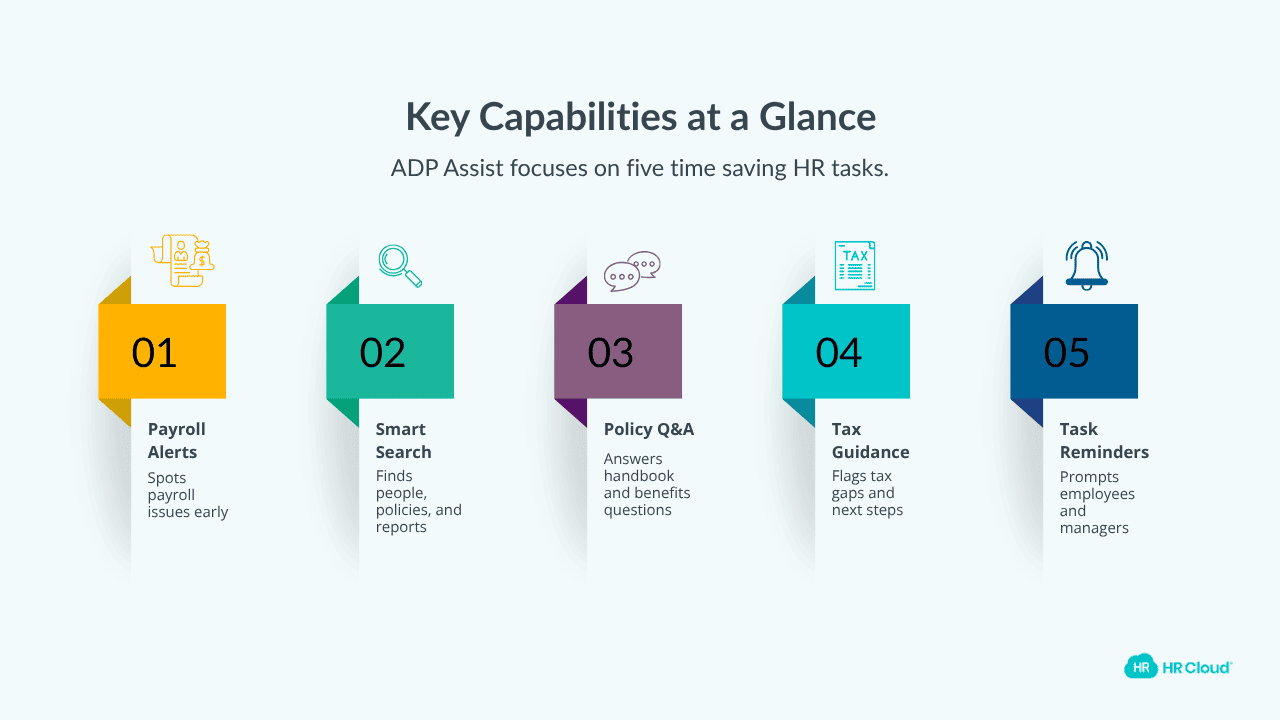
ADP Assist targets five core areas where HR teams lose time every week:
1. Proactive payroll anomaly detection
2. Natural language search for people, policies, and reports
3. HR policy and benefits Q&A basis employer's own handbook
4. Tax registration gap identification and resolution guidance
5. Task reminders for employees and managers
These are meaningful, measurable time savings, and they matter. But here's what those five capabilities don't include, and why that gap matters more than most HR leaders realise.
What Are AI Onboarding Agents and How Are They Different?

Here's the distinction that most HR tech conversations skip, and it's the one worth gaining clarity on.
ADP Assist is an AI assistant. It responds when asked.
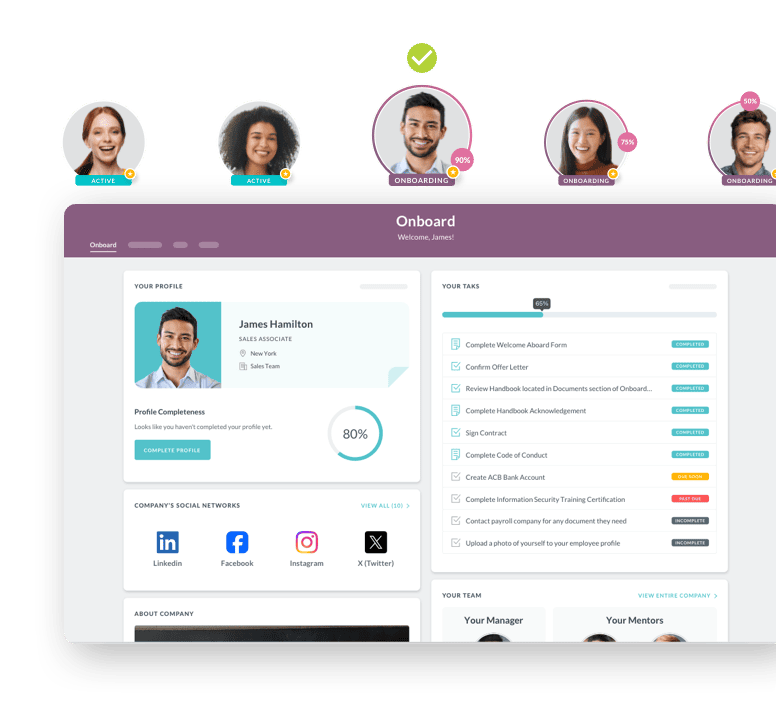
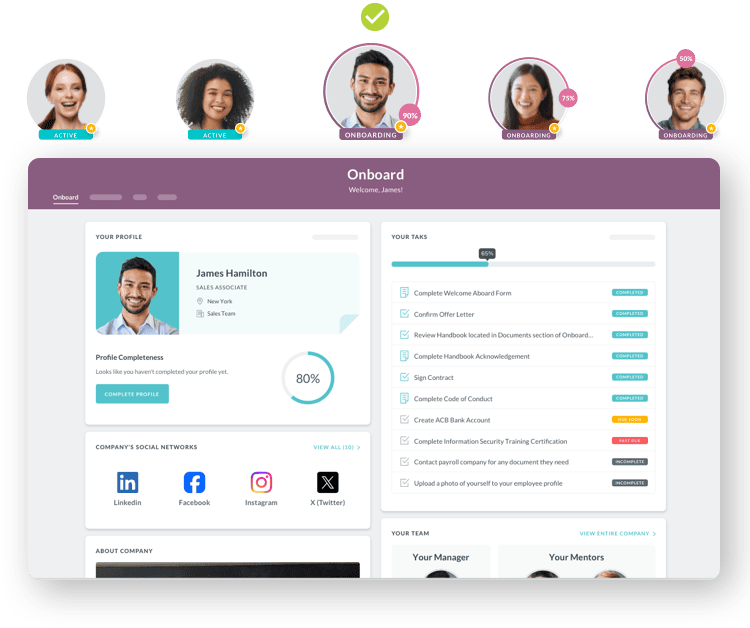
A dedicated AI onboarding agent is a purpose-built system designed to autonomously orchestrate the end-to-end new hire journey, from offer acceptance through the 90-day mark, across multiple enterprise systems simultaneously.
Think about what a full onboarding workflow actually involves. At the minimum it should include
-
welcoming new hires before Day 1
-
enrolling new hires in training that they need
-
coordinating tasks across HR, IT, and facilities
-
personalizing workflows by role, department, and location
-
flagging engagement risk during those critical first 30 to 90 days
-
distributing and tracking document completion, provisioning IT access
Is that what your current AI tool actually handles? Or does someone on your HR team still owns the follow-ups? Because that's not Q&A. That's multi-step, cross-system orchestration executed automatically, without waiting for a human to trigger the next step.
An AI assistant answers when you ask. An AI agent acts without being asked every time.
Why the Distinction Matters for You
Because treating the two as interchangeable has real operational consequences — your HR team ends up owning the workflows the tool was supposed to handle.
If you expect full onboarding automation from a conversational AI tool, you'll under-buy, and your HR team will keep owning the follow-ups that should be automated.
If you deploy a full onboarding agent for a team of 15 that only needs HR policy support, you'll over-buy.
The distinction determines who owns the workflow: your HR team manually following up, or the agent completing it automatically. Getting this right saves time, money, and more than a few Day 1 disasters.
Are you currently sure which side of that line you're on?
Here's how the two tools compare side by side, which should make that decision considerably easier.
ADP Assist vs. AI Onboarding Agents: Head-to-Head
Both tools use AI. Both live in HR workflows. But they're built to solve fundamentally different problems. Here's how they compare directly.
|
Feature |
ADP Assist |
AI Onboarding Agents |
|
Primary function |
Broad HR + payroll AI assistant |
Dedicated new hire journey agent |
|
Scope |
Payroll, compliance, analytics, benefits, policy Q&A |
End-to-end onboarding from offer to 90-day check-in |
|
Autonomy level |
Reactive + limited proactive |
Fully autonomous multi-step orchestration |
|
System reach |
ADP ecosystem primarily |
Cross-system: HRIS, IT, LMS, facilities |
|
Onboarding depth |
Notifications, Q&A, task reminders |
Document completion, access provisioning, training enrollment |
|
Best fit |
ADP users needing platform-wide AI support |
Organizations wanting full onboarding automation |
The table reveals a clear pattern. ADP Assist is built for breadth across the full HCM lifecycle and onboarding is one of many functions it supports. A dedicated AI onboarding agent is built for depth on that single workflow. Both have their own use cases. The question is what your organization actually needs right now. And which gap is costing you the most?
Before you can make that call confidently, you need to know exactly where ADP Assist's onboarding scope ends and why those boundaries exist.
Where ADP Assist's Onboarding Scope Ends
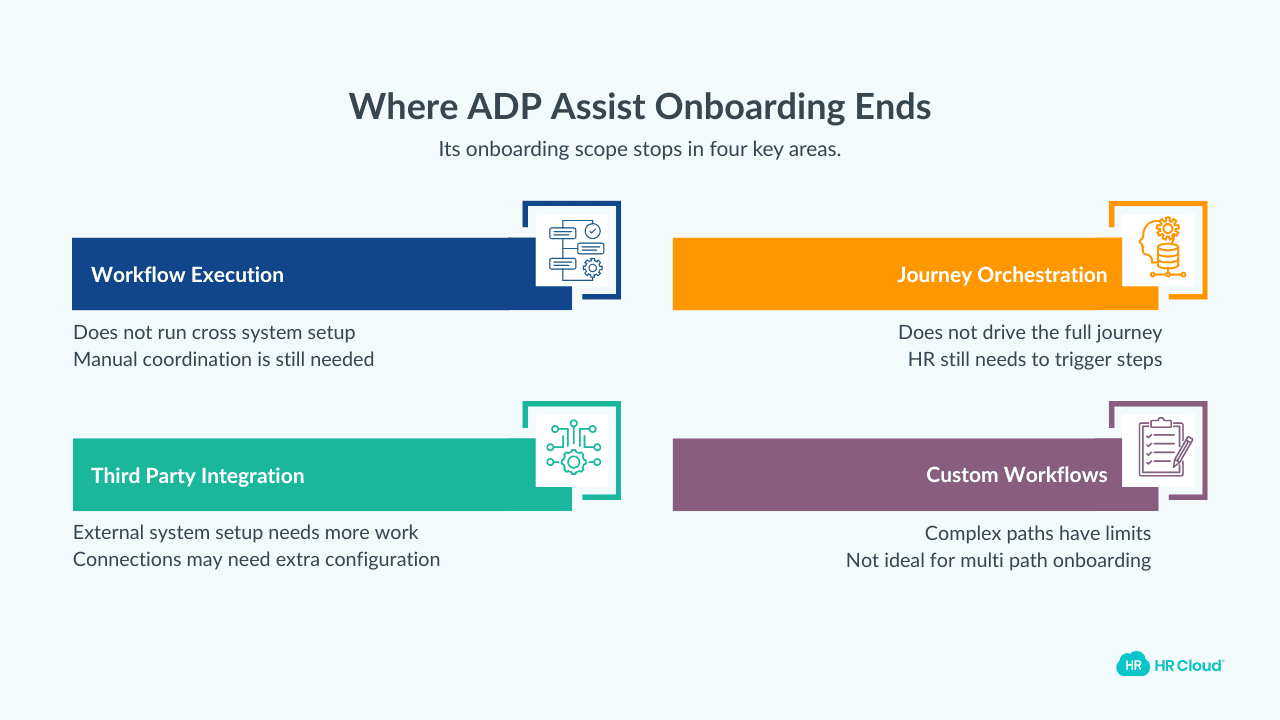
ADP Assist is an HR AI tool built to serve the entire HCM lifecycle. That breadth is its design intent and that's also why it doesn't go deep on onboarding specifically. So where exactly does its scope end?
There are four places where its onboarding scope naturally stops.
Cross-system workflow execution
ADP Assist doesn't autonomously provision IT access, enroll employees in training platforms, or coordinate facilities setup. Those tasks require separate systems and, without an onboarding agent, manual coordination.
Who on your team owns that coordination today?
Proactive journey orchestration
ADP Assist responds to questions and sends reminders but it doesn't proactively drive the new hire journey without human triggers at each step. If your HR team doesn't prompt it, it waits.
Is that working for your current hire volume?
Third-party system integration
ADP Assist is tightly built for the ADP ecosystem. Integration with external ITSM, LMS, or facilities platforms requires additional configuration and may not be seamless depending on your stack.
Role and location-specific workflow customization
Best onboarding practices require personalized paths by role, department, and location. G2 and Capterra reviews from 2026 indicate that ADP's onboarding workflow customization has real limits for organizations with complex, multi-path onboarding needs. (Writer: verify current G2 reviews for ADP Onboarding before publishing.)
These are scope decisions. And knowing where the scope ends is how you build a stack that actually covers your full onboarding process.
When to Use ADP Assist vs. Dedicated Onboarding Agent
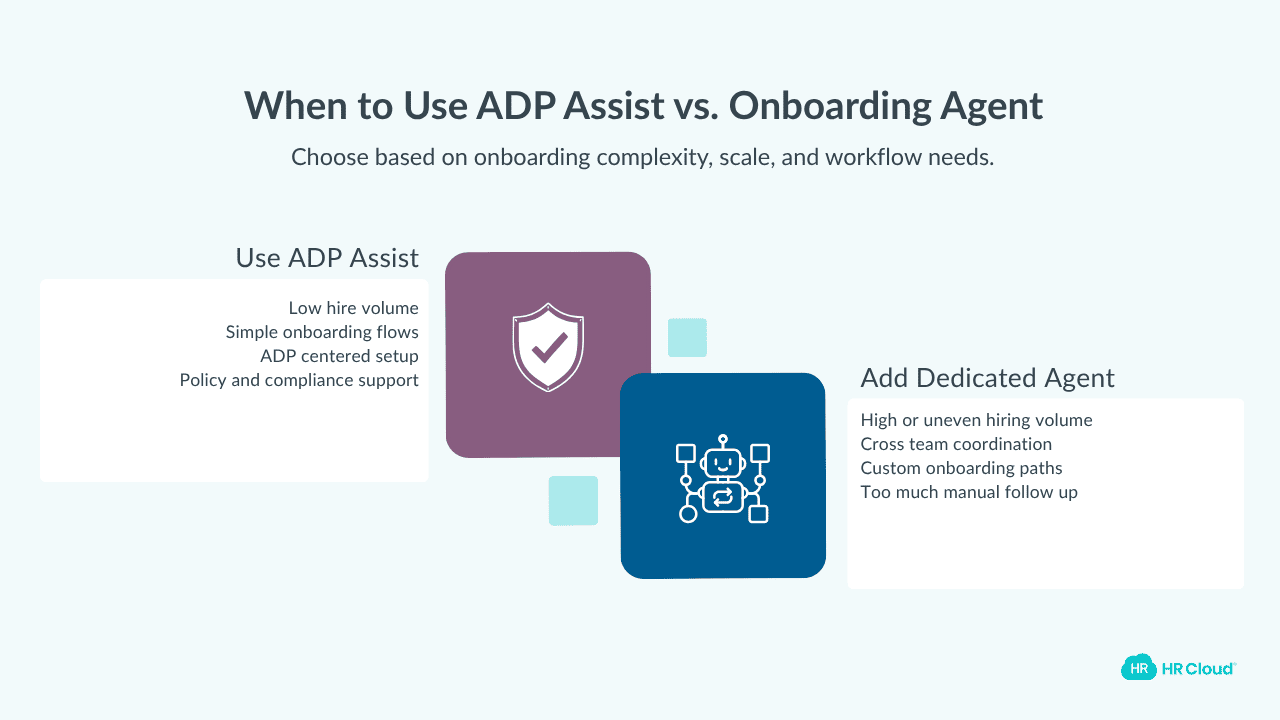
The right answer depends on your onboarding complexity, tech stack, and growth stage. Here's a practical decision framework to help you.
Stick with ADP Assist for onboarding support when:
-
Your new hire volume is low — typically fewer than 20 hires per month
-
Onboarding workflows are simple and largely standardized
-
Your organization is fully committed to the ADP ecosystem and doesn't need cross-system coordination
-
The primary need is HR policy Q&A, payroll accuracy, and compliance guidance — not workflow automation
Add a dedicated AI onboarding agent when:
-
New hire volumes are high, seasonal, or unpredictable
-
Onboarding spans multiple departments — HR, IT, facilities, finance
-
Role-specific or location-specific onboarding paths are needed
-
Your HR team is spending more than 3 to 4 hours per hire on manual follow-up
-
Day 1 readiness failures keep happening — access not provisioned, documents not complete, managers not briefed
Remember, if you're consistently seeing Day 1 failures, that's not necessarily a hiring problem but a systems problem. The fix isn't asking your HR team to chase harder. It's giving them a tool that closes the loop automatically.
How to Evaluate Your Onboarding AI Setup in 3 Steps
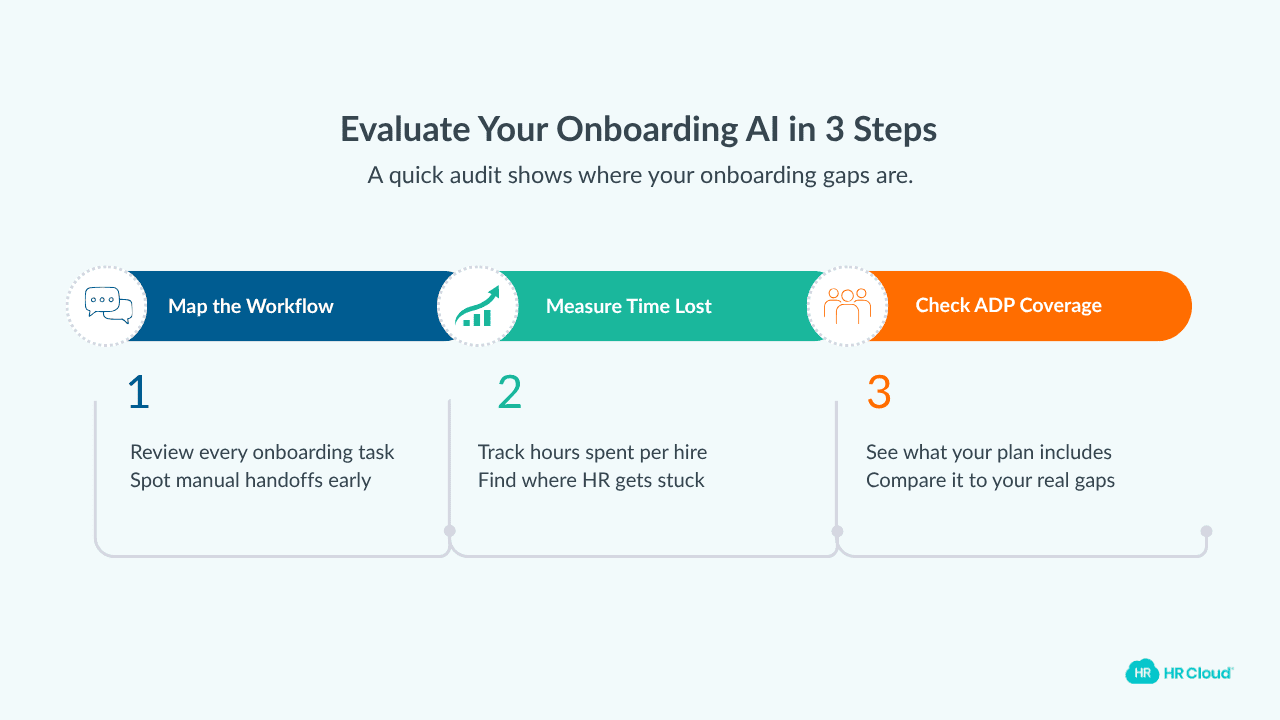
Before you decide between tools, run a quick internal audit. This takes less than a morning and tells you exactly where your gaps are. Where should you start?
Step 1: Map your current onboarding workflow
List every task in your new hire journey, from offer acceptance through the first 90 days. Tag which tasks require cross-system coordination (IT, facilities, training) versus simple Q&A or reminders. If more than a third require manual handoffs between systems, you have an onboarding agent case.
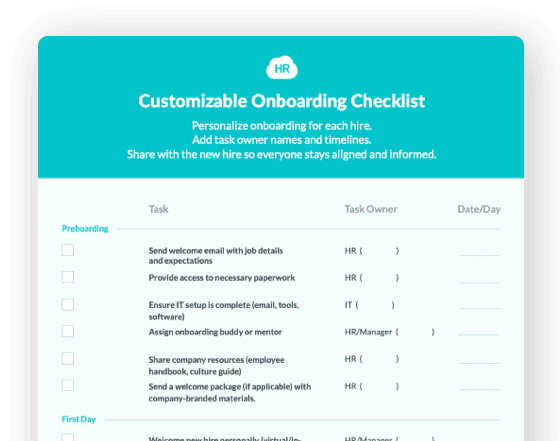
This free onboarding checklist is a good starting point for the mapping exercise.
Step 2: Measure where time is actually lost
How many hours does your HR team spend per hire chasing document completion, sending reminders, and coordinating with IT? If it consistently exceeds 3 to 4 hours, a dedicated onboarding agent has a clear ROI case.
The complete guide to digitizing employee onboarding covers the ROI calculation in detail.
Step 3: Check what your ADP plan actually includes
Verify whether your current ADP plan includes ADP Assist and assess whether its onboarding features close the gaps you identified in Steps 1 and 2. If they don't, that's exactly where a dedicated AI onboarding agent like HR Cloud Onboard earns its place without displacing the ADP infrastructure your payroll team already depends on.
Is this a perfect framework? No. Will it give you a clear enough picture to make a confident decision? Yes. Start with Step 1 this week.
And once you've mapped your gaps, here's how HR Cloud closes them without touching your ADP infrastructure.
HR Cloud + ADP: Get Dedicated Onboarding AI Within Your ADP Ecosystem
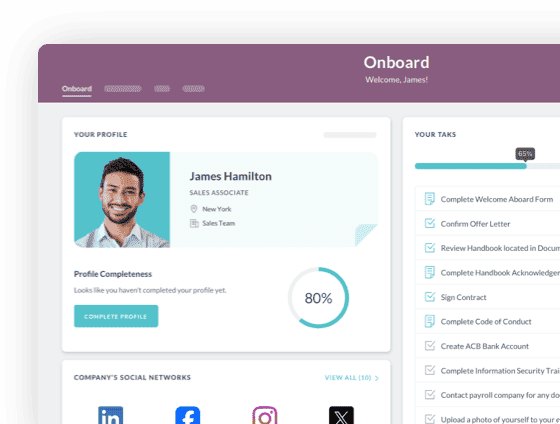
HR Cloud's Onboard module is a dedicated AI onboarding agent that integrates natively with ADP Workforce Now, RUN Powered by ADP, and ADP TotalSource, so you don't have to choose between your ADP payroll infrastructure and specialized onboarding automation. You get both.
Your payroll and HCM backbone stays exactly where it is. What you add is onboarding depth that ADP Assist wasn't designed to provide.
Here is what that would look like in practice:
-
New hires complete documents and e-signatures before Day 1.
-
IT access is provisioned automatically.
-
Training is enrolled based on role and location.
-
HR's handle time on onboarding admin drops significantly.
HR Cloud customers report onboarding new hires 3x faster and saving 7 hours per week per HR team member. And HR Cloud's AI handles up to 60% of routine new hire questions automatically.
For organizations with frontline and deskless teams, HR Cloud's mobile-first architecture means the same automation reaches nurses, warehouse staff, and field technicians. The employees that do no have corporate emails or work from desktops. And for teams navigating remote and hybrid onboarding, the same platform handles the full experience across work models.
The implementation timeline is built for operational realism. HR Cloud targets six weeks from kickoff to production, not the months-long enterprise deployment that makes HR leaders hesitate to make any change at all.
You can explore HR Cloud's ADP Marketplace listing or request a demo to see the integration in action.
 Discover how our HR solutions streamline onboarding, boost employee engagement, and simplify HR management
Frequently Asked Questions
What is ADP Assist, and what is it used for?
ADP Assist is a generative AI-powered assistant built into ADP's HCM platform. It provides real-time answers to HR, payroll, benefits, and policy questions, flags payroll anomalies, and surfaces proactive recommendations. It is designed for HR practitioners, managers, and employees who need fast, data-backed guidance within the ADP ecosystem.
Is ADP Assist an AI agent or an AI assistant?
ADP Assist combines both capabilities. It functions as a conversational AI assistant for Q&A and natural language search, but its newest features — including payroll variance remediation and tax registration guidance — operate as agentic AI: proactively identifying issues and guiding users through resolution without waiting for a prompt.
Can ADP Assist fully automate employee onboarding?
Not fully. ADP Assist can send new hire notifications, answer policy questions, and flag incomplete tasks — but it doesn't autonomously orchestrate cross-system workflows such as provisioning IT access or enrolling employees in training. For full onboarding automation, organizations typically add a dedicated AI onboarding agent alongside ADP Assist.
What can an AI onboarding agent do that ADP Assist cannot?
A dedicated AI onboarding agent can coordinate tasks across HR, IT, facilities, and finance simultaneously — without human intervention at each step. It tracks document completion, provisions system access, personalizes onboarding by role and location, and monitors engagement signals during the first 30 to 90 days. These cross-system, autonomous capabilities go beyond ADP Assist's current onboarding scope.
What is the difference between an AI agent and an AI assistant in HR?
An AI assistant responds when prompted — it answers questions and completes specific tasks on request. An AI agent is proactive: it pursues a defined goal autonomously, executing multi-step workflows across systems with minimal human intervention. In HR, the difference translates to reactive support versus end-to-end process ownership.
What is the best AI onboarding tool for mid-size companies using ADP?
For mid-size organizations already on ADP, the strongest setup combines ADP Assist for HR-wide AI support with a dedicated onboarding agent — such as HR Cloud Onboard — that integrates natively with ADP Workforce Now. This pairing preserves payroll infrastructure while adding purpose-built onboarding automation without a platform migration.

Keep Reading
AI Onboarding for Field Workers: Why Compliance Is the Real Test (And How to Pass It)
Approximately 80% of the global workforce is deskless — field workers, frontline staff,
HR Cloud Healthcare Onboarding & Scheduling
You hired a CNA last Thursday. She starts Monday. Between now and then, HR is chasing
HR Cloud vs. Paylocity: Payroll Complexity or Employee Lifecycle Execution?
Most HR platform comparisons start with feature checklists. That's the wrong starting