HR Software for Hospitals: What to Look for in 2026

Hospital HR teams in 2026 face a specific set of problems: chronic staffing shortages, credential tracking at scale, compliance exposure, and frontline staff who never sit at a desk. The right HR software doesn't try to solve all of these with one generic feature — it handles each with purpose-built tools that actually fit how clinical environments work.
Key Takeaways
- Overall hospital staff turnover sits at 18.3% nationally, with RN turnover at 16.4% — and replacing a single bedside RN costs $61,110. HR software that reduces that number even modestly pays for itself fast
- The Joint Commission added nurse staffing as a National Performance Goal in 2026, making structured workforce documentation a compliance necessity, not a nice-to-have
- Credential expiration tracking, automated I-9 and E-Verify workflows, and bulk onboarding are table-stakes for hospitals — not advanced features
- Mobile-first delivery matters: 70–80% of healthcare workers are deskless, meaning desktop-only tools are largely useless for clinical staff
- The healthcare HR software market is projected to hit $786.85 million in 2026 — but market size doesn't tell you whether a platform can actually handle your compliance workload
The Real Problem with Hospital HR in 2026
"We're hemorrhaging nurses faster than we can replace them, and our current systems can't even tell me which shifts are critically understaffed until it's too late."
That's not a hypothetical. It's a quote from the director of a regional hospital system that was still managing onboarding via email chains and tracking license renewals in spreadsheets — in 2025.
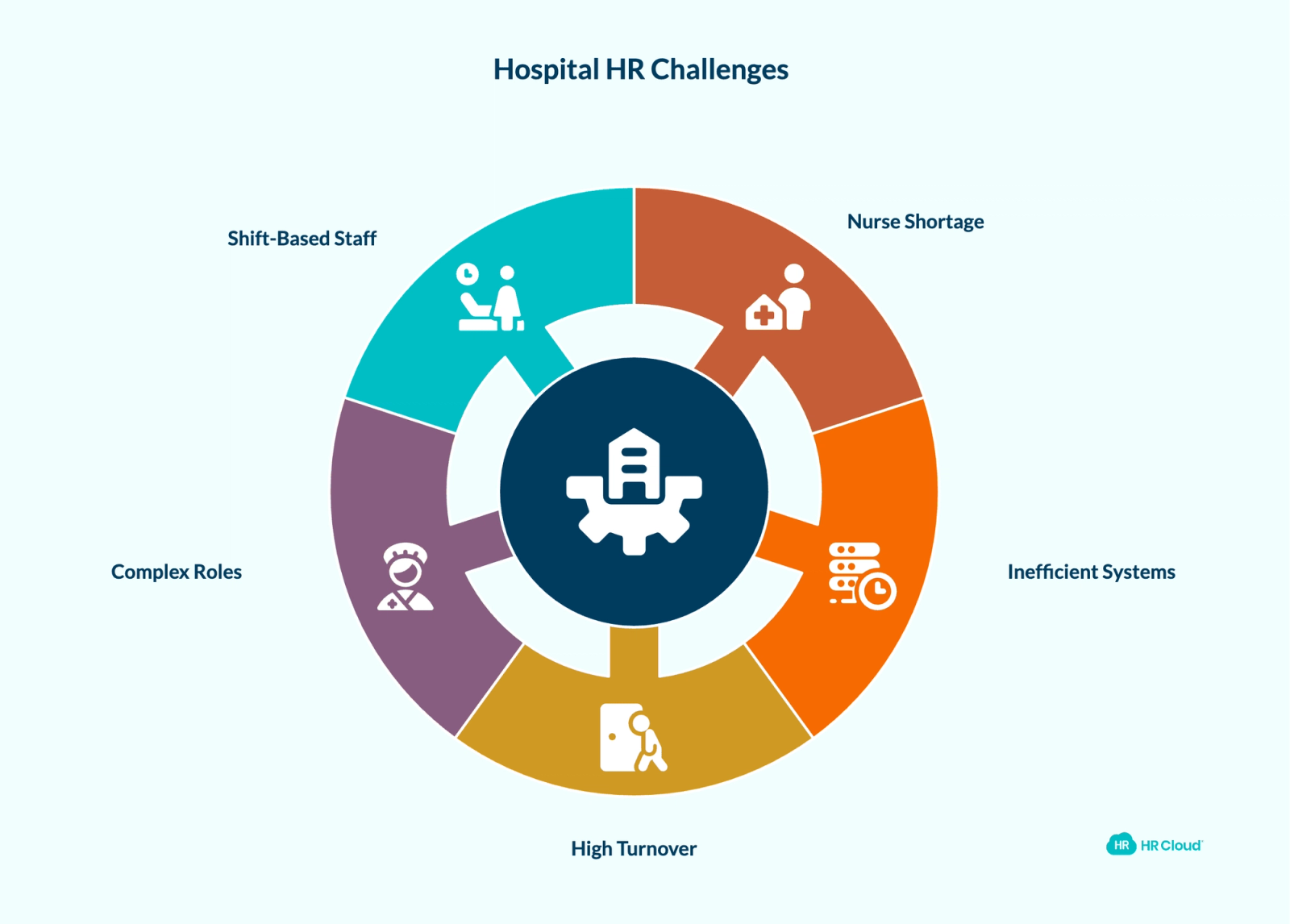
The U.S. faces a projected shortfall of over 3.2 million healthcare workers by 2026. That number puts immense pressure on recruiting, onboarding, and retention. But here's the part that doesn't always make the headlines: most hospitals aren't losing ground because of the shortage alone. They're losing ground because their HR infrastructure wasn't built for this kind of volume or complexity.
High turnover, credential-heavy roles, multi-site operations, and shift-based staff who are never at a computer — these are features of hospital HR, not exceptions. Any software you evaluate in 2026 needs to treat them as the baseline.
What Sets Hospital HR Apart from Other Industries
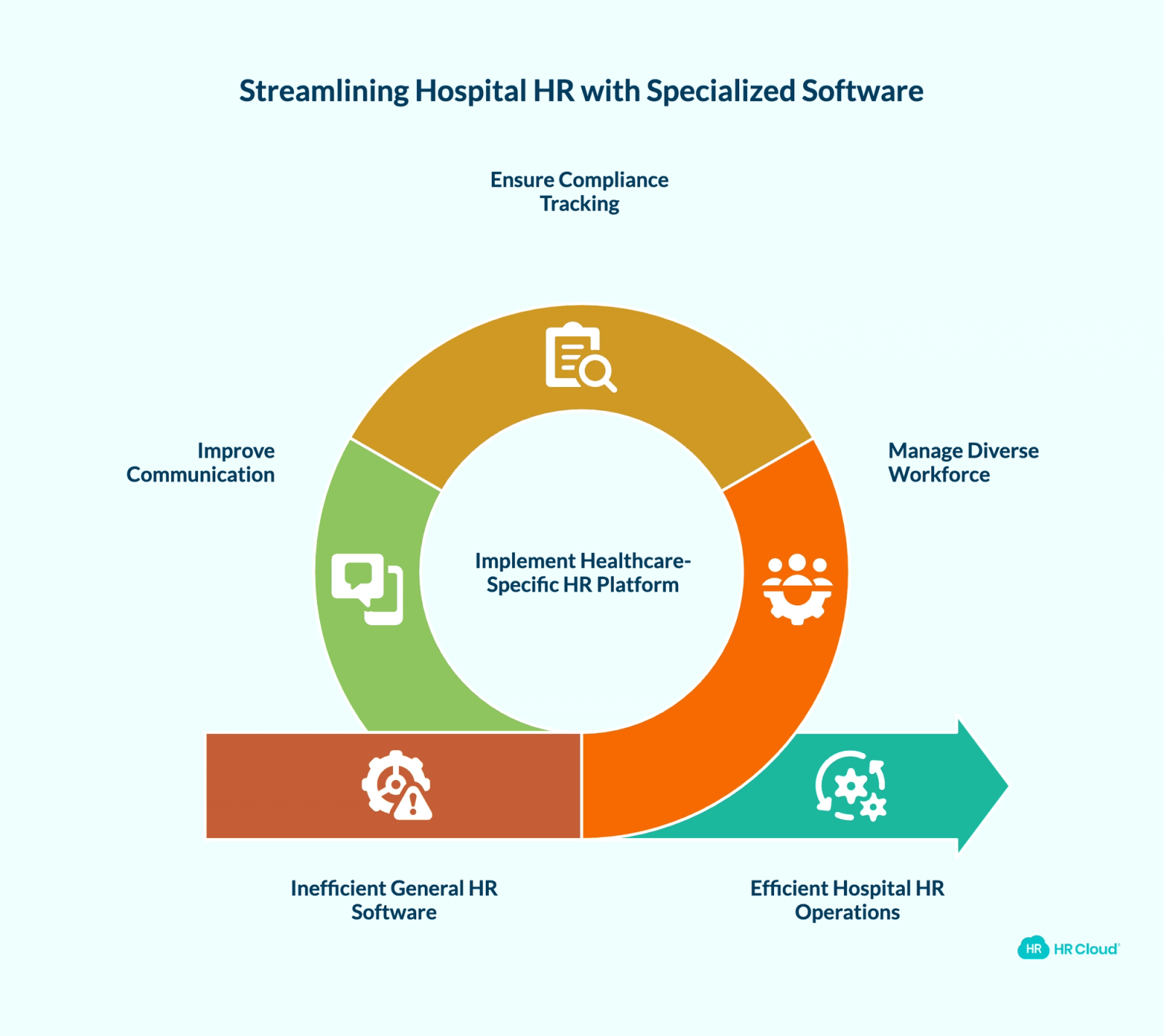
Most general-purpose HR software was designed around a standard office environment: one location, salaried employees, simple compliance requirements. Hospitals operate in a different reality.
A mid-sized hospital system might employ nurses, physicians, allied health professionals, administrative staff, traveling clinicians, PRN staff, and contract workers — all under the same HR umbrella, all with different credential and compliance requirements, all working across shifts that span 24 hours a day.
The compliance surface area alone is enormous. I-9 verification and E-Verify, background checks through HIPAA-compliant integrations, OIG exclusion list checks, state license verification, OSHA training, HIPAA training, and Joint Commission documentation — all need to be tracked, renewed, and audit-ready at any given moment.
And then there's the communication problem. When 70–80% of your workforce is clinical and deskless, standard intranet tools and email-heavy employee onboarding processes simply don't reach them. A nurse finishing a 12-hour overnight shift isn't checking email to complete a compliance form.
This context matters when you're evaluating HR software. Features that sound comprehensive on a product sheet may not hold up when applied to how hospitals actually run.
See how HR Cloud's healthcare-specific platform handles these operational realities — request a demo.
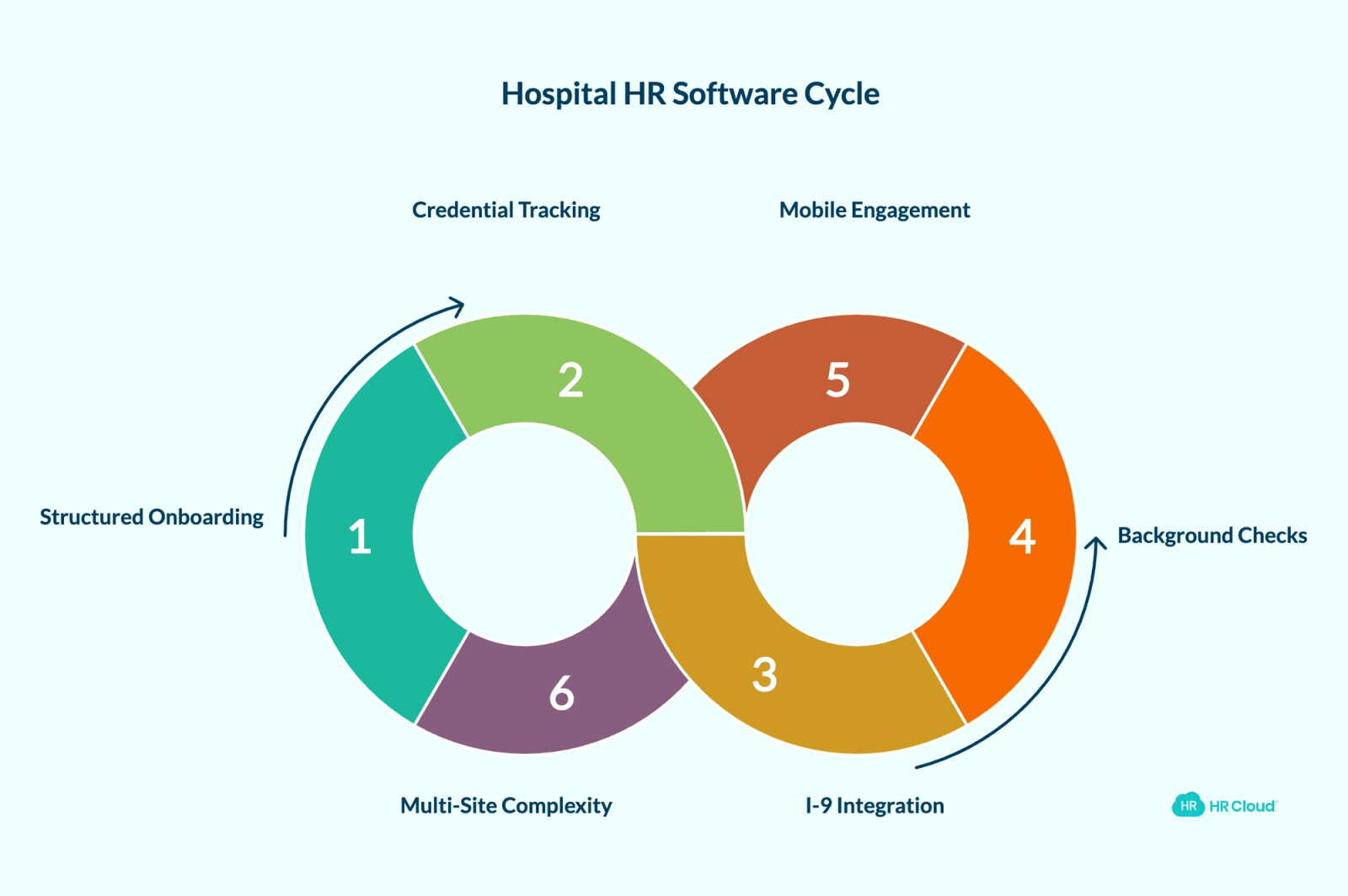
6 Things to Look for in Hospital HR Software in 2026
1. Structured, Automated Onboarding — With Bulk Capability
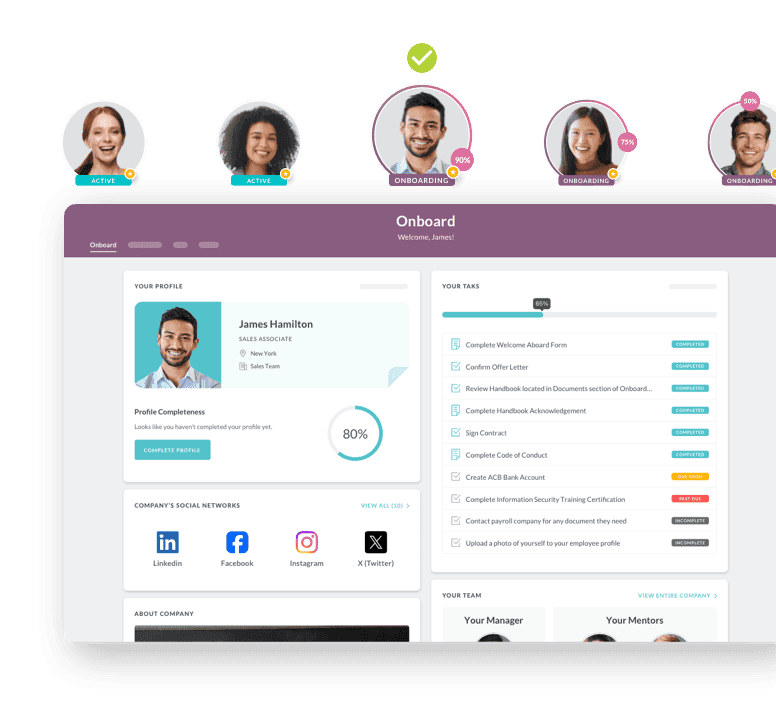
Hospital hiring doesn't happen one person at a time. A facility might bring on 50 new nurses in a single month during a staffing push. Any platform that can't handle bulk clinical staff onboarding efficiently becomes a bottleneck.
Look for:
- Bulk onboarding initiation — the ability to trigger onboarding for batches of employees at once, not individual records one by one
- Chained task workflows — where completion of one step (say, I-9 section 1) automatically unlocks the next (employer I-9 completion), enforcing the right sequence without manual follow-up
- Role-specific onboarding portals — a travel nurse needs a different checklist than a permanent hire; a home health aide needs different documentation than an ICU nurse
- Configurable automatic start timing — the ability to trigger onboarding 30, 45, or 60+ days before a start date so employees arrive on Day 1 already compliant
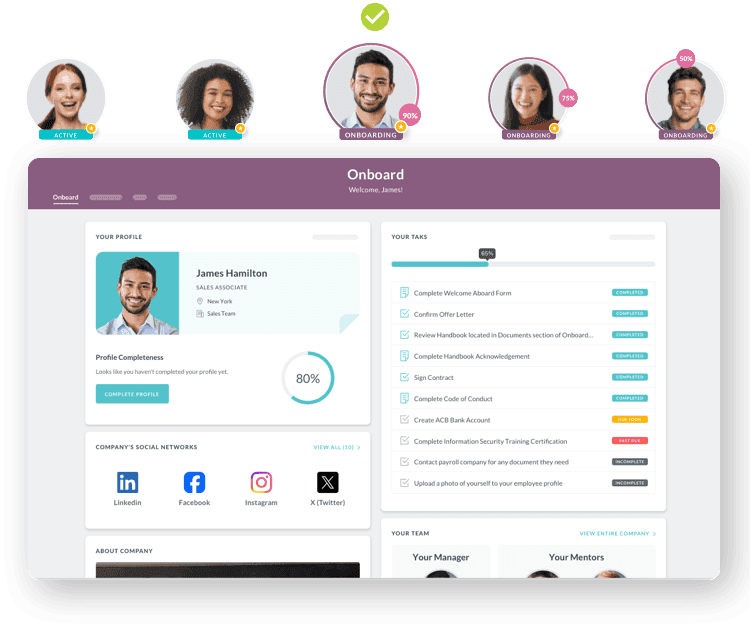
HR Cloud's Onboard supports all of this. Bulk onboarding can be initiated from the People tab for any group of employees at once, and chained tasks enforce completion order — step 2 stays locked until step 1 is done. Multiple onboarding portals can be configured for different audiences using criteria like department, location, position, or employment type.
For context: Behavioral Progression reported 3x faster onboarding in the first quarter after going live with HR Cloud. All About Kids, a 1,200-employee pediatric therapy provider, went from paper-based onboarding with documentation gaps to automated workflows where, as their team noted, "nothing is ever missed."
2. Credential and License Tracking That Doesn't Require Manual Maintenance
A hospital that loses track of a nurse's license expiration isn't just facing an HR problem — it's facing a patient safety and accreditation problem. With The Joint Commission now including nurse staffing as a National Performance Goal under Accreditation 360, having auditable, current credential records is no longer optional.
The question isn't whether your HR software has a documents tab. The question is whether it can:
- Log license numbers, expiration dates, and certification details at the individual employee level
- Send automated renewal alerts in advance — ideally at 30, 60, and 90-day intervals before expiry
- Give HR a centralized view of which credentials are current, which are expiring, and which are overdue across the entire workforce
HR Cloud's platform supports document management at the employee profile level with configurable privacy settings. Credential-related documents — including licenses, certifications, and immunization records — can be stored, retrieved, and exported per employee. The healthcare HR page notes that organizations using the credential tracking feature have reported 38% fewer compliance errors in the first year.
3. Built-In I-9 and E-Verify Integration
Healthcare hiring moves fast. When you're processing dozens of new hires simultaneously, I-9 compliance can't depend on manual coordination between HR admins and new employees.
HR Cloud integrates with E-Verify directly within the onboarding workflow. Once an employee completes their section of the I-9, the employer section becomes available. After that's complete, an option to proceed to E-Verify appears directly in the platform — no separate login, no manual handoff. HR admins can track all pending and completed E-Verify cases through the Onboard application's dedicated tab.
The I-9 form also locks automatically if not completed by Day 1 (employee section) or Day 3 (employer section), with unlock requests routable to HR admins via email notification. For hospitals managing high-volume seasonal hiring or contract staff onboarding, that kind of built-in enforcement prevents compliance gaps that could otherwise only surface during an audit.
Ready to modernize compliance workflows? See how HR Cloud handles healthcare onboarding at scale.
4. Background Check Integration That Fits the Healthcare Context
Healthcare organizations face specific background check requirements — and not all background check integrations are built to handle them cleanly.
HR Cloud integrates with Checkr natively through its HR integrations ecosystem. The integration adds a background check task directly to onboarding checklists. When triggered, employees receive an invitation to complete the required information through Checkr's platform. The HR admin then receives a task to review results and can complete or escalate based on what comes back.
Checkr supports multiple package tiers depending on your requirements. For hospitals managing volume hiring, the ability to assign background check tasks as part of a standard onboarding checklist — rather than managing it as a separate process — reduces coordination overhead significantly.
One note worth flagging: the Checkr integration is not GDPR compliant, so if your organization has staff operating in the EU, that's a consideration. VerifiedFirst is also available as an alternative background check integration for organizations with different vendor preferences.
5. Mobile-First Engagement and Communication for Clinical Staff
Here's a pattern that shows up repeatedly in hospital HR: organizations invest in HR software, configure it well, then see low adoption from their frontline clinical staff. The reason is almost always the same — the platform assumes desktop access.
A bedside nurse isn't checking a company intranet. A home health aide traveling between patient visits isn't logging into an HR portal on a laptop. The only device that reliably reaches deskless healthcare workers is the phone in their pocket. This is why hospital employee engagement strategies need to be mobile-first, not desktop-adapted.
Look for platforms where:
- Onboarding tasks, forms, and compliance items are completable on mobile
- Announcements and updates are delivered via push notifications or SMS, not just email
- Recognition tools are accessible from the same mobile interface — so a nurse can give a colleague a Kudos after a difficult shift without needing to be at a computer
HR Cloud's Workmates handles this. The platform includes a mobile app with a customizable homepage, push notification delivery, and communication channels configurable by role, location, or department. Digital Signage functionality extends communication to common areas — useful for shift-based environments where break rooms are often the only shared space across teams.
The recognition module includes Kudos with optional points-based rewards. Employees can send recognition from mobile, and points can be redeemed for gift cards or custom rewards as configured by the organization. Veolia — managing 10,000+ field-based workers — achieved a 75%+ mobile onboarding completion rate after deploying HR Cloud's mobile-first approach.
Explore healthcare employee engagement strategies that combine mobile-first tools with clinical-specific workflows.
6. HRIS Infrastructure That Handles Multi-Site Complexity
Single-facility hospitals are increasingly rare. Regional health systems, multi-specialty clinics, and home health networks need a healthcare HRIS that can handle employees across different sites without creating data silos or requiring separate setups for each location.
Key questions to ask:
- Can onboarding workflows, portals, and checklist assignments be differentiated by location, department, or employment type?
- Can credential and compliance data be reported at both the individual and system-wide level?
- Does the platform integrate with your existing payroll, ATS, and scheduling systems?
HR Cloud's People HRIS supports multi-site configuration natively. Onboarding portals can be targeted to specific employee populations using criteria including location, department, division, and employment type. Assignment rules for time-off policies, onboarding checklists, and security roles all support location-based targeting.
On the integration side, HR Cloud connects with ADP, Paycor, UKG, QuickBooks, and other payroll systems — as well as with ATS platforms for the recruit-to-onboard handoff. The Zapier integration opens additional connectivity for teams that need custom workflow automation without developer involvement.
For enterprise hospital systems, HR Cloud also offers connections with Epic and Cerner through its enterprise hospital HR product.
See the full list of HR Cloud integrations.
Hospital HR Software Feature Checklist: What to Require vs. What's Optional
Not every feature on a vendor demo is equally important for a hospital environment. This table separates the capabilities hospitals should treat as requirements from those that are useful but non-critical.
| Feature | Priority for Hospitals | Why It Matters |
|---|---|---|
| Bulk onboarding initiation | Required | High-volume hiring means you can't trigger onboarding one record at a time |
| Chained / sequenced task workflows | Required | Enforces correct compliance order without manual follow-up |
| I-9 with E-Verify integration | Required | Manual I-9 tracking at scale creates audit exposure |
| Credential and license expiration tracking | Required | License lapses are patient safety and accreditation risks |
| Role-specific onboarding portals | Required | Travel nurses, PRN staff, and permanent hires need different workflows |
| Mobile-first access for deskless staff | Required | 70–80% of healthcare workers don't sit at a computer |
| Background check integration (healthcare-vetted) | Required | Healthcare-specific screening requirements differ from standard employment checks |
| Multi-site configuration | Required for health systems | Different locations need distinct workflows, compliance tracking, and reporting |
| Payroll and ATS integration | Required | Prevents duplicate data entry across recruit-to-hire-to-pay workflow |
| Employee recognition and engagement tools | Strongly recommended | Directly tied to early-tenure retention in clinical environments |
| Performance management | Recommended | Useful for structured reviews, goal tracking, and competency documentation |
| Digital Signage for common areas | Situational | High value for shift-based environments; lower priority for fully remote teams |
| AI-powered scheduling optimization | Emerging | Valuable where staffing complexity is high; not yet standard across all platforms |
How HR Cloud maps to this list: HR Cloud covers every "Required" and "Strongly recommended" item in the table above through its Onboard, Workmates, People HRIS, and integrations ecosystem. Multi-site configuration, credential tracking, I-9/E-Verify, bulk onboarding, mobile access, Kudos recognition, and payroll integrations are all natively supported — not add-ons requiring separate contracts.
A Note on Time-to-Productivity
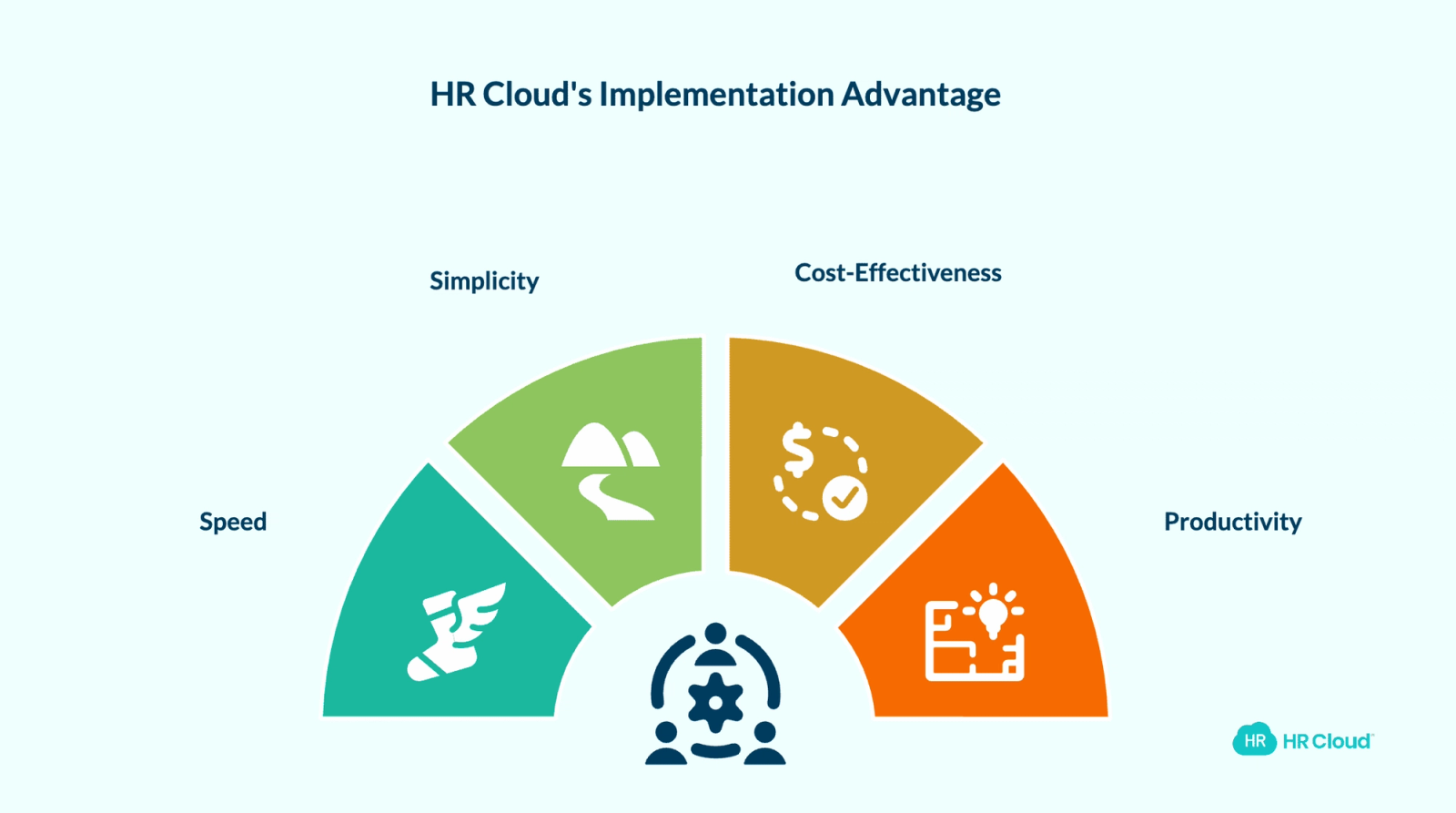
One thing that often gets underweighted in software evaluations is implementation speed. A hospital that's actively managing a staffing shortage doesn't have six months to configure a new HRIS.
HR Cloud's implementation process typically runs 2–3 weeks for standard deployments. Interim Healthcare SLC went live in 6 weeks including a full ADP integration. Implementation includes workflow configuration and form mapping handled by HR Cloud's team — no dedicated internal IT project required.
In healthcare, implementation speed is directly tied to cost: every week of onboarding inefficiency during a staffing crunch translates to overtime hours, agency spend, and slower time-to-productivity for new hires.
What the Data Says About Hospital HR Software in 2026
| Metric | Context |
|---|---|
| Overall hospital staff turnover | 18.3%; RN-specific: 16.4% (NSI, 2025) |
| Cost to replace a single RN | $61,110 (NSI, 2025) |
| Healthcare HR software market (2026) | $786.85M projected (Global Growth Insights) |
| Healthcare orgs using automated scheduling | ~63% |
| Healthcare leaders citing burnout as concern | 67% (Hallmark Healthcare, 2025) |
| Credential compliance errors (pre-HR Cloud) | Reduced 38% in year 1 with HR Cloud |
These numbers carry a common thread: the cost of weak HR infrastructure in hospitals isn't abstract. It shows up in overtime, agency contracts, compliance penalties, and — most consequentially — patient outcomes when staffing falls short.
Want to see how HR Cloud addresses these gaps? Book a demo with the healthcare team.
How to Evaluate Hospital HR Software: A Practical Framework
Rather than evaluating software against a generic feature checklist, hospital HR teams will get more signal from scenario-based testing:
Scenario 1: Mass hire onboarding. You're bringing on 75 nurses over the next 30 days. Can the system initiate bulk onboarding, assign role-specific checklists, and track completion across all 75 without manual follow-up for each one?
Scenario 2: Credential audit. A Joint Commission survey is scheduled for next month. How quickly can you generate a report of which employees have current licensure, which have renewals due in the next 60 days, and which have gaps?
Scenario 3: Field staff communication. You need to notify all PRN nurses about a protocol change by tomorrow. Can the platform reach them via push notification or SMS — and give you acknowledgment tracking to confirm receipt?
Scenario 4: Multi-site reporting. Your hospital system has three facilities. Can HR generate a consolidated compliance report showing onboarding completion, credential status, and policy acknowledgment across all three locations?
If a platform can't walk you through these scenarios with a live demo, that's informative.
Green Flags vs. Red Flags During a Hospital HR Software Demo
| Green Flag | Red Flag |
|---|---|
| Vendor walks through bulk onboarding live, not via slide | Vendor shows a slide deck but cannot demonstrate bulk initiation |
| Credential tracking shows expiration dates per employee with alert settings | "We have a documents tab" — no expiration visibility |
| E-Verify is embedded in the onboarding workflow | E-Verify requires a separate login or manual export |
| Mobile demo shows full form completion on a phone | Mobile is mentioned but only partially functional |
| Multi-site reporting is shown with location filters | Reports are flat, with no location or department segmentation |
| Implementation timeline is 2–6 weeks with dedicated support | Implementation requires an internal IT project of 3+ months |
| Vendor references healthcare-specific customers | References are all non-healthcare SMBs |

Discover how our HR solutions streamline onboarding, boost employee engagement, and simplify HR management
Book Your Free DemoFrequently Asked Questions
What HR software features are most important for hospitals?
Hospital HR software should handle automated onboarding with bulk initiation, built-in I-9 and E-Verify workflows, credential and license tracking with renewal alerts, mobile accessibility for deskless clinical staff, and multi-site configuration. Compliance-specific tools — including background check integrations and policy acknowledgment tracking — are also non-negotiable for most healthcare environments. See a full breakdown on the HR Cloud healthcare platform page.
How does HR software help with nurse retention?
Structured onboarding, consistent communication, and accessible recognition programs all contribute to early retention. Research consistently shows the first 90 days are the highest-risk period for turnover. HR software that delivers a smooth onboarding experience, keeps nurses connected through mobile communication, and gives managers automated reminders for check-ins can measurably reduce first-year departures. Read more: how onboarding reduces healthcare staff turnover.
Can HR software help hospitals stay Joint Commission compliant?
Yes, particularly around documentation. Platforms with credential tracking, policy acknowledgment workflows, and audit-ready reporting give compliance teams a defensible paper trail. With nurse staffing now a National Performance Goal under Accreditation 360, having organized, current documentation is increasingly relevant to accreditation outcomes. The healthcare HR compliance checklist covers the key documentation areas surveyors examine.
What's the difference between general HR software and healthcare-specific HR software? General HR software often lacks the specific workflows hospitals need: E-Verify integration embedded in onboarding, credential expiration tracking, multi-facility configuration, and mobile delivery designed for deskless workers. Healthcare-specific platforms — or general platforms with deep healthcare configuration — handle these requirements without requiring extensive customization. HR Cloud's healthcare industry page outlines how its modules are configured for clinical environments.
How long does HR software implementation typically take for a hospital?
Implementation timelines vary by platform complexity and facility size. Purpose-built platforms like HR Cloud typically run 2–3 weeks for standard deployments. Larger systems or those with complex integrations (payroll, ATS, EHR) may run 4–8 weeks. Platforms requiring custom development or extensive IT involvement can extend significantly beyond that. See the enterprise hospital HR product for large system implementation details.
What should hospitals ask during an HR software demo?
Ask the vendor to walk through a bulk onboarding scenario, show how credential expiration tracking works, demonstrate mobile functionality for frontline staff, and generate a sample compliance report across multiple locations. Scenario-based demos surface real capability gaps better than slide decks. Use the free onboarding checklist templates as a reference when evaluating what a platform should be able to automate.
Is HIPAA compliance built into hospital HR software?
HIPAA compliance in HR software primarily covers how employee and patient data is stored, accessed, and transmitted. Healthcare HR platforms should offer role-based access controls, configurable document privacy settings, and audit logs — so only authorized users see sensitive records. When evaluating hospital HRIS options, ask vendors specifically about their data handling practices and whether their background check integrations are HIPAA-compliant.
How do I compare HR software options for a hospital or health system?
When running a hospital HR software comparison, weight healthcare-specific requirements heavily: Does it handle I-9 and E-Verify in-workflow? Can it track license and certification expiration across your entire workforce? Does it support multi-site configuration and mobile-first access for clinical staff? Generic software reviews rarely surface these distinctions — scenario-based vendor demos are a more reliable evaluation method than feature checklists.
HR Cloud is purpose-built for healthcare HR — from bulk onboarding and I-9/E-Verify workflows to credential tracking and mobile engagement for clinical staff. Request a demo to see how it applies to your organization's specific workflow.
About the author

Keep Reading


Like What You Hear?
We’d love to chat with you more about how HR Cloud® can support your business’s HR needs.
Book Your Free Demo